
AI-written content is everywhere now, and that makes trust a lot messier. A student essay, blog post, review, or support article can look totally normal while still be machine-made. That is why AI detection APIs matter more now. They help platforms check whether content looks human, AI-generated, or somewhere in between.
These tools do not “know” who wrote the text. They look for patterns in wording, structure, and predictability. Some only scan text. Others can also check code, images, or documents.
If you build products or manage content, it helps to know how these APIs actually work. They can be useful, but they are not magic. Below, we break down what they do well, where they fail, and what problems people keep running into.
Why use AI content detection APIs?
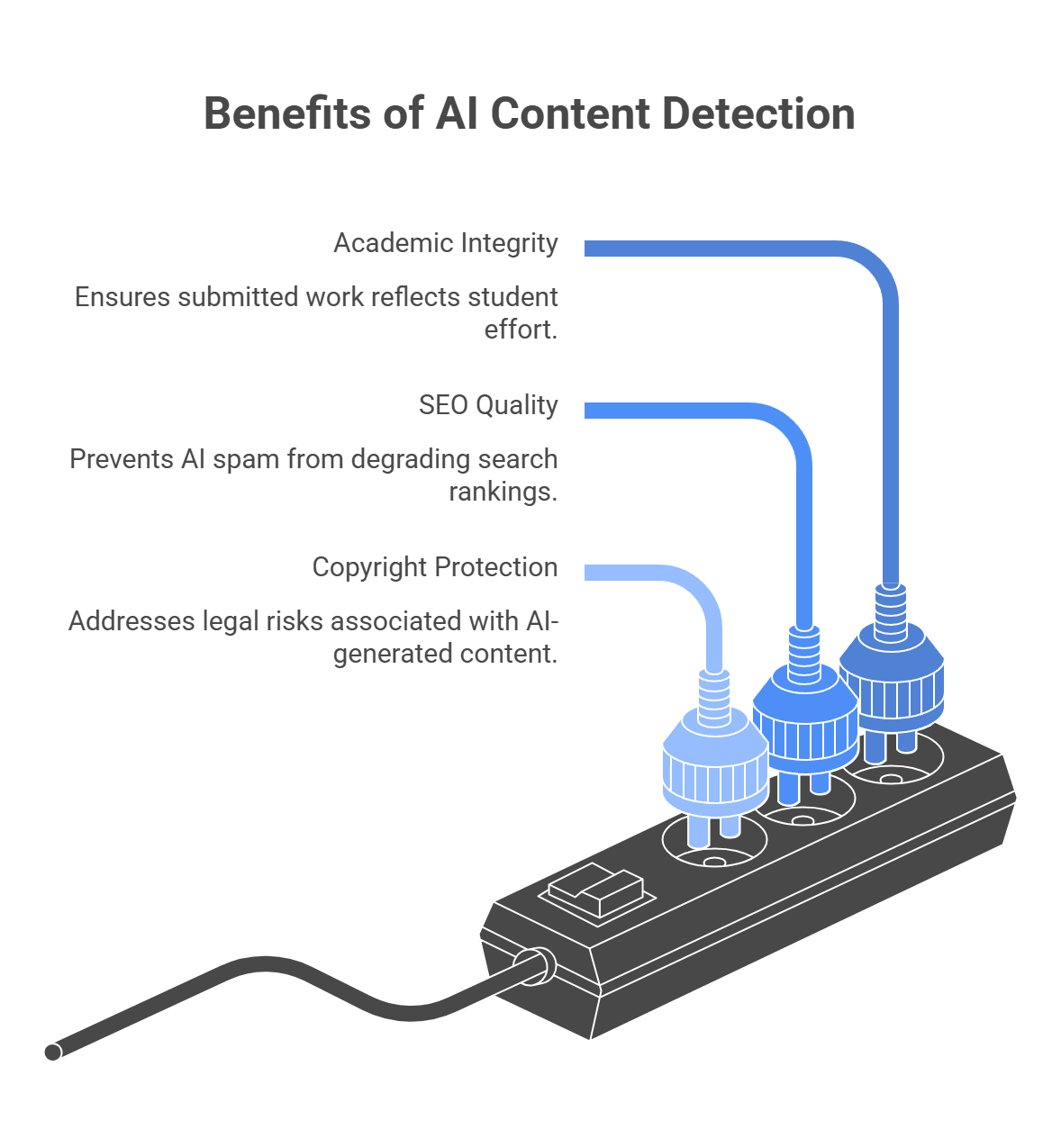
Before the “how,” there is the simpler question: why bother at all? Most businesses do not add detection because they want to play content police. They add it because synthetic content can mess with the thing they actually care about — trust, quality, rankings, or ownership.
Academic and credential integrity
This is one of the clearest use cases. Schools, certification platforms, and assessment tools need to know whether submitted work reflects a student’s own effort. Turnitin openly frames AI detection as part of protecting academic integrity, but it also says the score should support human judgment, not replace it.
SEO and platform quality
If your site depends on user submissions, freelance articles, or large content libraries, AI spam can pile up fast. Google does not ban AI content just because AI helped write it, but it does target scaled content abuse. Large amounts of low-value content made mainly to manipulate rankings. Detection helps publishers and platforms catch that kind of content before it drags quality down.
Copyright and legal risk
This part needs careful wording. It is not as simple as “AI text cannot be copyrighted” in every situation. The U.S. Copyright Office says copyright protection depends on human authorship. AI-generated material may be protectable only where a human contributed enough original expressive control, arrangement, or modification. So if a publisher or media company treats fully AI-generated copy like ordinary human-authored IP, that can create legal and ownership problems.
How AI detection actually works
A lot of people imagine AI detectors checking some secret archive of everything ChatGPT ever wrote. That is not how it works. Most detectors do not know for sure where a piece of text came from. They look at signals and ask a narrower question: does this text statistically look more like machine output than human writing? OpenAI made this point pretty clearly when it shut down its own old classifier for low accuracy. Even OpenAI’s tool could mislabel human writing and struggled on short text, non-English text, and edited text.
Pattern-based detection: predictability and structure
This is the older and still very common approach.
Detectors look for patterns such as:
- how predictable the word choices are
- how even the sentence lengths feel
- how repetitive the paragraph structure is
- how often the text uses the “safe” next word a model would likely choose
Two terms come up a lot here:
- Perplexity. This is basically a predictability score. More predictable text tends to look more machine-like. Less predictable text, with stranger word choices or more surprising phrasing, tends to look more human. GPTZero still explains its system partly through this lens.
- Burstiness. This is about variation. Human writing often jumps around more in sentence length and rhythm. AI text often feels smoother and more even. GPTZero also uses burstiness as part of its public explanation for why some text gets flagged.
This method is useful, but it has a big weakness: it can confuse careful human writing with AI writing. That is one reason non-native English writers get flagged more often. Stanford researchers found that detectors were disproportionately likely to classify TOEFL essays by non-native English speakers as AI-generated, partly because these systems lean on predictability metrics like perplexity.
Classifier-based detection: trained on examples
A lot of commercial detectors do more than just measure perplexity and burstiness. They also use trained classifiers.
That means the detector is trained on many examples of human-written and AI-written text, then learns patterns that help it guess which side a new passage looks more like. OpenAI described its retired classifier this way: a model trained to distinguish responses written by AI from those written by humans.
This is usually more complex than a simple “low perplexity = AI” rule. The model may combine:
- token-level patterns
- sentence rhythm
- punctuation habits
- stylistic regularity
- signals linked to specific model families
But the core limitation stays the same: it is still a probability judgment, not proof.
Watermarking and provenance: a different idea entirely
Because models keep getting better at sounding human, the industry has also pushed toward watermarking and provenance systems.
This works differently. Instead of guessing from style alone, the generation system embeds a detectable signal during generation. Google DeepMind’s SynthID is the clearest official example. It subtly adjusts token selection so the output carries a watermark that specialized detectors can look for later.
That sounds much stronger, but there are two important caveats:
- it only works if the content came from a model that actually adds the watermark
- it is not perfect or universal
Google DeepMind explicitly says SynthID text watermarking is less effective on factual prompts and other cases where there is little room to vary token choice without changing meaning. So this is not a magic “100% certainty” button. It is useful, but limited.
Why detectors still get things wrong
This is the part readers usually care about most. Even with all this math, detection is still shaky in real life.
Common failure points:
- short text
- heavily edited AI text
- paraphrased or “humanized” AI output
- non-native English writing
- mixed human-AI drafts
- code or multilingual content, depending on the tool
OpenAI’s discontinued classifier page openly listed several of these limits. Recent research also keeps pointing out that many detectors still produce both false positives and false negatives, especially across diverse student populations.
What this means in practice
So the short version is:
- most detectors do not check a secret ChatGPT database
- many rely on predictability and structure signals
- some also use trained classifiers
- watermarking is promising, but only in certain setups
- none of this should be treated like courtroom proof
That is why smart teams use AI detection as a risk signal, not a final verdict. The tool can help you decide what needs review. It should not be the only thing standing between a user and an accusation.
How to choose the best tool
This choice really comes down to one thing: how bad is a false positive in your product? If you run a university tool, wrongly accusing a student can do real damage. If you run a publisher workflow or a content marketplace, a stricter filter may be easier to justify. That is why the “best” detector is not universal. It depends on whether you care more about protecting human writers or catching as much AI text as possible. Stanford researchers, for example, have warned that detectors can be unfair to non-native English writers, which is exactly why this tradeoff matters.
Tools that suit different purposes
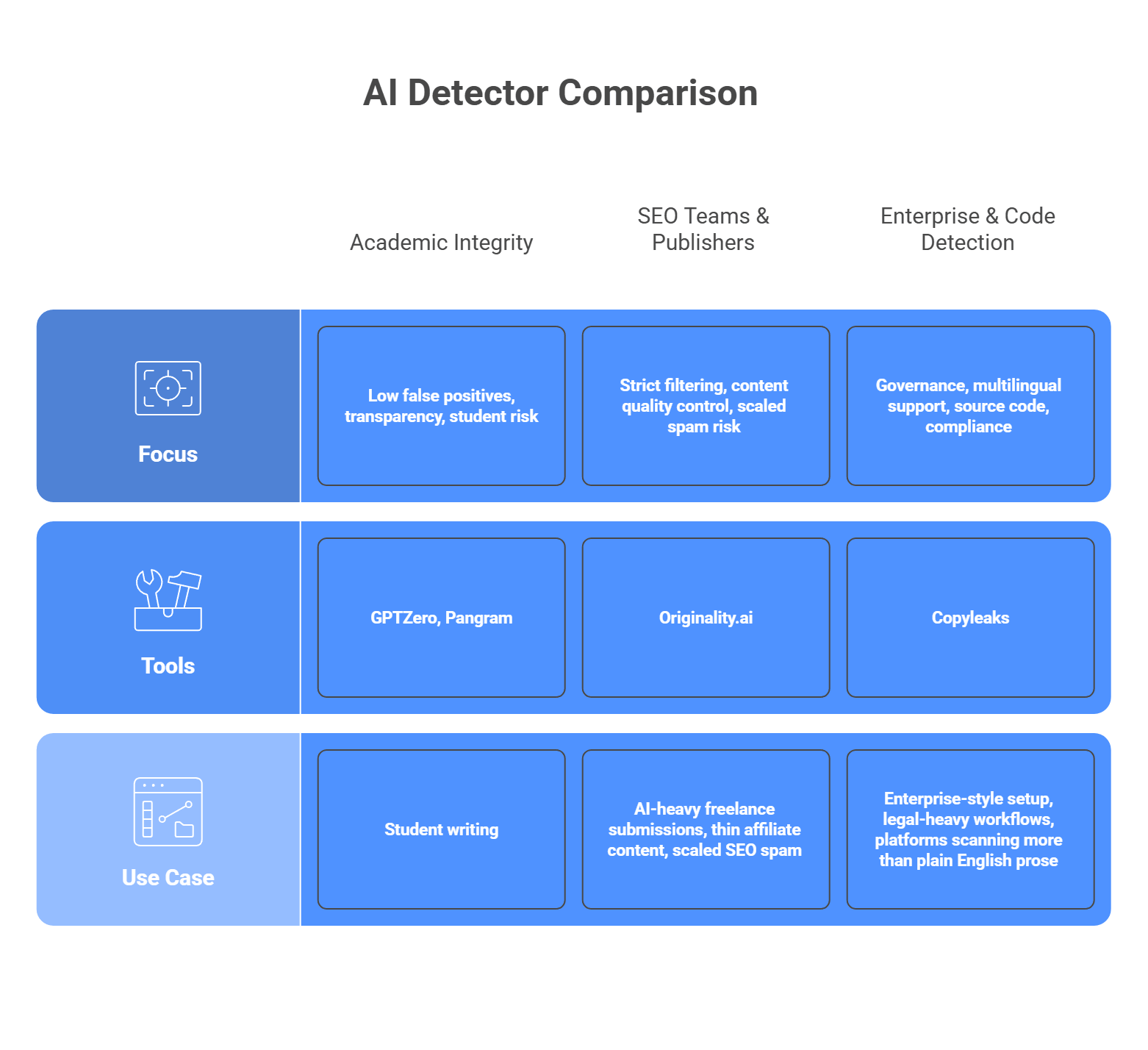
No detector is perfect, and they are not built for the same jobs. Some tools lean toward caution and transparency. Others lean toward stricter filtering. A few are built more for enterprise workflows, multilingual content, or source code scanning. So the smarter move is to match the tool to the kind of mistake you can tolerate.
For academic integrity
Focus: low false positives, transparency, student risk
If you are dealing with student writing, look first at GPTZero or Pangram. GPTZero is built heavily around education and writing-process review, with sentence-level analysis and classroom-oriented workflows. Pangram puts a lot of emphasis on low false-positive rates and protecting human writers, which makes it attractive when accusations need to be handled carefully. These are better fits when you need the detector to support review, not bulldoze over edge cases.
For SEO teams and publishers
Focus: strict filtering, content quality control, scaled spam risk
If your problem is AI-heavy freelance submissions, thin affiliate content, or scaled SEO spam, Originality.ai is the more natural fit. Its product is aimed directly at publishers, agencies, and content managers who want to screen aggressively. That stricter posture can be useful in content operations where weak AI copy is the main threat, even if it means some edited human text may need closer review.
For enterprise and code detection
Focus: governance, multilingual support, source code, compliance
If you need a more enterprise-style setup, Copyleaks is the strongest option in this group. It positions itself around SOC 2 and GDPR compliance, supports AI detection in 30+ languages, and also offers AI source-code detection. That makes it a better match for larger organizations, legal-heavy workflows, or platforms that need to scan more than plain English prose.
So the short version looks like this:
- Student work and academic risk: GPTZero or Pangram
- Publisher and SEO workflows: Originality.ai
- Enterprise, multilingual, or code-heavy use: Copyleaks
That is usually the cleanest way to choose. Start with the kind of false positive you can live with, then pick the tool that matches that risk.
Common issues and how to fix them
This is where AI detection gets messy in real life. If you read forums like r/academia or r/freelanceWriters, the complaints are not abstract. People get flagged when they did write the work. People use a little AI help and feel punished for it. And developers end up stuck in the middle.
The issue: Bias against ESL writers
This one is serious. Non-native English writers get flagged more often because their writing can look more formal, structured, and predictable to a detector. Stanford researchers found that detectors frequently misclassified non-native English writing as AI-generated, and reporting from The Markup found similar patterns across several tools.
The fix: Do not use the detector score as an automatic ban or final verdict. Treat it like a warning light, not a conviction.
A better workflow looks like this:
- flag the content for review
- check version history or edit logs
- compare against past writing samples
- ask follow-up questions if needed
That approach is safer because even OpenAI retired its own AI classifier due to low accuracy.
The issue: Highly formal or technical writing gets flagged
This is another common complaint. Research papers, technical docs, and formal academic writing often sound structured and predictable on purpose. That can make them look machine-written even when they are not. The same reliability problems that hurt ESL writers also show up here: detectors are weak when they lean too hard on predictability and writing pattern signals.
The fix: Raise your threshold for action if your platform hosts academic, legal, or technical writing. Do not trigger consequences from a middling score.
A practical setup:
- medium score = review only
- high score = review plus extra evidence
- very high score = still reviewed by a human before action
The exact threshold depends on your platform, but the main idea is simple: stricter review, not stricter punishment.
The issue: The “cyborg writer” gray area
A user writes the draft, then uses Grammarly to clean up punctuation. Or they use AI to brainstorm an outline, then write the piece themselves. Detectors may still flag that text. From the user’s point of view, that feels like getting punished for using editing help, not cheating. That gray zone keeps coming up in academic communities because the line between assistance and generation is blurry.
The fix: Write your policy before you deploy the detector.
Be clear about:
- AI generation
- AI outlining
- AI editing
- grammar cleanup
- paraphrasing
If your platform does not define those lines, the detector will create confusion instead of trust. That is the real problem in a lot of these communities: not just the score, but the lack of a clear rule behind it.
The cat-and-mouse game: Adversarial evasion
People actively try to dodge AI detectors. One common method is evasion prompting. The user asks the model to write in a simpler voice, vary sentence length, add small imperfections, or sound less polished. The goal is to make the text look less predictable to pattern-based detectors. Turnitin now explicitly talks about “AI bypassers” and “humanizer” tools built for this purpose.
There is also a growing market of AI humanizer tools. These tools rewrite model output so it looks more human on the surface. That is why detection vendors keep updating their systems. Turnitin says its current model can detect likely use of AI bypasser tools in some supported cases, which shows how central this problem has become.
What this means for developers:
- detectors go stale fast
- edited AI text is harder to catch
- vendor updates matter a lot
- static or rarely updated detectors age badly
That is why model maintenance matters. Copyleaks and Turnitin both now market their products around detecting paraphrased or bypassed AI content, which tells you this is now a normal part of the detection battle.
Want a cleaner way to run AI generation alongside detection?
AI-generated content detection APIs are an important part of modern software infrastructure. They help platforms spot large volumes of synthetic text at scale. But if your product also creates AI content, detection is only half the picture. The generative side needs to stay just as organized, stable, and easy to manage.
That is where LLMAPI fits in naturally. It gives you one OpenAI-compatible API and a single endpoint for working across many models, so you do not have to juggle separate integrations for every provider. It also adds routing, failover, cost controls, unified billing, team keys, and usage visibility in one layer, which can make the generative side of your stack much easier to scale.
Why use LLMAPI for generative features?
- One API across many models and providers
- OpenAI-compatible setup for easier integration
- Routing and failover for steadier performance
- Unified billing and cost controls for simpler management
- Team keys and usage visibility as you grow
If you want to keep your detection layer strong without letting the generative side turn into backend chaos, LLMAPI is a smart layer to add. It helps you keep the architecture cleaner, more flexible, and easier to maintain as your AI product grows.
FAQs
Do “perplexity” and “burstiness” prove a text is AI?
No. They’re statistical signals. Perplexity measures how predictable the word choices are, and burstiness looks at how much sentence length/structure varies. Many AI outputs score “too smooth” on these metrics compared to messy human writing, so detectors treat that as a risk signal, not a verdict.
Why do detectors falsely flag human writing?
False positives happen when the writing is naturally structured and consistent. Common examples: technical docs, legal text, formal essays, and some non-native English writing. Those styles can look “model-like” even when a human wrote them.
I want to generate text and then scan it for quality. How can LLMAPI help with generation?
LLMAPI can keep the generation side simple: one endpoint, one key, access to multiple major models. You generate text through llmapi.ai, then send the output to your separate quality/detection/moderation tool.
Will routing generation through LLMAPI keep my workflow from crashing?
It can help. With routing and fallbacks, requests can move to a backup model when the primary one is slow or down, so your pipeline is less likely to stall before it reaches your scanning step.
Can detection APIs catch deepfakes or AI-generated images?
Some can, but you need image-focused (multimodal) detection. These tools look for visual artifacts and other signals (odd blending, inconsistent details, sometimes watermarks), which is different from text-only detection.
