
Writing well in 2026 is a lot easier when you have the right tool next to you. Grammar checkers do way more now than catch typos or underline a weird comma. The good ones can help you clean up awkward sentences, tighten your wording, and make your draft sound more natural without wrecking your voice.
The hard part is picking one. There are so many tools now, and a lot of them promise the same thing. Some are actually useful. Some just over-edit your text and leave it sounding stiff or weird.
Below, we break down the top 5 AI grammar and spell checkers in 2026, plus a few alternatives for specific needs, common problems people run into, and what to know if you want to build writing tools of your own.
The top 5 AI grammar and spell checkers
Based on accuracy, feature depth, and how widely people use them, these five tools stand out in 2026. Each one does something a bit differently, so the best choice depends on what kind of writing you do most.
Grammarly
Grammarly is still the default pick for everyday writing. It started as a grammar checker, but now it works more like a full writing assistant across your browser, email, docs, and apps. Grammarly’s current plans and feature pages highlight real-time corrections, tone help, rewrites, and plagiarism detection in paid tiers.
Key features:
- Real-time grammar, spelling, and punctuation checks
- Tone detection and tone suggestions
- Full-sentence and paragraph rewrites
- Plagiarism checker in paid plans
- Style guides and brand tools for teams
- Generative AI prompts in paid plans
Pricing: Free plan available. Grammarly Pro costs $30 monthly, $60 quarterly, or $144 yearly, which works out to $12 per month when billed annually.
Best for: Professionals, marketers, students, and anyone who wants one tool that works almost everywhere.
| Pros | Cons |
| Very accurate for everyday errors | Paid plan is pricey for some users |
| Strong tone and clarity suggestions | Rewrites can sound a bit generic |
| Works across many apps and browsers | Can feel heavy on older devices |
| Easy, clean interface |
ProWritingAid
ProWritingAid is a better fit for people who want deeper editing, not just quick corrections. Its main strength is analysis. It gives you detailed reports on structure, readability, pacing, and style, so it feels closer to an editing tool than a basic grammar checker. ProWritingAid also still offers its Sparks feature, 25+ reports, and lifetime plans.
Key features:
- 25+ writing reports
- Sparks AI rewriting tools
- Rephrase tools
- Integrations with Word, Google Docs, and Scrivener
- Author Comparison
- Custom style rules
Pricing: Free tier available; Premium starts at $10/month (Lifetime plans often available).
Best for: Novelists, long-form writers, and people who want more than typo fixes.
| Pros | Cons |
| Deep writing analysis | Can feel overwhelming at first |
| Great for fiction and long-form work | Real-time edits feel slower than lighter tools |
| Scrivener support is a big plus | No strong mobile keyboard presence |
| Lifetime plan is attractive |
Trinka AI
Trinka is much more specialized. It is built for academic, technical, and formal professional writing, so it handles research-heavy language better than general writing tools. Its own site focuses on academic and technical writing, privacy controls, DocuMark, and Journal Finder.
Key features:
- Grammar and style checks for academic and technical writing
- Support for formal publication-style language
- Journal Finder
- DocuMark for academic integrity workflows
- Privacy-focused and enterprise data-control options
- Tone, consistency, and language checks for research writing
Pricing: Free tier available; Premium starts at $6.67/month.
Best for: Researchers, PhD students, medical writers, and academic teams.
| Pros | Cons |
| Very strong for academic and technical writing | Too rigid for casual writing |
| Helpful for publication-focused work | Interface feels more functional than friendly |
| Good privacy and enterprise controls | Not ideal for creative voice |
| Useful extra tools like Journal Finder |
LanguageTool
LanguageTool is the quiet favorite for people who write in more than one language or care a lot about privacy. It supports many languages, has a strong browser-based checker, and offers more advanced style feedback through Picky Mode. It is also known for its open-source roots and self-hosting options.
Key features:
- Support for 30+ languages
- Grammar, spelling, and style suggestions
- Picky Mode for stricter edits
- Personal dictionary and team terminology features
- API and self-hosting options
- Privacy-friendly positioning
Pricing: Free basic tier; Premium starts at $5.83/month.
Best for: Multilingual writers, global teams, and users who want a privacy-friendlier option.
| Pros | Cons |
| Strong multilingual support | English style help is lighter than Grammarly’s |
| Privacy-friendly reputation | Free plan is more limited |
| Open-source roots matter to some teams | No built-in plagiarism checker |
| Good value for the price |
QuillBot
QuillBot is more of a writing toolkit than a pure grammar checker, but it belongs here because a lot of people use it that way. Its grammar checker is free, and the wider platform includes paraphrasing, summarizing, translating, citation generation, and a mobile keyboard. That makes it especially useful for students, ESL users, and anyone who struggles to phrase ideas clearly.
Key features:
- Free grammar checker
- Spell checker
- Paraphraser with multiple modes
- Summarizer
- Citation Generator
- Translator
- Browser extensions and mobile keyboard
Pricing: Free (generous grammar checks); Premium starts at $8.33/month.
Best for: ESL writers, students, bloggers, and people who need help rewording awkward sentences fast.
| Pros | Cons |
| Strong paraphrasing and rewriting tools | Best rewrite modes are locked behind Premium |
| Free grammar and spell checking is generous | Not built for deep structural editing |
| Helpful for non-native English writers | Grammar help is not its only focus |
| Handy extras like citations and summaries |
Other great tools, based on what you actually need
Not everyone wants a big grammar tool running in every tab and app. Sometimes a narrower tool makes more sense because it fits the way you already work.
For straight-up readability: Hemingway Editor
Hemingway is for people who want cleaner writing fast. It highlights long sentences, passive voice, adverbs, and weak phrasing so you can spot what feels heavy or messy right away. Newer versions also add AI-assisted fixes, but the core value is still readability and simplicity.
Why pick it: Choose Hemingway if your main goal is to make writing bolder, shorter, and easier to read.
For brand rules and team control: Writer
Writer is built for bigger teams that need more than grammar help. It focuses on brand voice, governance, compliance, and company-wide consistency. Writer’s current platform messaging leans heavily into enterprise control, trust, and on-brand content at scale, which makes it a much better fit for large content teams than a basic consumer writing tool.
Why pick it: Choose Writer if you manage a team and need everyone to follow the same voice, terminology, and compliance rules.
For people who live in Google Docs and Gmail: Google Workspace with Gemini
If most of your writing already happens inside Google Docs and Gmail, Google’s built-in Gemini features are the obvious option to look at first. Google now supports writing, refining, shortening, and drafting directly inside Docs and Gmail, so you can fix grammar, improve tone, and generate text without adding another extension on top.
Why pick it: Choose Google Workspace with Gemini if you already spend most of your day in Google Docs and Gmail and want native writing help without extra setup.
How to choose the best tool for you
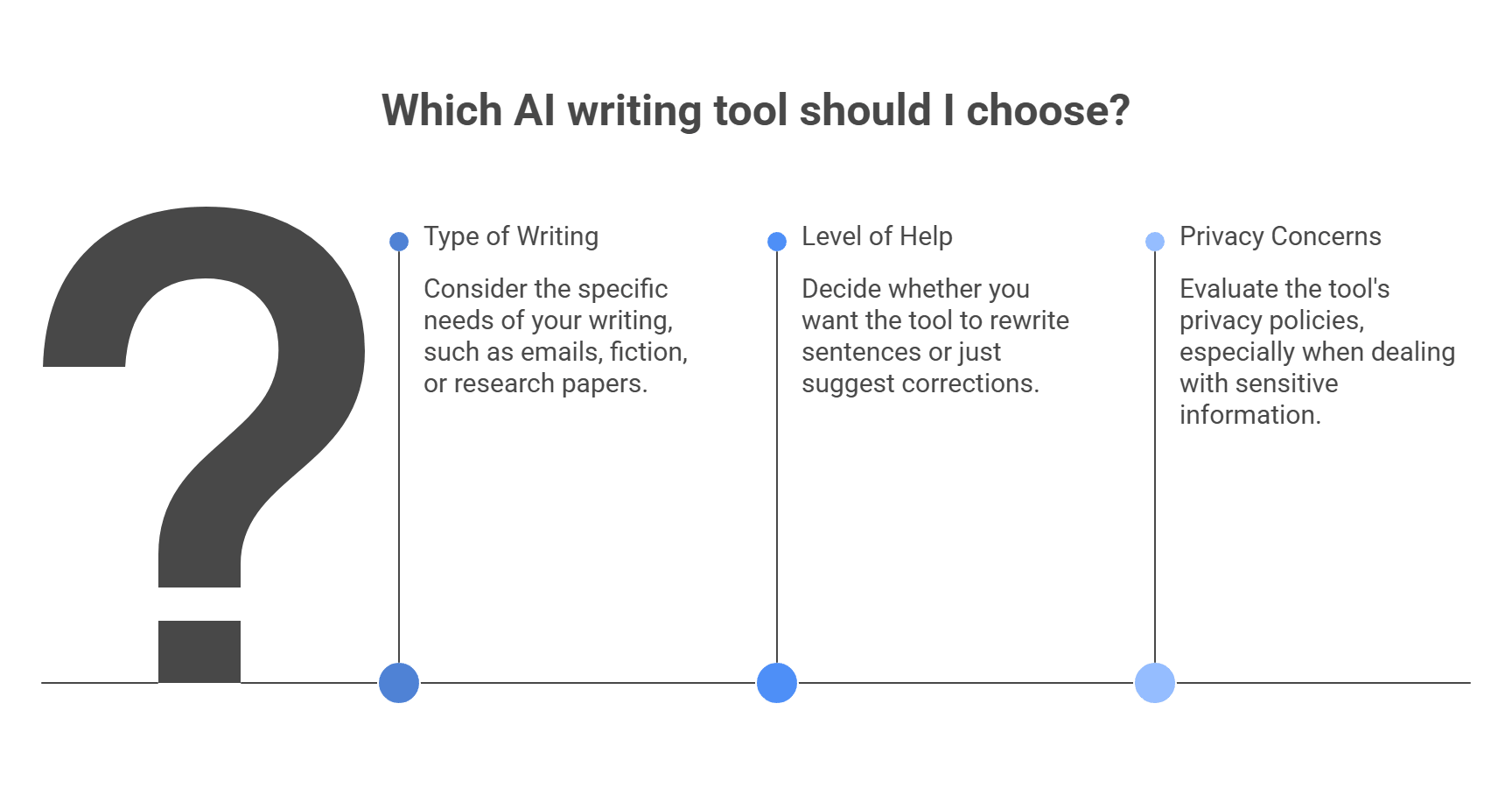
Picking the right tool gets a lot easier when you ask three simple questions.
1. What are you writing?
Start with the type of work you do most.
- Emails, reports, day-to-day writing: Grammarly is the easiest all-around pick because it works across apps and focuses on clear, polished writing.
- Long-form fiction or big creative projects: ProWritingAid makes more sense because it leans into deeper reports, structure, and long-form editing.
- Research papers or technical writing: Trinka is the stronger fit because it is built around academic and technical language.
2. How much help do you want from the tool?
Some people want the tool to do the rewriting. Others just want it to point out problems.
- If you want help rewording sentences fast, QuillBot is useful because rewriting and paraphrasing are a big part of the product.
- If you would rather see the mistake and fix it yourself, LanguageTool is a better fit. It focuses on grammar, spelling, and style suggestions without pushing itself as a heavy rewrite-first tool.
3. Do you care about privacy?
This one matters a lot if you work with client material, internal docs, or unpublished drafts. Before you paste text into any tool, check:
- whether your text is stored
- whether it may be used to improve the service
- whether the vendor offers team or enterprise controls
- whether self-hosting is possible
LanguageTool is worth a look here because it has privacy documentation and also offers developer and self-hosting paths. Grammarly also offers stronger security and admin controls on higher tiers, but that is more relevant for paid team and enterprise use.
A simple shortcut:
- Want the easiest everyday tool? Choose Grammarly.
- Want deep editing for books or long articles? Choose ProWritingAid.
- Want academic help? Choose Trinka.
- Want stronger rewrite help? Choose QuillBot.
- Want a simpler, more privacy-conscious checker? Choose LanguageTool.
Common issues and fixes
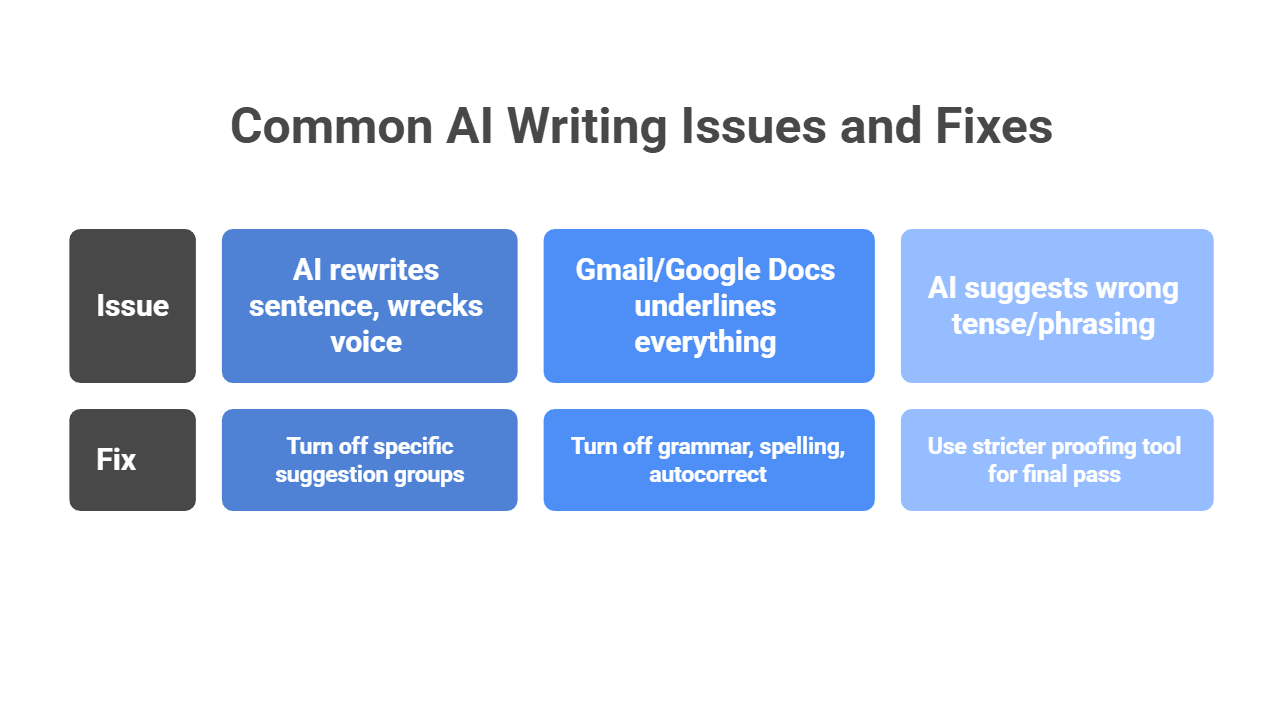
Writers on Reddit complain about the same three things over and over: grammar tools start to sound like ghostwriters, Google’s built-in suggestions get annoying fast, and some AI edits are just plain wrong. Those complaints also line up with what the tools themselves let you turn off or control.
The issue: “The AI keeps rewriting my sentence and wrecks my voice.”
The fix: Do not accept rewrite or tone suggestions blindly. In Grammarly, you can turn off specific suggestion groups, including things like word choice, sentence variety, filler-word flags, and other style-heavy prompts. If you want the tool to act more like a classic checker, keep spelling and punctuation help on, and dial back the style layer. Reddit complaints about Grammarly “flattening” voice are common, so this is one of the easiest fixes.
The issue: “Gmail or Google Docs underlines everything now with smart suggestions, and it is annoying.”
The fix: Turn off the parts you do not want. Gmail’s settings let you disable Grammar suggestions, Spelling suggestions, and Autocorrect directly from the General tab. Some users also report that Workspace smart-feature settings affect how aggressive Gmail feels, so if the nudges still bother you, check those too. Reddit threads about Google Docs and Gmail show this is a very common pain point.
The issue: “The AI suggests the wrong tense, strange phrasing, or weird formatting.”
The fix: Use a stricter proofing tool for the final pass, especially for technical writing, dialogue, or stylized copy. LanguageTool’s core engine is open source and can be self-hosted, which makes it a better fit when you want a more controlled proofreading layer instead of heavy generative rewriting. That will not make it perfect, but it is often a safer final check when an AI rewriter starts to guess too much.
Want to give your product a smarter writing brain?
The best AI grammar checker is not always the one with the longest feature list. It is the one that fits naturally into your workflow and helps users improve writing without flattening their voice. Whether someone prefers Grammarly, Trinka, or LanguageTool, the bigger point is the same: writers want tools that feel helpful, fast, and natural.
If you are building that kind of experience into your own product, you do not need to train a grammar model from scratch. A unified layer like LLM API lets you route user text through advanced LLMs using one OpenAI-compatible API, with multi-provider access, performance monitoring, cost-aware analytics, and secure key management all in one place.
Why use LLM API for writing assistants?
- One API across multiple providers
- OpenAI-compatible setup for easier integration
- Performance monitoring to compare model results and cost
- Cost-aware analytics to track usage and spend
- Secure key management for cleaner team workflows
If you want to build a writing assistant that feels polished without making the backend messy, LLM API is a strong layer to add. It gives you flexibility underneath, so your product can focus on helping people write better.
FAQs
Are AI grammar checkers actually accurate?
Yes. Modern AI grammar tools are strong for business and academic English because they understand context, not just rules. They can still be shaky with poetry, heavy slang, or very stylized writing.
What’s the best completely free AI grammar checker?
Most tools push a paid tier, but QuillBot and LanguageTool usually have the most usable free plans for basic grammar fixes.
Can AI grammar tools detect if text was written by another AI?
Some try. Tools like Grammarly and Trinka include AI detection, but false positives are common, so treat the result like a hint, not proof.
How can I build a custom AI grammar checker in my app?
Use an LLM instead of training your own model. Send the user’s text with a clear instruction like: “You are an expert editor. Fix grammar and spelling. Keep meaning.” With LLM API, you can access multiple top models through one API.
If I use LLM API, what happens if a provider goes down?
Your app can keep working. LLM API supports load balancing and failover so requests can route to a backup model during outages or slowdowns.
