You can build two products with the same model and get wildly different results, because the AI agents inside them think in different ways.
That matters now. If you pick the wrong type of AI agent, you can burn money on tokens, add latency, and create an ops mess your team has to babysit. In plain English, AI agents are systems that sense, decide, and act.
So instead of theory for a whiteboard, you need a field guide.
The 5 types of AI agents below help you choose what fits your product, where each agent uses shine, and where they break.
When people say they want agentic AI, they often picture a polished, almost human helper. In production, that picture falls apart fast. A simple agent may be enough. A sophisticated AI agent may be too slow, too costly, or too hard to trust.
Your AI agent type shapes memory, planning depth, error patterns, and user experience. It also shapes how your AI system fails. That last point matters more than the demo.
A simple reflex agent often feels like a light switch. Input comes in, output comes out. It is fast, cheap, and easy to test. By contrast, goal-based agents and a utility-based agent may call tools, score options, store memory, and loop through plans. That gives you more power, but also more token burn and more places to go wrong.
Here is the practical truth: simpler agents are usually better when the task is narrow. If you can solve a task with fixed rules, don’t build a semi-autonomous planner.
For teams comparing models, latency and price can shift an agent’s behavior as much as logic can. If you need that layer, you can review available AI models via LLM API before you build agents around the wrong model class.
A glossy interface can make common AI look magical. Yet many “autonomous” products still run as rules, routing, and prompts tied together.
Real autonomy needs 4 things: memory, planning, feedback loops, and adaptation. Without those, you don’t have autonomous agents in the strong sense. You have a reactive workflow with nice copy.
The best AI agents are not the most complex ones. They are the ones that solve the job with the fewest moving parts.
That is why the different types of AI agents still matter. They give you a decision frame, not a buzzword.
The classic 5 types of AI agents still hold up.
Even in March 2026, when products mix multi-agent patterns and generative AI, most systems still start from these building blocks.
This quick table makes the main types of AI agents easy to compare:
| Type of AI agent | How it decides | Best use case | Pros | Cons |
|---|---|---|---|---|
| Simple reflex agent | Current input only | Stable, low-risk tasks | Fast, cheap, predictable | No memory, brittle |
| Model-based reflex agents | Input plus internal state | Changing environments | Better context, fewer blind spots | More state to manage |
| Goal-based agents | Plans toward a target | Multi-step tasks | Flexible, outcome-driven | Slower, more complex |
| Utility-based agent | Scores tradeoffs | Cost, risk, quality balancing | Better optimization | Harder to design |
| Learning agent | Improves from feedback | Repeated tasks with data | Gets better over time | Needs evals, data, patience |
A deeper taxonomy from IBM’s overview of AI agent types lines up with this same logic.
A simple reflex agent acts like an if-then machine. If a support ticket contains “refund,” send it to billing. If a message looks like spam, block it. If server load crosses a threshold, page on-call.

This AI agent type works best when your world is stable. Alert routing, guardrail checks, and rule-based customer agents fit well here. A simple reflex agent is often the right AI agent when mistakes are easy to catch and rules don’t change much.
The tradeoff is obvious. It can’t remember what happened before. So when context matters, a simple agent starts making dumb choices fast.
Model-based reflex agents keep a small internal picture of what is happening. That memory doesn’t need to be deep. It only needs to track enough state to avoid acting blind.
Think of inventory software that remembers the last warehouse scan, or a robot vacuum that knows which room it already cleaned. In software, model-based agents help when the full state is hidden. A workflow bot may need to remember step 2 finished before it triggers step 3.
That makes this type of AI agent more reliable in messy environments than a simple reflex agent. Still, memory adds overhead. If your state gets stale or corrupt, your agents work from a bad map.
For a practical breakdown with similar examples, Codecademy’s guide to types of AI agents is a useful companion.
Goal-based agents ask, “What gets me closer to the target?” That changes everything.
A coding assistant trying to ship a feature is not only reacting. It may inspect files, plan edits, run tests, and revise its path. Workflow agents that complete onboarding do the same. A research AI agent may gather facts, compare sources, and stop only when it has enough evidence.
You get flexibility, because the agent uses a target instead of a fixed script. However, goal-based agents cost more to run. Planning takes tokens, tool calls, and tighter checks.
My opinion is simple: use goal-based agents only when the target matters more than the path. If the path is already fixed, planning is waste.
A utility-based agent does more than complete a task. It scores options and picks the best balance.
That is useful when there is no single “correct” answer. Fraud systems may trade false positives against missed fraud. Scheduling systems may balance speed, cost, and fairness. Model routing may choose between cheap and fast versus slower and more accurate.
So this type of AI agent shines when you need ranking, not only completion. A utility-based agent often sits quietly inside advanced AI systems that choose models, retries, or tool paths.
Here is the catch. You must define the score well. If you optimize the wrong thing, your AI applications get smarter in the wrong direction.
A learning agent changes its behavior from results. User edits, thumbs up data, failed tasks, or fresh logs can all shape the next choice.

This is where AI assistants start to feel less static. Support triage can improve from resolved cases. Security data agents can learn new threat patterns. Code agents can rank edits better after you accept or reject suggestions.
A learning agent can become your highest-value AI use over time. Still, early performance may look rough. You need data, monitoring, and patience. If you skip evals, the agent learns noise.
Picking the right AI agent is less like shopping for a smarter brain and more like picking the right vehicle. You don’t bring a crane to deliver pizza.
This table gives you a direct map:
| If your task looks like this | Best fit |
|---|---|
| Repetitive task with fixed rules | Simple reflex agent |
| Hidden state or incomplete context | Model-based reflex agents |
| Clear target with many steps | Goal-based agents |
| Competing tradeoffs | Utility-based agent |
| Changing environment with feedback | Learning agent |
If your use case is ticket routing, moderation, or alert triage, start with simple agents. If your agents operate in a changing workflow, add memory. If the job needs planning, use goal-based agents. If the hard part is tradeoffs, use a utility-based agent. If outcomes improve with feedback, reach for a learning agent.
That sounds obvious, yet teams skip it all the time. They build advanced types first because the demo looks cooler.
A cleaner reference for this selection logic appears in this 2026 guide to AI agent types.
Before you build AI agents, ask 6 blunt questions:
If the answer to most is no, use AI in a smaller way. A single agent with limited scope often beats multiple agents with shaky guardrails.
In real products, types of agents in AI rarely stay pure. Modern systems that use AI often blend 2 or 3 patterns inside one experience.
As of March 2026, many teams package these blends into workflow agents, code agents, and customer agents. That is the rise of agentic AI in practice, not in slides.
A code agent may be goal-based when it tries to finish a feature, utility-based when it ranks patch options, and learning-based when it adapts from your edits.
A workflow bot may use model-based reflex agents to track state, then switch to goal-based planning when a step fails. Customer agents often start as a simple reflex agent for routing, then call a smarter planner only on complex tickets.
This is a good place to compare patterns side by side:
| Product pattern | Common mix | Real-world style example |
|---|---|---|
| Code agents | Goal + Utility + Learning | Plan fix, test options, learn from accepted diffs |
| Workflow agents | Model-based + Goal | Track onboarding status, recover from failed steps |
| Customer agents | Reflex + Model-based + Human review | Route easy tickets, remember history, escalate hard ones |
Hierarchical agents work like a small company. Higher-level agents assign work. Lower-level agents handle narrow jobs. Then results come back up for review.

This setup helps when you build agents for large workflows, such as research, coding, or back-office operations. A planner can route tasks to specialist lower-level agents for search, retrieval, or execution. However, coordination adds cost and debugging pain.
If your orchestration layer starts hurting accuracy, latency, or visibility, it helps to study LiteLLM alternatives for production scaling.
Multi-agent systems fail at the system level as much as the language level.
The biggest risk with AI agents is not only a bad answer. It is a bad system.
Production agents are designed around tools, retries, memory, prompts, and APIs. So failure shows up as latency spikes, tool errors, runaway loops, stale memory, and weak observability. In other words, your artificial intelligence stack can fail like plumbing.
A sharp explanation of this production mindset appears in Suprmind’s write-up on agent types and failure modes.
More autonomous does not mean more useful. Advanced AI can look impressive and still be the wrong product choice.
The right AI agent is often the smallest one that solves the job well. Use autonomy where it saves real work. Keep humans close where stakes are high. And if a workflow plus API call solves it, don’t force a grand AI system onto it.
The 5 types of AI agents are not dusty textbook labels. They are a way to choose with discipline.
If you build AI agents this year, start small. Test hard. Then add memory, goals, utility, or learning only when the job proves it needs them. That is how you turn AI agents from a demo into a product your team can live with.
You ship a feature, it starts getting real traffic, and suddenly your app is talking to three different models with three different quirks. The clean fix is simple: your app talks to one proxy, and that proxy talks to many LLM providers.
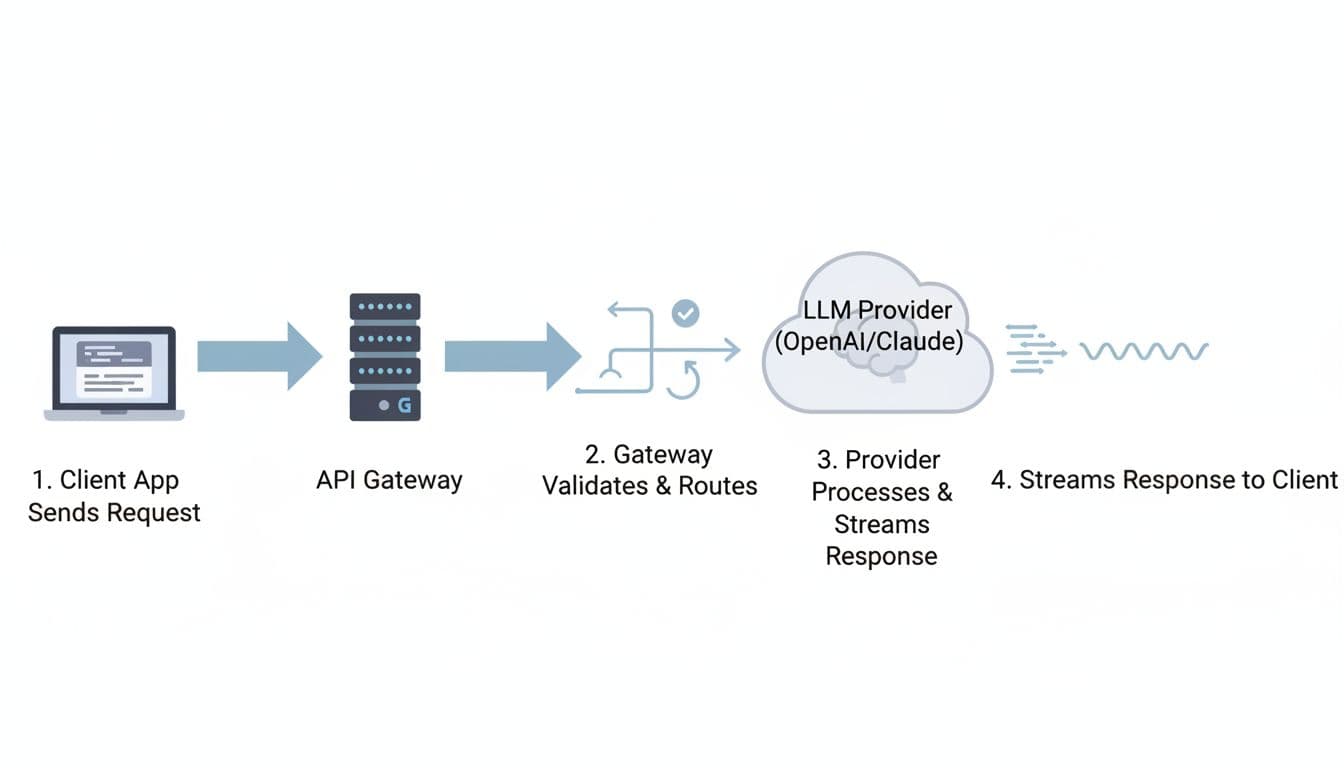
That setup keeps fewer secrets in code, protects data better, lowers cost, steadies latency, and makes provider swaps boring. The core flow stays the same every time:
client -> gateway -> provider -> gateway -> client.
Here’s what you’ll learn:
Using a gateway (quick trade-off)
Before you go deeper, this mini table makes the decision concrete:
| Topic | Direct to provider | Gateway proxy |
|---|---|---|
| Security | Secrets spread across services | Centralized auth and policy |
| Cost control | Hard to cap per team | Budgets, quotas, and routing rules |
| Reliability | One vendor outage hurts | Fallbacks and retries |
| Observability | Logs scattered | One trace per request |
For broader 2026 context on why “control layers” are showing up everywhere, see this roundup of 15 Best OpenRouter Alternatives for LLM Routing.
Picture a mail sorter. Every envelope looks different, but the sorter checks the stamp, reads the address, and sends it down the right chute. An llm proxy does the same job for Hypertext Transfer Protocol traffic, except your “envelope” is json.
First, your client hits a single api endpoint. It includes headers (auth, idempotency, tracing) and a payload (messages, tools, max_tokens).
Next, the gateway validates and routes the request to a specific llm provider. If you stream, the proxy starts sending chunks back as soon as the first token appears, rather than waiting for the full completion.
A simple sequence-diagram style chart you can keep in your head:
One practical table helps you map “hop by hop” behavior:
| Hop | Common gateway actions |
|---|---|
| Receive | Parse request, enforce max body size |
| Validate | Validate schema, reject bad parameter names |
| Route | Choose provider and model, apply rules |
| Forward | Sign request, set timeouts, send upstream |
| Stream back | Pass chunks, backpressure, handle disconnects |
| Finish | Record metric, redact, store minimal audit fields |
Proxying at this stage (trade-off)
Even the fanciest gateway usually boils down to six steps:
A tiny “OpenAI-style” request shape looks like this (in words): a POST to /v1/chat/completions with { "model": "gpt-4o", "messages": [...], "max_tokens": 256, "stream": true }.
When you stream, buffering becomes your enemy. If you wait to collect everything, your “time to first token” gets worse, and the UI feels stuck.
Minimum path (trade-off)
Most outages don’t look dramatic. They look like “slow first token,” then a client disconnect, then you retry and pay twice. Common failure modes include:
Different providers also disagree on naming and response shape. That’s why a gateway often normalizes requests and responses into one abstraction. The catch is that normalization can hide “special” features that only one vendor supports.
Gotcha: don’t retry a half-finished stream the same way you retry a normal response. You can’t safely “replay” what the user already saw.
Normalization (trade-off)
LLM Requests behave less like classic REST and more like long-lived sessions with metering. Tokens make cost visible, streaming makes latency visible, and agentic ai makes traffic spiky because one user action can trigger five tool calls.
Real-world numbers help frame this:
For performance context, this 2026 write-up summarizes those throughput and overhead claims in one place: Top 5 ai gateways for 2026.
A latency budget pie (sample) looks like this:

Scale concepts (trade-off)
A token is a small chunk of text. You pay for input tokens you send and output tokens you receive. Because of that, you need token usage accounting by api keys, team, tier, and feature. Otherwise, your bill turns into folklore.
A practical “what to log per request” table (keep it sparse, and hash sensitive fields):
| Field | Why you care |
|---|---|
| Request id | Join traces across services |
| User or team | Chargeback and abuse detection |
| Model | Explain behavior changes |
| Tokens in/out | Cost estimate and quotas |
| Latency (p50/p95) | SLO tracking |
| Cache hit | Show savings, find repeats |
| Errors | Spot provider incidents |
If you store prompts, privacy becomes a real risk. Many teams store hashes plus a 1% sample with consent, then delete raw text quickly.
Accounting (trade-off)
For a quick description of how a popular python proxy frames routing and accounting, this overview is a helpful reference: LiteLLM gateway summary.
Streaming means you forward chunks as they arrive. It feels fast because the user sees words immediately. However, it complicates retries. If the stream drops at 80%, a blind retry can double cost and confuse the UI.
Multimodal payloads (text plus image) also change the rules. The input gets larger, validation gets stricter, and payload limits appear sooner. Buffering can increase latency, yet pure pass-through streaming makes debugging harder because you must inspect data without blocking.
Streaming and multimodal (trade-off)
As a CTO or developer, you don’t want “magic.” You want a checklist you can test.
A production proxy is usually responsible for:
One table keeps you honest about success criteria:
| Responsibility | How you measure it |
|---|---|
| Security | Key rotation time, policy violations |
| Reliability | Error rate, fallback rate |
| Performance | p95 latency, time to first token |
| Cost | Cost per 1K tokens, budget overages |
| Quality | User ratings, eval pass rate |
Production responsibilities (trade-off)
Centralizing secrets is boring, which is why it works. Put api keys in one place, rotate them, and scope them by environment and team. Then add redaction rules for PII before any request leaves your network.
Example: you run a support chatbot that must block SSNs. The gateway can detect a 9-digit pattern, redact it, and return a safe error. You can also allowlist tool domains, so an agent can only fetch from approved internal systems, not random sites.
Security (trade-off)
Routing rules should read like product intent, not a science fair. Send “summarize” to a fast, cheaper model. Send “legal draft” to a stronger model. If your primary provider returns a 429, fail over to another route.
Keep rollouts safe with A/B routing and canary releases. Start with 5%, watch error rate and latency, then increase. This is also where you set max_tokens defaults, because uncontrolled verbosity is a silent cost leak.
Routing (trade-off)
If you want to simplify multi-provider LLM Requests without building your own proxy, LLMAPI.ai fits the “one front door” pattern. You point your app at a single llm api, keep an OpenAI-compatible request format, and switch a specific llm by changing the model string.
In practice, that helps when you’re making api requests from multiple services and don’t want each one to embed vendor logic. It can also be a path to a free llm api trial for integration tests, before you commit budgets and governance rules.
LLMAPI.ai (trade-off)
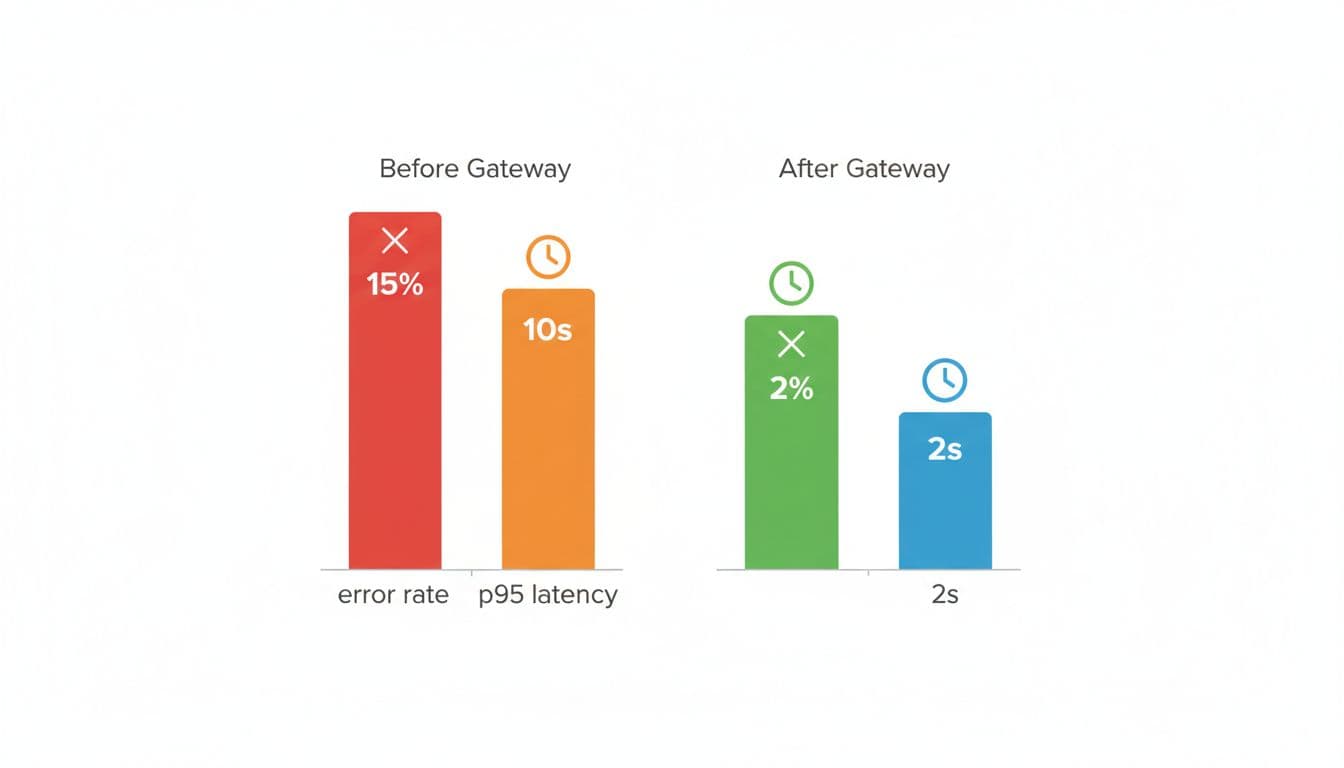
You don’t need a perfect system. You need predictable behavior under load.
Start with these guardrails:
Here’s a simple “before vs after” chart (sample targets) you can aim for:
If you’re chasing very high throughput (think 5,000 RPS), language choice matters. Python is fine for moderate traffic, but extremely high RPS paths often move to faster stacks or a thinner data plane so the proxy overhead stays tiny.
For another 2026 overview of routing patterns and gateways, see this guide to LLM routing and gateways.
Best practices (trade-off)
Idempotency means “same request, same side effects.” It matters when your client times out but the provider finished anyway. Without it, you can double-charge and double-act.
Caching helps when prompts repeat (same query, same context, same model settings). It doesn’t help when the answer should change, or when personal data must not persist.
A safe cache key usually includes prompt + model + settings, plus a TTL.
This retry policy table keeps things simple:
| Error type | Retry? | Notes |
|---|---|---|
| 429 | Yes | Backoff + jitter, respect headers |
| 500 | Yes | Small capped retries, then fallback |
| Timeout | Maybe | Prefer fallback, avoid blind replays |
| Validation error | No | Fix client payload |
Repeatability (trade-off)
If you can’t see it, you can’t fix it. Track p50 and p95 latency, time to first token, tokens in/out, cost per request, provider error rates, and fallback rate. Add user-rated quality when you can, because silent regressions hurt the most.
A lightweight approach works well: store hashes for most traffic, and sample 1% of prompts for deeper debug with consent. That gives you a path to optimization without building a surveillance machine.
Also, keep one “golden set” of eval prompts in GitHub. Run it on every routing change, and you’ll catch drift before users do.
Measurement (trade-off)
You run a support chatbot with rag. Users ask questions, you pull relevant docs from a vector DB, and you generate an answer. The problem is uptime and cost. If OpenAI is slow, your queue grows. If claude rate-limits you, your UI stalls. If gemini has a bad day, your CSAT drops.
Your real-world architecture can stay simple:
A routing plan table (example) might look like this:
| Task type | Model tier (example) | Traffic split |
|---|---|---|
| Summarize tickets | Cheap, fast model | 70% |
| Hard troubleshooting | Strong model | 25% |
| Fallback mode | Local llm | 5% |
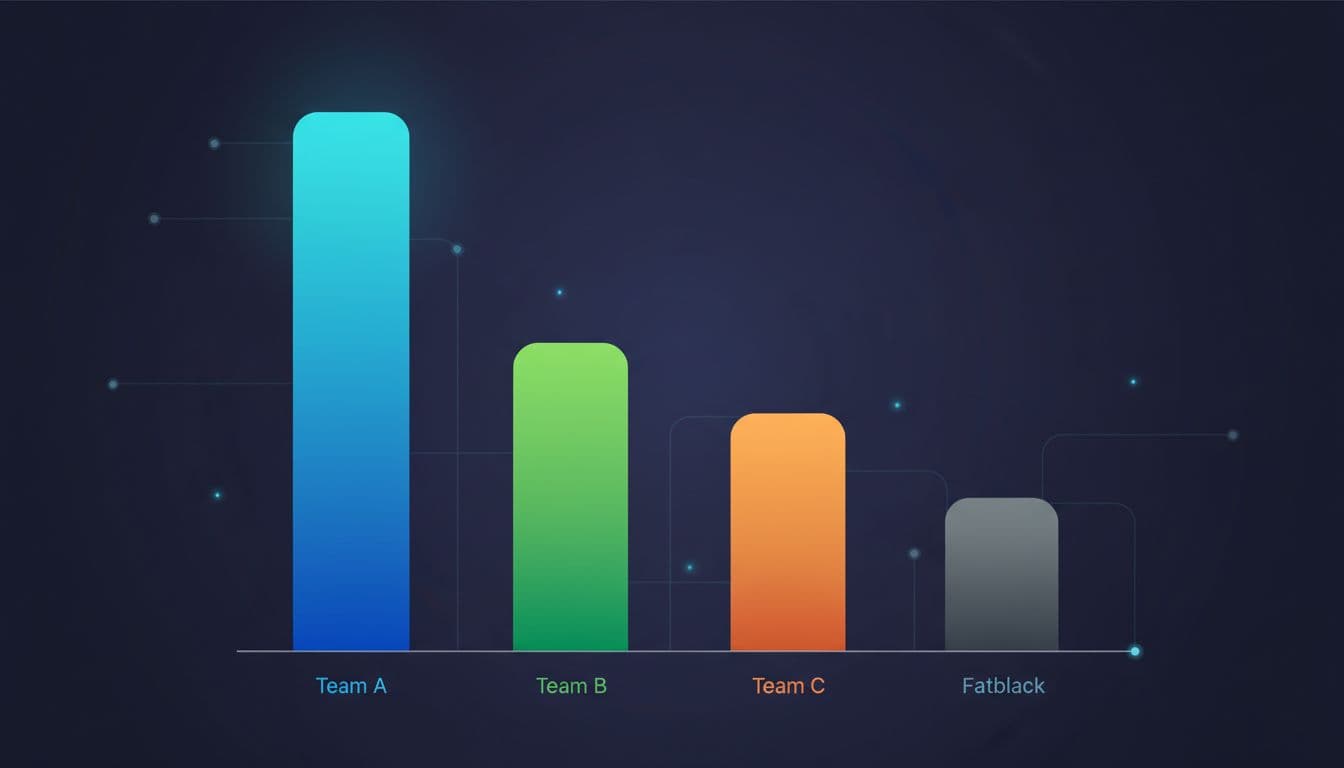
A chart idea you can show to finance: “Daily token spend by team” (bar chart).
From a developer standpoint, you keep it boring. In python you fetch your RAG context, then send requests once, not five times. In java you do the same, but with stricter timeouts and pooled connections. You decode streaming chunks into UI tokens, and you stop early when the user cancels.
Real-world setup (trade-off)
When you proxy LLM Requests through a gateway, you trade a little complexity for a lot of control. You get one stable surface while providers, models, and prices keep changing behind the scenes. If you want fewer incidents and fewer surprise bills, that trade usually pays for itself.
Use this final checklist this week:
This article breaks down the top LLM API use cases you can ship today, and, just as importantly, when you should (and shouldn’t) use an LLM. Instead of generic “AI can do anything” takes, you’ll get a practical map of what LLMs actually power in real products: support automation, smarter search over internal docs, document extraction, coding helpers, sales enablement, workflow agents with tool access, and more, plus the trade-offs around accuracy, latency, context limits, and cost.
It’s most useful for product teams, founders, engineers, and operators who need to pick the right AI feature and deploy it without wasting weeks on the wrong approach.
You’ll learn how to match each use case to the right pattern (chat vs embeddings vs tools), set expectations for quality, and keep things reliable and predictable in production, especially when traffic grows and token bills become real. If you use an LLM API gateway, it also helps with routing, observability, and spend controls so you can scale across providers without rewriting your integration.
TL;DR
An LLM (large language model) is software trained on large datasets to predict the next token in human language. In other words, it’s a text engine that can write, summarize, classify, and reason. Modern llms can generate text, follow instructions, and, with tool use, trigger workflows.
When you call a language api, the loop is simple:
Context windows keep growing in March 2026, which changes what’s possible with ai technologies. Some leading models can read massive inputs, including big codebases and long contracts.
That’s why agentic ai and repo-level ai coding feel more realistic now, especially with models like Gemini from Google AI and other popular llms.
Here’s a quick map of common patterns:
| Pattern | What you send | What you get back | Best for |
|---|---|---|---|
| Chat | role-based messages + context | conversational output | ai assistant, support, copilots |
| Completion | a single instruction | plain text | templated copy, short transforms |
| Embeddings | text chunks | vectors (numbers) | semantic search, clustering |
| Tool use | tool schema + messages | tool call arguments + answer | ai agent workflows, safe automation |
If you want the deeper request-to-response lifecycle (tokens, retries, production rollout), read How LLM APIs work: requests, tokens, and costs.
A fast checklist for choosing an api vs an open source llm:
You control more than you think.
These knobs decide quality, safety, and cost:
Bad prompt vs better prompt (plain text inputs):
Bad prompt: “Write a refund reply.”
Better prompt: “Draft a refund reply in a calm tone. Ask for order_id if missing. If order status is delivered, offer return steps. Output JSON with fields: subject, body, needs_human_review.”
That small change turns “nice text” into reliable llm outputs you can ship.
Most teams use llms in four buckets: product UX, engineering velocity, operations, and revenue. You can combine llms for bigger workflows, but start with one sharp use case.
This table helps you match model traits to the job:
| Use case | Best-fit model traits |
|---|---|
| Ticket triage + reply drafts | fast, cheap, strong instruction-following |
| Repo-wide code review | long-context, strong coding |
| Contract clause extraction | high accuracy, structured JSON |
| Knowledge base search | embeddings + solid chat synthesis |
| Product copy variants | fast, style control, low hallucination |
| Multimodal QA (image + text) | multimodal, tool calling |
If you want a broader list of applications of llms, this roundup is useful: LLM use cases and applications in 2026.

This is the most common specific use case because it touches ops and revenue. You can use ai to detect intent, draft replies, do order lookups, and escalate edge cases.
A realistic flow example:
get_order_status(order_id).Pros
Cons
To reduce hallucinations, use llms to provide answers only after RAG finds sources, or require strict tool calls for factual claims (order status, billing, account actions).
Content creation works when you feed the model real constraints, not vibes. Product descriptions, release notes, onboarding emails, knowledge base articles, and ad variants all fit. This is generative ai that pays off fast, especially for e-commerce and SaaS.
Inputs that make output better:
Example: generating 500 unique product descriptions for a catalog refresh. You can keep structure consistent while varying phrasing, so llms generate text that doesn’t look duplicated.
Still, add review for compliance. In regulated areas, your ai solution should flag risky claims and require approval.

AI coding is where long-context llms shine. With enough context, you can point a large language model at a failing CI log and get a focused plan: likely root cause, touched files, and unit tests to add.
Teams use this for refactors, docstrings, migration scripts, and bug triage.
Best practices that save you later:

This is where natural language processing becomes product glue. Legal teams can extract clauses (termination, indemnity, governing law). Finance ops can pull invoice fields (vendor, total, due date) into JSON. Internal IT can classify incident reports and summarize meeting notes.
Embeddings deserve one simple sentence: they turn text into vectors so you can search by meaning, not keywords, which improves natural language search over messy docs.
Here’s a compact output guide:
| Task | Right output format |
|---|---|
| Summarize | bullets with 5 to 10 points |
| Extract | JSON fields (typed, validated) |
| Classify | labels + confidence score |
You’re not “adding ai,” you’re adding a probabilistic dependency. That means you must plan for cost, latency, rate limits, privacy, security, and evaluation. Today’s llms are powerful, but they still make decisions in ways that surprise you.
“Treat prompts and logs like sensitive data,” a security lead said, “because the fastest breach is the one you accidentally stored.”
Pre-launch checklist:
Fine-tuning vs RAG vs prompt-only (quick trade-offs):
Tokens are your meter. Longer prompts and bigger context windows cost more, and they slow responses. Streaming helps perceived speed because users see the first token fast, even if the full answer takes longer. MoE and adaptive reasoning can help, but you still need budgets.
Cost control ideas that work:
| Knob | Impact on cost | Impact on latency | Impact on quality |
|---|---|---|---|
| Context size | high | medium | medium to high |
| Model size | high | high | high |
| Retries | medium to high | high | low to medium |
Start with redaction, encryption, and strict logging policies. Then add guardrails that force the model to prove its work: cite sources from RAG, require tool-based answers for facts, validate JSON, and add human review for high-risk flows (healthcare, legal, finance).
Red flags for “don’t use llm output directly”:
Once you ship a few ai applications, the hard part becomes switching models, tracking spend, rotating keys, and keeping one consistent integration.
That’s where LLM API fits as a practical hub: one connection, many models, plus usage analytics, cost management, role-based access, monitoring, and automated billing. It’s also a clean way to reduce vendor lock-in while you explore the top providers and proprietary llms.
A simple “how you’d use it” flow:
Routing keeps quality high without paying premium rates for every request:
Signals you can use to route:
This is advanced ai in practice: not one magic model, but a system that adapts.
You don’t need to train a large language model to get value from llms. You need one clear use case, solid tool use, and a plan for cost and safety. Once you ship, you can expand to more applications using llms across product, engineering, ops, and revenue.
Key takeaways:
A 3-step action plan for this week:
You open a pull request, scan a messy ticket, skim a log file, then flip to a chat window that already “knows” your codebase. That’s a normal dev day in March 2026. Large language models (LLMs) sit beside your IDE, inside your product, and behind your internal bots.
What changed since the early ChatGPT wave is scale and memory. Long-context models now take inputs in the 400k to 1M token range, and some go far beyond that, which means you can hand over whole specs, long incident threads, or large chunks of a repo without chopping everything into tiny pieces.
By the end of this guide, you’ll be able to say what an LLM is, explain how LLMs work at a high level, and spot where they matter in real products this year.
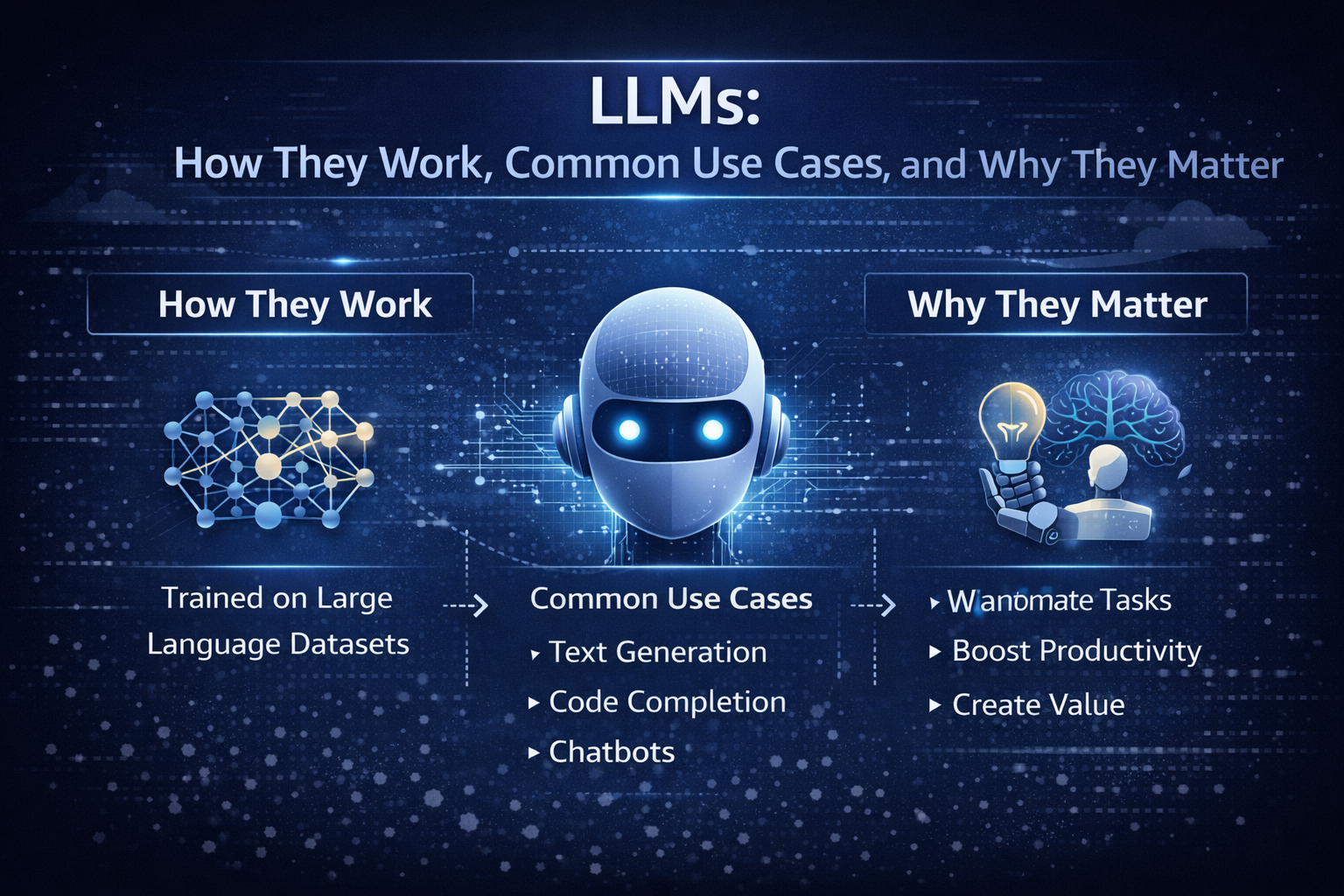
If you’re in a dev department, you’re probably tired of vague takes. If you’re a vibe coder, you want a clean mental model you can use while you build. If you’re a CTO, you need a cost-aware, safety-aware rollout plan that won’t turn into an incident.
The real problem is simple: there’s too much hype, and not enough shared language. So you end up with “AI did it” stories, but no one can explain why it failed or how to choose the right model.
After you read this, you’ll be able to:
Here’s the fastest way to map the stakeholders around you:
| Role | What you care about |
|---|---|
| Developer | Faster coding, fewer interrupts, good tool use, predictable latency |
| Engineering manager | Quality, reviews, delivery speed, fewer regressions |
| CTO | Reliability, cost control, vendor risk, governance |
| Security | Data handling, audit logs, least privilege, injection resistance |
At the core, a language model is trained to predict the next word (more precisely, the next token). Think of tokens as word pieces. “Unbelievable” might split into a few tokens. A programming language keyword might be one token, while a long identifier becomes several.
A tiny example: if you prompt, “Git is a distributed version control”, the model tends to continue with “system”. It’s not looking up a definition. It’s predicting the next likely token based on patterns learned from a massive dataset.
That’s the limit you can’t forget: it generates likely text, not guaranteed truth. When an LLM sounds confident, that confidence is style, not proof.
The other key concept is the context window, which you can treat like a working memory. In 2026, bigger windows change workflows. You can paste a full architecture decision record, the last 200 chat messages, and a stack trace, then ask for a focused plan. That makes LLMs feel less like a trick, and more like a teammate with a very large whiteboard.
In production, you usually see LLMs in four places:
Agents matter because they turn language generation into actions. A tool-using LLM can draft a query, call your API, read results, then write a user-facing answer.
If you’re shipping this for real users, your baseline production checklist is short but non-negotiable: logging, evals, rate limits, a fallback model, and human review for high-risk outputs. If you want a concrete way to compare model capabilities, context windows, and example token pricing in one place, use a reference like model capabilities comparison.
A large language model is a neural network trained on large datasets so it can generate and understand natural language. Under the hood, it is a transformer-based machine learning model that learns patterns in human language and code from training data. Later, at inference time, it generates natural language outputs from your prompt.
In other words, LLMs are not databases. They’re sequence models that compress an enormous amount of data into parameters, then produce plausible continuations.
You’ll run into these model families constantly in 2026:
| Model family | What it’s good at | Best fit |
|---|---|---|
| GPT-5.2 | Strong reasoning, strong code, long-context work | Complex coding tasks, spec to implementation, tool-using agents |
| Claude Opus 4.6 | Reliable general writing and analysis | Support drafting, policy text, careful summaries |
| Gemini 3.x | Multimodal models with very large context options | Doc-heavy workflows, image plus text tasks, research assistance |
| DeepSeek R1 | Reasoning models and math-heavy tasks | Structured reasoning, test generation, analysis pipelines |
| Llama (open weights) | Flexibility and private hosting | Regulated apps, custom fine-tuning, on-prem needs |
| Mistral | Range of sizes, good coding strengths | Fast helpers, cost-sensitive apps, EU-focused deployments |
This is where “LLMs Explained” becomes practical: you stop asking which model is “best” and start asking which model is best for this task, this risk, and this budget. Costs vary a lot, so measure with your own prompts and your own latency targets. For a grounded, plain-English perspective on what models do and don’t do, read what large language models actually do.
You’ll see a few patterns in real teams:
A real-world insight: you rarely use one model. You route. A powerful model handles the hard calls, while a smaller ai model handles cheap tasks like tagging, rewriting, or first-pass drafts. For another 2026-oriented overview of model families and buying considerations, see Large Language Models: What You Need to Know in 2026.
Labels get messy fast, so keep the categories simple:
| Label | What it means | Why you care |
|---|---|---|
| Decoder-only | Predicts the next token, great at generation | Most chat and code LLMs live here |
| Encoder-decoder | Reads input then transforms it to output | Useful for translation and structured rewriting |
| Multimodal | Takes text plus images or audio | Needed for screenshots, diagrams, voice workflows |
| Open-source vs closed-source | Weights available or not | Impacts hosting, privacy, fine-tuning, audits |
| Foundation models | Pretrained models you adapt | Most modern systems start here |
You’ll also hear about mixture-of-experts. It’s an efficiency trick: only part of the network “fires” per token. That can reduce cost and latency, but it adds routing and reliability quirks you should test.
You can understand the inner workings of LLMs without drowning in equations. Picture an assembly line that turns your words into tokens, runs attention across them, then produces the next token, over and over.
Here’s the basic loop:
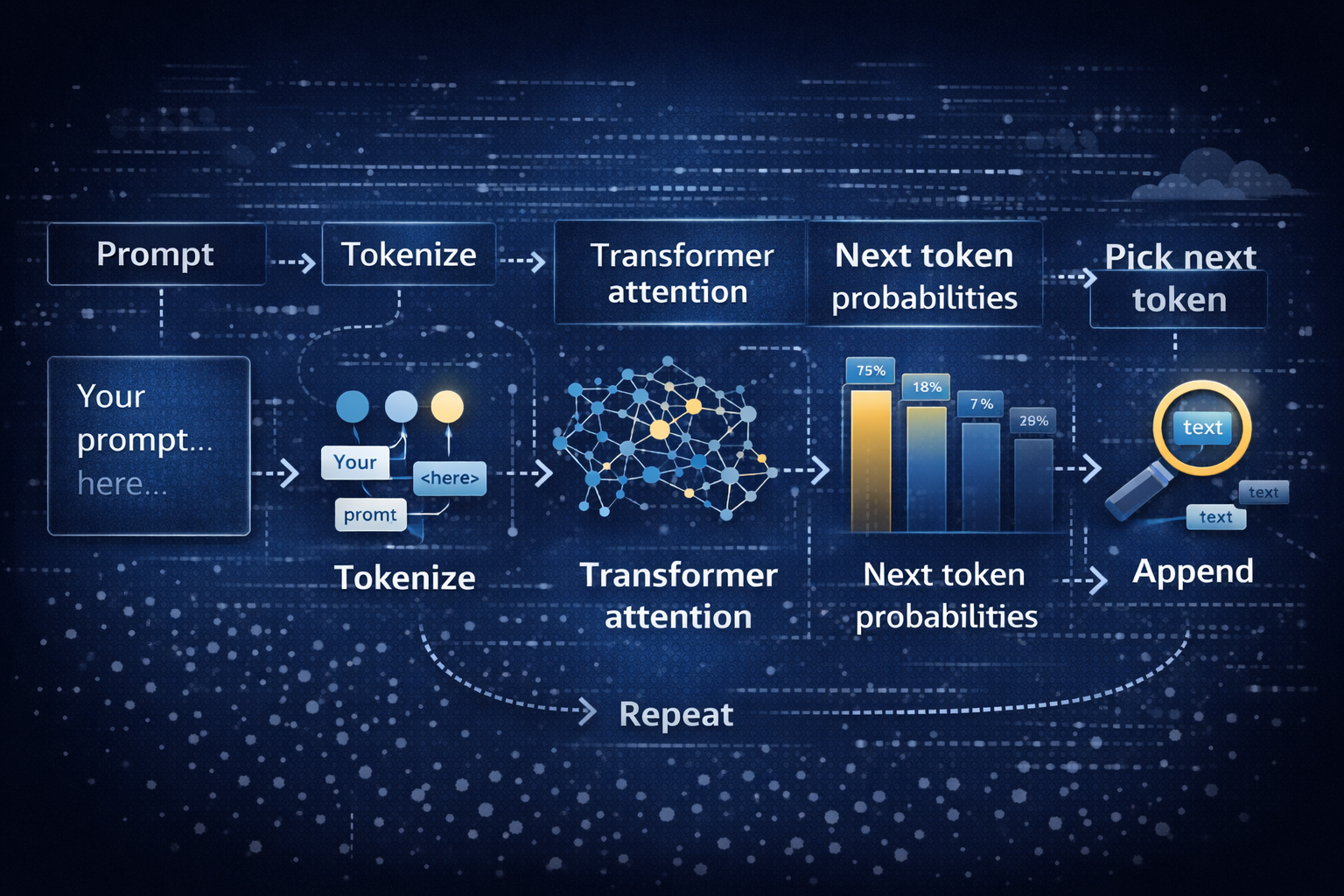
That loop is inference. Training is different. During training, the model sees enormous training data and learns by predicting missing pieces and correcting errors. That’s the “learning models” part. Inference is the “use it” part, where your prompt steers the already-trained network.
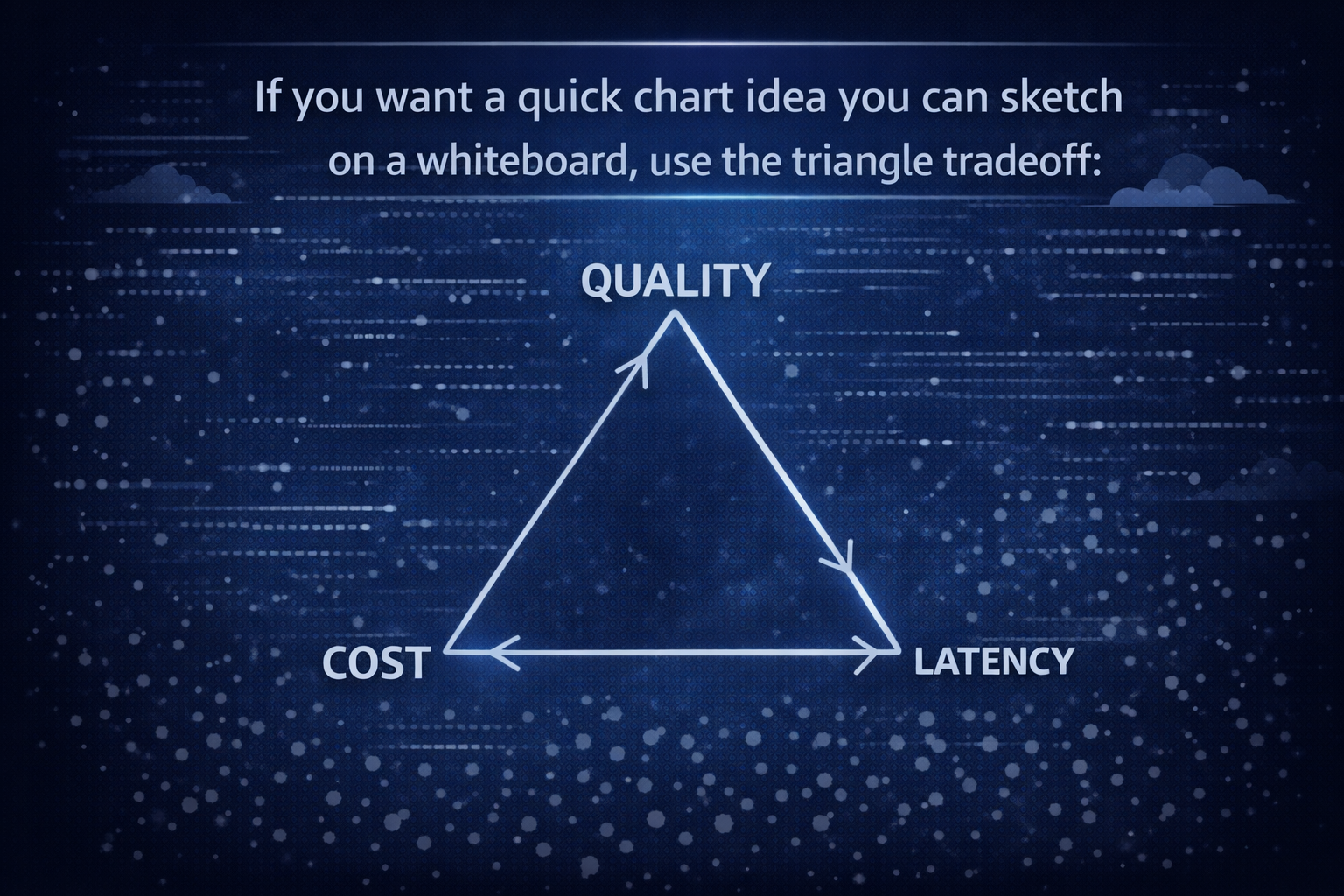
As you move toward quality, you usually pay more and wait longer. As you move toward lower cost, quality can dip. Low latency often means smaller models or faster infrastructure. That triangle is why deploying LLMs is part engineering and part product management.
A transformer is a neural network architecture built for sequences. The transformer architecture uses attention to decide what parts of your input matter most for the next token.
A simple example: “Put the glass on the table because it was wobbly.” What does “it” refer to? The glass or the table? Attention tries to resolve that by weighing nearby words and long-range hints.
In practice, attention acts like highlighting. It doesn’t guarantee correctness, but it reduces confusion. Still, long inputs can overwhelm even powerful models. You’ll see misses when the key detail is buried in page 47 of a long doc, or hidden in a noisy log.
Most LLM training today follows a familiar path:
Fine-tuning is where you teach a foundation model a job. You can train it on your support tone, your code style, or your internal taxonomy. However, fine-tuning is not a free win. If your dataset is messy, you bake mess into the model. If your evals are weak, you ship regressions faster.
You’ll get better results by pairing fine-tuning with simple evaluation sets and clear acceptance checks.
In 2026, using LLMs is less about novelty and more about removing friction. You’re trading copy-paste work for natural language prompts, and trading long searches for targeted summaries.
Common use cases you can ship this year:
Customer support drafts answers, then you review before sending. Sales teams generate outreach variations and account notes. Developers get help with triage, tests, and refactors. Meeting notes turn into exec summaries. Translation gets faster for global teams. Research becomes a loop of summarize, cite, and compare. Internal knowledge search improves when you combine retrieval with generation.
Results vary by team and data quality, so treat outcome numbers as KPIs you measure, not promises. What you can measure reliably is time saved, resolution time, conversion rate changes, defect rates, and user satisfaction.
A quick “when not to use an LLM” list helps you avoid pain:
If you’re choosing how to route models, handle fallbacks, and manage providers without building everything from scratch, start with a production-oriented guide like best LLM routing gateways.
Use this table as a planning tool. It keeps you honest about what you automate versus what you still review.
| Use case | What you automate | What you still review | Outcome you can measure |
|---|---|---|---|
| Customer support | Draft replies, classify tickets, summarize threads | Final send, refunds, policy-sensitive language | Time to first reply, resolution time |
| Sales | First-pass emails, call recap, CRM updates | Claims, compliance language, personalization | Reply rate, conversion lift |
| Coding | Unit tests, refactor suggestions, log explanations | Merges, security, edge cases | Fix time, review cycles |
| Meeting notes | Summaries, action items, decision logs | Sensitive details, ownership | Hours saved per week |
| Translation | Draft translation, tone variants | Brand voice, legal terms | Doc turnaround time |
| Research | Summaries, comparison tables | Source checking, citations | Time saved per report |
| Knowledge search | Answer drafts from internal docs (RAG) | Final facts, permissions | Ticket deflection, cost per answer |
Two concrete examples help you picture this in a stack:
If you want an additional enterprise-oriented overview of benefits, limits, and applications, skim Large Language Models Explained: Capabilities, Benefits, Challenges.
Hallucinations happen when the model fills gaps with plausible text. For example, it may invent a library function that sounds real. You reduce this by grounding answers in retrieved documents (RAG) and by forcing citations.
Privacy risk shows up when prompts contain secrets. Don’t paste production tokens into a chat. Instead, redact, tokenize, or keep sensitive flows inside approved environments.
Prompt injection is the “ignore previous instructions” trick, but in a real disguise. A user might paste a malicious snippet into a support chat that tries to make your agent reveal internal notes. Tool use makes this worse if you give broad permissions.
Drift is slow failure. Your prompt changes. Your dataset changes. Your product changes. Suddenly, the same prompt produces a different answer, and no one notices until users complain.
Mitigations that work in practice:
Log enough to debug, but protect user data. A minimal, useful log set includes: prompt template version, model name, temperature, retrieved docs IDs, tool calls, response, latency, and user feedback. For a broader 2026 refresher on LLM basics, use What is a Large Language Model? Complete Guide 2026.
You now have a working mental model: LLMs are transformer-based deep learning models trained on huge training data to predict the next token, guided by your prompt and bounded by a context window. In 2026, they matter because they reduce waiting, searching, and repetitive writing across engineering and product work.
Your next three steps are simple: pick 1 or 2 use cases, build a small eval set from real work, then ship behind feature flags with monitoring and a fallback plan. Look at your week and ask: which workflow has the most copy-paste and waiting? That’s usually your best first target.
In plain terms, LLM APIs are application programming interfaces that let your app send text to a model and get text back.
In this article, you’ll learn How LLM APIs Work in practice, from building a request (messages, parameters, and tool schemas) to receiving a response (output text, token usage, and finish reasons) and shipping it safely in production.
You can call a provider directly, or you can put a gateway like LLM API in front to manage routing, usage, and consistent API access across many LLM models.
We’ll ground the guide in real use cases teams deploy in 2026, including customer support auto-drafts with human-review flags, RAG-powered knowledge base search over internal docs, sentiment and intent classification for ticket routing, and tool-calling workflows that let a model securely fetch order status or billing details from your backend before replying.
By the end, you’ll know how to manage tokens and pricing, reduce latency with streaming and caching, and roll out reliably with logging, retries, guardrails, and model fallbacks.
Think of an LLM API call like ordering at a drive-through. Your app places an order (request JSON), the kitchen prepares it (token generation on GPUs), and you get a receipt (response JSON plus usage).

Here’s the typical lifecycle:
A real-life example: customer support auto-replies. You ingest a ticket, classify intent, draft a reply, and add a “needs human review” flag when risk is high. Key metrics such as response time, time to first token (TTFT), token throughput, and error rate tell you if it feels instant or frustrating.
To understand why gateways matter in production, read LLM gateways explained.
Use this table to decide what to log before you need it:
| Step | What can go wrong | What to log |
|---|---|---|
| Request build | Wrong JSON shape, prompt too long | request_id, payload size, model, endpoint |
| Network | TLS errors, timeout | latency, timeout value, region |
| Provider edge | 401, 403, 429 | status code, rate-limit headers |
| Generation | slow TTFT, truncation | TTFT, total latency, finish_reason |
| App parse | JSON parse errors | response schema version, raw error |
| Reliability | retry storms | retry_count, backoff, circuit state |
Most LLM APIs accept either a single instruction (one prompt) or a chat-style list of messages. Chat messages help because role structure (system, developer, user) reduces ambiguity in natural language. Structure matters for natural language understanding because the model uses the sequence as its working context.
Common settings map to simple behavior:
Tool calling changes your API interactions. The model returns a tool request (function name plus arguments), your app runs it (database lookup, billing check, ticket status), then you send the tool result back so the model can finish. This is a component of LLM APIs that turns “chat” into workflows.
Good request habits (small, but they compound):
For a deeper “what happens under the hood” view, see what happens when you call an LLM API.
A typical response includes generated text (or structured output), a finish reason (stop, length, tool_call), and usage fields (input token, output token, total). Those usage numbers are your bill and your performance story.
Under the hood, most LLMs are autoregressive models. They generate the next token one step at a time, based on the prior context. That means streaming can show value early (low TTFT), even if the full completion takes longer.
For audits, store a minimal record. For example, keep: request_id, model, endpoint, timestamps, status code, token counts, and a redacted transcript. You can redact emails, phone numbers, and account IDs before writing logs. Keep the raw data out of analytics by default.
Action items for reliability:
LLM APIs play well with software systems you already run, but you still need API security and monitoring. The basics below show up in every serious LLM API integration.
This comparison helps you choose the right response mode:
| Choice | Best when | Risk |
|---|---|---|
| Streaming | user-facing chat, voice, live agents | harder logging and replay |
| Non-streaming | back-office jobs, exports, strict JSON | slower perceived response |
If you want a practical integration walkthrough from first call to production, this guide on using LLM APIs adds helpful context.
Providers expose different endpoint types, and the model api choice changes behavior and price even if the endpoint stays the same. That’s why “top LLM” talk is often misleading. You should pick a model based on the specific use cases you’re shipping.
Three common use case maps:
To see a catalog of options when you use an LLM through a gateway, browse available models in one place.
Here’s a simple planning table:
| Use case | Endpoint | Typical context size needs | Latency sensitivity | Risk level |
|---|---|---|---|---|
| RAG over docs | embeddings + chat | 8k to 200k | medium | medium |
| Code helper | chat + tools | 16k to 128k | high | high |
| Sentiment analysis | chat (short) | 1k to 8k | low | low |

Treat API keys like production passwords. Store them in environment variables, never in the browser, and don’t ship keys in mobile apps. Rotate keys on a schedule, and scope them by project, team, and environment. Least privilege matters because one leaked key can become a billing incident.
Data privacy checklist (quick, but real):
Prompt injection is the other “silent” risk. Attackers try to override system instructions or force tool misuse. Reduce exposure by validating inputs, using allowlists for tools, and separating system instructions from user content. This is where systems and large language models can fail in ways classic APIs rarely do.
Token-based pricing is still the norm in 2026. A token is a chunk of text, often 3 to 4 characters in English, but it varies. Output often costs more than input because generation consumes more compute.
Real-world price signals (examples, not guarantees): ultra-budget hosted open source options can land near $0.000000014 per input token (about $0.014 per 1M tokens), while premium models can reach $0.02 to $0.05 per 1K tokens for output on some tiers. OpenAI, Anthropic, and other LLM API providers publish different pricing structures, so you should confirm before you commit.
This pricing model table gives you a usable mental map:
| Model tier | Best for | Sample input price | Sample output price | Notes |
|---|---|---|---|---|
| Budget | tagging, summaries | $0.01 to $0.30 per 1M | $0.02 to $0.60 per 1M | great for high volume |
| Balanced | support drafts, RAG | $0.25 to $2.00 per 1M | $2.00 to $8.00 per 1M | good default |
| Premium | complex reasoning | $1.25 to $15.00 per 1M | $10.00 to $75.00 per 1M | use sparingly |
Free tier and free LLM APIs can help with quick testing, but production needs caps, alerts, and fallbacks.
For operations context, this LLMOps guide explains why monitoring and release discipline matter once usage scales.
Action items to keep API pricing predictable:
Set max_tokens, cache repeated prompts, summarize chat history, route requests by difficulty, and monitor daily spend.
You can estimate per-request cost with three numbers: input tokens, output tokens, and per-token price.
Example 1 (budget lane): 500 input tokens and 700 output tokens. Assume $0.014 per 1M input tokens and $0.028 per 1M output tokens. Input cost: 500 / 1,000,000 × $0.014 = $0.000007. Output cost: 700 / 1,000,000 × $0.028 = $0.0000196. Total: about $0.000027 per request. At 10,000 requests/day, that is about $0.27/day.
Example 2 (premium lane): same 500 in and 700 out. Assume $1.25 per 1M input and $10.00 per 1M output (a GPT-5-like shape). Input: 500 / 1,000,000 × $1.25 = $0.000625. Output: 700 / 1,000,000 × $10.00 = $0.007. Total: about $0.007625 per request. At 10,000 requests/day, that is about $76.25/day.
Usage patterns that blow up costs:
You don’t need one perfect model for every task. You need a good default plus routing. Most teams save money by tightening prompts and moving easy work to cheaper models, while keeping a premium fallback.
This table shows the trade-offs:
| Tactic | Saves money | Reduces latency | Tradeoff |
|---|---|---|---|
| Caching | yes | yes (often 20 to 40% in optimized setups) | stale answers risk |
| Batching | yes | sometimes | not for interactive UX |
| Streaming | no (usually) | yes (better TTFT) | harder parsing |
| Shorter prompts | yes | yes | quality can drop |
| Structured outputs | yes | sometimes | stricter schemas |
| Routing | yes | yes | more complexity |

You can integrate LLM APIs two ways: direct to a provider, or via an api provider layer (gateway) that normalizes calls. Direct is simple early. Gateways shine once you need multi-provider routing, clean logs, team keys, and spend controls.
CTOs care about uptime, compliance, and vendor risk. Developers care about fewer surprises at 2 a.m. This is why LLM APIs are transforming product roadmaps, but also why integrating LLM APIs without guardrails can break budgets fast.
If you want one API layer for routing, observability, and consistent API access, you can use LLM API as your API layer. It helps you swap models, apply budgets, and standardize API usage without rewriting every client.
For a broader view of production gateways, read choosing an AI gateway for production.
In production, reliability work is part of the feature, not a nice add-on.

Key metrics to watch: response quality score, refusal rate, hallucination rate, and cost per successful task.
LLM APIs work the same way every time: you authenticate, send an API request to an endpoint, the language model generates tokens, you parse the response, then you log, monitor, and iterate.

Pick one use case, run a small test, add guardrails, then choose your LLM API approach. The fastest teams keep it simple, measure everything, and ship in tight loops.
LLM evaluation is how you check whether outputs from LLMs are correct, safe, and useful for your use case. Think of it as tests for model outputs, not for code. It matters because trust drops fast, support tickets pile up, and retries burn output tokens and dollars. If you’re a dev, a vibe coder, or a CTO, you want speed without surprises.
In this guide, you’ll set evaluation criteria, use a practical evaluation framework, pick a small set of metrics, validate structured outputs (JSON), and choose common tools in 2026. You’ll also get two tables, a simple scoring rubric, and a mini chart idea for pass rate over time.
LLM evaluation is the process of comparing an expected output (what your app needs) with the generated output (what the large language model actually returns). It’s like unit tests, except the language model generates text from a probability distribution, one next token at a time. As a result, different outputs can appear even with the same prompt, temperature, or minor context changes.

A concrete scenario: you use summarization in a ticketing system. The LLM should produce a short summary plus a list of action items. If the output invents a step the agent never took, you create real operational risk. If it drops a key field, your automation fails and the support team scrambles.
If you want a broader 2026 view of testing production AI, this AI evaluation guide for 2026 gives helpful context on why eval belongs in the release cycle.
You’ll get better results when you treat evaluation as three separate checks:
Content quality: Is it correct, complete, relevant, and grounded in your context? For RAG, you also care if it’s factually correct relative to sources.
Safety: Does it violate policy, contain toxic language, or introduce bias?
Formatting: Does it match the specific format your system expects (often a valid json object)?
Structured outputs ensure your app can parse results, which matters a lot for AI agents that chain calls. When you use structured outputs from LLMs, you can do strict data validation against a json schema instead of hoping the text “looks right.”
Here’s the difference in plain words:
Human spot checks catch obvious issues, but “looks fine” breaks under scale. The cost shows up as rework, retries, and support load. A small drift can turn into a weekly fire drill.
Use this table as a quick diagnostic:
| Issue | Symptom in production | Business impact (simple numbers) | Typical fix |
|---|---|---|---|
| Hallucinated facts | Confident but wrong answer | 10 to 30 minutes rework per incident | RAG grounding, faithfulness metric, better prompt template |
| Broken JSON | Parser errors, agent fails | 1 to 3 extra LLM call retries per request | JSON schema validation, structured outputs |
| Unsafe content | Policy or HR escalations | High risk, compliance reviews | Safety filters, toxicity and bias eval |
| Off-topic response | User asks again | 5 to 15% higher ticket volume | Relevance metric, tighter prompt engineering |
Even if the model is cheap, retries aren’t. Your “free” fix becomes higher latency, more output tokens, and more cost per 1,000 requests.
You don’t need a research lab. You need a repeatable eval loop that fits how you already ship. Start small, automate the boring checks, and keep humans for the hard calls.
A simple pattern works well:
A lightweight chart concept: track pass rate weekly. After a prompt fix, you should see format failures drop fast.
| Week | Valid JSON pass rate | Notes |
|---|---|---|
| Week 1 | 88% | New agent tool added, schema not enforced |
| Week 2 | 93% | Added json schema validation |
| Week 3 | 97% | Tightened prompt template, removed extra keys |
That little table becomes your “mini chart.” It also gives you a release-ready story for leadership.
Start by writing evaluation criteria in normal language. What does “good” mean for this use case?
A metric is just a consistent scoring rule. Keep it to 3 to 5 metrics, not 20. Too many scores cause debates and nobody ships.
Here’s a practical metrics table you can reuse:
| Metric name | What it checks | How you score it | When to use it |
|---|---|---|---|
| Accuracy | Matches expected answer | 0 to 1 | FAQ, extraction, classification |
| Faithfulness (groundedness) | Sticks to sources, no hallucinations | 1 to 5 | RAG, summaries, reports |
| Relevancy | Answers the user question | 1 to 5 | Chat, search, assistants |
| Format validity | Valid json object, required fields | Pass or fail | Agents, APIs (Like LLM API), workflows |
| Toxicity and bias | Harmful or biased language | 0 to 1 | User-facing generative AI |
Custom metrics matter when you have domain rules, like “must include ticket_id and priority,” or “never suggest medical advice.” Those are often better than vague quality grades.
For more examples of evaluation criteria and scoring, this LLM evaluation frameworks and metrics overview is a solid reference.
A gold set is a small dataset of real prompts with the output you want. Start with 50 to 200 examples. Include ugly edge cases, not just happy paths. Then run the same eval every release.
A simple workflow:
Synthetic data is useful because it fills gaps fast. Still, real users find weird inputs you never imagined. So add spot checks: review 20 random outputs per release, plus every failure. For human review, keep a tight rubric: correct, unclear, unsafe, wrong format.
An llm judge is when you ask an LLM to evaluate another model’s output. In 2026, GPT-4 is still a common judge choice for text grading, especially for natural language processing tasks that are hard to score with rules alone.

Keep it honest:
This is primarily used for evaluating text where you can’t easily compute exact match, like “helpfulness” or “clarity.” It also helps when you ask an LLM to generate text that needs consistent tone across thousands of requests.
Tool choice should match your workflow. If you live in CI, pick something test-like. If you run RAG, pick RAG-focused eval. If you need observability and drift detection, use monitoring.
This quick comparison helps you decide:
| Tool | Best for | Key eval features | Setup effort |
|---|---|---|---|
| DeepEval | General eval + RAG | Many metrics, custom metrics, pytest-like | Low |
| RAGAs | RAG pipelines | Faithfulness, answer relevancy, context recall | Low |
| MLflow LLM Evaluate | ML teams | Run tracking, evaluation runs, regression checks | Medium |
| LangChain eval toolkit and LangSmith | App-level eval | Traces, monitoring, latency, dataset runs | Medium |
| HELM | Broad benchmarking | Standard tasks, fairness, efficiency | Higher |
| OpenAI Evals | Flexible benchmarks | Custom eval suites, comparisons | Medium |
DeepEval, RAGAs, and MLflow are open-source, so the software is free. On the other hand, hosted platforms tend to be usage-based, often with a free tier and then paid plans. If you need pricing numbers for planning, track your own cost per 1,000 requests, average output tokens, and retry rate, because those inputs change faster than vendor pages.
For a current roundup of tool options, this guide to LLM evaluation tools in 2026 is worth skimming.
DeepEval fits well when you want tests that feel like normal dev work. RAGAs is focused on RAG quality. MLflow LLM Evaluate works when you already track ML experiments. HELM helps when you compare broad model performance across tasks. OpenAI Evals is flexible when you want to define your own eval suite for outputs from large language models.
Use this evaluation framework as a release checklist:
Suggested thresholds you can start with: 95% valid JSON, 90% faithfulness on your RAG set, and a clear latency budget. Adjust based on risk. A support bot can tolerate more style variance than a billing agent.
Put eval in four places: local dev, CI, staging, and production monitoring. In local dev, you catch obvious prompt bugs. In CI, you block releases that break schema or safety. In production, you watch drift because the world changes, your docs change, and user inputs shift.
You’ll also want to compare models without rewriting your harness. One practical approach is to standardize the LLM to invoke across providers during testing. That’s where a provider-agnostic layer like LLM API can help you run the same tests across multiple models while keeping your eval wiring stable.

Finally, measure cost as part of eval. Track per-request tokens, retries, and timeouts. A model that’s “better” but triggers more retries can still lose on total price.
You can’t control every token, but you can control what “good” means and how you measure it. Define evaluation criteria, pick a few metrics, automate format and safety checks, then watch evaluation scores over time for drift. Start with one use case, like summarization or support replies, and expand once the loop works.
This week, keep it simple: build a gold set, write a judge prompt, add JSON schema validation, add a CI gate, and do a short weekly review. When your LLM Output stops surprising you, your team ships faster and sleeps better.
Your stack isn’t “API stuff over here, AI stuff over there” anymore. It’s api and ai braided together in one product flow, one set of budgets, and one set of risks.
In this post, you’ll get clear definitions, a practical gateway vs comparison, and a simple decision path. You’ll see where gateways shine, where them crack, and why many teams need an AI gateway without turning ops into a circus.
An ai gateway is a control layer that sits in front of one or more ai services. It can front hosted multiple ai models (OpenAI, Anthropic, Google), your own models, or multiple ai providers at once.
While it can act like a proxy, it’s built for the weird parts of modern ai infrastructure, like long streaming replies, token billing, prompt safety, and model fallbacks.
Think of it like a breaker box for ai workloads. You still plug devices into outlets (your app still calls models), but the breaker box decides what’s safe, what’s allowed, and what you can afford today, reflecting the differences between AI gateways and traditional APIs. When you roll out a new model or a new prompt style, you don’t want to rewire every service; this is where an AI gateway becomes invaluable.
AI gateways exist because AI traffic has new failure modes and new costs. A single prompt can include a contract PDF, an image, and a chat history. A single response can stream for 25 seconds. Meanwhile, cost is measured in tokens, not just requests. So ai gateways provide a place to enforce budgets, policies, and visibility across ai workflows, ai operations, and ai systems.
The perfect example of AI Gateway is LLM API. Check it out!

If you’re evaluating the category, start with a broad landscape like TrueFoundry’s AI gateway guide for 2026 to see what features are common.
Here’s a quick “feature to value” snapshot:
| AI gateway feature | Why it matters to you |
|---|---|
| Token-aware limits | Stops surprise bills by capping tokens per user, team, or route |
| Prompt and response logging | Helps debug failures and prove what happened during audits, especially when AI gateways track token usage effectively. |
| Provider routing and fallback | Keeps your app up when one model slows down or errors |
The takeaway: you’re not buying another hop, you’re buying control over AI behavior.
First, responses can be long-lived streams (SSE or WebSockets). Your user sees text appear over time, so timeouts, buffering, and retries matter more.
Second, limits are token-based. You need to enforce “2,000 tokens per message” or “200,000 tokens per day” more than “60 requests per minute.”
Third, consider how AI gateways offer enhanced functionality. Payloads get big. A support ticket can include logs, screenshots, and attachments. In other words, you’re shipping megabytes, not kilobytes.
Fourth, AI gateways implement controls that enhance operational efficiency. reliability looks different when using ai gateways. You might retry a model call once, then fail over to another model, then degrade to a smaller model if the user is on a free plan.
Finally, routing becomes prompt-aware. For example, you can route a short summary request to a cheaper model using ai gateways and route a hard legal draft to a stronger one. That’s not science fiction. It’s basic traffic shaping for ai apis.
To ground it in real pricing, check an actual catalog like the LLM API model catalog and notice how wide the spread can be across models, context sizes, and input versus output rates. Once you see that spread, “model routing” stops sounding fancy.
In practice, ai gateways track usage per user, per route, and per ai deployment. You end up with dashboards that answer questions you didn’t ask in 2022, like “Which prompt template doubled output tokens?” or “Which customer triggers the biggest context windows using ai gateways?”
A typical gateway architecture for AI looks like a pipeline:
Request comes in, the gateway manages auth and api key checks, then applies a policy layer. That policy layer can mask PII, block prompt injection patterns, and enforce ai governance rules (like “don’t return secrets”). Next, the gateway selects a model, possibly across multiple ai providers. After that, it can cache safe results, stream the response back, then log tokens, latency, and traces.
In many teams, the gateway becomes the “policy brain” for AI. That matters because your app code changes fast, but your safety and audit needs don’t. You want a stable place to express rules like “never send SSNs to external providers” or “only finance can use the high-cost model.”
MCP (Model Context Protocol) fits here too. When an ai agent calls tools, you want strong boundaries. Instead of letting the agent call anything, you can route tool access through the gateway so it can approve, deny, and record those actions. That turns tool calling into controlled traffic management, not a free-for-all.
If you want a plain-language view of what vendors mean by “AI gateway,” this AI gateway overview from APIPark helps you map the term to real components and policies.
An api gateway is the front door to your services. It’s the piece you put in front of microservices, mobile backends, and partner APIs to centralize routing, auth, throttling, caching, and logging. It’s the heart of api management for many teams, especially when you have dozens of endpoints and multiple clients.
This works best when requests are short, payloads are predictable, and responses return fast. A checkout request, a user profile fetch, a product list query, these all fit the classic pattern. You can enforce “100 requests per second,” terminate TLS, validate JWTs, and route traffic to the right service.
A concrete example: your app calls /checkout (payments), /inventory/reserve (stock), and AI gateways understand the nuances of handling AI workloads. /users/me (profile).
The API gateway manages the edge concerns once, so each service doesn’t re-implement auth and rate limits, similar to how AI gateways operate. It also reduces the number of public entry points you need to protect.
However, even if your gateway supports streaming, AI brings token economics, prompt safety, and model selection, which traditional api gateways weren’t built to treat as first-class concerns.
In real systems, an api gateway acts like a receptionist with a clipboard.
In practical terms, api gateway handles routing, authentication, request shaping, quotas, caching, and observability. It protects api traffic and makes policies consistent across teams. It also api gateway serves as a stable contract at the edge, even when internal services change.
Most stacks pair it with REST and gRPC. You might also use GraphQL, but the core idea stays the same: one place for cross-cutting rules. You attach an api key or OAuth token, and the gateway enforces the policy before your service sees a byte.
This is why “just put it behind the gateway” became muscle memory for developers. For classic APIs, it works.
AI doesn’t just add streaming. It adds conversation state, big context windows, and weird latency. A request might wait 12 seconds, then stream for 20 more, highlighting the importance of effective API and AI gateways. Your metrics have to separate “time to first token” from “total completion time,” or you’ll chase ghosts.
Then there’s safety. API security focuses on identity and access. AI also needs prompt injection defenses, PII handling, and content policies. Some traditional API gateways add generative AI plugins, and that helps, but you still need LLM-aware controls and LLM-aware metrics to run modern AI reliably in the AI gateway market.
This is where “API gateway plus a few plugins” can hit a ceiling. You can make it work for a pilot, yet as your ai workloads grow, you start needing AI-native governance.
For a vendor view of the boundary line, see Kong’s explanation of API gateway vs. AI gateway, which frames where API patterns end and model-centric patterns begin.
The simplest way to think about AI Gateway vs API Gateway is this: both route traffic, but AI gateways optimize for different “units of work” in the AI gateway market. An API gateway thinks in requests. An AI gateway thinks in tokens, prompts, and conversations.
Before the table, picture two budgets:
Only one of those budgets maps cleanly to classic rate limiting.
Now add model choice. If your low-tier users run on a cheaper model at $0.05 per 1M input tokens and $0.40 per 1M output tokens (pricing varies by provider), but your enterprise tier uses a stronger model that can be $15 per 1M input and $120 per 1M output, a routing mistake can turn into a real bill fast. That’s why token metering and policy routing moved from “nice to have” to “you need it.”
Some teams also report operational savings when they converge stacks. One recurring claim is 30 to 50 percent of requests may need an AI gateway for optimal performance. cost reduction when you avoid running two separate control planes and on-call rotations, especially once AI traffic becomes core. A SaaS-focused view of that trend shows up in this AI gateway buyer guide.
Here’s the comparison that usually settles the debate.
This table highlights what changes in your gateway architecture when AI enters the room.
| Category | API gateway | AI gateway |
|---|---|---|
| Primary traffic type | Short REST or gRPC requests | Streaming chat, tool calls, long completions |
| Rate limiting | Requests per second, per IP, are crucial metrics for managing AI gateways and API gateways | Tokens per minute, per user, per model |
| Routing targets | Microservices and versions | Models, providers, and prompt routes |
| Security focus | OAuth, JWT, WAF rules | Prompt injection, PII masking, data egress rules |
| Observability | Latency, error rate, throughput | Tokens, conversation traces, time to first token |
| Reliability | Retries, circuit breakers | Fallback across models, smart retries, degrade modes |
| Cost controls | Mostly infra based | Token budgets, per-route spend caps, caching policies |
| Governance | API schemas, contracts | Prompt policies, model allowlists, audit logs |
To put a stake in the ground, one AI platform perspective says: “AI gateway is significantly better for AI applications … native support for streaming, token-aware rate limiting.” You can read the full argument in TrueFoundry’s analysis beyond a standard API gateway.
Use case 1: Customer support chat with tool calls (AI gateway fits). You run a support chat that answers billing questions and can issue refunds. The chat streams responses, and your ai agent calls tools to pull invoices, check subscription status, and open tickets. Here, an ai gateway earns its keep because ai gateways handle streaming, token caps, and guardrails in one place. You can route “summarize last ticket” to a cheaper model, and route “draft a refund policy exception” to a stronger model. You also log prompts and tool calls for audits, which matters when money moves.
A simple numbers example: you set a budget of 8,000 output tokens per conversation for free users, then 40,000 for paid. When a conversation hits the cap, you degrade to shorter answers. That kind of control is hard to express with request-only quotas.
Use case 2: Normal product API platform (API gateway is enough). You run a product platform with /catalog, /pricing, /checkout, and /users. Your payloads are small, and latency targets are tight (say 150 ms p95 for reads). In that world, the api gateway handles identity, routing, caching, and DDoS protection cleanly. You don’t need prompt policies because you don’t have prompts. Your core goal is stable api calls under load, plus clean api management.
Mini scenario: api gateway and ai gateway together (common in 2026). In a hybrid stack, your api gateway acts as the public edge for the whole app. It routes /api/* to services and routes /ai/* to an ai gateway behind it. That pairing keeps your classic policies stable while your AI layer evolves fast. It also lets you separate concerns: API teams manage api traffic, while AI teams manage ai traffic, token budgets, and model routing.
An AI gateway is a system that facilitates the integration, access, and management of artificial intelligence services and applications.
An API gateway is a server that acts as an intermediary for making requests from clients to a collection of backend services, managing traffic, security, and protocol translations.
You don’t need a philosophy to choose, you need a few checks:
It’s normal to run both when you ship api and ai together, especially in March 2026 stacks.
Your next step is simple: audit your endpoints, list every ai model you call, and set token budgets you can live with while leveraging ai capabilities. Then decide which gateway manages which boundary, and write it down.
Most dev teams start with OpenRouter for one simple reason, it makes model switching feel easy. Then real traffic hits, you see 429s and increased latency during spikes, a provider slows down, and suddenly “just change the model” turns into an incident.
At that point, OpenRouter alternatives like an llm gateway stop being a nice-to-have, they become basic infrastructure for uptime, cost control, and clean debugging.
In 2026, an “OpenRouter alternative” usually means one of five things: an LLM gateway (policy, logging, key control), a router (pick the best model per request), a model aggregator (many providers, one API and bill), a cloud “model mall” (like Bedrock-style catalogs with enterprise controls), or a focused inference provider (speed or price first, fewer features).
The best choice depends on what broke for you, vendor lock-in worries, rate limits and retries, failover across providers, budget caps per team, better logs and traces, or data residency rules that say where prompts can go. Some teams also switch because they want OpenAI-compatible requests but with stronger guardrails, per-project keys, and one place to see token spend.
This post lists 15 options and treats them like production parts, not hype. For each one, you’ll get pricing as of today, best-fit use cases, and clear pros and cons so you can choose based on constraints, not vibes. If you want a quick baseline for what to compare (routing, failover, governance, observability, and cost), start with this guide on Best OpenRouter alternatives.
By the end, you’ll know which path fits your stack, whether you need a self-hosted proxy, a managed control plane, or a multi-provider setup that can fail over automatically when the next outage happens.

LLMAPI.ai is built for teams that like the openai-compatible api, but don’t want the operational mess that comes with juggling providers. You point your app at one unified api endpoint, keep your request format familiar, then swap models by changing the model name, not your whole integration.
Where it stands out is the “production glue” around inference for production ai systems: one wallet for spend, cost controls, per-member keys, and a dashboard that helps you answer basic questions quickly (What spiked? Which model got slower? Which provider is erroring?). Think of it like a universal power adapter for LLMs, plus a circuit breaker so one noisy feature (or teammate) can’t torch the budget.
As of March 2026, publicly indexed pricing details for LLMAPI.ai can be hard to verify from third-party sources alone, so it’s best to confirm the current tiers directly on the LLMAPI.ai pricing page before publishing.
That said, based on the available notes and the way the product is described, the pricing model is framed around three practical ideas:
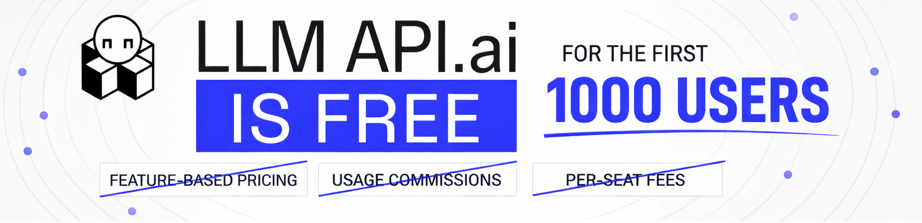
Billing is positioned as one wallet with credits: you deposit credits once, then usage across different models and providers deducts from that single balance. This matters in real life because finance sees one spend stream instead of a pile of vendor invoices, and engineers stop passing keys around just to try a new model.
If you want a quick sanity check on how fast model prices move month to month (and why “one wallet” tools exist), trackers like Price Per Token’s model pricing index can help you verify whether a cost jump is a model change or a usage change.
Here’s a quick, scannable take for engineers comparing gateways side by side.
| Pros | Cons |
| Fast integration because it stays OpenAI-compatible for many common workflows | Smaller model catalog than OpenRouter in some cases, depending on what you need |
| Unified billing with a single wallet and consolidated spend tracking | Potential markup or plan-based limits depending on how credits and tiers are structured |
| Routing features (pick cheaper or faster options, plus fallback patterns) | Some advanced enterprise needs may still require a VPC-first gateway |
| Caching options to reduce repeat token spend on similar prompts | If you need very niche models on day one, availability can vary |
| Analytics and observability (token usage, cost breakdowns, error trends) | Teams should confirm rate limits and retention before production rollout |
| Per-member keys for team access and safer key rotation | Not every routing rule is always transparent without reading product docs |
The big upside is control. Instead of hoping your prompt budget behaves, you get knobs to keep spend and access predictable.
LLMAPI.ai and OpenRouter share the same core promise: one API that lets you switch models easily. For developers, that “model-agnostic app” workflow is the real win, because you can swap a coding model for a reasoning model without rewriting your stack.
The difference is emphasis. OpenRouter is often chosen for breadth and discovery (huge catalog energy, lots of community momentum, and hobbyist-friendly experimentation). LLMAPI.ai reads more like a team ops gateway: cost controls, per-person keys, and dashboards that help you run AI features without turning on-call into a lifestyle.
LLMAPI.ai tends to be a better fit when:
OpenRouter can still win when:
If you want extra context on how gateways and “provider leaderboards” influence routing decisions, see Artificial Analysis provider leaderboards for a broader view of how performance and price vary across providers over time.

LiteLLM is what you reach for when “one more vendor” feels like the real problem. Instead of paying an aggregator markup or accepting someone else’s routing rules, you run your own OpenAI-compatible litellm gateway and decide how requests flow across providers.
That control shows up in practical ways. You can keep sensitive prompts inside your network boundary, standardize how every team calls models, and swap providers without rewriting your app. The trade is simple: you save on middleman fees, but you take on the work of operating the router like any other production service.
LiteLLM’s Community Edition is free because it’s open source. You self-host it, so there’s no required platform fee for the software itself. LiteLLM also has an Enterprise Edition (typically “contact sales”) for orgs that need features like SSO, RBAC, and formal support (details vary by contract). A current overview is summarized well in TrueFoundry’s writeup, LiteLLM features and pricing review.
However, “free” only describes the license. Your real budget comes from three buckets:
Practical cost ranges from industry comparisons land in a few common bands:
Two quick rules help keep estimates honest:
If you can’t explain your worst-case RPS and your target recovery time, you’re not done pricing LiteLLM yet.
LiteLLM can feel like freedom or like extra chores, depending on how your team operates. This table is the fastest way to sanity check the trade.
| Pros | Cons |
| No vendor lock-in because you own the litellm gateway and config | You own maintenance (upgrades, incident response, capacity planning) |
| Maximum data control (self-hosting can keep prompts and logs in-house) | Scaling and P99 latency risk if your deployment and tuning lag behind traffic |
| Wide provider support with a standard OpenAI-style interface | Security patches and audits are on you, including dependencies and container hardening |
| Custom routing and policies (fallbacks, retries, provider selection logic) | Hidden operational costs (monitoring, log pipelines, on-call load) |
| Easier arbitrage across multiple inference vendors | Enterprise features may require paid plans (SSO, RBAC, support), pricing is not always transparent up front |
One extra “con” that surprises teams: at higher throughput, the gateway itself can become a bottleneck if you don’t design for it. Some benchmarks and field reports call out instability patterns and latency spikes when deployments push into the high hundreds of requests per second, especially without careful scaling and memory tuning (see the broader gateway comparison in production gateway trade-offs).
OpenRouter is a hosted convenience layer: one key, lots of models, minimal setup. LiteLLM flips that. It replaces hosted ease with self-hosted control without vendor lock-in, which matters when routing becomes business-critical and “trust us” is not a strategy.
LiteLLM is usually a strong fit for three groups:
The simplest way to picture it: OpenRouter is like using a ride-hailing app. LiteLLM is buying the fleet and writing dispatch rules. You get control over every route, but you also handle the maintenance schedule. For a deeper side-by-side, this comparison, LiteLLM vs OpenRouter guide, captures the core operational differences that show up once traffic gets real.

Portkey is a different kind of OpenRouter alternative. It is less about finding “a model that works” and more about running production AI systems. If your team keeps asking, “Who spent this?”, “Why did latency jump?”, or “Which prompts caused the outage?”, it is built for those questions.
Think of it like air traffic control for prompts. You can keep using your favorite providers, but you add budgets, policies, and traces in one place. That’s especially helpful once multiple teams ship AI features at once and shared API keys turn into a security and billing mess.
If you’re also planning multi-provider failover (because outages and rate limits happen), it fits naturally into a broader routing strategy like the one described in this guide to avoid AI downtime with provider routing.
Its pricing model, as reported in 2026 sources, looks like a platform subscription for production, plus usage-based overages that scale with how much data you record and retain (often tied to logs or requests). In other words, you pay for the control plane features, then you pay more as your traffic and logging footprint grows.
Here’s the pricing shape you should expect when budgeting:
Most real deployments are also BYOK (bring your own keys). That means you usually connect it to your own OpenAI, Anthropic, Google, and other provider accounts. You still pay providers for tokens, while it charges for the ops layer that sits in front.
For current plan details and what exactly triggers overages, cross-check third-party breakdowns like Portkey pricing guide for 2026 and its own documentation on model pricing and cost management. Pricing changes fast in this category, so verify today’s numbers before publishing and before you set budgets.
Cost planning tip: model spend is only half the story. Your logging and retention settings decide whether your bill stays predictable when traffic spikes.
It is strong when you need governance and visibility, but it is not the lowest-friction option. This table captures the trade-offs that matter in production.
| Pros | Cons |
| Virtual keys reduce shared-secret chaos, with per-team budgets, caps, and scoped access | Subscription cost adds overhead compared to a simple proxy |
| Deep insights across providers (latency, errors, token spend), which speeds up debugging | Learning curve if you want to use advanced routing, policies, and dashboards well |
| Guardrails and policy controls can block unsafe content or enforce allowed models per environment | Potential latency overhead because requests pass through an extra control layer |
| Routing and fallbacks can be defined in configuration, so you do not have to keep rewriting app code | Overage risk if your traffic grows and you retain high-volume logs without a plan upgrade |
| Governance for scale (better auditability than “keys in env vars”) | Not a model marketplace so you still manage provider relationships and accounts |
The practical takeaway is simple: it is a great fit when reliability work is already costing you time. If you mostly want cheap model access and fast experimentation, it can feel like too much process.
OpenRouter and it solve different problems, even though both sit between your app and model providers.
OpenRouter is a model marketplace proxy. You use it to quickly access many models through one API, often with a strong discovery experience. That’s perfect for prototyping, quick model comparisons, and “swap the model name” iteration.
It is an ops layer. You bring the models and provider accounts, then it helps you run them safely, with controls that look more like production platform engineering:
It is a strong recommendation for teams that are scaling across departments, especially when AI traffic shifts from “one app, one key” to “many features, many owners.” Once that happens, governance stops being optional. It becomes the difference between a controlled system and a pile of unmanaged secrets, surprise bills, and slow postmortems.
If your main pain is uptime, pair its governance with a clear multi-provider strategy. If your main pain is budget and accountability, it is often the shortest path to getting control without building an internal platform from scratch.

If your app already runs on Cloudflare (Workers, Pages, WAF, CDN), Cloudflare AI Gateway can feel like the shortest path from prototype to production. You keep AI traffic inside the same edge network you already trust for low latency, then add caching, rate limiting, and routing rules without rebuilding your app’s plumbing.
The big idea is simple: Cloudflare AI Gateway is a traffic manager for LLM calls at the edge, not a model marketplace. You choose the providers and models, then Cloudflare helps you control how requests flow. That’s especially useful when you want safe rollouts, like testing a new model on 5 percent of users before you commit.
Cloudflare positions AI Gateway core features (analytics, caching, rate limiting) as available on all plans, so you can start without a new contract. The cost pressure shows up when you move from “let’s try it” to “we need logs, exports, and consistent visibility.”
These are the limits you should plan around as of March 2026, based on Cloudflare documentation and third-party pricing breakdowns:
| Limit or cost driver | Free (Workers Free) | Paid (Workers Paid) |
| Stored logs | 100,000 logs per account | 1,000,000 logs per month |
| Request limit | 100,000 requests per day (Workers limit) | 10 million requests included, then usage-based |
| Cache TTL | Up to 1 month | Up to 1 month |
| Max request size | 25 MB | 25 MB |
| When you typically need paid | When you hit log limits or need production log workflows | When you need higher volumes, longer-running production behavior, and log export |
Two practical budgeting notes help avoid surprises:
For the most current numbers and definitions, use the source docs first, then sanity check with an independent breakdown: Cloudflare AI Gateway pricing documentation and AI Gateway limits documentation. For a third-party summary that calls out the common gotchas, see Cloudflare AI Gateway pricing breakdown (2026).
If your app is user-facing, treat the free tier as an integration test. Paid is where log volume and export workflows start to look like a real production setup.
Cloudflare AI Gateway shines when your stack is already on Cloudflare and you want control at the edge. Still, it is not trying to match the deep, LLM-specific governance you get from dedicated AI control planes.
| Pros | Cons |
| Near-instant integration if you already ship on Workers or Pages | Log retention is limited on free tiers, upgrades happen fast in production |
| Edge-native routing and load balancing through Cloudflare’s global network | Pricing depends on Workers usage patterns, which can be tricky during spikes |
| Dynamic Routes support A/B tests and percentage rollouts at the edge | Less LLM-specific governance than specialized gateways (for example, complex org policy, prompt lifecycle tooling) |
| Built-in caching and rate limiting help control spend and abuse | Not a model catalog so you still manage provider relationships and keys |
| Good fit for multi-region apps where latency matters | More Cloudflare-specific setup than a pure “drop-in” SaaS gateway for non-Cloudflare stacks |
If A/B testing is the reason you are here, Cloudflare’s edge logic is the point. You can route 1 percent of traffic to a new model, watch errors and latency, then roll forward or roll back quickly. The docs describe this under Dynamic Routing (Cloudflare also calls these routing flows “routes”): Cloudflare AI Gateway dynamic routing docs.
Cloudflare AI Gateway is a strong OpenRouter alternative when your top goal is keeping routing close to users for reduced latency, inside the same perimeter where you already handle TLS, bot protection, and caching. It fits teams that want inference to behave like any other edge service, not like a separate platform.
The mental model helps: OpenRouter is a model mall, while Cloudflare AI Gateway is an llm gateway for traffic control. You are not picking from a giant catalog. Instead, you point the gateway at the providers you already use (or plan to use), then manage:
If you are already building “model-agnostic” plumbing elsewhere, Cloudflare AI Gateway can slot in as the edge layer. For a broader view of why wrappers and gateways exist in the first place, this internal guide on an AI API wrapper for model-agnostic routing pairs well with an edge-first approach.

Vercel AI Gateway is a strong fit when your main goal is getting an AI feature into production without turning it into a platform project. It keeps the integration familiar (openai-compatible api), plays nicely with Next.js and the Vercel AI SDK, and gives you a managed proxy for switching models without running your own gateway.
For frontend teams, that matters because the failure mode is rarely “the model is wrong.” It’s usually time: too many keys, too many dashboards, and too many small reliability fixes that never make it into the sprint. Vercel’s pitch is simple: ship first, then tune.
Vercel AI Gateway pricing follows a credits model plus pass-through token costs. The headline is zero markup on tokens, whether you use Vercel’s unified billing or bring your own provider keys.
According to the official docs, the pattern looks like this: you get a small free monthly credit after you make your first request, then you move to pay-as-you-go by purchasing AI Gateway Credits as needed (no contract, and you can enable auto-recharge). See Vercel AI Gateway pricing documentation for the current language and definitions.
Here’s how the tiers break down in practice as of March 2026:
| What you’re choosing | What you pay | What’s included | What changes when you scale |
| Free tier (AI Gateway Credits) | $5/month in credits (starts after first request) | Access to AI Gateway, model access via the gateway | When free credits run out, you must purchase credits (no overages on the free pool) |
| Paid tier (AI Gateway Credits) | Pay-as-you-go by purchasing credits | Same model access and gateway features | Your account uses your purchased balance, free monthly credit no longer applies after purchase |
| BYOK vs unified billing | Token rates match the provider (no markup either way) | Use your own provider keys for billing, or route through Vercel’s billing | Billing flow changes, not the gateway interface |
A few practical notes worth calling out:
If you’ve been burned by “we shipped a demo, then costs spiked when scaling to production ai systems,” it helps to pair Vercel’s simple pricing with basic budget guardrails and usage review. This internal guide on Overcoming Hidden Costs of AI in Your SaaS Product matches what usually happens after launch.
Vercel AI Gateway is best when you want a managed proxy that feels native to your app workflow. It’s less ideal when you need deep routing logic, strict residency controls, or cloud-agnostic infrastructure.
Here’s the trade-off in a quick table:
| Pros | Cons |
| Low setup overhead for teams already shipping on Vercel and Next.js | Less advanced routing logic than dedicated routing platforms (fewer knobs for complex policies) |
| Good default reliability with managed retries, fallbacks, and a single endpoint | Not the best fit for strict data sovereignty needs that require private networking or in-VPC deployment |
| Tight integration with Vercel AI SDK and typical frontend streaming patterns | Can feel Vercel-centric if your backend runs elsewhere or you want a fully cloud-neutral gateway |
| Simpler key handling (unified billing or BYOK) reduces key sprawl | Fewer marketplace-style features (less discovery and “model shopping” tooling than model aggregators) |
| Zero markup token story makes cost modeling easier than “proxy plus percentage” setups | Enterprise governance depth varies compared to control planes built for large org policy management |
If your team’s bottleneck is shipping UI and product flow, Vercel AI Gateway removes friction. If your bottleneck is governance across many teams and regions, you may outgrow it.
For a product-level overview of supported features (single endpoint, budgets, monitoring, and fallback behavior), the most direct reference is Vercel AI Gateway documentation.
As an OpenRouter alternative, Vercel AI Gateway works best when you want the “stable proxy” part of the deal, not the “marketplace” part.
The overlap is real:
The difference is focus. OpenRouter tends to shine when you want broad model discovery, lots of niche options, and a catalog-first workflow. Vercel is closer to a “shipping workflow” tool. It’s designed to keep frontend teams moving, especially when your app already deploys on Vercel and you want streaming responses with low first token latency to behave well in production.
Vercel AI Gateway is usually the better swap when:
On the other hand, OpenRouter-like tools still win when:
If you want a neutral, side-by-side discussion of trade-offs people evaluate in 2026, this comparison is a useful cross-check: Vercel AI Gateway vs OpenRouter analysis.

When LLM traffic goes from a few test prompts to real users, two problems show up fast: you stop trusting your costs, and you can’t explain latency. Helicone’s angle is refreshingly practical. It puts observability first, so you can trace what happened on each request, then decide whether you need routing features at all.
Think of it like adding a flight recorder to your AI calls. Instead of guessing why spend jumped after a prompt change, you can pinpoint which endpoint, model, user, or prompt version caused the burn.
If you’re comparing tools in this category, it helps to understand what “LLM observability” usually includes (traces, evaluation signals, and cost breakdowns). This overview of LLM observability tools frames the space well.
Helicone pricing is tied to how much you log and store, not just raw token usage. That’s a good fit if your main cost problem is “we’re blind,” because tracing your logs delivers cost optimization, so you can start small, then pay more only when you want deeper retention and higher volumes.
As reported across Helicone’s public pricing info and recent summaries (as of March 2026), you’ll usually see a tiered structure like this:
| Plan | Typical monthly price | What it’s for | Compliance and retention notes |
| Hobby (Free) | $0 | Personal projects, early prototypes, quick debugging | Short retention (often about 1 month) and smaller storage limits |
| Pro | ~$79/month | Small teams that need consistent logging and cost tracking | Longer retention than free (often about 3 months) and higher limits |
| Team | ~$799/month | Production teams that need shared org controls and support | Often positioned with stronger collaboration features, and may include compliance options depending on the current packaging |
| Enterprise | Custom | Larger orgs with strict security, legal, and procurement needs | This is where SOC 2 and HIPAA are commonly offered, plus custom retention and support terms |
A few practical pricing details matter more than the sticker price:
For an up-to-date snapshot and feature descriptions, see a recent third-party summary such as Helicone pricing and positioning overview. Still, confirm the exact limits and retention windows directly from Helicone’s current pricing page and dashboard UI as of March 2026, because these numbers change often.
The budgeting trap is simple: teams estimate token costs, then forget that “full-fidelity logs for every request” becomes its own line item.
Helicone is a strong pick when you need to understand behavior across providers and prompts. It’s less compelling if you want sophisticated routing strategies as a primary feature.
Here’s the clean trade-off:
| Pros | Cons |
| Strong visibility into cost and latency, including per-request breakdowns | Not the most advanced router compared to tools built mainly for multi-step routing logic |
| Great for prompt debugging, because you can inspect requests, outputs, and metadata in one place | Some enterprise needs push you into higher tiers, especially for compliance, longer retention, and org controls |
| Good fit for teams watching spend, since you can identify waste quickly (long prompts, retries, runaway agents) | If you need deep policy enforcement (complex RBAC, custom network boundaries), a VPC-first platform may fit better |
| Fast time to value, since proxy-style setup often requires minimal code change | Your bill can rise if you log everything at high volume without a retention plan |
If you want a broader comparison of production gateway behavior (including what teams see under real load), this field-style roundup, evaluation of 13 LLM gateways, is a useful sanity check.
OpenRouter and Helicone can both sit between your app and model providers, but they solve different “pain stories.”
OpenRouter is best when your problem is access. You want lots of models, quick switching, and a unified interface. It’s catalog energy.
Helicone is best when your problem is uncertainty. You already picked providers (or you’re using a few), but you can’t answer basic questions during incidents:
So the recommendation is straightforward:
In other words, if OpenRouter is the supermarket, Helicone is the receipt scanner and fraud detector. It helps you see what you actually bought, and what it cost, before finance or on-call makes it your full-time job.
For more context on how teams evaluate observability-first platforms (especially for agent debugging and production monitoring), this 2026 buyer-oriented overview, AI observability tools guide, is a solid companion read.

TrueFoundry AI Gateway is built for the moment when routing stops being a developer convenience and becomes a governance problem. If you handle regulated data (finance, healthcare, insurance) or run agent workflows that touch internal tools, you usually need more than “one endpoint”. You need a private deployment option, strong access controls, and audit-friendly logs.
The simplest way to think about it: OpenRouter-style aggregators optimize for breadth and speed of adoption. TrueFoundry optimizes for control, especially when prompts and responses must stay inside your cloud boundary for data residency.
TrueFoundry’s pricing is typically structured like a platform subscription plus usage, with enterprise add-ons when you need private networking, higher scale, or stricter controls. In practice, you should expect a free trial for evaluation, then paid tiers that scale with platform usage (often tied to things like logs, requests, seats, or retention).
A reasonable way to present it in a production-focused roundup is:
Because TrueFoundry deals can vary by deployment model (SaaS vs in-VPC) and contract scope, publish pricing as “starts at” and validate the latest details right before you ship the post. The most reliable reference point is the vendor’s own page: TrueFoundry pricing details.
Budgeting tip: don’t price only tokens. In regulated setups, logging, retention, and audit exports often drive the real platform cost.
This table focuses on what matters once you operate LLM routing as infrastructure.
| Pros | Cons |
| Private data plane option (run the gateway in your VPC or on-prem) to meet residency and sovereignty requirements | More setup work than a public aggregator, especially for private networking and org IAM alignment |
| Strong governance for enterprise compliance (team-level quotas, access control patterns, audit-friendly logs) | Heavier sales and procurement motion is common for enterprise deployments |
| Enterprise-ready agent workflows, including support for agent tooling patterns like MCP-style integrations and centralized controls | Not aimed at hobbyists or quick “one-key” experiments |
| Multi-model routing that can go beyond cost and latency, for example policy-driven allowlists per team or environment | Harder to compare on sticker price because contracts and deployment choices affect total cost |
If your biggest risk is “we can’t let this data leave our cloud”, these trade-offs often feel worth it.
TrueFoundry is the step up when compliance and data residency become non-negotiable. OpenRouter is great when you want a huge catalog, quick experiments, and minimal setup. However, that same shared, public gateway model can clash with strict security reviews.
The contrast looks like this:
So when does the switch make sense? Usually when you hit one of these walls:
If you’re choosing between “another aggregator” and “our own private gateway layer”, TrueFoundry is positioned closer to the private gateway side of that line. For a broader framework on how teams evaluate gateways in 2026, see how to choose an AI gateway.

If your production stack already lives in AWS, Bedrock is the “no-surprises” option. You keep inference inside the same security model you already run for everything else, including IAM, VPC controls, CloudWatch, and AWS billing. For many teams, that reduces risk more than any fancy routing feature.
Bedrock also fits the way enterprises buy software. Instead of stitching together five vendors for models, keys, and compliance paperwork, you can standardize on one managed “model catalog” that includes options from inference providers like Anthropic, Meta, and Mistral, plus Amazon’s own Titan family. You will give up some of the niche-model breadth and fast experimentation culture you get with OpenRouter, but you gain cleaner governance and a tighter audit story.
AWS Bedrock pricing is mostly usage-based per model, and the meter depends on what you run. For text LLMs, that typically means input and output tokens. For image or multimodal models, it can include images generated, resolution, or other unit-based pricing depending on the model. The important point is that Bedrock is not one blended price, it is a catalog where each model has its own rates.
In practice, you will usually pick between two pricing styles:
Some teams also use batch style execution for offline work, because it can be meaningfully cheaper than interactive calls for large volumes.
From a FinOps standpoint, one of Bedrock’s strongest features is cost attribution. Bedrock supports Application Inference Profiles (AIP), which let you tag and track inference usage at a granular level. That makes showback and chargeback practical, so you can answer “which team shipped the feature that doubled spend last week?” without building your own tracking layer.
A few budgeting tips that hold up in real systems:
Rates move often, and Bedrock’s catalog evolves quickly. Confirm current per-model rates in your AWS console and validate against a current reference right before publishing, for example AWS Bedrock pricing modes and common gotchas or a model-by-model comparison like Amazon Bedrock pricing overview.
Quick rule: if finance wants clean allocation and fewer vendors, Bedrock’s billing and attribution tools are often the deciding factor.
This table summarizes the trade-offs that matter when you are choosing a production gateway, not a demo environment.
| Pros | Cons |
| Strong security posture aligned with AWS controls (IAM, encryption, private networking patterns) | Vendor lock-in is real, your billing, ops, and integrations become AWS-shaped |
| Governance-friendly for large orgs, with centralized policy, multi-model routing, and audit expectations | Catalog limited to Bedrock-supported models, you cannot bring arbitrary hosted models the way marketplaces can |
| Cost allocation and showback support (including inference profiles) helps FinOps teams | Less flexible for non-AWS stacks, especially if your core services run on GCP, Azure, or on-prem |
| Enterprise support and procurement fit (contracts, compliance reviews, standard vendor process) | Experimentation can feel slower, because you trade “try anything fast” for “run a managed catalog safely” |
| Fewer vendors to manage compared to rolling your own multi-provider setup | Routing breadth is narrower than OpenRouter-style aggregators that prioritize model variety |
The practical upside is control. Your security team already understands AWS identity and billing, so Bedrock is easier to approve. On the other hand, if your product strategy depends on fast access to niche models, Bedrock can feel like shopping from a smaller store with stricter rules.
For a broader multi-cloud comparison mindset, see Vertex AI vs AWS Bedrock vs Azure AI Foundry (feature and pricing comparison).
As an OpenRouter alternative, Bedrock is a trade: less breadth, more enterprise control. OpenRouter is optimized for model discovery and quick swapping across a huge catalog. Bedrock is optimized for organizations that value fewer external dependencies and a predictable governance story.
Here’s the simplest way to frame the decision:
Bedrock makes the most sense when:
On the other hand, you may feel constrained if your workflow depends on “new model drops” and instant access to long-tail options. Bedrock will cover many mainstream needs, but it is not trying to be a hobbyist marketplace.
If you want to pressure-test whether Bedrock’s pricing and commitment options fit your traffic shape, a practical guide like on-demand vs provisioned throughput breakdown can help you model what “safe choice” costs once you go from a few million tokens to sustained production volume.

Azure AI Foundry (Microsoft Foundry) is where a lot of enterprise teams end up after the prototype phase. Instead of treating LLMs like a fun experiment, it treats them like core infrastructure with procurement, compliance, and predictable capacity baked in.
The headline for OpenAI access on Azure is simple: you can run top-tier OpenAI models through an enterprise gateway, then choose between flexible on-demand usage or reserved capacity when the workload is steady. That second option is what changes the day-to-day experience, because it turns “hope there’s capacity” into “capacity is allocated.”
Azure AI Foundry pricing usually breaks into two layers: what the model costs and how you reserve capacity.
First, most teams start with on-demand pricing, which is the familiar pay-per-use model:
When the app becomes business-critical, many teams shift to Provisioned Throughput Units (PTUs):
A final pricing reality in enterprise land is that the list price is not always the price you end up paying:
If you want a quick official reference point for how Azure frames model costs inside Foundry, start with Azure AI Foundry Models pricing, then validate in your Azure portal for your region and contract.
This table summarizes the trade-offs that matter when you compare Azure AI Foundry to OpenRouter-style gateways and routers.
| Pros | Cons |
| Enterprise security and enterprise compliance that fits regulated orgs (identity, policies, approvals, audit expectations) | Can feel complex compared to a simple “one key, one endpoint” aggregator |
| PTUs for predictable performance and fewer surprises when traffic is steady | Some RAG tuning knobs can feel abstracted, for example chunking and indexing details may be less exposed depending on the workflow |
| Strong MLOps integration with the Azure toolchain (monitoring, deployments, governance) | Azure ecosystem lock-in is real, especially once networking, identity, and cost tooling become Azure-first |
| Procurement-friendly vendor posture for large orgs | Less of a model playground experience than marketplaces that prioritize fast model discovery |
The practical takeaway is that Azure AI Foundry optimizes for control and repeatability. If your team likes to tweak every routing and retrieval detail, you may feel constrained. On the other hand, if your main pain is production risk, the guardrails help.
Azure AI Foundry is a strong OpenRouter alternative when your biggest requirements sound like corporate checkboxes, because they usually are:
In contrast, it is not the best match when your main goal is model discovery. OpenRouter-style tools shine when you want a huge catalog and quick experimentation across many providers. Azure AI Foundry shines when you want a controlled set of enterprise-ready capabilities with multi-model routing, with capacity planning as a first-class feature.
A common enterprise migration path looks like this:
If that sounds familiar, you are not alone. Once AI spend becomes a line item finance tracks, “one more API key” stops being cute. At that point, Azure AI Foundry becomes less about model access and more about running inference like any other enterprise service.

If your team lives in long docs, incident reports, contracts, research PDFs, or giant knowledge bases, Google Vertex AI is built for that kind of work. The big story is context at scale and batch throughput. Instead of stitching together a model marketplace, a pipeline runner, and an MLOps stack, you can run Gemini and related workloads inside one managed Google Cloud platform.
This is also where Vertex AI differs from OpenRouter-style tools. OpenRouter is great for fast model shopping. Vertex AI is better when you already know the shape of the job, and you need repeatable operations, cost allocation, and steady high-volume processing.
Vertex AI pricing depends on which model you pick (Gemini and others) and how you run it (on-demand, batch, or reserved capacity). The most important part is that pricing is usually split into input tokens and output tokens, and the rates can change once you cross large context thresholds. That means a single prompt can get expensive quickly if you push huge documents and ask for long outputs.
For official, up-to-date rates by model and modality, start with Vertex AI generative AI pricing.
Here are the pricing levers that matter most for document-heavy teams:
A practical way to think about cost is: big context is like a moving truck, not a backpack. It helps you carry more in one trip, but you pay for the weight. If you keep tossing in “just in case” pages, the bill climbs fast.
To keep spend predictable, model token usage in advance using a few “pricing drills”:
The fastest way to blow up Vertex AI spend is mixing huge context windows with verbose outputs, then doing it on-demand for every document.
This table focuses on what matters when you compare Vertex AI to OpenRouter alternatives used for routing and orchestration.
| Pros | Cons |
| Strong scale for batch workloads, good fit for processing lots of documents asynchronously | Google Cloud learning curve (projects, IAM, quotas, service accounts, networking) |
| Very large context options in the Gemini family, helpful for long documents and multi-doc synthesis | Not a simple plug-in proxy, it is a full cloud platform, not “swap one base URL” |
| MLOps and pipeline tooling that helps keep multi-step jobs together for production AI systems (training, evals, batch runs, deployments) | Catalog differs from OpenRouter, which mixes many hosted models across many inference providers |
| TPU-backed infrastructure options for high-throughput patterns and enterprise-scale batch processing | GCP-first operational model, which can be a mismatch if your stack is AWS or Azure centric |
| Enterprise governance alignment (resource labeling, team projects, showback patterns) when you already run on GCP | Cost modeling takes more work, especially with big context tiering and extra features |
The short version: Vertex AI is easiest to justify when your app already runs on GCP, or when long-context batch processing is your core workload.
Vertex AI is a solid OpenRouter alternative when your workloads look like enterprise search, long-document analysis, and batch summarization. In these cases, “one endpoint to hundreds of models” is not the main need. What you really want is a stable platform where you can run big jobs, track cost by team, and keep the whole workflow in one place.
Vertex AI tends to fit well when you have patterns like:
OpenRouter still wins when the goal is exploration. If you are testing lots of different model families, comparing outputs side by side, or swapping providers daily based on price, a marketplace router feels faster. Vertex AI is closer to “pick your stack, then run it reliably.”
If you want a quick multi-cloud framing for where Vertex sits next to other “model mall” platforms, this comparison is a helpful checkpoint: Vertex AI vs AWS Bedrock vs Azure AI Foundry.

Eden AI is a strong pick when your app is more than chat. Instead of stitching together separate vendors for LLM calls, speech-to-text, translation, image generation, and OCR, you can run those building blocks through Eden AI’s unified API. For developers, that means fewer keys, fewer SDK quirks, and fewer billing surprises when a “simple” feature turns into a full pipeline.
It also changes how you design product flows. A support tool can ingest a screenshot (OCR), translate it, and then summarize it with an LLM, all without bouncing between five different providers. In other words, Eden AI fits teams building multimodal systems for production AI systems, not just text endpoints.
Eden AI’s core pricing model is pay-as-you-go with provider pass-through pricing, plus a platform fee reported at about 5.5 percent added on top of the underlying provider cost. That fee structure is stated directly in Eden AI’s own pricing materials, along with the “only pay for what you need” positioning: Eden AI pricing and platform fee.
A few practical notes for budgeting:
Details in this space change quickly, so verify the current fee, any minimums, and any credit or invoice requirements on the official pricing page as of March 2026: Eden AI pricing. For a second reference point, you can also sanity check how third-party catalogs describe Eden AI plans here: Eden AI pricing overview.
Cost tip: when you chain multiple services (OCR plus translation plus LLM), model the whole workflow cost, not the last step.
This table focuses on what matters when you are comparing OpenRouter alternatives for production.
| Pros | Cons |
| Multimodal coverage (LLMs plus speech, OCR, translation, and more) through one API | Platform fee adds overhead versus direct-to-provider billing |
| Easy vendor switching for the same capability, which helps you optimize price vs quality | Less advanced LLM-specific routing than dedicated gateways built around prompt-level policies and complex fallbacks |
| Unified billing reduces invoice sprawl when you mix AI services | Some “enterprise” features may require custom pricing instead of self-serve |
| Good fit for end-to-end pipelines (for example, OCR to translation to summarization) | If you only need text LLMs, it can feel broader than necessary |
If your app needs multiple AI modalities, Eden AI’s strengths show up immediately. If you only need text completions and deep routing rules, a dedicated LLM gateway can be a better fit.
OpenRouter tends to behave like an LLM marketplace first. It shines when you want lots of text models, fast model discovery, and easy swapping during experiments.
Eden AI is the better OpenRouter alternative when your “LLM feature” is really a pipeline that includes other AI services. Common examples include:
In practice, the choice comes down to scope. If you want one vendor to cover the whole multimodal stack, Eden AI is a clean answer. If you want the deepest tooling for LLM routing alone (prompt policies, advanced fallbacks, and heavy observability), pair a specialized gateway with best-of-breed providers instead.

Orq.ai is best thought of as a shared workspace for shipping LLM features, not just a routing layer. It brings engineers and domain experts (product, support, ops, marketing) into the same loop, so prompts, RAG knowledge, evaluations, and releases don’t live in scattered docs and one-off scripts.
If OpenRouter feels like a switchboard for models, Orq.ai feels more like a release train. You can iterate on prompts with versioning, test changes against datasets, gate rollouts with deployments, and then watch what happens in production with built-in observability. That matters when multiple people touch the same AI surface area and you need repeatable changes, not heroic debugging.
Orq.ai pricing is structured like a platform plan plus usage allowances, then overages as you scale. As of March 2026, the clearest public snapshot is on the vendor’s page, which outlines plan limits, retention, and included resources: Orq.ai pricing and plan limits.
Here’s the typical structure you should expect when budgeting:
A practical way to present Orq.ai pricing in a “routing alternatives” roundup is as plan ranges, because exact numbers can vary by contract:
Budgeting tip: Orq.ai costs are usually driven by platform usage (spans, retention, deployments, agent runs), not just raw tokens. Plan for observability and release workflows as first-class cost drivers.
If your pain is coordination across prompts, RAG sources, and releases, Orq.ai is strong. If you only want a thin proxy for routing, it can feel like extra weight.
| Pros | Cons |
| Workflow tooling for the full loop (prompt work, RAG assets, evals, deployments, monitoring) | Heavier than a simple proxy or LLM gateway, so setup and adoption take more time |
| Prompt version control and safer releases, so changes don’t ship “by accident” | Can cost more than routing-only tools if you don’t need the workspace features |
| Observability built in, which shortens incident time and helps explain cost spikes | Overage risk if you scale spans and retention without updating the plan |
| Collaboration by design, so engineers and domain experts can ship together | Not optimized for “just model shopping”, the value is in repeatable delivery |
| Enterprise security features in higher tiers (for example, RBAC and private deployment options) | Pricing clarity varies at the enterprise level because terms are often custom |
The simple takeaway: Orq.ai earns its keep when prompt changes look like software releases, not quick experiments.
OpenRouter is great when the main challenge is model access. You get a broad catalog, fast switching, and a simple “send traffic here” experience. That’s perfect for exploration and rapid prototyping.
Orq.ai solves a different problem: shipping changes safely once the LLM feature becomes part of your production AI systems. It’s the better choice when you keep hitting issues like:
So the recommendation is straightforward:
If you want a second opinion on positioning and feature scope, this directory-style overview can help with quick comparison notes: Orq.ai features and alternatives review.

Unify AI is built around a simple promise: stop hard-coding one “best” model, and let a router choose the best option per prompt. Instead of treating routing like a pile of hand-made rules, Unify focuses on benchmark-driven multi-model routing that reacts to changing latency, price, and output quality.
In practice, it’s a good fit when you run mixed workloads, for example classification, extraction, summarization, and occasional deep reasoning. Those workloads do not need the same model every time, and forcing everything through a top tier model is an expensive habit.
A useful mental model is a smart dispatch system. You tell it what “good” looks like (quality, cost, latency), and it routes each request to a model that hits those targets, based on measured performance signals.
Unify AI pricing is one of the areas where writers should be careful, because public descriptions vary across sources, and packaging changes quickly in this market.
Here’s the tier structure you’ll commonly see referenced:
At the same time, Unify’s current plan names and billing structure may be presented differently on its own site. Before publishing, verify the latest details directly on the vendor page: Unify pricing and plans.
Usage and markup reality check: Unify is often described as routing across major providers and optimizing based on benchmarks. In some descriptions, usage is framed as being close to provider rates, sometimes with a platform fee. Because this is easy to misunderstand, confirm two things before you lock the copy:
Treat pricing for routers like an invoice, not a tagline. You need to know what’s pass-through, what’s platform, and what scales with usage.
If you’re considering Unify, the key question is whether you want a system that optimizes automatically, even if it means giving up some control.
| Pros | Cons |
| Automatic optimization across cost, speed, and quality without constant manual tuning | Less deterministic control, you are not explicitly choosing “this model every time” |
| Benchmark-first culture, routing decisions are guided by measured performance signals | Can feel like a black box when a routing choice surprises you |
| Achieves cost optimization without maintaining routing rules, especially on mixed workloads | You depend on Unify’s routing logic and product direction |
| Helps teams avoid “default-to-top-model” spend patterns | Debugging “why this model?” may take extra tooling or support |
The practical takeaway: Unify can save real money and engineering time, but only if you’re comfortable delegating model selection to the router.
OpenRouter and Unify can both reduce integration effort, but they optimize for different behaviors.
OpenRouter works well when you want to browse a big catalog and pick models yourself. It’s a “you choose” workflow: pick a model, test it, swap it, repeat. That makes it great for exploration and quick comparisons.
Unify is closer to a “the system chooses” workflow. It tries to route each prompt to the best option using performance signals, so you don’t have to keep updating rules every time pricing changes or a provider slows down. This general routing trend is also covered in broader ecosystem rundowns like LLM orchestration frameworks and gateways.
Unify is usually the better OpenRouter alternative when:
If your team wants full, explicit control over model choice per endpoint, OpenRouter-style routing may feel more natural. If your team wants the router to act like an autopilot, Unify’s benchmark-driven approach is the point.

Martian is built for teams that are tired of one-size-fits-all model choices. Instead of pinning every request to one “default” model, it tries to understand your prompt and pick the best model for that job, then route the call automatically. The goal is simple: keep quality high while maintaining high throughput, cutting waste from running expensive models on easy tasks.
What makes Martian stand out is its “decision engine” approach for cost optimization. It is not just a proxy that forwards requests. It enables multi-model routing informed by how models behave internally, then chooses a model per prompt so you are not stuck maintaining endless routing rules by hand. For a deeper look at what Martian positions as its core product, see Martian’s Model Router overview.
Martian pricing usually reads like an enterprise product: commercial terms, often usage-based, and sometimes contract-based once you need guarantees and support. Even when there is an entry plan, most production teams should expect a quote-based conversation.
A practical way to frame “what you pay for” with Martian:
If you need a reference point for where Martian starts positioning its plans and custom options, use the vendor page as the source of truth and request a quote for production terms: Martian pricing.
Budgeting tip: treat a router like Martian as a spend-control layer, not “extra overhead.” If routing mistakes are costing you real money, the subscription can pay for itself.
Here’s the trade-off table that usually matters in real deployments.
| Pros | Cons |
| Strong cost optimization by routing simpler prompts to cheaper models | Vendor lock-in risk if routing logic and evaluation signals become core to your stack |
| Prompt-aware model selection, so you do not hardcode one model for everything | Pricing opacity is common at enterprise tiers, you often need a quote |
| Great for high-precision apps, where wrong answers are expensive | Overkill for small apps that only need basic failover or simple model switching |
| More principled routing evaluation, including public artifacts like RouterBench dataset | Setup and tuning can take time compared to a simple proxy |
The main takeaway: Martian is strongest when you can measure quality and you care about routing accuracy, not just routing convenience.
OpenRouter and Martian can both sit between your app and model providers, but they solve different problems.
OpenRouter is a catalog and proxy. It shines when you want broad model access, quick switching, and a simple integration. It is often the fastest way to experiment.
Martian is a decision engine. It is designed to sit on top of multiple providers and choose models automatically, prompt by prompt. That makes it a better fit when “pick the wrong model” has a real cost, such as failed extractions, unreliable agent steps, or expensive retries downstream.
Choose Martian when:
If you are still comparing several gateway styles side by side, this internal roundup of best OpenRouter alternatives for AI gateways pairs well with a “router vs proxy” decision.

ZenMux sits in the “aggregator” bucket, but it tries to solve a problem most routers ignore: what happens when the model output is bad or the provider gets flaky? Its answer is LLM insurance, a compensation system that returns credits when requests fail certain quality or performance expectations.
That framing matters for production teams because reliability is not just uptime. It is also consistency, latency under load, and trust that the model you asked for is the model you received. ZenMux positions its stack around those concerns, pairing routing and failover with transparency signals (for example, model verification benchmarks) and a credits-based billing layer.
ZenMux’s self-serve subscription plans are organized around a proprietary unit called a Flow, which acts like a single “currency” for calling many different models. In the pricing info available as of March 2026, ZenMux anchors Flow value at 1 Flow = $0.02525. The point is to reduce mental math when you swap models, because you spend Flows rather than tracking a different token price per provider.
Here’s the plan lineup that’s been publicly reported:
| Subscription plan | Monthly price | What it includes (high-level) |
| Free | $0 | Limited usage, reported as 5 conversations every 5 hours |
| Pro | $20 | 50 Flows included, reported “value leverage” uplift versus pay-per-use |
| Max | $100 | 300 Flows, higher reported “value leverage”, includes premium model access (for example, GPT-5.2 access is noted in reported plan details) |
| Builder | $200 | 800 Flows, positioned around stronger stability for serious building, often described with “enterprise stability” language |
Two details are easy to miss when you skim pricing tables:
If you plan to publish ZenMux pricing, treat the vendor page as the source of truth and confirm the current tiers right before you ship the post. Start with the official pages: ZenMux subscription pricing and ZenMux subscription management page.
Gotcha: some sources also describe a separate Pay As You Go option that’s positioned as “best for production,” with different limits and key types than subscription plans. If you’re deciding for a customer-facing app, cross-check ZenMux Pay As You Go documentation alongside the subscription tiers.
ZenMux is appealing if you want routing plus a financial backstop for failures. Still, you should read the fine print, because some subscription tiers can carry usage or environment restrictions that make them better for prototyping than live production.
Here’s the trade-off in a quick table:
| Pros | Cons |
| Insurance-style credits can refund or compensate when requests hit defined failure modes (quality issues, latency, or service anomalies) | Plan restrictions can limit production use on some subscription tiers, so you may need pay-as-you-go or enterprise terms for true production |
| Simplified billing across models via the Flow currency, so you don’t juggle many token price sheets | The Flow abstraction can confuse cost modeling at first, especially when different models “cost” different Flows per request |
| Reliability posture: positioned around consistency, not just model access | Catalog may not match OpenRouter in breadth or in “new model drops,” so check model availability before migrating |
| Transparency signals: ZenMux emphasizes verification and benchmarking to reduce concerns about “quiet” model swaps | Insurance is not magic, you still need guardrails, evals, and fallbacks for truly critical workflows |
| Latency focus: ZenMux claims globally distributed infrastructure with low average latency targets | If your app requires strict, provable SLAs, you may still need contract-grade terms and deeper observability than self-serve plans provide |
If insurance is the reason you’re looking, read ZenMux’s own description of what gets compensated and how it’s tracked: ZenMux insurance compensation documentation. That page is the fastest way to understand what “insurance” means in practice, not just in marketing.
ZenMux, a model aggregator, and OpenRouter share the same baseline promise: one integration, many models. Both let you avoid managing a pile of provider keys, endpoints, and SDK quirks. The difference is what they optimize for.
That makes ZenMux a strong OpenRouter alternative when your team cares about predictable outcomes more than “try every model under the sun.” If you ship a user-facing workflow where failures create support tickets, refunds, or broken automations, insurance can act like a shock absorber. It does not prevent every incident, but it changes the economics of failure.
ZenMux is a good fit when:
On the other hand, be careful if you plan to push subscription plans straight into production. Some reported ZenMux subscription tiers are described as intended for prototyping or “builder” workflows, not live, end-user production. Before migrating traffic, confirm production limits, key types, concurrency rules, and any “allowed use” language on the latest ZenMux subscription pages.
If your main driver is uptime, ZenMux’s approach pairs naturally with a multi-provider strategy. Even then, don’t rely on any single router as your only safety net. This internal guide on multi-provider failover design covers the practical architecture most teams end up implementing once reliability becomes a requirement instead of a nice-to-have.

DeepInfra stands out among inference providers as a strong option when you want cheap, predictable inference on popular open-weight models and you don’t need a full marketplace experience. The trade-off is simple: you can get excellent cost and solid latency, but you must design for concurrency caps so bursts do not turn into 429 errors.
If you treat inference like a utility bill (tokens in, tokens out), DeepInfra tends to feel easier to model than platforms with layered fees or complex plan math. Where teams stumble is assuming “cheap” also means “unlimited.” It doesn’t.
DeepInfra’s pricing usually follows a clean pattern: separate input and output token rates, billed per token with no surprise bundles. In addition, many models support prompt caching, which can drop your effective prompt cost when you send repeated prefixes (system prompts, long instructions, shared context).
A good starting point is the official model-by-model pricing table on DeepInfra’s pricing page. If you want a practical walkthrough of how token math shows up on invoices, DeepInfra’s own explainer, Token math and cost per completion, is worth a skim.
Below is a small snapshot of example pricing patterns and context windows (as of March 2026). Treat this as a reference point, then confirm today’s numbers on the pricing page before you lock a budget.
| Example model family | Input price (per 1M tokens) | Output price (per 1M tokens) | Cached input (per 1M tokens) | Context limit |
| DeepSeek-V3.2 | $0.26 | $0.38 | $0.13 | 160k |
| Llama-4-Maverick | $0.15 | $0.60 | N/A (varies by model) | 1024k |
| Gemini-2.5-Flash | $0.30 | $2.50 | N/A (varies by model) | 976k |
A few pricing details matter in real systems:
The simplest way to cut DeepInfra spend is to cap output length and keep prompts tight. The second easiest is to design your prompts so caching actually triggers.
DeepInfra is great when you know what models you want and you care about cost and responsiveness. It’s less ideal when your product needs the breadth of a marketplace router or when your traffic pattern includes unpredictable spikes.
Here’s the practical trade-off:
| Pros | Cons |
| Very competitive token pricing for many open models, with straightforward per-token billing | Concurrency limits can force you to throttle, queue, or shard traffic |
| Good latency on open-weight models, including strong median latency on some endpoints | Bursty workloads can hit rate limiting (429) if you don’t plan capacity |
| Cached input discounts can materially lower cost for repeated prefixes | Smaller model catalog than OpenRouter-style marketplaces |
| Simple developer experience for “pick a model and ship,” without heavy platform overhead | You may need a multi-provider fallback design for strict uptime targets |
The main operational gotcha is concurrency. Some “inference arbitrage” approaches in the wild call out aggressive pricing paired with strict request concurrency caps, often discussed as around 200 concurrent requests per account, which is exactly how teams end up with sudden 429 spikes during launches or batch jobs. The best single reference to keep handy is DeepInfra rate limit documentation, because limits can vary by tier and can change over time.
If you’re trying to decide whether “cheap but capped” fits your app, it helps to read a broader benchmarking perspective. This write-up, The Token Arbitrage benchmark, captures the common theme: low unit costs can come with tighter throughput constraints, so architecture matters.
OpenRouter-style tools shine when you want to shop across providers, compare many models quickly, and keep optionality. DeepInfra is different. It is best viewed as a strong single-provider lane for cheap inference, especially once you standardize on a short list of open models.
DeepInfra makes the most sense as a replacement when:
On the other hand, if you replace OpenRouter with DeepInfra and do nothing else, you might just trade one headache for another. The safe pattern is to add a gateway layer in front, so you can handle concurrency limits cleanly:
Think of it like flying budget: the ticket is cheaper, but you need to pack smart and arrive early. If you plan around the rules, DeepInfra can be a clean, cost-focused OpenRouter alternative for production workloads.

Fireworks AI is a strong choice when you care about throughput and predictable operations, and you do not want serving to become a pricing puzzle. It’s built for teams shipping real workloads on open models, where latency and rate limits matter more than a giant model marketplace.
The practical benefit is simple: you can run serverless inference delivering high throughput for quick starts and spiky traffic, then move to dedicated on-demand GPUs once usage stabilizes. Also, Fireworks stands out for fine-tuning workflows because it keeps the serving story straightforward. In many cases, you are not punished with a different “fine-tuned serving tax” versus the base model.
If you like the “one integration, many models” pattern but want to keep control over provider choice, this complements an API-wrapper approach well. For example, see this internal guide on OpenAI-compatible API gateway patterns and how teams keep model access flexible without rewriting app code.
Fireworks publishes tiered serverless pricing by model size, which makes it easier to estimate cost early. As of March 2026, the commonly referenced serverless rates look like this (per 1M tokens):
| Serverless tier (by model size) | Typical price per 1M tokens | When it fits best |
| Small (<4B params) | $0.10 | High-volume light tasks (classification, short summaries) |
| Mid (4B to 16B params) | $0.20 | General-purpose endpoints where cost still matters |
| Large (>16B params) | $0.90 | Heavier reasoning, higher quality, longer outputs |
| MoE (Mixture of Experts) | $0.50 to $1.20 | Mixtral-style models, good quality per dollar |
Those tiers are the “default math.” However, some models use separate input and output pricing, so always verify model-specific lines on the official page, starting with Fireworks pricing.
Fireworks also offers on-demand deployments on dedicated GPUs as one of the leading inference providers, billed per second (often easiest to think of as hourly). Publicly listed examples as of March 2026 include pricing like A100 80GB around $2.90/hour and higher tiers like B200 around $9.00/hour, with some variance depending on the exact listing and availability. For how billing and scaling works in dedicated mode, including load balancing, Fireworks documents the mechanics in its on-demand billing and scaling guide.
So when should you choose which?
A clean rule: if your workload is always “on,” dedicated GPUs usually win. If it is bursty or experimental, serverless usually wins.
Fireworks is easy to like if your goal is fast inference plus a clear path to fine-tuned deployments. Still, it is not trying to be a universal marketplace across many providers.
| Pros | Cons |
| Strong throughput for production inference | Not a broad aggregator with hundreds of providers behind one wallet |
| Good latency tuning and performance focus | May lack deep request-level tracing compared to observability-first gateways |
| Fine-tuning support with a serving story that stays simple (often no special “fine-tuned markup” vs base) | Can get expensive at very large scale if you do not optimize prompts, caching, and batching |
| Clear serverless tiers by model size, easier early cost modeling | Dedicated on-demand savings depend on high GPU utilization, idle time wastes money |
If you want a second opinion on how Fireworks stacks up against an “OpenRouter-style” experience, a directory comparison can help you sanity check positioning. For example, see Fireworks AI vs OpenRouter comparison for a lightweight feature framing (then validate the details against vendor docs).
Fireworks and OpenRouter can both sit in the “single integration” mental model, but they optimize for different outcomes.
Fireworks is best when you’ve picked the provider on purpose. You want a high-performance stack, consistent inference behavior, and a clean runway from base model to fine-tuned model without rebuilding your serving plan. In other words, you are standardizing on one platform and want it to run well.
OpenRouter is best when you want many providers behind one wallet. It’s a model-shopping workflow. You keep optionality, swap models constantly, and treat providers as interchangeable.
A practical recommendation for developers and platform teams:
If you are building a serious production service, Fireworks can be a clean “one-stack” answer. If you are still exploring, you will probably miss the marketplace breadth.
When your app talks back to users, milliseconds start to feel like product features. Groq is built for that moment. Instead of optimizing for the biggest model catalog, it optimizes for low latency and high token throughput, so agent loops and voice experiences feel responsive.
The easiest mental model is a sports car, not a minivan. Groq gets you to the first token fast (often reported around 0.2 seconds first token latency in latency-focused benchmarks) and then keeps output flowing at a rate that feels “instant” in conversation. That matters when you stream tokens into text-to-speech, or when an agent must take several tool calls without stalling the UI.
Groq pricing is commonly presented as on-demand, tokens-as-a-service, billed per million tokens with separate input and output rates. In other words, you pay for what you send (prompt, context) and what you receive (generated tokens). The core value is still speed, so treat price as “cost for instant response,” not just “cost per token.”
Here are example per-1M token prices that are frequently cited for Groq hosted models:
| Model (example) | Input price (per 1M tokens) | Output price (per 1M tokens) | Why it matters |
| GPT-OSS 20B | $0.075 | $0.30 | Very fast output for interactive chat workloads |
| Llama 4 Scout | $0.11 | $0.34 | Strong “agent brain” option when latency matters |
| Llama 3.3 70B | $0.59 | $0.79 | Higher quality, still optimized for responsiveness |
Two practical pricing notes before you commit:
Because these tables change often, confirm the latest numbers right before publishing and budgeting. A useful cross-check is a current, multi-provider pricing roundup like AI API pricing guide (2026), then validate against Groq’s own pricing page as of March 2026.
Groq is a specialist. That’s great when you know what you need, but it can feel limiting if you want “one gateway for everything.” Here’s the trade-off in a quick scan.
| Pros | Cons |
| Extremely fast generation (high tokens per second) | Limited model catalog compared to marketplace aggregators |
| Excellent first token latency that supports streaming and natural turn-taking | Can be pricier than low-cost GPU inference providers on a pure token basis |
| Ideal for real-time agents and voice UX, where latency is obvious | Not a full routing gateway, fewer built-in multi-provider controls |
| Strong fit for “interactive copilot” and “live assistant” patterns | No custom model deployment in the typical hosted setup |
One more operational note: some teams miss deeper request-level tooling that observability-first gateways provide. If you expect heavy debugging, plan for additional logging and tracing in your stack.
For a field report style overview of how Groq behaves in latency-sensitive apps, see Groq inference review and performance notes.
OpenRouter and Groq solve different problems:
So when does Groq win as an OpenRouter alternative? Use it when the user experience depends on near-instant responses, such as:
Groq is not a full gateway replacement if you need broad multi-provider coverage, unified billing across many vendors, or complex routing rules. If uptime and resilience are strict requirements, the common production pattern is simple: put a gateway in front of Groq, then add at least one fallback provider or model. That way you keep the “instant” path for most traffic, while still handling incidents, quota limits, or model gaps without taking your product down.

If your platform already treats APIs like critical infrastructure, LLM calls shouldn’t be the exception. Kong AI Gateway is essentially the “same old Kong” mindset applied to AI traffic: consistent auth, rate limiting, routing rules, and audit-friendly logs, all enforced at the gateway layer.
That makes it a practical fit for platform teams. Instead of sprinkling LLM rules across app code and background workers, you centralize them where you already manage microservices. In other words, LLM traffic becomes just another set of upstreams governed by policy, not a special snowflake.
Kong is usually the best answer when your pain is governance and consistency, not “I need to try 30 models today.” If your team is struggling with surprise spend, key sprawl, or uneven limits across services, it pairs well with the “production controls first” guidance in SaaS AI implementation pitfalls and solutions.
Kong’s pricing story starts with an important split: an open-source base you can self-host, and paid enterprise plans when you need support, advanced governance, and centralized control-plane features.
Here’s how it typically shakes out:
For budgeting, you’ll see enterprise costs discussed as several hundred dollars per month and up, and it’s common to hear starting points around $500 per month or more for enterprise tiers in the market. Treat that as a directional anchor, not a guarantee. Kong’s packaging changes, and cost depends heavily on traffic, services, and where you run it.
Two places to confirm current details before you publish numbers:
Practical rule: if you only need simple model switching, Kong can be expensive in both time and money. If you need centralized policy for many teams, the economics often make more sense.
This table focuses on real-world trade-offs for teams routing LLM traffic in production.
| Pros | Cons |
| Strong governance controls (auth, rate limits, quotas, standardized policies) across LLM and non-LLM APIs | Steep learning curve if your team hasn’t run Kong before |
| Fits existing Kong stacks (same operational model, same place to enforce policy) | Can be overkill for simple model switching or basic proxying |
| Good for platform teams who need centralized ownership and repeatable rollout patterns | Complex setup compared to hosted routers and lightweight proxies |
| Enterprise-grade architecture built for high throughput and multi-environment deployments | Enterprise tier can get expensive, and pricing often requires a quote |
| Centralized credential and policy management helps reduce key sprawl | You still need mature ops (alerts, dashboards, incident response) to get full value |
Kong is a strong “make it boring” option. It turns LLM traffic into something your security and SRE teams can reason about, but you’ll pay for that discipline with setup time and ongoing ops.
For a broader industry comparison mindset, this roundup is a helpful cross-check: Top 5 LLM gateways for production in 2026.
OpenRouter is a hosted marketplace proxy. You point your app at one endpoint, then browse a huge catalog and swap models quickly. That’s great for prototyping, evaluation, and model discovery.
Kong AI Gateway is the opposite philosophy. It’s a self-managed governance layer that helps you enforce the same controls you already use for the rest of your API surface. You are not buying a “model mall.” You are buying policy consistency.
Choose Kong as an OpenRouter alternative when:
On the other hand, if your main need is “one key, hundreds of models, minimal setup,” Kong will feel heavy. It’s a better fit when you’re ready to treat LLM calls like a regulated highway with tolls and speed limits, not a backroad you hope stays open.

Bifrost (from Maxim AI) is the kind of gateway you reach for when routing becomes a performance problem. It’s built in Go, speaks an OpenAI-compatible API, and focuses on being a thin, fast control layer between your app and the providers you already use.
What makes it stand out is the obsession with ultra-low latency and throughput. In public materials, Bifrost is positioned as adding microseconds of latency at very high RPS, which is the difference between a gateway that disappears in the stack and one that becomes your bottleneck. That’s why it tends to show up in latency-sensitive systems (streaming chat, tool-using agents, high-QPS copilots), where you still need real production features like retries and fallbacks. For an overview straight from Maxim, see their guide on reducing AI app costs using Bifrost.
Bifrost is open source for self-hosting, which usually means your base software cost is $0, but you still pay in ops time and infrastructure. For many teams, that’s a fair trade because they get a gateway they can run close to their workloads and tune for their own SLOs.
On top of that, vendors in this category often run an open-core style motion in practice: core gateway functionality is available openly, while enterprise plans exist for scale, support, and governance. In Bifrost’s case, Maxim markets Bifrost Enterprise (including a trial on some pages), but public, fixed pricing is not consistently published in the sources available as of March 2026. The most reliable move is to confirm current packaging directly with Maxim, starting with their LLM gateway buyer’s guide.
When teams pay for enterprise, they’re usually buying the stuff that’s painful to build and maintain yourself:
Verify pricing and plan details as of March 2026, because gateway packaging shifts fast, especially around what counts as “enterprise-only.”
This table sums up what matters when you’re comparing Bifrost against hosted gateways and simpler proxies.
| Pros | Cons |
| Very low overhead at high request volume, designed to avoid becoming the bottleneck | Setup required since you run and operate it (even if the quickstart is simple) |
| High throughput routing with load balancing, retries, and failover patterns built for production | Can feel more complex than hosted gateways if you just want “one endpoint, zero ops” |
| OpenAI-compatible interface that reduces app-side changes | Some capabilities may be gated behind enterprise plans or commercial support |
| Works across multiple providers, so you can standardize routing while keeping vendor choice | If you want a “model marketplace” experience, you may need other tooling for discovery |
If you’re choosing between Bifrost and a managed gateway, the question is simple: do you want maximum speed and control, even if you own more of the ops?
OpenRouter is usually the quickest way to start. You get breadth, simple onboarding, and a marketplace feel that makes experiments easy. That’s great early on, but it’s not always what you want once production traffic ramps.
Bifrost is better framed as the opposite move: you already know your providers, you already have preferences (or contracts), and now you need a gateway that acts like a high-speed traffic controller. In other words, you treat inference like a commodity, then route across providers for reliability and cost, but you do it with minimal gateway overhead.
Bifrost is a strong OpenRouter alternative when:
For teams scaling past “it works” into “it must always work,” Bifrost fits the production mindset: keep the routing layer fast, keep provider choice flexible, and make outages someone else’s problem through well-designed fallbacks.
By 2026, “OpenRouter alternative” can mean three very different things: a hosted gateway that adds governance, a self-hosted proxy you own, or a single inference provider you standardize on. If you treat them as interchangeable, you will pick the wrong tool for production.
The quickest way to compare options is to focus on what you are actually buying: reliability controls (retries, fallbacks, rate shaping), visibility (logs, traces, cost breakdowns), and constraints (data residency, VPC, compliance). Token prices matter, but they are rarely the whole bill once you count engineering time and outage risk. A few broad industry rundowns help validate this framing, such as TrueFoundry’s overview of production-focused OpenRouter alternatives and Maxim’s guide to multi-model routing gateways.
Most teams switch away from OpenRouter for one of four reasons. Once you name yours, the shortlist gets small.
If your pain is “too many keys and invoices,” an aggregator helps. If your pain is “production incidents,” you need a gateway with real controls, not just a big catalog.
Think of these tools like vehicles. A marketplace router is a rental car desk. A gateway is traffic control. A single inference provider is buying your own fleet.
Here’s the practical breakdown:
| Category | Examples in this list | What it’s best at | Common trade-off |
| Hosted LLM gateways (control planes) | Portkey, Cloudflare AI Gateway, Vercel AI Gateway | Fast setup, strong observability, policy enforcement | Added platform cost, some latency overhead, vendor dependency |
| Self-hosted LLM gateways and proxies | LiteLLM Proxy, Kong AI Gateway, Bifrost | Maximum control, no per-request platform fee, custom routing | DevOps burden, on-call ownership, scaling tuning |
| Inference providers (not a router) | Groq, DeepInfra, Fireworks | Raw speed or low unit cost, predictable behavior when you standardize | Limited catalog, you still need routing, failover, and governance |
| Intelligent routers (prompt-aware selection) | Unify, Martian | Better quality per dollar, less manual model picking | Harder to debug “why this model,” lock-in risk |
| Enterprise model malls | AWS Bedrock, Azure AI Foundry, Vertex AI | Compliance, security integration, cost attribution by org/team | Cloud coupling, less “model shopping,” more platform complexity |
| Workflow workspaces | Orq | Prompt versioning, eval gates, release safety | Heavier than routing-only, can cost more than a thin proxy |
The key takeaway: pick one primary layer (gateway, proxy, or cloud mall), then add providers underneath it. Teams get in trouble when they try to make a single provider behave like a full gateway, or when they expect a marketplace proxy to satisfy compliance.
A cheap per-token rate is great until you hit concurrency caps, bursty traffic, or a provider wobble. That is why “inference arbitrage” has become a real production pattern: you keep multiple providers available and route based on price, latency, and health.
In practice, your spend splits into three buckets:
This is where self-hosted LiteLLM can look “free” but still cost real money in ops time at scale, while a hosted gateway can be cheaper overall if it prevents incidents and shortens debugging. Industry comparisons often call out this managed vs self-hosted trade directly, including LiteLLM’s role as a common “build your own router” foundation in many stacks (see TrueFoundry’s LiteLLM vs OpenRouter discussion).
If your workload is bursty, also plan for the “cheap provider ceiling.” Some low-cost inference services enforce strict concurrency or throughput limits, which turns savings into 429 errors unless you add queueing and fallbacks. A benchmark-style perspective on these trade-offs shows up in writeups like Token Arbitrage benchmarks across providers.
Most teams talk about average latency, but users feel P95 and P99. They also feel Time to First Token when you stream responses.
Use this simple rule:
A good router strategy is rarely “one model.” It’s usually one default model plus two escape hatches: a cheaper lane for simple tasks, and a fallback lane when your primary provider slows down or fails.
Once multiple teams ship LLM features, the biggest problems become boring but expensive: key sprawl, unclear logs, and no clean audit trail. This is where gateways separate themselves from aggregators.
Look for features that reduce operational risk:
If you are in a regulated environment, it’s often simpler to run a private data plane gateway or a hyperscaler platform than to justify a third-party proxy for every request. On the other hand, if you are a small team, a managed gateway can be the difference between shipping and getting stuck in infrastructure work.
The practical end state for many production teams looks like this: a gateway as the control layer, multiple providers underneath for arbitrage and redundancy, and evaluation tooling so model swaps do not silently break quality or create vendor lock-in.
The best OpenRouter alternatives fall into three buckets: gateways that add reliability and observability, self-hosted proxies that give you control, and single providers that win on one metric like speed or price. What matters most is picking a routing layer that matches the risks of your production AI systems, because token pricing only stays cheap until you hit rate limits, tail latency, or a provider outage.
Decision checklist (plain language):
Best for quick shipping (3 to 5):
Best for enterprise governance (3 to 5):
Best for cost arbitrage (3 to 5):
Before you migrate traffic, test with your own prompts, measure P99 latency, watch rate limits and concurrency caps, and plan multi-model routing with failover as a default, not an afterthought.
For dev teams running LLM features in production, moving beyond OpenRouter’s breadth and discovery focus is often necessary for stability, cost management, and governance. The alternatives fall into key categories like managed gateways, self-hosted proxies, and observability-first control planes.
The core trade-off is between OpenRouter’s model breadth and the production control, governance, and cost visibility offered by these specialized LLM gateways.
In this article, we’ll walk you through the five biggest challenges SaaS teams face while implementing AI (costs, integration, data, people, and trust), why they happen, and what you can do to fix them without blowing up budgets, security, or timelines.
The model bill is the part you can see. The bigger spend hides in the shadows: extra compute, storage, vector databases, eval runs, observability, prompt caching, retries, fine-tuning experiments, human review, and the support load when answers go wrong.
Adoption is also moving fast. That speed creates a common failure: teams skip data prep to ship a demo. Later, costs spike because the model “needs more context,” retries more, and fails in edge cases.
A simple way to keep spending visible is to track total cost of ownership per feature, not per vendor invoice.
Check out these free LLM API models (over 100 available), deploy them in minutes, and stop wasting money on AI you can’t control.
This small table helps you talk about cost in the same language as engineering work:
| Cost line item | What drives it | How you control it |
| Inference (tokens, calls) | Long prompts, re-queries, tool loops | Size limits, caching, routing to smaller models |
| Retrieval and storage | Vector index size, chunking, freshness | Better chunking, TTLs, “only index what you use” |
| Evals and QA | Test set size, release frequency | “Golden set” tests, scheduled evals |
| Observability | Trace volume, log retention | Sampling, redaction, retention caps |
| Human review | Low-confidence outputs, risky actions | Confidence thresholds, approval flows |
Cost volatility is not theoretical. If you want a broader SaaS spend lens, Zylo’s report on AI-driven SaaS cost volatility lines up with what platform teams feel: spend gets harder to predict when usage becomes elastic.
Real-world example: you launch an AI support assistant that reads the last 30 ticket replies “for context.” It works in staging. In production, customers paste logs, contexts balloon, and the assistant re-queries on every follow-up. Your spend doubles in a week, and the answers still miss key account rules because your knowledge base is messy.
To steady the ship:
Instead of picking the flashiest idea, score candidates with five plain signals: frequency, value per success, failure risk, data access difficulty, and latency needs.
Think in outcomes you can measure:
If you need a broader view of the common traps teams hit while rolling out AI features, this guide on AI SaaS implementation challenges is a helpful cross-check.
You don’t need a quarter-long platform overhaul to lower spend. You can ship controls now:
Most importantly, track cost by tenant and workflow, then alert when costs drift.
In a SaaS product, AI rarely lives in one place. Your data sits across services, permissions vary by tenant, and workflows jump between UI, APIs, and third-party tools. That’s why integration becomes the place where “cool demo” turns into “why is this failing at 2 a.m.?”
You’ll usually choose between two patterns:
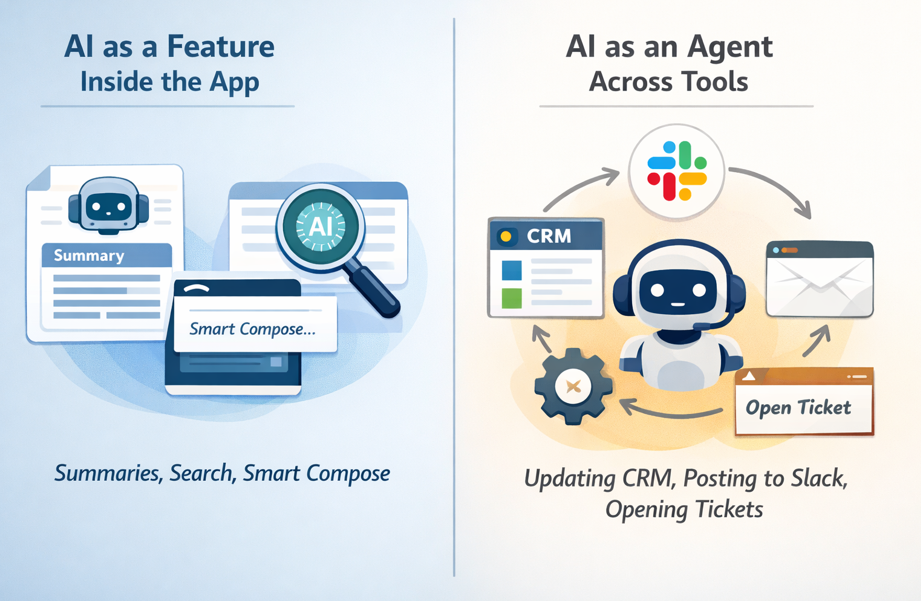
The second pattern breaks more often because it needs connectors, scopes, audit trails, idempotency, and latency control.
Here’s a simple “mini-chart” for where AI sits and what tends to fail first:
| Where AI runs | Typical use | What breaks first |
| UI (client) | Assistants, smart compose | Slow responses, data exposure risk |
| API (sync) | Short calls, validation | AuthZ gaps, expensive retries |
| Worker (async) | Long tasks, tool chains | Partial writes, missing audit trails |
Real-world example: you ship an agent that updates the CRM and posts a Slack summary. It succeeds in CRM but fails in Slack due to missing scopes. Now you’ve got a partial write, confused users, and a support ticket that says “the AI lied.”
To reduce this pain:
If you want an outside view on why integrations and operational gaps keep AI stuck in pilots, G2’s report on AI in data integration is a good read for platform teams.
Three patterns usually age well in SaaS:
Every AI action should have “who, what, when, why.” Store prompts, tool calls, and outputs with tenant IDs, policy version, and consent flags. Use least privilege and scoped tokens, even for internal tools. When something goes wrong, you’ll want a clean story, not a mystery novel.
For a practical rundown of common implementation blockers and ways teams address them, you can compare notes with top AI adoption challenges and solutions.
Bad data doesn’t always crash. It whispers. It shows up as confident wrong answers, odd recommendations, and support agents saying, “Don’t trust that button yet.”
When you implement AI, data readiness becomes product readiness. Common SaaS issues include missing fields, duplicates, stale records, conflicting sources of truth, and messy text in notes. Even worse, the same “event” might be logged three different ways across plans or product tiers.
Use this quick table to connect data problems to AI symptoms:
| Data problem | Symptom in AI output | Fix that works in SaaS |
| Conflicting sources | Answers change by screen | Declare a source of truth per field |
| Stale records | Outdated suggestions | Freshness SLAs and backfills |
| Duplicates | Double actions or odd counts | Dedup keys, merge rules |
| Missing labels | Weak alerts and scoring | Labeling guide, sampling checks |
Real-world example: your churn model looks great in a notebook. In production, cancellations are logged differently across monthly and annual plans. The model “learns” noise. Sales gets false churn alerts, then stops listening.
Pick owners. Define SLAs. Create a small dashboard for coverage, freshness, and consistency. Add change logs so you know when a field meaning shifts. Lineage can stay simple, you just need to trace where a number came from and which job touched it.
A lightweight “ready for AI” check looks like this: coverage, freshness, consistency, and access rules.
Start with sampling and a “golden dataset” you can rerun on every release. Add drift checks, then track failure types (missing context, wrong tool call, policy violation, slow response). Also, run red-team prompts against your retrieval layer, because prompt injection often starts with bad or untrusted text.
AI in SaaS sits at the crossroads of product, data, infra, and security. That mix makes hiring hard. You need people who can ship, measure, and keep systems stable, not just people who can demo.
The Economist Impact report “From intent to action” captures that gap in a way that will feel familiar if you’re doing more with less.
The fix is not “hire ten specialists.” Build a small cross-functional AI squad and give it clear ownership.
| Role | What they own | What good looks like |
| Product | Value, UX, success metrics | Clear outcomes, low user friction |
| Platform | Reliability, latency, cost controls | Budgets, fallbacks, stable releases |
| Data | Quality, pipelines, labeling | Fresh, consistent datasets |
| Security | Policies, access, audits | Least privilege, clean logs |
| Support | Feedback loops | Fast escalation, tagged failures |
Real-world example: you build a great prototype, then ship it. Two weeks later, answers drift and no one notices. Nobody owned evals, monitoring, or regression tests, so trust breaks quietly.
Keep ownership sharp. Platform owns reliability and spend. Data owns quality. Security owns policies and access. Product owns user value and UI. Support owns feedback loops. Then hold a weekly review of metrics and failure cases. Ten steady fixes beat one big rewrite.
If your prompts behave differently across services and teams, you need to read this article!
Write down assumptions. Track known failure modes. Ship behind feature flags. Add rollback switches. Run postmortems for AI incidents, including wrong actions, unsafe output, and cost spikes. You’ll move faster because you won’t repeat the same failures.
Trust is the enterprise deal breaker. It’s also the end-user deal breaker. If your AI leaks data, follows a malicious prompt, or makes biased recommendations, you’ll spend more time explaining than shipping.
In SaaS, the risk list is practical:
The “trust stack” is what keeps you in control: policies, guardrails, reviews, logging, and user controls.
A simple risk-to-control chart can guide what you ship first:
| Risk level | Example action | Required controls |
| Low | Summarize a public help doc | Basic filters, logging |
| Medium | Draft customer email from CRM notes | PII redaction, citations, review option |
| High | Change billing, approve refunds | Tool allowlist, strong authZ, human approval |
HR recommendations need bias checks. Finance actions need approvals. Support agents need tenant isolation and careful logging.
Start with boundaries you can enforce:
Block when the action is high risk. Warn when confidence is low. Ask for approval when the impact is permanent.
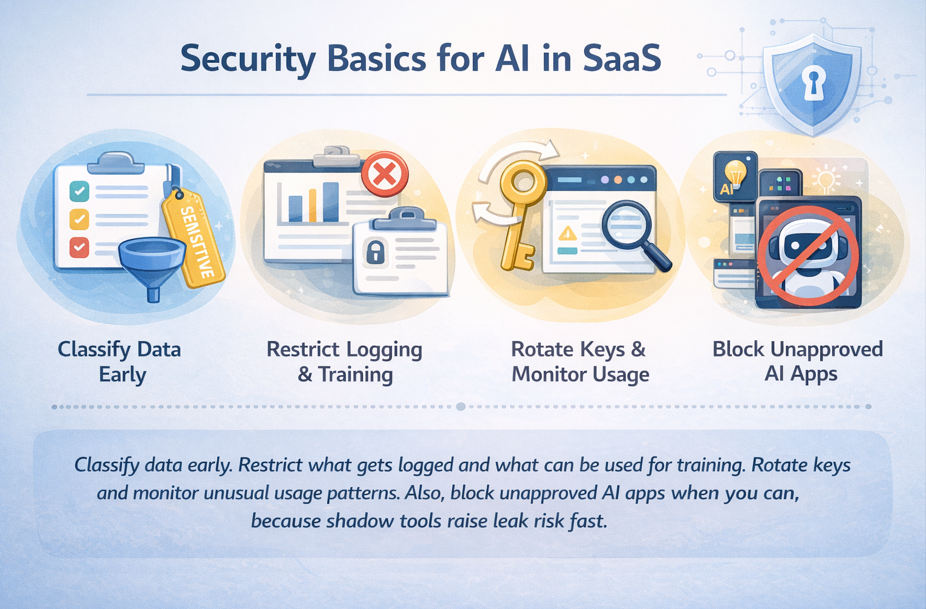
For incident response, keep it simple: revoke access quickly, notify affected customers based on your policy, and rerun audits on the workflows that touched sensitive data.
When you implement AI in your SaaS, the hardest problems aren’t flashy. Costs hide in retries and long context. Integration fails at the tool boundary. Bad data quietly poisons results. Skills gaps leave features unowned. Trust breaks when safety and security come late.
Your next step can stay simple: pick one use case, set budgets and success metrics, fix the minimum data needed, integrate with safe tool boundaries, and add trust controls before you scale. Run a 30-day pilot with weekly reviews, then expand only after you hit cost, quality, and safety targets.
Real problem alert: When multiple teams start using the same LLM API, direct integrations quickly become a mess.
This article is for all you developers, platform teams, and companies out there using or thinking about getting into LLM gateways.
We’re going to dive into what an LLM gateway is, the architectural problems it solves, and why it’s such a big deal right now.
But let’s not forget the following:
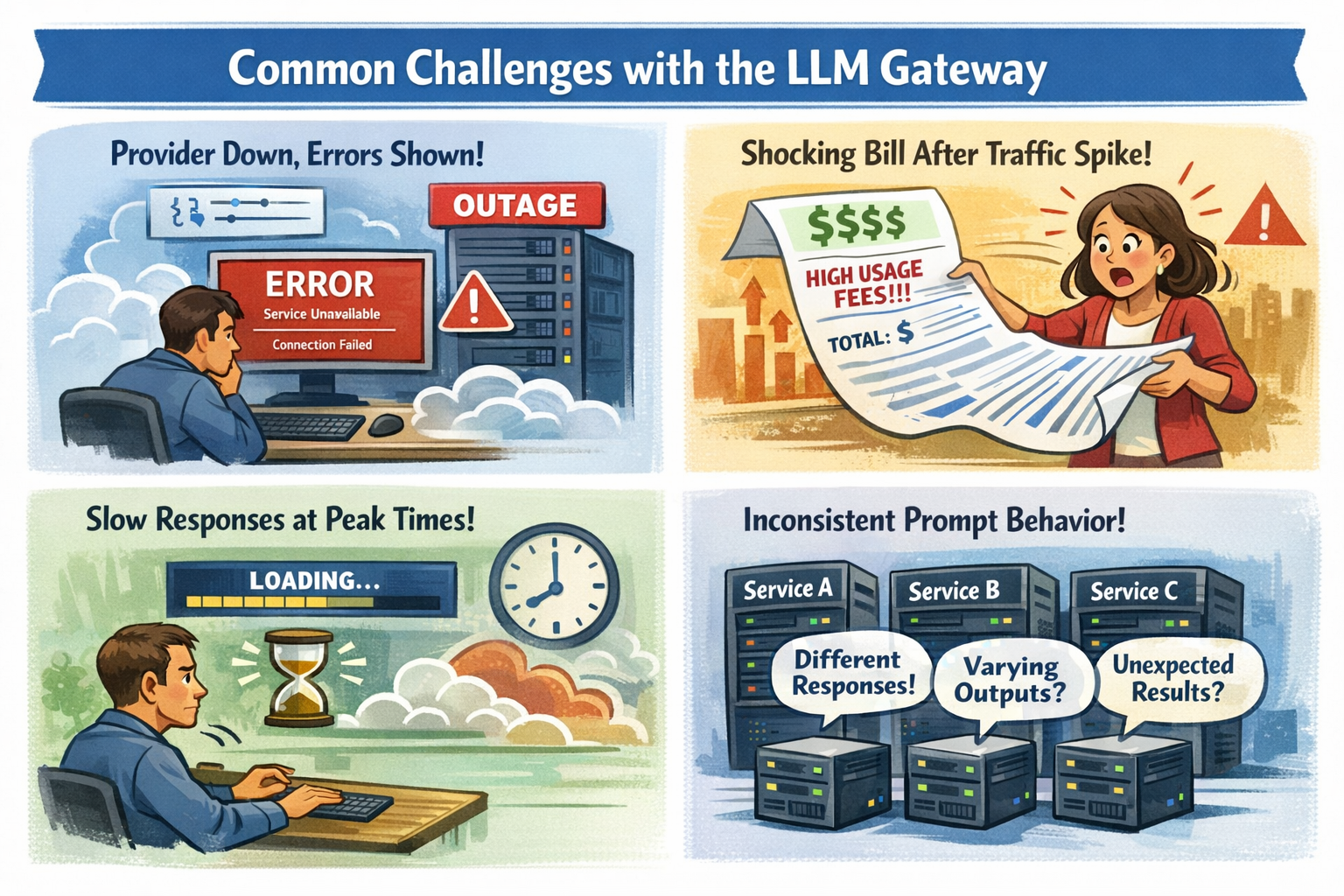
It’s pretty refreshing for the beginning of an article. So, take a deep breath and check some real use cases!
An LLM gateway is a single layer in front of your LLM API that routes requests, applies safety and cost rules, and provides clear logs and metrics. You keep your app logic clean, while the gateway handles the messy parts that show up in production.
By the end of this article, you’ll know how an LLM gateway can cut outages, reduce cost surprises, keep prompts consistent, and tighten security without turning your codebase into a patchwork.
//”LLM gateways are no longer optional glue code. They’re becoming infrastructure, and infrastructure choices tend to stay with you longer than models.” © DEV Community
Before the details, this table frames the tradeoff:
| Problem you feel | What it breaks | What a gateway changes |
| Provider outage or partial degradation | User-facing errors, paging storms | Failover routes, health checks, safer retries |
| Latency swings under load | Timeouts, abandoned sessions | Timeouts, hedging, model routing by p95 |
| Spend spikes after traffic jumps | Surprise bills, budget fights | Rate limits, budgets, per-team visibility |
| Prompt drift across teams | Inconsistent answers, regressions | Templates, versioning, pinned settings |
| Too many integrations to maintain | Slow changes, scattered fixes | One integration point, shared policy |
When an LLM provider goes down, your customers don’t care why. They just see “Something went wrong.” Even worse, partial outages can look like random timeouts. A few slow requests can clog workers, then your whole app starts to feel slow.
A gateway helps because it can apply reliability patterns at the boundary:
You can also align this to c and on-call reality. Instead of guessing, you set clear timeouts and a fallback plan that matches your user experience.
The goal is simple: fewer incidents, fewer “false success” pages, and less time spent reading raw provider logs at 2 a.m.
Token pricing punishes small mistakes at scale. A tiny prompt change can add a few hundred tokens. That feels harmless until you multiply it by hundreds of thousands of requests.
A quick example shows how fast it can move. Say you handle 50,000 requests per day, and each request averages 2,000 tokens total. That’s 100 million tokens per day. At an example price of $10 per 1 million tokens, that’s about $1,000 per day, or roughly $30,000 per month.
Now picture a traffic spike to 80,000 requests per day, plus a prompt that quietly grows to 2,400 tokens. Your daily total becomes 192 million tokens. Under the same example price, you jump to about $1,920 per day, or roughly $57,600 per month. Nothing “broke,” but your budget did.
A gateway gives you tools to keep this from turning into a surprise:
Discover 100+ free LLM API models, and don’t overpay for simple tasks.
Even if everyone uses the same model, results drift when teams copy prompts into different repos. One service sets temperature to 0.2. Another sets it to 0.9. Someone forgets to pin a model version. A third team adds a “helpful” system message that changes tone, safety, and output format.
That’s how you get the worst kind of bug: the one that “only happens sometimes.”
With a gateway, you can centralize prompt management patterns:
You still iterate quickly, but you do it with guardrails that keep behavior stable across microservices.
Each team makes a “small” integration choice, and you pay for it later in upgrades, audits, and incident response.
Here’s what that pain often looks like:
A compact comparison makes the trade clear:
| Without gateway | With gateway |
| Many client libraries and wrappers | One integration point |
| Provider changes ripple through services | Update routes and policy once |
| Logs scattered across apps | Central traces and dashboards |
| Cost reports are manual | Cost by route, team, model |
| Retry behavior varies by team | Standard timeouts and retries |
The takeaway is simple: you reduce the number of places where things can break.
You don’t adopt an LLM gateway because it’s “nice.” You adopt it because a few painful scenarios keep repeating. When they do, the gateway stops being overhead and starts being your safety rail.
The best way to think about this section is “before and after,” because most platform wins look boring on a diagram and dramatic in an incident.
Let’s look into the key scenarios:
Before, you ship with one provider and hope their status page stays green. After, you set an order of operations: primary model first, secondary model second, and a safe failure mode when both misbehave.
A platform engineer notices p95 latency creeping past 2 seconds during lunch traffic. They flip routing to a faster region and tighten timeouts for a chat endpoint. The next spike comes, and the app stays responsive instead of piling up timeouts.
You can set realistic targets, like keeping p95 under 2 seconds for user chat, and pushing error rate down from 1 percent to 0.2 percent by adding better failover and safer retry rules. The point is not perfection, it’s control.
Switching providers is rarely a one-line change. Each one has different request shapes, response fields, rate limits, and model naming. Without a gateway, that complexity ends up baked into every service.
A simple example: you move 20 percent of low-risk summarization requests to a cheaper model. Your most important flows stay on the best model, while background work costs less. That kind of split is hard to manage cleanly when every service calls providers directly.
Pro Tip: Setup entire AI infrastructure with a single line of code. Just like that.
When usage doubles, your costs rarely double, they can triple. Retries go up, outputs get longer, and new features create more calls than anyone expected.
With a gateway, you can put limits where they do the most good: quotas per route, per tenant, and per team. You can also add caching for repeated requests, especially for help content, policy answers, or “what’s new” summaries that many users ask.
A back-of-the-napkin view helps. If caching gives you a 15 percent hit rate on a high-volume endpoint, then roughly 15 percent of those tokens stop being paid work. On a $40,000 monthly spend for that endpoint, that’s about $6,000 saved, plus lower latency for cached responses.
//”Building cost management for LLM operations requires a multi-layered approach: tracking every API call with detailed attribution, implementing budget controls with graduated responses, optimizing model selection based on task complexity, and providing visibility through dashboards and reports.” © OneUptime
Security problems don’t announce themselves. They slip in as “just one more header” or “temporary logging.” Then an audit arrives.
To make this scannable, here’s a compact feature guide by scenario:
| Scenario | Feature to prioritize | What you measure first |
| Downtime hurts revenue | Failover routing, circuit breakers | Error rate, p95 latency |
| Multi-provider strategy | Normalized API, traffic splitting | Quality eval score, cost per request |
| Rapid growth | Budgets, rate limits, caching | Token spend, throttled requests |
| Compliance and privacy | Redaction, audit logs, policy | Blocked requests, investigation time |
An LLM gateway is the smart choice for teams with serious production loads where budget, reliability, and security are important.
It helps cut down on custom integrations, manage costs, boost uptime when providers have problems, and keep rules and policies in one place.
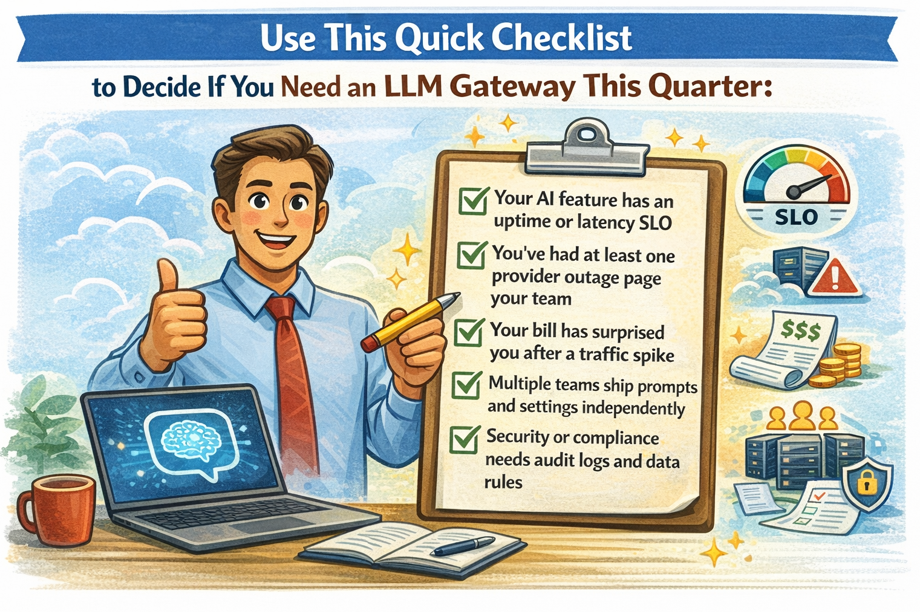
Next, map your top AI endpoints, set SLOs and budgets, then pick the smallest gateway features that solve today’s pain.
Once the fires stop, you can expand from there.