
You ship a feature, it starts getting real traffic, and suddenly your app is talking to three different models with three different quirks. The clean fix is simple: your app talks to one proxy, and that proxy talks to many LLM providers.
That setup keeps fewer secrets in code, protects data better, lowers cost, steadies latency, and makes provider swaps boring. The core flow stays the same every time:
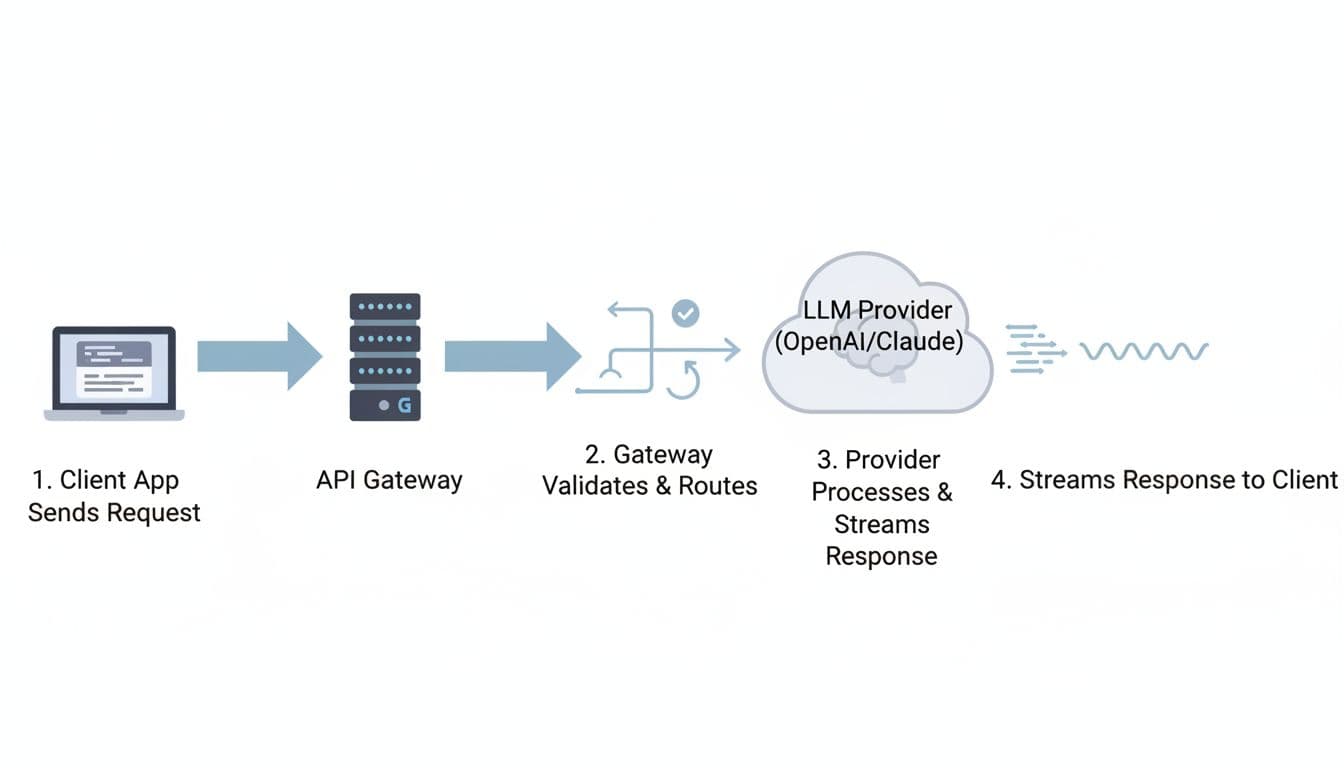
client -> gateway -> provider -> gateway -> client.
Here’s what you’ll learn:
- How an api request moves through a gateway and back, including streaming
- Where LLM Requests break in real life (429s, timeouts, partial streams)
- What changes at scale (tokens, multimodal, agentic ai loops)
- A production checklist for security, routing, observability, and budgets
Using a gateway (quick trade-off)
- Pros: control, visibility
- Cons: extra hop, more config
Before you go deeper, this mini table makes the decision concrete:
| Topic | Direct to provider | Gateway proxy |
|---|---|---|
| Security | Secrets spread across services | Centralized auth and policy |
| Cost control | Hard to cap per team | Budgets, quotas, and routing rules |
| Reliability | One vendor outage hurts | Fallbacks and retries |
| Observability | Logs scattered | One trace per request |
For broader 2026 context on why “control layers” are showing up everywhere, see this roundup of 15 Best OpenRouter Alternatives for LLM Routing.
How an LLM request moves through an API gateway, step by step
Picture a mail sorter. Every envelope looks different, but the sorter checks the stamp, reads the address, and sends it down the right chute. An llm proxy does the same job for Hypertext Transfer Protocol traffic, except your “envelope” is json.
First, your client hits a single api endpoint. It includes headers (auth, idempotency, tracing) and a payload (messages, tools, max_tokens).
Next, the gateway validates and routes the request to a specific llm provider. If you stream, the proxy starts sending chunks back as soon as the first token appears, rather than waiting for the full completion.
A simple sequence-diagram style chart you can keep in your head:
- Client app -> Gateway: headers + json payload
- Gateway -> Policy: authentication + schema checks
- Gateway -> Router: pick model and region
- Gateway -> Provider: forward request, maybe transform fields
- Provider -> Gateway: stream bytes (SSE or chunked transfer)
- Gateway -> Client app: forward stream, add metrics, close cleanly
One practical table helps you map “hop by hop” behavior:
| Hop | Common gateway actions |
|---|---|
| Receive | Parse request, enforce max body size |
| Validate | Validate schema, reject bad parameter names |
| Route | Choose provider and model, apply rules |
| Forward | Sign request, set timeouts, send upstream |
| Stream back | Pass chunks, backpressure, handle disconnects |
| Finish | Record metric, redact, store minimal audit fields |
Proxying at this stage (trade-off)
- Pros: consistent interface across providers
- Cons: you must tune timeouts carefully
The minimum path: validate, route, forward, stream the output back
Even the fanciest gateway usually boils down to six steps:
- Validate schema: reject broken json early
- Authenticate: verify a key, JWT, or mTLS identity
- Apply rate limit: stop one noisy tenant from melting prod
- Pick provider and model: choose gpt-4o, gpt-4, claude, or a gemini api target
- Forward request: preserve headers, set upstream timeouts
- Stream or return output: stream chat completion chunks, or return one response
A tiny “OpenAI-style” request shape looks like this (in words): a POST to /v1/chat/completions with { "model": "gpt-4o", "messages": [...], "max_tokens": 256, "stream": true }.
When you stream, buffering becomes your enemy. If you wait to collect everything, your “time to first token” gets worse, and the UI feels stuck.
Minimum path (trade-off)
- Pros: predictable llm interface for your app
- Cons: streaming forces careful buffering and timeout rules
Where things break in real life: timeouts, retries, and weird provider differences
Most outages don’t look dramatic. They look like “slow first token,” then a client disconnect, then you retry and pay twice. Common failure modes include:
- Provider 5xx spikes during peak inference load
- 429 responses when you hit a rate limit
- Partial streams that end mid-sentence
- Payload size limits, especially with multimodal input
- Mismatched fields across llm apis (temperature vs top_p defaults, tool call formats)
- Random json errors when upstream returns HTML or truncated bytes
Different providers also disagree on naming and response shape. That’s why a gateway often normalizes requests and responses into one abstraction. The catch is that normalization can hide “special” features that only one vendor supports.
Gotcha: don’t retry a half-finished stream the same way you retry a normal response. You can’t safely “replay” what the user already saw.
Normalization (trade-off)
- Pros: portability when you switch providers dynamically
- Cons: lowest-common-denominator behavior can block advanced features
Core concepts and challenges when proxying LLM APIs at scale
LLM Requests behave less like classic REST and more like long-lived sessions with metering. Tokens make cost visible, streaming makes latency visible, and agentic ai makes traffic spiky because one user action can trigger five tool calls.
Real-world numbers help frame this:
- 67% of organizations are now using llms in some form (March 2026 data).
- ChatGPT has 501 million monthly users globally (a proxy for how normal this traffic has become).
- Some gateways report handling 5,000 RPS with around ~11 microseconds of overhead in a thin data plane design.
For performance context, this 2026 write-up summarizes those throughput and overhead claims in one place: Top 5 ai gateways for 2026.
A latency budget pie (sample) looks like this:
- 60% provider inference
- 20% network round trips
- 15% proxy overhead
- 5% client work

Scale concepts (trade-off)
- Pros: routing and metering help you optimize spend and tail latency
- Cons: more moving parts make scaling harder to debug
Tokens are your meter, so you need clean accounting
A token is a small chunk of text. You pay for input tokens you send and output tokens you receive. Because of that, you need token usage accounting by api keys, team, tier, and feature. Otherwise, your bill turns into folklore.
A practical “what to log per request” table (keep it sparse, and hash sensitive fields):
| Field | Why you care |
|---|---|
| Request id | Join traces across services |
| User or team | Chargeback and abuse detection |
| Model | Explain behavior changes |
| Tokens in/out | Cost estimate and quotas |
| Latency (p50/p95) | SLO tracking |
| Cache hit | Show savings, find repeats |
| Errors | Spot provider incidents |
If you store prompts, privacy becomes a real risk. Many teams store hashes plus a 1% sample with consent, then delete raw text quickly.
Accounting (trade-off)
- Pros: cost control and fair allocation
- Cons: privacy concerns if you store prompt text
For a quick description of how a popular python proxy frames routing and accounting, this overview is a helpful reference: LiteLLM gateway summary.
Streaming and multimodal make proxying harder than a normal API call
Streaming means you forward chunks as they arrive. It feels fast because the user sees words immediately. However, it complicates retries. If the stream drops at 80%, a blind retry can double cost and confuse the UI.
Multimodal payloads (text plus image) also change the rules. The input gets larger, validation gets stricter, and payload limits appear sooner. Buffering can increase latency, yet pure pass-through streaming makes debugging harder because you must inspect data without blocking.
Streaming and multimodal (trade-off)
- Pros: faster first token and better UX
- Cons: harder retry logic and harder to debug partial streams
What an LLM API gateway is responsible for in production
As a CTO or developer, you don’t want “magic.” You want a checklist you can test.
A production proxy is usually responsible for:
- authentication (who can call what), because shared secrets spread fast in software development
- routing and fallbacks, because providers fail and quotas shift
- caching and request shaping, because waste adds up
- observability (traces, dashboards), because you need answers during incidents
- queueing and fifo scheduling strategies, because long requests can starve the rest
- batch api support, because offline jobs shouldn’t fight live traffic
- RAG plumbing hooks, because retrieval-augmented generation often sits next to the gateway
- prompt engineering controls, because a small change can double spend
One table keeps you honest about success criteria:
| Responsibility | How you measure it |
|---|---|
| Security | Key rotation time, policy violations |
| Reliability | Error rate, fallback rate |
| Performance | p95 latency, time to first token |
| Cost | Cost per 1K tokens, budget overages |
| Quality | User ratings, eval pass rate |
Production responsibilities (trade-off)
- Pros: you gain control and repeatability
- Cons: you own more config, tests, and on-call paths
Security first: keep api keys out of apps and scrub sensitive prompts
Centralizing secrets is boring, which is why it works. Put api keys in one place, rotate them, and scope them by environment and team. Then add redaction rules for PII before any request leaves your network.
Example: you run a support chatbot that must block SSNs. The gateway can detect a 9-digit pattern, redact it, and return a safe error. You can also allowlist tool domains, so an agent can only fetch from approved internal systems, not random sites.
Security (trade-off)
- Pros: fewer leaks and clearer audits
- Cons: false positives can block real work
Routing, fallbacks, and cost controls that don’t hurt quality
Routing rules should read like product intent, not a science fair. Send “summarize” to a fast, cheaper model. Send “legal draft” to a stronger model. If your primary provider returns a 429, fail over to another route.
Keep rollouts safe with A/B routing and canary releases. Start with 5%, watch error rate and latency, then increase. This is also where you set max_tokens defaults, because uncontrolled verbosity is a silent cost leak.
Routing (trade-off)
- Pros: lower spend without killing UX
- Cons: routing bugs can change behavior across users
Why LLMAPI.ai can be useful when you need one front door
If you want to simplify multi-provider LLM Requests without building your own proxy, LLMAPI.ai fits the “one front door” pattern. You point your app at a single llm api, keep an OpenAI-compatible request format, and switch a specific llm by changing the model string.
In practice, that helps when you’re making api requests from multiple services and don’t want each one to embed vendor logic. It can also be a path to a free llm api trial for integration tests, before you commit budgets and governance rules.
LLMAPI.ai (trade-off)
- Pros: quicker integration and fewer app-side changes
- Cons: you still need to validate limits and retention for your use cases
Best practices for proxying LLM Requests without slowing your app
You don’t need a perfect system. You need predictable behavior under load.
Start with these guardrails:
- Set timeouts for “first byte” and “full response,” separately
- Use retries with jitter for 429 and transient 5xx
- Validate schemas early, reject giant payloads fast
- Shape requests (temperature caps, max_tokens defaults)
- Add idempotency keys for non-streaming calls
- Keep a fallback route for incidents
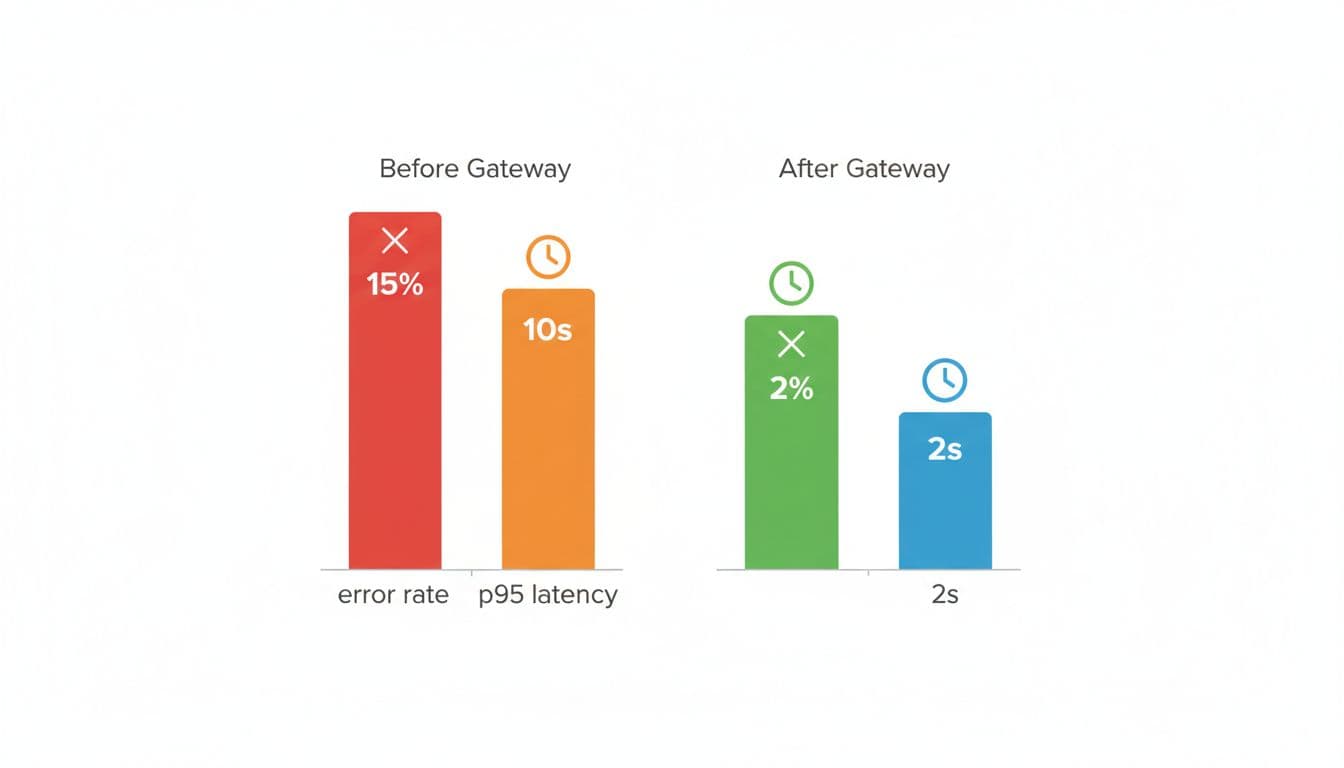
Here’s a simple “before vs after” chart (sample targets) you can aim for:
If you’re chasing very high throughput (think 5,000 RPS), language choice matters. Python is fine for moderate traffic, but extremely high RPS paths often move to faster stacks or a thinner data plane so the proxy overhead stays tiny.
For another 2026 overview of routing patterns and gateways, see this guide to LLM routing and gateways.
Best practices (trade-off)
- Pros: predictable latency and fewer incidents
- Cons: more moving parts, more tests to maintain
Make requests repeatable: idempotency, caching, and safe retries
Idempotency means “same request, same side effects.” It matters when your client times out but the provider finished anyway. Without it, you can double-charge and double-act.
Caching helps when prompts repeat (same query, same context, same model settings). It doesn’t help when the answer should change, or when personal data must not persist.
A safe cache key usually includes prompt + model + settings, plus a TTL.
This retry policy table keeps things simple:
| Error type | Retry? | Notes |
|---|---|---|
| 429 | Yes | Backoff + jitter, respect headers |
| 500 | Yes | Small capped retries, then fallback |
| Timeout | Maybe | Prefer fallback, avoid blind replays |
| Validation error | No | Fix client payload |
Repeatability (trade-off)
- Pros: fewer failures and less duplicate spend
- Cons: caching can return stale answers if you misuse it
Measure what matters: cost, latency, and quality signals
If you can’t see it, you can’t fix it. Track p50 and p95 latency, time to first token, tokens in/out, cost per request, provider error rates, and fallback rate. Add user-rated quality when you can, because silent regressions hurt the most.
A lightweight approach works well: store hashes for most traffic, and sample 1% of prompts for deeper debug with consent. That gives you a path to optimization without building a surveillance machine.
Also, keep one “golden set” of eval prompts in GitHub. Run it on every routing change, and you’ll catch drift before users do.
Measurement (trade-off)
- Pros: faster debugging and better budgets
- Cons: metrics can miss quiet quality drops
A real-world proxy setup for a multi-provider chatbot (with a simple routing plan)
You run a support chatbot with rag. Users ask questions, you pull relevant docs from a vector DB, and you generate an answer. The problem is uptime and cost. If OpenAI is slow, your queue grows. If claude rate-limits you, your UI stalls. If gemini has a bad day, your CSAT drops.
Your real-world architecture can stay simple:
- App service (Node, or a java service for the core platform)
- Proxy layer for routing and policy
- RAG service (vector search + re-ranker)
- Providers: openai, anthropic, gemini, plus bedrock and azure as enterprise lanes
- Local fallback: vllm (or lm studio for local tests), so you can still serve “basic help” during incidents
A routing plan table (example) might look like this:
| Task type | Model tier (example) | Traffic split |
|---|---|---|
| Summarize tickets | Cheap, fast model | 70% |
| Hard troubleshooting | Strong model | 25% |
| Fallback mode | Local llm | 5% |
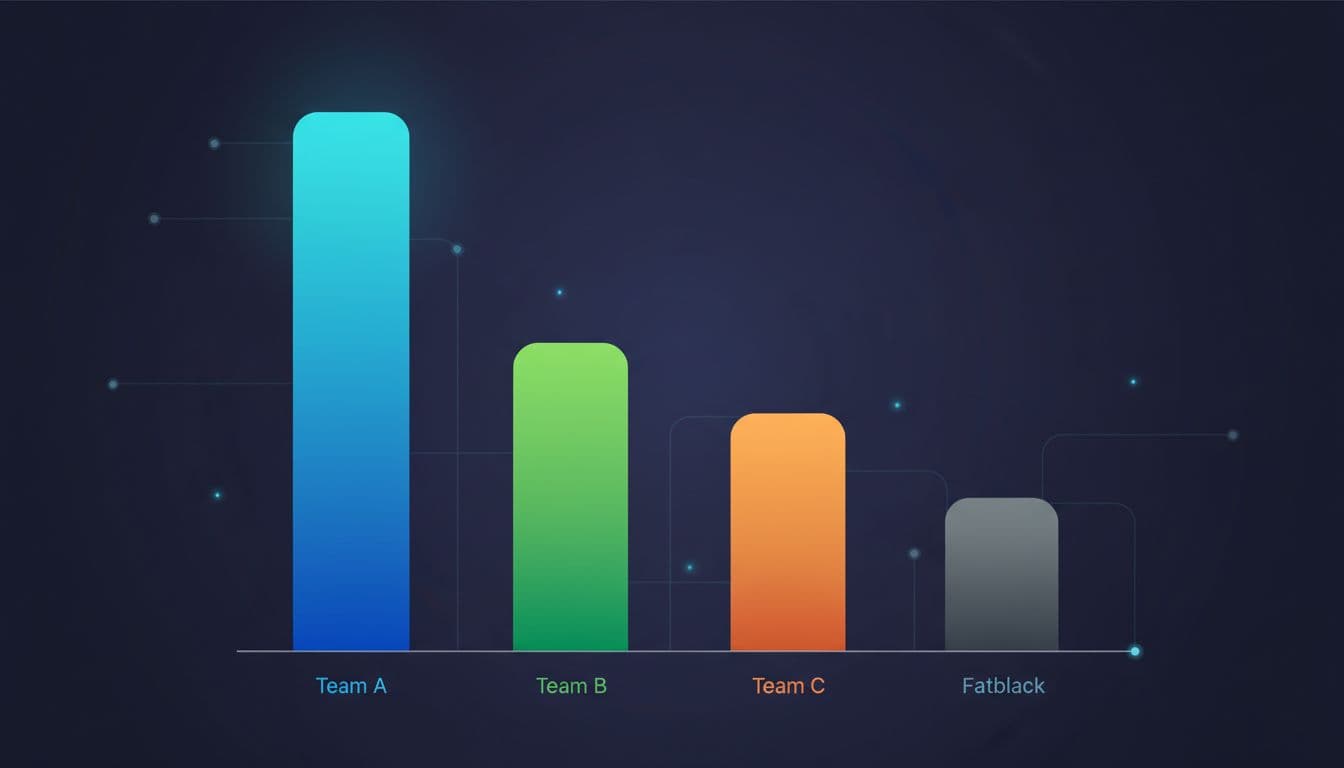
A chart idea you can show to finance: “Daily token spend by team” (bar chart).
From a developer standpoint, you keep it boring. In python you fetch your RAG context, then send requests once, not five times. In java you do the same, but with stricter timeouts and pooled connections. You decode streaming chunks into UI tokens, and you stop early when the user cancels.
Real-world setup (trade-off)
- Pros: better reliability and predictable spend under load
- Cons: more routing rules to test and maintain
Conclusion
When you proxy LLM Requests through a gateway, you trade a little complexity for a lot of control. You get one stable surface while providers, models, and prices keep changing behind the scenes. If you want fewer incidents and fewer surprise bills, that trade usually pays for itself.
Use this final checklist this week:
- Security and redaction
- Routing and fallbacks
- Rate limits and quotas
- Caching and timeouts
- Logs and tracing
- Metrics and budgets
- Failover tests and load tests