
This article breaks down the top LLM API use cases you can ship today, and, just as importantly, when you should (and shouldn’t) use an LLM. Instead of generic “AI can do anything” takes, you’ll get a practical map of what LLMs actually power in real products: support automation, smarter search over internal docs, document extraction, coding helpers, sales enablement, workflow agents with tool access, and more, plus the trade-offs around accuracy, latency, context limits, and cost.
It’s most useful for product teams, founders, engineers, and operators who need to pick the right AI feature and deploy it without wasting weeks on the wrong approach.
You’ll learn how to match each use case to the right pattern (chat vs embeddings vs tools), set expectations for quality, and keep things reliable and predictable in production, especially when traffic grows and token bills become real. If you use an LLM API gateway, it also helps with routing, observability, and spend controls so you can scale across providers without rewriting your integration.
TL;DR
- You can use llm apis for support, content creation, coding, and document workflows.
- Context window size decides whether you can feed a whole repo or a single ticket.
- Tool use cuts hallucinations by forcing answers to come from your systems.
- Cost and latency are mostly about tokens, routing, and retries.
- A gateway such as LLM API helps you switch ai models and control spend.
What an LLM API is, and what happens after you hit send
An LLM (large language model) is software trained on large datasets to predict the next token in human language. In other words, it’s a text engine that can write, summarize, classify, and reason. Modern llms can generate text, follow instructions, and, with tool use, trigger workflows.
When you call a language api, the loop is simple:
- You send messages (your prompt, plus any context).
- The model reads the full context window (its short-term memory limit).
- It produces tokens as output, either streamed or all at once.
- You parse the response and decide what to do next.
Context windows keep growing in March 2026, which changes what’s possible with ai technologies. Some leading models can read massive inputs, including big codebases and long contracts.
That’s why agentic ai and repo-level ai coding feel more realistic now, especially with models like Gemini from Google AI and other popular llms.
Here’s a quick map of common patterns:
| Pattern | What you send | What you get back | Best for |
|---|---|---|---|
| Chat | role-based messages + context | conversational output | ai assistant, support, copilots |
| Completion | a single instruction | plain text | templated copy, short transforms |
| Embeddings | text chunks | vectors (numbers) | semantic search, clustering |
| Tool use | tool schema + messages | tool call arguments + answer | ai agent workflows, safe automation |
If you want the deeper request-to-response lifecycle (tokens, retries, production rollout), read How LLM APIs work: requests, tokens, and costs.
A fast checklist for choosing an api vs an open source llm:
- Pick an api when you need speed, managed scaling, and access to top llm models.
- Run open source when you need tight data control, predictable throughput, or offline use.
- Mix both when you want cloud ai for peak traffic and an open source llm for internal jobs.
The building blocks you control: prompt, context, tools, and guardrails
You control more than you think.
These knobs decide quality, safety, and cost:
- System instructions: the “rules” for your ai system.
- Few-shot examples: small samples that anchor tone and format.
- RAG (retrieval + generation): add your docs so answers cite your sources.
- Function calling / tool use: force facts to come from your backend.
- Output formats: require JSON for workflows and api management.
- Safety filters: block risky content and redact PII.
Bad prompt vs better prompt (plain text inputs):
Bad prompt: “Write a refund reply.”
Better prompt: “Draft a refund reply in a calm tone. Ask for order_id if missing. If order status is delivered, offer return steps. Output JSON with fields: subject, body, needs_human_review.”
That small change turns “nice text” into reliable llm outputs you can ship.
Popular LLM API use cases you can ship this week
Most teams use llms in four buckets: product UX, engineering velocity, operations, and revenue. You can combine llms for bigger workflows, but start with one sharp use case.
This table helps you match model traits to the job:
| Use case | Best-fit model traits |
|---|---|
| Ticket triage + reply drafts | fast, cheap, strong instruction-following |
| Repo-wide code review | long-context, strong coding |
| Contract clause extraction | high accuracy, structured JSON |
| Knowledge base search | embeddings + solid chat synthesis |
| Product copy variants | fast, style control, low hallucination |
| Multimodal QA (image + text) | multimodal, tool calling |
If you want a broader list of applications of llms, this roundup is useful: LLM use cases and applications in 2026.
Customer support and sales chat that actually resolves tickets

This is the most common specific use case because it touches ops and revenue. You can use ai to detect intent, draft replies, do order lookups, and escalate edge cases.
A realistic flow example:
- User: “My order says delivered, but I don’t have it.”
- Model: asks one clarifying question (address vs theft vs wrong unit).
- Model calls a tool:
get_order_status(order_id). - Tool returns status + carrier scan.
- Model replies with steps, then offers escalation if needed.
Pros
- Faster first response, better CSAT, fewer copy-paste errors.
- Easy to A/B test prompts and policies.
Cons
- Hallucinations can burn trust.
- Tool permissions need tight RBAC.
To reduce hallucinations, use llms to provide answers only after RAG finds sources, or require strict tool calls for factual claims (order status, billing, account actions).
Content creation for product teams, without sounding like a robot
Content creation works when you feed the model real constraints, not vibes. Product descriptions, release notes, onboarding emails, knowledge base articles, and ad variants all fit. This is generative ai that pays off fast, especially for e-commerce and SaaS.
Inputs that make output better:
- Style guide and “do/don’t” tone notes
- Brand voice samples (5 to 10 good examples)
- Forbidden claims list (healthcare, legal, finance disclaimers)
Example: generating 500 unique product descriptions for a catalog refresh. You can keep structure consistent while varying phrasing, so llms generate text that doesn’t look duplicated.
Still, add review for compliance. In regulated areas, your ai solution should flag risky claims and require approval.
AI coding helpers that read your whole repo and speed up reviews

AI coding is where long-context llms shine. With enough context, you can point a large language model at a failing CI log and get a focused plan: likely root cause, touched files, and unit tests to add.
Teams use this for refactors, docstrings, migration scripts, and bug triage.
Best practices that save you later:
- Pin deps and keep your build reproducible.
- Run tests and lint, never trust raw output.
- Don’t auto-merge, even if it looks perfect.
Data and document work: summarize, extract, classify, and search

This is where natural language processing becomes product glue. Legal teams can extract clauses (termination, indemnity, governing law). Finance ops can pull invoice fields (vendor, total, due date) into JSON. Internal IT can classify incident reports and summarize meeting notes.
Embeddings deserve one simple sentence: they turn text into vectors so you can search by meaning, not keywords, which improves natural language search over messy docs.
Here’s a compact output guide:
| Task | Right output format |
|---|---|
| Summarize | bullets with 5 to 10 points |
| Extract | JSON fields (typed, validated) |
| Classify | labels + confidence score |
Challenges and considerations before you go live
You’re not “adding ai,” you’re adding a probabilistic dependency. That means you must plan for cost, latency, rate limits, privacy, security, and evaluation. Today’s llms are powerful, but they still make decisions in ways that surprise you.
“Treat prompts and logs like sensitive data,” a security lead said, “because the fastest breach is the one you accidentally stored.”
Pre-launch checklist:
- Set max tokens, timeouts, and retry caps.
- Redact PII before logs, and lock access by role.
- Build a small eval set and re-run it on every change.
- Add fallbacks across ai models, including open source options if needed.
Fine-tuning vs RAG vs prompt-only (quick trade-offs):
- Prompt-only: fastest start, weakest grounding.
- RAG: strong for knowledge, low risk, usually the best first step.
- Fine-tuning: good for consistent formats, but costs time and can drift (use it sparingly).
Cost and latency: what makes bills spike and responses slow down
Tokens are your meter. Longer prompts and bigger context windows cost more, and they slow responses. Streaming helps perceived speed because users see the first token fast, even if the full answer takes longer. MoE and adaptive reasoning can help, but you still need budgets.
Cost control ideas that work:
- Cache repeated prompts and FAQ answers.
- Route by difficulty (small model first, escalate on low confidence).
- Use smaller models for classification and extraction.
- Set per-team budgets, then monitor daily.
| Knob | Impact on cost | Impact on latency | Impact on quality |
|---|---|---|---|
| Context size | high | medium | medium to high |
| Model size | high | high | high |
| Retries | medium to high | high | low to medium |
Trust, privacy, and output quality: how you keep an AI feature safe
Start with redaction, encryption, and strict logging policies. Then add guardrails that force the model to prove its work: cite sources from RAG, require tool-based answers for facts, validate JSON, and add human review for high-risk flows (healthcare, legal, finance).
Red flags for “don’t use llm output directly”:
- Money movement or refunds without tool confirmation
- Medical or legal advice without policy gates
- Claims about a user’s account without verified lookup
- Anything that touches regulated PII
How LLM API helps you build and scale these LLM API use cases
Once you ship a few ai applications, the hard part becomes switching models, tracking spend, rotating keys, and keeping one consistent integration.
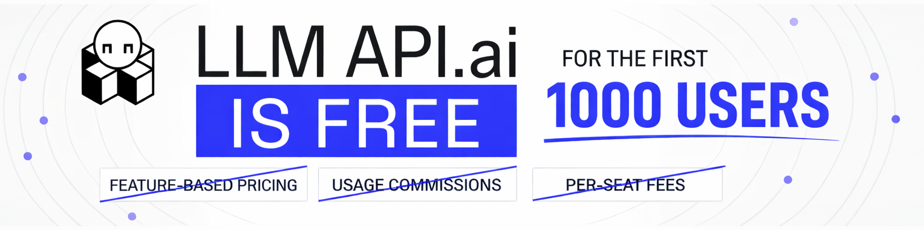
That’s where LLM API fits as a practical hub: one connection, many models, plus usage analytics, cost management, role-based access, monitoring, and automated billing. It’s also a clean way to reduce vendor lock-in while you explore the top providers and proprietary llms.
A simple “how you’d use it” flow:
- Pick a model for the task (fast, cheap, long-context, or multimodal).
- Send your prompt and tool schemas through one gateway.
- Monitor usage, then route easy work to cheaper models.
A simple routing plan: match the model to the job, then change it later
Routing keeps quality high without paying premium rates for every request:
- Small fast model for classification and tagging.
- Strong coding model for reviews and refactors.
- Long-context model for document review and repo scans.
- Multimodal model when you need image plus text (for example, “use Gemini” style workflows).
Signals you can use to route:
- Prompt length and context size
- User tier (free vs enterprise)
- Risk level (refunds vs blog drafts)
- Confidence checks and tool availability
This is advanced ai in practice: not one magic model, but a system that adapts.
Conclusion
You don’t need to train a large language model to get value from llms. You need one clear use case, solid tool use, and a plan for cost and safety. Once you ship, you can expand to more applications using llms across product, engineering, ops, and revenue.
Key takeaways:
- LLM APIs turn prompts into useful outputs, fast.
- Context windows decide whether you can scan large datasets or entire repos.
- Support and sales automation is the quickest win for many companies using ai.
- Content creation improves when you add voice samples and forbidden claims.
- AI coding works best when you run tests and block auto-merges.
- Trust comes from RAG, strict tools, and review gates.
- A unified gateway like LLM API.ai helps you scale, switch models, and manage spend.
A 3-step action plan for this week:
- Pick one workflow (ticket triage, doc extraction, or repo bug triage).
- Add tool calls or RAG, then measure quality on 50 real examples.
- Route by difficulty, set budgets, and ship behind a feature flag.