Grammar and spelling checks are useful for blogs, support replies, product descriptions, emails, user-generated content, and AI-generated drafts.
If your app accepts text, you can use Python to catch basic mistakes before the text goes live. You can check typos, grammar issues, repeated words, punctuation problems, and style warnings. You can also return suggestions in JSON so your app can show corrections inside an editor.
In this guide, we’ll build a simple grammar and spelling checker with Python. We’ll start with language_tool_python, add a pure Python spell checker, and then show how to turn the checks into a small API.
The fastest way is to use LanguageTool through the Python wrapper language_tool_python. Its docs say the library can detect grammar errors and spelling mistakes from Python code or the command line.
Install it:
pip install language-tool-python
Then run:
import language_tool_python

tool = language_tool_python.LanguageTool("en-US")

text = "This are a simple sentence with a spelling mistke."

matches = tool.check(text)

for match in matches:
    print(match.message)
    print(match.replacements)
Example output:
The verb 'are' does not agree with the subject 'This'.
['is']

Possible spelling mistake found.
['mistake']
That gives you a practical grammar checker in a few minutes.
We’ve spent around 6 years working with AI APIs, NLP workflows, text tools, and developer-focused automation. We also researched current Python grammar and spelling tools for this article, including LanguageTool, pyspellchecker, spaCy, and grammar correction research.
The simple version is: use LanguageTool for grammar and spelling suggestions, use a spell checker for lightweight typo checks, and add review logic before auto-fixing user text.
A grammar checker can catch different types of issues.
| Issue type | Example | Possible fix |
| Spelling | mistke | mistake |
| Subject-verb agreement | This are good | This is good |
| Repeated words | the the text | the text |
| Punctuation | Lets go | Let’s go |
| Capitalization | i am ready | I am ready |
| Style | very very good | very good |
| Word confusion | their going home | they’re going home |
A basic spell checker works well for typos. Grammar needs more context, so a tool like LanguageTool is usually a better first choice.
Research on grammatical error correction also backs this up. The ERRANT paper introduced a toolkit for grammar error annotation and evaluation, which shows how grammar correction is usually measured by edit types rather than only “right or wrong.” In real apps, this means you want error categories, suggestions, and confidence, not just a red underline.
LanguageTool is one of the easiest options for Python grammar checks.
Install:
pip install language-tool-python
Basic code:
import language_tool_python

tool = language_tool_python.LanguageTool("en-US")

text = "She go to school every day. This sentence have a error."

matches = tool.check(text)

for match in matches:
    print("Issue:", match.message)
    print("Text:", text[match.offset:match.offset + match.errorLength])
    print("Suggestions:", match.replacements)
    print("Rule:", match.ruleId)
    print()
Example output:
Issue: The pronoun 'She' is usually used with a third-person or singular verb.
Text: go
Suggestions: ['goes']

Issue: The verb 'have' does not agree with the subject 'This sentence'.
Text: have
Suggestions: ['has']
This is already useful for an editor, CMS, chatbot, or content QA tool.
Most apps need structured output.
Here is a helper function:
import language_tool_python

tool = language_tool_python.LanguageTool("en-US")

def check_text(text):
    matches = tool.check(text)

    issues = []

    for match in matches:
        issues.append({
            "message": match.message,
            "error_text": text[match.offset:match.offset + match.errorLength],
            "offset": match.offset,
            "length": match.errorLength,
            "suggestions": match.replacements[:5],
            "rule_id": match.ruleId,
            "category": match.category
        })

    return {
        "text": text,
        "issue_count": len(issues),
        "issues": issues
    }

sample = "This are a test sentence with bad grammer."

print(check_text(sample))
Example output:
{
  "text": "This are a test sentence with bad grammer.",
  "issue_count": 2,
  "issues": [
    {
      "message": "The verb 'are' does not agree with the subject 'This'.",
      "error_text": "are",
      "offset": 5,
      "length": 3,
      "suggestions": ["is"],
      "rule_id": "THIS_NNS",
      "category": "GRAMMAR"
    },
    {
      "message": "Possible spelling mistake found.",
      "error_text": "grammer",
      "offset": 35,
      "length": 7,
      "suggestions": ["grammar"],
      "rule_id": "MORFOLOGIK_RULE_EN_US",
      "category": "TYPOS"
    }
  ]
}
This is the format you can send to a frontend.
LanguageTool can also apply suggestions.
import language_tool_python

tool = language_tool_python.LanguageTool("en-US")

text = "This are a test sentence with bad grammer."

matches = tool.check(text)
corrected = language_tool_python.utils.correct(text, matches)

print(corrected)
Output:
This is a test sentence with bad grammar.
Auto-correction is nice for drafts, but use it carefully. Some suggestions can change the meaning. For user-facing tools, it is often better to show suggestions and let the user accept them.
A 2024 study on grammar correction in Japanese learner writing found that one model had high adjusted precision but much lower recall after human review, meaning it was careful but missed many errors. The paper is about Japanese, but the lesson fits many grammar tools: grammar checks can help a lot, yet they still miss context-heavy mistakes. You can read the study here: Assessing the Efficacy of Grammar Error Correction.
For simple spell checks, pyspellchecker is lightweight. Its docs say it uses Levenshtein distance to find likely corrections.
Install:
pip install pyspellchecker
Use it:
from spellchecker import SpellChecker

spell = SpellChecker()

text = "This sentense has a few speling mistakes."

words = text.split()
misspelled = spell.unknown(words)

for word in misspelled:
    print(word, "->", spell.correction(word))
Example output:
sentense -> sentence
speling -> spelling
You can also get multiple candidates:
print(spell.candidates(“speling”))
Example:
{‘spelling’, ‘spieling’}
This works well for fast typo checks, search boxes, small forms, and lightweight text QA.
Here is the simple split.
| Need | Better choice |
| Grammar checks | LanguageTool |
| Spelling checks | LanguageTool or pyspellchecker |
| Pure Python typo detection | pyspellchecker |
| Style suggestions | LanguageTool |
| Multi-language grammar | LanguageTool |
| App-level JSON issue output | LanguageTool |
| Very lightweight checks | pyspellchecker |
Use LanguageTool if you want a practical all-in-one grammar and spelling checker.
Use pyspellchecker if you only need typo detection and want a tiny setup.
spaCy is not mainly a grammar checker, but it is useful around grammar workflows. Its docs explain that spaCy uses processing pipelines that tokenize text and add linguistic annotations. You can use it to split sentences, inspect tokens, find parts of speech, or prepare text before checking.
Install:
pip install spacy
python -m spacy download en_core_web_sm
Use it:
import spacy

nlp = spacy.load("en_core_web_sm")

text = "This are a sentence. It has two parts."

doc = nlp(text)

for sentence in doc.sents:
    print(sentence.text)
Output:
This are a sentence.
It has two parts.
This helps when you want to check long content sentence by sentence.
def split_sentences(text):

    doc = nlp(text)

    return [sent.text.strip() for sent in doc.sents]

print(split_sentences("This are wrong. This is fine."))
For large articles, checking one sentence or paragraph at a time can make results easier to show in an editor.
Here is a practical function that combines grammar checks with a clean score.
import language_tool_python

tool = language_tool_python.LanguageTool("en-US")

def grammar_report(text):
    matches = tool.check(text)

    issues = []

    for match in matches:
        issues.append({
            "message": match.message,
            "error_text": text[match.offset:match.offset + match.errorLength],
            "suggestions": match.replacements[:5],
            "category": match.category,
            "rule_id": match.ruleId,
            "offset": match.offset,
            "length": match.errorLength
        })

    word_count = len(text.split())
    issue_rate = len(issues) / max(word_count, 1)

    if issue_rate == 0:
        quality = "clean"
    elif issue_rate < 0.03:
        quality = "minor_issues"
    elif issue_rate < 0.08:
        quality = "needs_editing"
    else:
        quality = "needs_review"

    return {
        "word_count": word_count,
        "issue_count": len(issues),
        "issue_rate": round(issue_rate, 3),
        "quality": quality,
        "issues": issues
    }

text = """
This are a short paragraph with bad grammer.
It also have some spelling mistkes.
"""

print(grammar_report(text))
This gives your app a simple quality label:
| Quality | Meaning |
| clean | No detected issues |
| minor_issues | A few small fixes |
| needs_editing | Several issues |
| needs_review | Send to editor or review flow |
If you want to check text from a web app, wrap the checker in an API.
Install:
pip install fastapi uvicorn language-tool-python
Create app.py:
from fastapi import FastAPI
from pydantic import BaseModel
import language_tool_python

app = FastAPI()
tool = language_tool_python.LanguageTool("en-US")

class TextRequest(BaseModel):
    text: str

@app.post("/check")
def check_grammar(request: TextRequest):
    text = request.text
    matches = tool.check(text)

    issues = []

    for match in matches:
        issues.append({
            "message": match.message,
            "error_text": text[match.offset:match.offset + match.errorLength],
            "suggestions": match.replacements[:5],
            "category": match.category,
            "offset": match.offset,
            "length": match.errorLength
        })

    return {
        "issue_count": len(issues),
        "issues": issues
    }
Run it:
uvicorn app:app –reload
Test it:
curl -X POST “http://127.0.0.1:8000/check” \
-H “Content-Type: application/json” \
-d ‘{“text”:”This are a bad sentence with a typoo.”}’
Example response:
{
  "issue_count": 2,
  "issues": [
    {
      "message": "The verb 'are' does not agree with the subject 'This'.",
      "error_text": "are",
      "suggestions": ["is"],
      "category": "GRAMMAR",
      "offset": 5,
      "length": 3
    },
    {
      "message": "Possible spelling mistake found.",
      "error_text": "typoo",
      "suggestions": ["typo"],
      "category": "TYPOS",
      "offset": 34,
      "length": 5
    }
  ]
}
Now you have a simple grammar checker API.
LanguageTool supports many languages, so you can change the language code.
tool = language_tool_python.LanguageTool(“en-GB”)
Examples:
| Language | Code |
| American English | en-US |
| British English | en-GB |
| German | de-DE |
| French | fr |
| Spanish | es |
| Ukrainian | uk-UA |
Always test with real text in that language. Grammar correction is harder across languages because each language has its own morphology, punctuation rules, and common learner errors.
A 2025 paper on multilingual grammatical error annotation makes this point well: grammar evaluation needs both language-agnostic structure and language-specific flexibility. In plain words, a grammar checker that works well for English may still need special rules for Korean, Ukrainian, German, or Romanian.
For simple typos, auto-fix can be fine.
For grammar, be more careful.
| Issue type | Auto-fix? |
| Clear typo | Usually safe |
| Repeated word | Usually safe |
| Missing period | Usually safe |
| Subject-verb agreement | Review first |
| Word choice | Review first |
| Style suggestion | Review first |
| Legal/medical/finance text | Human review |
A grammar tool can suggest a technically valid fix that changes tone or meaning. For articles, emails, and product copy, show suggestions. For user-generated content, you can flag issues and let users accept fixes.
Grammar checkers are good for errors. LLMs are better for style, tone, clarity, and rewrites.
For example, LanguageTool can catch:
This are incorrect.
An LLM can help with:
Make this paragraph clearer and more casual.
A useful workflow:
If you use LLMAPI, you can route basic rewrite tasks to a cheaper model and more complex editing tasks to a stronger model. You can also keep grammar checks separate from style rewrites, which makes the workflow easier to debug.
For blogs, landing pages, support replies, and AI-generated text, use a simple QA pipeline:
For finance, legal, healthcare, or immigration content, keep a human in the loop. A grammar checker can catch surface errors, but it cannot confirm that the advice is correct.
| Mistake | Better approach |
| Auto-fixing every suggestion | Let users review grammar and style fixes |
| Checking huge files at once | Split by paragraph or section |
| Ignoring language variant | Use en-US vs en-GB correctly |
| Using only a spell checker | Add grammar checks too |
| Treating suggestions as perfect | Show confidence and review options |
| Not storing offsets | Keep offsets so frontend can highlight issues |
| Checking only final text | Check drafts before publish |
| No test samples | Test with your real content |
Here is the complete version:
import language_tool_python

tool = language_tool_python.LanguageTool("en-US")

def check_text_quality(text):
    matches = tool.check(text)
    issues = []

    for match in matches:
        issues.append({
            "message": match.message,
            "error_text": text[match.offset:match.offset + match.errorLength],
            "suggestions": match.replacements[:5],
            "category": match.category,
            "rule_id": match.ruleId,
            "offset": match.offset,
            "length": match.errorLength
        })

    word_count = len(text.split())
    issue_rate = len(issues) / max(word_count, 1)

    if issue_rate == 0:
        quality = "clean"
    elif issue_rate < 0.03:
        quality = "minor_issues"
    elif issue_rate < 0.08:
        quality = "needs_editing"
    else:
        quality = "needs_review"

    corrected_text = language_tool_python.utils.correct(text, matches)

    return {
        "word_count": word_count,
        "issue_count": len(issues),
        "issue_rate": round(issue_rate, 3),
        "quality": quality,
        "issues": issues,
        "corrected_text": corrected_text
    }

if __name__ == "__main__":
    sample = """
    This are a short paragraph with bad grammer.
    It have several spelling mistkes.
    """

    report = check_text_quality(sample)
print(report)You can check grammar and spelling in Python with a simple setup.
Use language_tool_python when you need grammar, spelling, punctuation, and style suggestions. Use pyspellchecker when you only need lightweight typo detection. Add spaCy if you want sentence splitting, tokenization, and better preprocessing for longer content.
For real apps, return structured JSON with issue messages, offsets, categories, and suggestions. Let users review fixes before you apply them. If you need rewriting, tone changes, or content polishing, add an LLM step after the grammar check.
For a larger text workflow, use LLMAPI to route grammar-adjacent tasks like rewriting, summarization, tone checks, and content QA across different models without rebuilding the whole pipeline every time.
Bank checks look simple until your app has to read them correctly.
A finance app may need to extract the routing number, account number, check number, payee, payer, date, numeric amount, written amount, memo, MICR line, signature, endorsement, and image quality signals. Then it may need to compare those fields, flag mismatches, and pass clean data into mobile deposit, lending, reconciliation, fraud review, accounting, or underwriting workflows.
That is where bank check parser APIs help.
A good check parser does more than basic OCR. It should understand the structure of a check, read MICR data, handle printed and handwritten fields, return structured JSON, and give enough confidence signals for a finance team to trust the result.
Below are 7 bank check and financial document parsing APIs worth testing.
| API | Best for | Main strength |
| Veryfi Bank Check OCR API | Mobile deposit and check automation | Dedicated check OCR with MICR, signatures, endorsements |
| Azure AI Document Intelligence | Microsoft/Azure finance apps | Prebuilt US bank check model |
| LEADTOOLS MICR SDK | Teams building their own check processing stack | MICR E-13B and CMC-7 extraction |
| Matil US Bank Check Extraction API | US check parsing with validation | Check fields, MICR, numeric/written amount matching |
| Mindee OCR API | Finance document extraction workflows | Bank statement OCR and configurable extraction |
| Amazon Textract | AWS-native document workflows | OCR, handwriting, forms, tables |
| Nanonets OCR API | Business finance automation | Financial document OCR and workflow automation |
We’ve spent around 6 years working with AI APIs, OCR tools, document parsing, and finance-focused automation workflows. We also researched current check OCR, MICR, and document intelligence tools for this article, including official docs and product pages.
The goal here is simple: help finance app teams decide which parser is actually worth testing, based on their workflow.
For check processing, plain text OCR is usually too thin. Finance apps need structured fields.
| Field | Why it matters |
| Routing number | Identifies the bank |
| Account number | Identifies the account |
| Check number | Helps reconciliation and duplicate detection |
| MICR line | Core machine-readable check data |
| Payee | Shows who receives the money |
| Payer | Shows who wrote the check |
| Numeric amount | Used for transaction value |
| Written amount | Helps validate the numeric amount |
| Date | Needed for validity and processing rules |
| Memo | Useful for bookkeeping and reconciliation |
| Signature | Helps confirm the check was signed |
| Endorsement | Useful for back-side check processing |
| Confidence scores | Helps route uncertain checks to review |
For mobile banking and deposit flows, the parser also needs image checks: blur, crop, glare, orientation, missing back side, missing signature, or poor MICR readability.
Veryfi Bank Check OCR API is one of the most check-specific options in this list. Veryfi says its API captures and extracts data from both sides of a check and returns structured MICR codes, signatures, endorsements, and bank routing information.
That makes it a strong first test for mobile deposit, check intake, and automated check processing workflows.
| Category | Details |
| Best for | Mobile check deposit, check automation, finance apps |
| Strength | Dedicated check OCR |
| Key fields | MICR, routing info, signatures, endorsements |
| Good use case | Capture front/back check images and return structured JSON |
| Watch out for | Test handwritten fields and edge cases with your own checks |
Veryfi is useful when your product needs a check parser that already understands check-specific structure. It also offers capture tools and broader document OCR APIs, which can help if your finance app processes receipts, invoices, bank statements, and checks in one workflow.
Choose Veryfi if:
| Need | Fit |
| Dedicated check OCR | Strong |
| Mobile capture | Strong |
| MICR extraction | Strong |
| Signature and endorsement detection | Strong |
| General document OCR too | Good |
| Fully custom in-house stack | Less ideal |
We’d test Veryfi first if the app is built around check deposit, check verification, or financial document capture.
Azure AI Document Intelligence has a prebuilt US bank check model. Microsoft’s docs say the model uses OCR and deep learning to analyze and extract data from US bank checks, returning structured JSON. The latest version 4.0 uses the model ID prebuilt-check.us and supports signature detection.
That makes Azure a strong choice for finance teams already using Microsoft or Azure.
| Category | Details |
| Best for | Azure-based finance apps |
| Strength | Prebuilt US bank check model |
| Key fields | Check details, account details, amount, memo, signature detection |
| Good use case | Add check extraction to an Azure backend |
| Watch out for | Focused on US bank checks |
Azure fits well when your infrastructure already uses Azure Storage, Functions, Logic Apps, Power Platform, or Microsoft identity tools.
Choose Azure if:
| Need | Fit |
| Microsoft/Azure stack | Strong |
| Prebuilt US check model | Strong |
| Structured JSON output | Strong |
| Signature detection | Strong |
| Non-US check formats | Needs testing |
| Full custom check workflow | May need extra rules |
Azure is a practical choice for banks, lenders, accounting platforms, and enterprise finance apps already inside the Microsoft ecosystem.
LEADTOOLS MICR SDK is more of a developer SDK than a hosted API. It helps teams detect and extract MICR E-13B and CMC-7 text from personal and bank checks across several programming environments.
This is useful if your team wants to build a custom check processing system and keep more control over image processing, OCR, deployment, and compliance.
| Category | Details |
| Best for | Custom check processing systems |
| Strength | MICR extraction SDK |
| Key fields | MICR E-13B and CMC-7 |
| Good use case | Build check OCR into your own app or backend |
| Watch out for | More engineering work than a hosted API |
LEADTOOLS is a better fit for teams with engineering resources. You will likely need to build more of the pipeline yourself: image cleanup, field extraction, validation, review UI, storage, monitoring, and integrations.
Choose LEADTOOLS if:
| Need | Fit |
| MICR-focused extraction | Strong |
| On-prem or controlled deployment | Strong |
| Custom image processing | Strong |
| Hosted REST API simplicity | Less ideal |
| Complete check deposit workflow out of the box | Needs custom work |
LEADTOOLS makes sense for banks, fintech infrastructure teams, and vendors building their own document capture products.
Matil’s US Bank Check Extraction API is a check-specific extraction option for US personal and business checks. Its marketplace page says it extracts check number, routing number, account number, payee, numeric and written amount, date, signer, memo, and MICR code.
It also mentions validation, including numeric vs. written amount match verification. That is useful because check parsing is not only about reading fields. Finance apps also need to know when fields disagree.
| Category | Details |
| Best for | US check parsing with validation |
| Strength | Broad check field extraction |
| Key fields | ABA routing, account number, check number, payee, amounts, date, memo, signer, MICR |
| Good use case | Parse personal and business checks into structured records |
| Watch out for | Test availability, pricing, and scaling for your region |
Matil looks useful for teams that want a focused check extraction model without building the whole thing from scratch.
Choose Matil if:
| Need | Fit |
| US personal/business checks | Strong |
| Numeric and written amount comparison | Strong |
| MICR extraction | Strong |
| Signer and memo extraction | Useful |
| Broad finance document suite | Check specific, so compare with wider IDP tools |
We’d test Matil when the workflow needs check-specific fields and validation, especially for US finance apps.
Mindee offers AI document processing APIs for invoices, receipts, passports, IDs, resumes, bank statements, and custom extraction. Mindee also has content around bank check OCR processing, and its platform supports document extraction, classification, cropping, splitting, and integrations.
Mindee is a better fit when checks are part of a wider financial document workflow.
| Category | Details |
| Best for | Finance apps that process multiple document types |
| Strength | OCR API platform with configurable extraction |
| Key fields | Depends on model and document schema |
| Good use case | Bank statements, IDs, invoices, checks, custom finance docs |
| Watch out for | Confirm current check-specific API availability before building |
Mindee’s bank statement OCR API extracts structured data from bank statements, including account details, balances, and transactions. That matters because many finance apps process checks together with bank statements, IDs, invoices, and proof-of-income documents.
Choose Mindee if:
| Need | Fit |
| Finance document automation | Strong |
| Bank statements | Strong |
| Configurable document extraction | Strong |
| Check-specific parsing | Confirm with Mindee before committing |
| No-code and workflow integrations | Useful |
Mindee is worth testing if your finance app needs a flexible OCR platform, not only a single check parser.
Amazon Textract is a broad document AI service. AWS says Textract extracts text, handwriting, layout elements, and data from scanned documents. It can also identify forms and tables, which matters for many finance workflows.
Textract is not the most check-specific option here, but it can still be useful in AWS-native apps that process financial documents.
| Category | Details |
| Best for | AWS document processing workflows |
| Strength | OCR, handwriting, forms, tables |
| Key fields | Custom extraction through forms, queries, and post-processing |
| Good use case | Financial document intake in AWS |
| Watch out for | Check-specific MICR and validation may need custom logic |
Choose Textract if:
| Need | Fit |
| AWS stack | Strong |
| Forms and tables | Strong |
| Handwriting OCR | Useful |
| Bank statements and financial docs | Good with custom extraction |
| Dedicated check parser | Weaker than Veryfi or Azure check model |
| MICR-specific processing | Needs extra validation/testing |
Textract is a strong general document processing layer, especially for apps already using S3, Lambda, Step Functions, and AWS security tooling.
For check workflows, test carefully. You may need custom post-processing for MICR parsing, amount validation, duplicate checks, and review routing.
Nanonets OCR API supports pre-trained OCR models for document types like invoices, receipts, purchase orders, passports, driver licenses, and bank statements. Nanonets also offers financial document OCR workflows, which makes it relevant for finance apps that need more than check parsing.
Nanonets is especially useful for back-office automation: accounts payable, reconciliation, financial document intake, underwriting support, and document routing.
| Category | Details |
| Best for | Business finance document automation |
| Strength | OCR plus workflow automation |
| Key fields | Depends on document type and configured workflow |
| Good use case | Process bank statements, invoices, IDs, and finance documents |
| Watch out for | Confirm check-specific extraction if checks are the main use case |
Choose Nanonets if:
| Need | Fit |
| Financial document workflows | Strong |
| Bank statements | Strong |
| Invoice and receipt extraction | Strong |
| Workflow automation | Strong |
| Dedicated bank check parser | Confirm with Nanonets |
| Custom extraction model | Useful |
Nanonets is a good fit when checks are one part of a larger finance operations workflow. For pure check deposit, start with Veryfi, Azure, Matil, or LEADTOOLS first.
Here is the honest version.
| Need | Best first test |
| Dedicated check OCR API | Veryfi |
| Azure-native US check extraction | Azure AI Document Intelligence |
| MICR SDK for custom apps | LEADTOOLS |
| US check fields plus validation | Matil |
| Configurable finance document OCR | Mindee |
| AWS-native financial document processing | Amazon Textract |
| Back-office finance automation | Nanonets |
For most mobile deposit or check automation apps, start with Veryfi and Azure AI Document Intelligence.
For in-house check processing with deeper control, test LEADTOOLS.
For US check-specific extraction and amount validation, test Matil.
For broader finance document workflows, test Mindee, Amazon Textract, and Nanonets.
Do not test a bank check parser with one clean sample.
Use a real test set that includes ugly checks too.
| Test sample | Why it matters |
| Clean printed check | Baseline extraction quality |
| Handwritten check | Tests ICR and handwriting handling |
| Business check | Different layout and fonts |
| Personal check | Common mobile deposit format |
| Low-light phone photo | Tests capture quality |
| Blurry image | Tests failure handling |
| Skewed or rotated image | Tests image correction |
| Front and back images | Tests endorsement flow |
| Missing signature | Tests fraud/review flags |
| Amount mismatch | Tests numeric vs written amount validation |
| Poor MICR line | Tests routing/account extraction |
| Duplicate check | Tests duplicate detection workflow |
The key question is not only “Did it read the check?”
Ask:
| Question | Why it matters |
| Did it extract MICR correctly? | Routing/account errors are serious |
| Did it detect signature and endorsement? | Needed for deposit flows |
| Did numeric and written amounts match? | Helps catch fraud and mistakes |
| Did it return confidence scores? | Needed for review routing |
| Did it fail safely? | Bad checks should not pass silently |
| Did it support your file types? | Mobile apps often send JPEG/PNG |
| Did it handle both sides? | Deposit workflows need front/back |
| Did it return clean JSON? | Finance apps need structured data |
A bank check parser for finance apps should support more than extraction.
| Feature | Why it matters |
| MICR parsing | Core check identity data |
| OCR + ICR | Printed and handwritten fields |
| Signature detection | Deposit readiness |
| Endorsement detection | Back-side validation |
| Image quality checks | Prevents bad uploads |
| Confidence scores | Helps human review |
| JSON output | Easy system integration |
| Fraud flags | Reduces risky deposits |
| Amount validation | Compares written and numeric amount |
| Duplicate detection support | Prevents repeat processing |
| Webhooks | Useful for async processing |
| SDKs | Speeds mobile/backend integration |
| Audit logs | Needed for finance compliance |
If the API only returns raw text, it may not be enough for check workflows.
Checks contain sensitive financial data. Treat them like high-risk documents.
Before choosing a provider, ask:
| Question | Why it matters |
| Are check images stored? | Affects retention and privacy |
| Can images be deleted? | Needed for privacy controls |
| Is data used for training? | Important for financial documents |
| Where is data processed? | Region and compliance concerns |
| Is encryption supported? | Needed for sensitive data |
| Are audit logs available? | Helps with investigations |
| Does the provider support SOC 2? | Useful for enterprise review |
| Can access be restricted by role? | Prevents internal exposure |
| Are confidence scores available? | Helps avoid silent bad data |
| Can uncertain checks go to review? | Needed for safer automation |
Veryfi’s platform page, for example, mentions SOC 2 Type II. Azure, AWS, and Google Cloud also have enterprise security ecosystems, but your team still needs to review exact service terms, storage behavior, and data handling rules.
A bank check parser extracts data. Finance apps often need more steps after that.
For example:
LLMAPI can help when your app needs model-based steps around the parser:
| Task | How LLMAPI can help |
| Explain why a check was flagged | Route to a reasoning model |
| Summarize review notes | Use a writing or summarization model |
| Classify exception type | Use a cheaper classification model |
| Generate customer messages | Use a stronger customer-facing model |
| Route fallback models | Avoid one-provider dependency |
| Track usage and cost | Monitor AI workflow spend |
For example, if the parser says the written amount and numeric amount do not match, your app can use LLMAPI to generate a clear internal review note or a customer-facing message.
A practical check parsing workflow can look like this:
Do not skip the review step for low-confidence checks. In finance apps, quiet mistakes can become very expensive.
| Rank | API | Best for |
| 1 | Veryfi Bank Check OCR API | Dedicated check OCR and mobile deposit workflows |
| 2 | Azure AI Document Intelligence | Azure-native US bank check extraction |
| 3 | LEADTOOLS MICR SDK | Custom MICR and check processing systems |
| 4 | Matil US Bank Check Extraction API | US check parsing with structured validation |
| 5 | Mindee OCR API | Flexible finance document extraction |
| 6 | Amazon Textract | AWS-native OCR and financial document workflows |
| 7 | Nanonets OCR API | Finance back-office document automation |
The best bank check parser API depends on what your finance app actually needs.
Choose Veryfi if you want a dedicated bank check OCR API with MICR, signatures, endorsements, and mobile capture support. Choose Azure AI Document Intelligence if your team already works in Azure and needs a prebuilt US bank check model. Choose LEADTOOLS if you want to build a custom check processing stack around MICR extraction. Choose Matil if you need structured US check fields and validation.
Choose Mindee, Amazon Textract, or Nanonets if checks are part of a broader financial document workflow that also includes bank statements, invoices, IDs, receipts, or underwriting documents.
For production, test with real checks: handwritten, blurry, rotated, unsigned, endorsed, low-contrast, and mismatched amount samples. A check parser should read the data, return confidence scores, flag risky cases, and make review easy.
If your app needs AI steps after parsing, use LLMAPI to route explanations, classifications, customer messages, review notes, and fallback logic across multiple models.
Text categories are useful when your app needs to sort messages, comments, tickets, reviews, emails, or documents into clear groups.
For example, a support tool may need categories like:
| Text | Category |
| “I can’t log into my account.” | account_issue |
| “Can I get a refund?” | billing |
| “The app keeps crashing.” | bug_report |
| “Do you have a cheaper plan?” | pricing_question |
You can build this in JavaScript in a few ways. The simplest version uses keywords. A better version uses scoring. A more advanced version uses a machine learning classifier or an LLM.
In this guide, we’ll start with a clean keyword-based classifier, improve it with scoring, and then show when to move to ML or an API-based workflow.
We’ve spent around 6 years working with AI APIs, NLP tools, text workflows, and developer-focused automation. We also researched current JavaScript NLP tools, browser APIs, and text classification options for this article.
For simple category matching, JavaScript’s built-in tools are enough. For more advanced text processing, libraries like Natural can help with tokenizing, stemming, classification, phonetics, TF-IDF, and other NLP tasks. If you want machine learning in JavaScript, TensorFlow.js also supports NLP and text-related model workflows.
Custom text categories are labels you define for your own app.
They can be broad:
| Category | Example |
| support | “I need help with my account.” |
| sales | “Can I book a demo?” |
| feedback | “The new dashboard is confusing.” |
Or very specific:
| Category | Example |
| refund_request | “Please return my money.” |
| password_reset | “I forgot my password.” |
| feature_request | “Can you add dark mode?” |
| shipping_delay | “My package is late.” |
The right category system depends on what your app does next.
If you only need routing, broad categories are fine. If you need analytics or automation, use more specific labels.
Start with categories that match real user behavior.
const categories = {
  billing: [
    "refund",
    "invoice",
    "payment",
    "charged",
    "subscription",
    "billing",
    "receipt"
  ],
  account_issue: [
    "login",
    "password",
    "account",
    "sign in",
    "locked",
    "reset"
  ],
  bug_report: [
    "bug",
    "crash",
    "broken",
    "error",
    "not working",
    "glitch"
  ],
  feature_request: [
    "feature",
    "add",
    "can you build",
    "request",
    "would be useful"
  ]
};
Keep the first version small. Four to eight categories are easier to test than twenty.
Before matching categories, clean the text.
function normalizeText(text) {
  return text
    .toLowerCase()
    .replace(/[^\w\s]/g, " ")
    .replace(/\s+/g, " ")
    .trim();
}
Test it:
console.log(normalizeText(“Hi!! I can’t LOGIN to my account.”));
Output:
hi i can t login to my account
This makes matching more predictable.
Now we can check if the text contains category keywords.
function categorizeText(text, categories) {
  const normalizedText = normalizeText(text);

  for (const [category, keywords] of Object.entries(categories)) {
    const hasMatch = keywords.some((keyword) =>
      normalizedText.includes(keyword.toLowerCase())
    );

    if (hasMatch) {
      return category;
    }
  }

  return "uncategorized";
}
Try it:
const message = "I was charged twice for my subscription.";

console.log(categorizeText(message, categories));
Output:
billing
This works for a quick prototype, but it has one obvious issue: it returns the first matching category. If a message mentions both “login” and “payment,” we need a better way to choose.
A scoring system is more useful. Each keyword match adds points to a category, and the highest score wins.
function scoreCategories(text, categories) {
  const normalizedText = normalizeText(text);
  const scores = {};

  for (const [category, keywords] of Object.entries(categories)) {
    scores[category] = 0;

    for (const keyword of keywords) {
      const normalizedKeyword = keyword.toLowerCase();

      if (normalizedText.includes(normalizedKeyword)) {
        scores[category] += 1;
      }
    }
  }

  return scores;
}
Now choose the best category:
function categorizeText(text, categories) {
  const scores = scoreCategories(text, categories);

  const [bestCategory, bestScore] = Object.entries(scores).sort(
    (a, b) => b[1] - a[1]
  )[0];

  if (bestScore === 0) {
    return {
      category: "uncategorized",
      confidence: 0,
      scores
    };
  }

  const totalScore = Object.values(scores).reduce((sum, score) => sum + score, 0);

  return {
    category: bestCategory,
    confidence: Number((bestScore / totalScore).toFixed(2)),
    scores
  };
}
Test it:
const message = "I can't login and I need to reset my password.";

console.log(categorizeText(message, categories));
Output:
{
  category: "account_issue",
  confidence: 1,
  scores: {
    billing: 0,
    account_issue: 3,
    bug_report: 0,
    feature_request: 0
  }
}
That is already better. You get the category, confidence, and all scores.
Some words are stronger than others.
For example, “refund” is a stronger billing signal than “payment.” “Crash” is a stronger bug signal than “not working.”
Use weighted keywords:
const weightedCategories = {
  billing: {
    refund: 3,
    invoice: 2,
    payment: 2,
    charged: 3,
    subscription: 1,
    receipt: 2
  },
  account_issue: {
    login: 2,
    password: 3,
    account: 1,
    "sign in": 2,
    locked: 3,
    reset: 2
  },
  bug_report: {
    bug: 3,
    crash: 4,
    broken: 3,
    error: 2,
    "not working": 3,
    glitch: 2
  },
  feature_request: {
    feature: 2,
    add: 1,
    "can you build": 4,
    request: 2,
    "would be useful": 3
  }
};
Update the scoring function:
function scoreWeightedCategories(text, categories) {
  const normalizedText = normalizeText(text);
  const scores = {};

  for (const [category, keywords] of Object.entries(categories)) {
    scores[category] = 0;

    for (const [keyword, weight] of Object.entries(keywords)) {
      if (normalizedText.includes(keyword.toLowerCase())) {
        scores[category] += weight;
      }
    }
  }

  return scores;
}
And categorize:
function categorizeWeightedText(text, categories) {
  const scores = scoreWeightedCategories(text, categories);

  const [bestCategory, bestScore] = Object.entries(scores).sort(
    (a, b) => b[1] - a[1]
  )[0];

  if (bestScore === 0) {
    return {
      category: "uncategorized",
      confidence: 0,
      scores
    };
  }

  const totalScore = Object.values(scores).reduce((sum, score) => sum + score, 0);

  return {
    category: bestCategory,
    confidence: Number((bestScore / totalScore).toFixed(2)),
    scores
  };
}
Test it:
const message = “The app keeps crashing when I try to open invoices.”;
console.log(categorizeWeightedText(message, weightedCategories));
Output:
{

  category: "bug_report",

  confidence: 0.67,

  scores: {

    billing: 2,

    account_issue: 0,

    bug_report: 4,

    feature_request: 0

  }

}
This is closer to how real classification works. The message mentions invoices, but “crashing” is the stronger signal.
You do not always want to trust the category.
If the score is weak or mixed, send the text to review.
function classifyWithThreshold(text, categories, threshold = 0.6) {
  const result = categorizeWeightedText(text, categories);

  if (result.confidence < threshold) {
    return {
      ...result,
      action: "needs_review"
    };
  }

  return {
    ...result,
    action: "auto_categorize"
  };
}
Test:
console.log(
  classifyWithThreshold(
    "I have a question about my account and subscription.",
    weightedCategories
  )
);
Example output:
{
  category: "billing",
  confidence: 0.5,
  scores: {
    billing: 1,
    account_issue: 1,
    bug_report: 0,
    feature_request: 0
  },
  action: "needs_review"
}
This is important. A good category system should know when it is unsure.
Sometimes one message belongs to more than one category.
Example:
I can’t log in, and I was also charged twice.
That should probably be both account_issue and billing.
function getTopCategories(text, categories, minScore = 1) {
  const scores = scoreWeightedCategories(text, categories);

  return Object.entries(scores)
    .filter(([, score]) => score >= minScore)
    .sort((a, b) => b[1] - a[1])
    .map(([category, score]) => ({ category, score }));
}
Test:
console.log(
  getTopCategories(
    "I can't log in, and I was charged twice.",
    weightedCategories
  )
);
Output:
[
  { category: "billing", score: 3 },
  { category: "account_issue", score: 2 }
]
Multi-label categories are useful for support tools, content moderation, feedback analysis, and customer research.
Here is the full working version.
const categories = {
  billing: {
    refund: 3,
    invoice: 2,
    payment: 2,
    charged: 3,
    subscription: 1,
    receipt: 2
  },
  account_issue: {
    login: 2,
    password: 3,
    account: 1,
    "sign in": 2,
    locked: 3,
    reset: 2
  },
  bug_report: {
    bug: 3,
    crash: 4,
    broken: 3,
    error: 2,
    "not working": 3,
    glitch: 2
  },
  feature_request: {
    feature: 2,
    add: 1,
    "can you build": 4,
    request: 2,
    "would be useful": 3
  }
};

function normalizeText(text) {
  return text
    .toLowerCase()
    .replace(/[^\w\s]/g, " ")
    .replace(/\s+/g, " ")
    .trim();
}

function scoreCategories(text, categories) {
  const normalizedText = normalizeText(text);
  const scores = {};

  for (const [category, keywords] of Object.entries(categories)) {
    scores[category] = 0;

    for (const [keyword, weight] of Object.entries(keywords)) {
      if (normalizedText.includes(keyword.toLowerCase())) {
        scores[category] += weight;
      }
    }
  }

  return scores;
}

function categorizeText(text, categories, threshold = 0.6) {
  const scores = scoreCategories(text, categories);

  const [bestCategory, bestScore] = Object.entries(scores).sort(
    (a, b) => b[1] - a[1]
  )[0];

  if (bestScore === 0) {
    return {
      category: "uncategorized",
      confidence: 0,
      action: "needs_review",
      scores
    };
  }

  const totalScore = Object.values(scores).reduce((sum, score) => sum + score, 0);
  const confidence = Number((bestScore / totalScore).toFixed(2));

  return {
    category: bestCategory,
    confidence,
    action: confidence >= threshold ? "auto_categorize" : "needs_review",
    scores
  };
}

function getTopCategories(text, categories, minScore = 1) {
  const scores = scoreCategories(text, categories);

  return Object.entries(scores)
    .filter(([, score]) => score >= minScore)
    .sort((a, b) => b[1] - a[1])
    .map(([category, score]) => ({ category, score }));
}

const message = "The app keeps crashing when I try to open my invoice.";

console.log(categorizeText(message, categories));
console.log(getTopCategories(message, categories));Keyword-based categories are useful when the categories are clear.
| Good fit | Example |
| Support routing | Billing, account, bug, feature |
| Basic moderation | Spam, abuse, adult content, scam |
| Feedback sorting | Pricing, UX, performance, docs |
| Lead routing | Sales, support, partnership |
| Simple analytics | Product mentions, complaints, requests |
This approach is fast, cheap, easy to explain, and simple to debug.
If a message was categorized as billing, you can see exactly which word caused it.
Keyword rules become painful when users phrase the same idea in many different ways.
For example:
I want my money back.
That is a refund request, even if the word “refund” never appears.
This is where NLP or machine learning helps.
You can use:
| Option | Best for |
| Natural | Node.js NLP, tokenization, TF-IDF, simple classifiers |
| winkNLP | Fast JavaScript NLP pipelines |
| TensorFlow.js | Browser or Node machine learning |
| LLM API | Flexible classification with natural language labels |
| LLMAPI | Routing classification across different models/providers |
The Natural library is useful if you want classic NLP tools directly in Node.js. TensorFlow.js is better if you want browser-friendly or Node-based machine learning models.
If rules are too limited, use an LLM to classify text into your custom categories.
Example prompt:
Classify this customer message into one of these categories:
billing, account_issue, bug_report, feature_request, uncategorized.

Message:
"I want my money back because the app crashed all week."

Return JSON only:
{
  "category": "...",
  "confidence": 0.0,
  "reason": "..."
}
Expected output:
{
  "category": "billing",
  "confidence": 0.74,
  "reason": "The user asks for money back, which is a refund-related billing issue."
}
This works well when language is messy, indirect, or hard to capture with keywords.
For production, keep the allowed categories strict. Also validate the JSON before using it.
Custom categories often become part of a bigger text workflow.
For example:
User message → Detect language → Anonymize personal data → Classify category → Check urgency → Route to the right team → Generate draft response → Store analytics
LLMAPI can help when you want to classify text with different models, compare cost, add fallback, or route easy tasks to cheaper models.
A practical setup:
| Task | Suggested route |
| Simple keyword category | JavaScript rules |
| Messy text classification | LLM through LLMAPI |
| High-volume tagging | Cheaper model |
| High-risk support ticket | Stronger model |
| Fallback if provider fails | Backup model via LLMAPI |
| Analytics summaries | Separate summarization model |
This gives you more control than sending every text to the same model.
Bad categories make classification messy.
Use these rules:
| Rule | Example |
| Keep labels specific | refund_request beats money_stuff |
| Avoid overlap | billing and pricing should mean different things |
| Add examples | Write 5-10 sample messages per category |
| Add fallback | Always have uncategorized |
| Allow review | Mixed messages need human checks |
| Track changes | Categories should evolve with real data |
Start with real messages if you have them. Read 50 to 100 examples and group them by what action the app should take next.
That last part matters: categories should support a workflow.
Create a small test set:
const testCases = [
  {
    text: "I forgot my password and can't log in.",
    expected: "account_issue"
  },
  {
    text: "Please refund my last payment.",
    expected: "billing"
  },
  {
    text: "The app crashes every time I open it.",
    expected: "bug_report"
  },
  {
    text: "Can you add dark mode?",
    expected: "feature_request"
  }
];

for (const test of testCases) {
  const result = categorizeText(test.text, categories);

  console.log({
    text: test.text,
    expected: test.expected,
    actual: result.category,
    passed: result.category === test.expected
  });
}
Use the failed cases to improve your keywords and weights.
Track:
| Metric | Why it helps |
| Accuracy | How often the top category is right |
| Review rate | How much text needs human review |
| Uncategorized rate | Shows missing categories or keywords |
| Confusion pairs | Shows overlapping categories |
| False routing | Shows risky mistakes |
If billing and account_issue get mixed often, your categories may need clearer definitions.
| Mistake | Better approach |
| Too many categories at the start | Begin with 4-8 categories |
| No fallback category | Add uncategorized |
| No confidence threshold | Use review when unsure |
| Only exact keywords | Add phrases and weights |
| No real test cases | Build a small test set |
| Overlapping labels | Define category meanings clearly |
| No multi-label support | Return top categories when useful |
| Sending everything to an LLM | Use rules for easy cases |
Simple rules can handle a lot. Use ML or LLMs when rules stop being practical.
You can build custom text categories in JavaScript with a few simple functions: normalize text, match keywords, score categories, and add a confidence threshold.
Start with rules because they are fast, cheap, and easy to debug. Add weighted keywords when categories overlap. Add multi-label output when messages can belong to more than one group. Move to NLP or LLM-based classification when users phrase things in too many different ways for keywords to keep up.
If classification becomes part of a larger AI workflow, use LLMAPI to route tasks across models, control costs, and add fallback without rebuilding your app around one provider.
A normal chatbot answers from what the model already knows. A RAG chatbot answers from your documents.
That is the whole reason Retrieval-Augmented Generation, or RAG, became such a common LLM pattern. You take your company docs, product pages, PDFs, support articles, onboarding guides, policies, or knowledge base content, turn them into searchable chunks, retrieve the most relevant pieces, and pass those pieces into an LLM before it answers.
The result is a chatbot that can answer questions using your own data instead of guessing from general training.
In this guide, we’ll build a simple RAG chatbot architecture and compare how to do it with OpenAI, Cohere, Google Gemini, Pinecone, and other tools. We’ll also show where LLMAPI fits when you want one app that can route between several model providers.
A RAG chatbot has five main parts:
| Step | What happens |
| 1. Load documents | Add PDFs, web pages, docs, FAQs, or database content |
| 2. Chunk text | Split documents into small searchable sections |
| 3. Create embeddings | Turn chunks into vectors |
| 4. Retrieve context | Search for chunks related to the user question |
| 5. Generate answer | Send the question + retrieved context to an LLM |
For quick prototypes, OpenAI and Google now offer more managed file-search style options. For custom production systems, many teams use an embedding model, a vector database like Pinecone, and an LLM provider such as OpenAI, Cohere, Google, Anthropic, Mistral, or another model through LLMAPI.
Our team spends a lot of time researching AI APIs, LLM workflows, retrieval systems, model routing, and developer tooling. For this guide, we reviewed official docs and current RAG research, including:
| Resource | Why it matters |
| OpenAI embeddings docs | Shows how to turn text into vectors for search |
| OpenAI File Search docs | Shows OpenAI’s managed vector store and file retrieval path |
| Cohere RAG docs | Covers RAG with Cohere Chat, Embed, and Rerank |
| Cohere RAG complete example | Practical end-to-end RAG workflow |
| Google Gemini embeddings docs | Covers embeddings for semantic search and RAG |
| Google Gemini File Search docs | Native RAG with file import, chunking, indexing, and retrieval |
| Pinecone docs | Vector database setup for storing and searching chunks |
| Hybrid retrieval and reranking research | Shows why retrieval quality and reranking matter |
| ARAGOG RAG evaluation paper | Compares RAG methods and retrieval strategies |
| LiR³AG rerank reasoning paper | Looks at reranking and reasoning tradeoffs in RAG |
We’ll keep this practical: how the pieces fit, which provider suits which use case, and how to avoid building a chatbot that sounds confident while using the wrong source.
A RAG chatbot combines search with generation.
First, it searches your knowledge base. Then it asks an LLM to answer using the retrieved text.
That makes RAG useful for:
| Use case | Example |
| Customer support | “How do I reset my billing settings?” |
| Internal company assistant | “What is our PTO policy?” |
| Developer docs chatbot | “How do I authenticate API requests?” |
| Legal document search | “What does this contract say about renewal?” |
| HR onboarding | “Which benefits start after 30 days?” |
| E-commerce assistant | “Which product is best for dry skin?” |
| Healthcare admin | “Which intake form is needed for this appointment?” |
| Finance research | “Summarize risk factors from these filings.” |
The main benefit is grounding. The chatbot can cite or reference the documents it used, which makes answers easier to verify.
Here is the basic architecture:
Documents
↓
Text extraction
↓
Chunking
↓
Embeddings
↓
Vector database
↓
Retrieval
↓
Optional reranking
↓
LLM answer
↓
Citations and review
Each piece matters.
| Component | What to choose |
| Document loader | PDF parser, web scraper, CMS export, database query |
| Chunking | Fixed-size chunks, heading-based chunks, semantic chunks |
| Embeddings | OpenAI, Cohere, Google, Voyage, BGE, E5 |
| Vector database | Pinecone, Weaviate, Qdrant, Chroma, pgvector |
| Retriever | Similarity search, hybrid search, metadata filters |
| Reranker | Cohere Rerank, cross-encoder, LLM reranking |
| Generator | OpenAI, Cohere, Google Gemini, Anthropic, Mistral |
| Evaluation | RAGAS, custom QA set, citation checks, human review |
A weak retrieval layer will hurt the whole chatbot. If the model gets the wrong chunks, even a strong LLM may produce a weak answer.
Here is the practical difference between common RAG providers.
| Provider | Best for | Main strength | Watch out for |
| OpenAI | Fast RAG apps and strong generation | Embeddings, file search, strong models | Costs can rise with large context/output |
| Cohere | Enterprise search and reranking | Embed + Rerank + Chat workflow | Best value appears when reranking is used well |
| Google Gemini | Gemini-native RAG and multimodal retrieval | Embeddings and File Search tool | API/product surface can change quickly |
| Pinecone | Production vector search | Managed vector database | You still need embeddings and LLMs |
| Qdrant | Open-source/self-hosted vector search | Flexible deployment | More infrastructure work |
| Weaviate | Hybrid search and knowledge apps | Vector + keyword search | Setup choices matter |
| Chroma | Local prototypes | Easy developer experience | Not always ideal for high-scale production |
| pgvector | Postgres-native search | Simple stack if you already use Postgres | Needs tuning for large-scale search |
| LLMAPI | Multi-provider model routing | One gateway for models, cost, fallback | Works around the RAG stack, not as the vector DB |
For a small demo, use OpenAI or Google File Search.
For enterprise retrieval, look closely at Cohere Rerank and a vector database.
For a production SaaS app, use a dedicated vector database plus model routing through LLMAPI.
OpenAI is a strong choice if you want a simple developer path and high-quality generation.
OpenAI’s embeddings docs explain how embeddings turn text into numbers for search, clustering, recommendations, and classification. OpenAI also has File Search, which uses vector stores to retrieve information from uploaded files.
OpenAI is a good fit when:
| Need | Why OpenAI fits |
| Fast prototype | Simple docs and strong API ecosystem |
| High-quality answers | Strong generation models |
| Managed file search | Less custom vector DB work |
| Developer-friendly workflow | Good examples and SDKs |
| Multimodal expansion | Useful if the chatbot later handles images or files |
A simple OpenAI-style RAG setup:
Upload docs → Create embeddings or vector store → Retrieve matching chunks → Send context to OpenAI model → Answer with sources
If you want more control, use OpenAI embeddings with Pinecone, Qdrant, Weaviate, Chroma, or pgvector.
Cohere is especially strong when retrieval quality matters.
Cohere’s RAG docs explain how to use Chat with retrieved documents, while the complete RAG example shows a workflow with Chat, Embed, and Rerank.
Cohere’s Rerank product is useful because the first retrieval pass often brings back noisy chunks. Reranking helps choose the best pieces before sending them to the LLM.
Cohere is a good fit when:
| Need | Why Cohere fits |
| Enterprise search | Strong retrieval and reranking focus |
| Better source quality | Rerank filters noisy chunks |
| Lower context waste | Better chunks reduce prompt size |
| Multilingual retrieval | Cohere has strong multilingual retrieval options |
| Search-heavy chatbot | Retrieval quality matters more than model flashiness |
A Cohere-style RAG flow:
User question → Embed query → Retrieve candidate chunks → Rerank chunks with Cohere Rerank → Send top chunks to Cohere Chat or another LLM → Return answer with citations
Reranking is one of the most useful upgrades for production RAG. A 2026 paper on hybrid retrieval and reranking for evidence-grounded RAG also points in this direction: retrieval quality, reranking, conservative prompting, and claim-level evaluation all affect grounded answers.
Google is a good choice if you already use Gemini, Google Cloud, or Google AI Studio.
Google’s Gemini embeddings docs describe embeddings for semantic search, classification, clustering, and RAG. Google’s File Search docs say the Gemini API can handle RAG through a File Search tool that imports, chunks, indexes, and retrieves files.
Google is a good fit when:
| Need | Why Google fits |
| Gemini-based chatbot | Natural model fit |
| Managed file retrieval | File Search handles storage/chunking/indexing |
| Google Cloud stack | Easier infrastructure alignment |
| Multimodal RAG | Gemini ecosystem supports multimodal direction |
| Fast document chatbot | Less custom retrieval setup |
A Gemini File Search setup can look like this:
Import files → Google chunks and indexes them → User asks question → Gemini retrieves relevant file context → Gemini answers with grounded information
This is useful for teams that want less custom RAG plumbing. For deeper control, use Gemini embeddings with an external vector database.
A managed file-search API is convenient, but many production teams still prefer a dedicated vector database.
Pinecone supports vector indexes and integrated embedding workflows. Other common choices include Qdrant, Weaviate, Chroma, and pgvector.
Use a vector database when:
| Need | Why it helps |
| Large document corpus | Better control over indexing and search |
| Metadata filtering | Filter by user, team, date, product, permission |
| Multi-provider setup | Use any embedding model and any LLM |
| Observability | Track retrieval quality |
| Hybrid search | Combine keyword and vector search |
| Fine-tuned retrieval | Tune chunking, filters, top-k, reranking |
A production vector DB flow:
This setup takes more work, but it gives you more control.
Here is a simple provider-neutral workflow.
For a basic Python prototype:
pip install openai python-dotenv numpy
If you want a local vector index:
pip install chromadb
For a production vector DB, use the SDK for Pinecone, Qdrant, Weaviate, or your database of choice.
Start small. Use 5 to 20 documents first.
documents = [
    {
        "id": "refund_policy",
        "text": "Customers can request a refund within 30 days of purchase..."
    },
    {
        "id": "shipping_policy",
        "text": "Standard shipping takes 3-5 business days..."
    },
    {
        "id": "account_security",
        "text": "Users can enable two-factor authentication from account settings..."
    }
]
A real app may load documents from PDFs, Notion, Google Docs, Zendesk, Confluence, Markdown files, or a CMS.
Chunking affects quality a lot. Chunks that are too small lose context. Chunks that are too large add noise.
def chunk_text(text, chunk_size=500, overlap=80):
    chunks = []
    start = 0

    while start < len(text):
        end = start + chunk_size
        chunks.append(text[start:end])
        start = end - overlap

    return chunks
Create chunks:
all_chunks = []

for doc in documents:
    for i, chunk in enumerate(chunk_text(doc["text"])):
        all_chunks.append({
            "id": f"{doc['id']}_{i}",
            "source": doc["id"],
            "text": chunk
        })
For production, prefer heading-aware chunking. Keep section titles with chunks so the model has context.
With OpenAI embeddings:
from openai import OpenAI

client = OpenAI()

def embed_text(text):
    response = client.embeddings.create(
        model="text-embedding-3-small",
        input=text
    )
    return response.data[0].embedding
Embed chunks:
for chunk in all_chunks:
    chunk["embedding"] = embed_text(chunk["text"])
You can swap this step for Cohere embeddings, Google embeddings, Voyage embeddings, or open-source embedding models.
For a tiny demo, use cosine similarity in memory.
import numpy as np

def cosine_similarity(a, b):
    a = np.array(a)
    b = np.array(b)
    return np.dot(a, b) / (np.linalg.norm(a) * np.linalg.norm(b))

def retrieve(query, chunks, top_k=3):
    query_embedding = embed_text(query)

    scored = []

    for chunk in chunks:
        score = cosine_similarity(query_embedding, chunk["embedding"])
        scored.append((score, chunk))

    scored.sort(reverse=True, key=lambda x: x[0])

    return [chunk for score, chunk in scored[:top_k]]
Test retrieval:
question = "How long do customers have to request a refund?"
matches = retrieve(question, all_chunks)

for match in matches:
    print(match["source"], match["text"])
For production, replace this with Pinecone, Qdrant, Weaviate, Chroma, or pgvector.
Now pass the retrieved chunks to an LLM.
def build_context(chunks):
    return "\n\n".join(
        f"Source: {chunk['source']}\n{chunk['text']}"
        for chunk in chunks
    )

def answer_question(question):
    chunks = retrieve(question, all_chunks)
    context = build_context(chunks)

    prompt = f"""
Answer the question using only the context below.
If the answer is not in the context, say you do not know.

Context:
{context}

Question:
{question}
"""

    response = client.responses.create(
        model="gpt-5.5",
        input=prompt
    )

    return response.output_text
Run it:
print(answer_question("How long do customers have to request a refund?"))Expected answer:
Customers can request a refund within 30 days of purchase.
This is the basic RAG chatbot.
Citations make RAG more trustworthy.
Modify the prompt:
prompt = f"""
Answer using only the context below.
Cite the source ID for each factual claim.
If the answer is missing, say you do not know.

Context:
{context}

Question:
{question}
"""
A good answer should look like:
Customers can request a refund within 30 days of purchase. Source: refund_policy.
Citations help users verify the answer. They also help your team debug retrieval issues.
The first vector search pass may retrieve chunks that are close but not actually useful.
A reranker helps sort candidate chunks more carefully.
Cohere is popular here because its docs show RAG workflows with Embed, Rerank, and Chat. You can retrieve 20 chunks from your vector DB, rerank them, then send only the top 3 to the LLM.
Retrieve top 20 chunks → Rerank with Cohere → Keep top 3-5 chunks → Send to LLM
This helps with:
| Problem | How reranking helps |
| Similar but wrong chunks | Pushes better evidence higher |
| Too much context | Sends fewer chunks |
| Higher token cost | Reduces prompt size |
| Weak citations | Improves source relevance |
| Multi-document confusion | Chooses better passages |
A 2025 paper, LiR³AG, also focuses on reranking and reasoning strategies for RAG. Its core point is useful for builders: better evidence organization can reduce token overhead and latency while improving answer quality.
For a chatbot, users ask follow-up questions.
Example:
User: What is the refund window?
Bot: Customers can request refunds within 30 days.
User: Does that apply to subscriptions too?
The second question depends on the first. You can handle this by rewriting follow-up questions into standalone queries.
Original follow-up:
Does that apply to subscriptions too?
Rewritten query:
Does the 30-day refund window apply to subscriptions?
A simple approach:
def rewrite_query(chat_history, question):
    prompt = f"""
Rewrite the user's latest question as a standalone search query.

Chat history:
{chat_history}

Latest question:
{question}
"""

    response = client.responses.create(
        model="gpt-5.5-mini",
        input=prompt
    )

    return response.output_text
Then retrieve using the rewritten query.
RAG bots should avoid making up answers.
Use a strict prompt:
Use only the provided context.
If the answer is not present, say: “I don’t have enough information in the provided documents.”
Do not guess.
Cite sources.
Also add checks:
| Check | Why it matters |
| Minimum retrieval score | Avoid weak context |
| Source count | Require at least one strong source |
| Citation required | Forces grounding |
| Answer length limit | Reduces rambling |
| “I don’t know” path | Prevents guessing |
| Review flag | Helps for sensitive topics |
| Access control | Prevents data leaks across users |
Access control is especially important. Your vector DB should filter by user, team, permission, or workspace before retrieving chunks.
Do not judge a RAG chatbot only by vibes. Build a small test set.
| Test question | Expected source | Expected answer |
| What is the refund window? | refund_policy | 30 days |
| How long does shipping take? | shipping_policy | 3-5 business days |
| How do I enable 2FA? | account_security | Account settings |
Track:
| Metric | What it tells you |
| Retrieval accuracy | Did the right chunks show up? |
| Answer faithfulness | Is the answer supported by sources? |
| Citation quality | Are citations useful? |
| Refusal quality | Does it say “I don’t know” when needed? |
| Latency | Is the chatbot fast enough? |
| Cost per answer | Can the workflow scale? |
| User satisfaction | Did people get useful answers? |
The ARAGOG RAG evaluation paper is useful because it compares RAG methods by retrieval precision and answer similarity. The practical takeaway: retrieval strategy matters, and the best method depends on your documents and questions.
RAG apps often need more than one model.
You may want:
| Task | Model type |
| Query rewrite | Cheap fast model |
| Answer generation | Stronger model |
| Citation checking | Reasoning model |
| Summarization | Long-context model |
| Fallback | Backup provider |
| Evaluation | Judge model |
LLMAPI can help route these tasks across OpenAI, Cohere, Google, Anthropic, Mistral, and other providers through one workflow.
Example:
This is useful when you want model flexibility without rebuilding your app every time you test a new provider.
Here is the practical version.
| Team need | Suggested stack |
| Fastest prototype | OpenAI File Search or Google Gemini File Search |
| Strong enterprise retrieval | Cohere Embed + Cohere Rerank + vector DB |
| Production SaaS chatbot | Pinecone/Qdrant + OpenAI/Cohere/Google + LLMAPI |
| Google Cloud team | Gemini embeddings + Gemini File Search or Vertex AI stack |
| AWS-heavy team | Bedrock Knowledge Bases + vector store + Cohere rerank |
| Open-source stack | BGE/E5 embeddings + Qdrant/Chroma + open model |
| Low-cost internal bot | Open-source embeddings + pgvector + cheaper LLM |
| Multimodal document RAG | Gemini File Search or multimodal-capable provider |
| High reliability | Vector DB + reranker + LLMAPI fallback routing |
For most teams, start simple. Build one working RAG chatbot with a small document set. Then add reranking, metadata filters, citations, evaluation, and model routing.
| Mistake | Better approach |
| Chunking documents randomly | Keep headings and context |
| Sending too many chunks | Retrieve more, rerank, then send fewer |
| Skipping citations | Cite sources for trust and debugging |
| Ignoring access control | Filter by user/team permissions |
| Using only vector search | Add keyword or hybrid search for exact terms |
| No “I don’t know” behavior | Add strict refusal instructions |
| No test set | Build 20-50 real questions |
| One model for every task | Route cheap tasks and premium tasks separately |
| Evaluating only final answers | Evaluate retrieval and generation separately |
A RAG chatbot is one of the most useful LLM apps because it connects a model to real knowledge.
Use OpenAI if you want a fast, high-quality developer path. Use Cohere if retrieval and reranking matter a lot. Use Google Gemini if you want Gemini-native file search, embeddings, and multimodal direction. Use Pinecone, Qdrant, Weaviate, Chroma, or pgvector if you want more control over vector storage and retrieval.
For a production-grade system, focus on retrieval quality first. Good chunks, useful metadata, reranking, citations, and evaluation will do more for answer quality than swapping models every day.
Once the chatbot uses several models or providers, add LLMAPI as the routing layer. It can help route tasks, manage fallback, compare costs, and keep the RAG workflow flexible as models change.
AI content detection is a weird little problem.
Everyone wants a clean yes-or-no answer: “Was this written by AI?” But real detection is messier. AI text can be edited by humans. Human text can look formulaic. Short text is hard to judge. Paraphrasing can fool many detectors. Some tools also create false positives, which is risky if the result affects students, writers, employees, or customers.
So in this guide, we’ll build a simple Python AI content detector and explain where it works, where it fails, and how to use it responsibly.
We’ll cover three levels:
The goal is not to pretend AI detection is perfect. The goal is to build a practical starting point that helps flag suspicious text for review.
If you want the fastest version, use a transformer text-classification model through Hugging Face.
pip install transformers torchfrom transformers import pipeline
detector = pipeline(
"text-classification",
model="roberta-base-openai-detector"
)
text = """
This article explores the benefits of artificial intelligence
in modern business workflows.
"""
result = detector(text)
print(result)You’ll get output like:
[{'label': 'Real', 'score': 0.72}]or:
[{'label': 'Fake', 'score': 0.91}]That is enough for a demo. For real apps, treat the result as a signal, not proof.
Our team tracks AI APIs, model behavior, developer tools, and AI workflow patterns across content, moderation, document processing, and LLM routing. For this guide, we reviewed current resources and research, including:
| Resource | Why it matters |
| Hugging Face Transformers pipelines | Simple Python path for text classification |
| Hugging Face text classification docs | Shows how classification models work |
| DetectGPT paper | Classic zero-shot AI text detection method |
| Can AI-Generated Text be Reliably Detected? | Shows how paraphrasing can weaken detectors |
| Detecting AI-Generated Text survey | Reviews detection methods and limits |
| AI detection reliability study | Discusses false positive risks |
| Why AI-Generated Text Detection Fails | Explains cross-domain failure and dataset bias |
| OpenAI provenance note | Discusses watermarking and false positives |
We also focused on practical questions developers actually care about: how to test text, how to interpret scores, how to reduce false accusations, and how to connect detection into a larger AI workflow.
Most AI detectors look for patterns that often appear in machine-generated text.
Common signals include:
| Signal | What it means |
| Predictable wording | AI text may use common phrasing patterns |
| Low burstiness | Sentence structure may feel too even |
| Low perplexity | The text may be very predictable to a language model |
| Repeated structure | Paragraphs may follow similar rhythm |
| Generic transitions | The text may rely on safe, common connectors |
| Overly balanced tone | The text may avoid sharp opinions or specific voice |
| Model fingerprints | Some detectors learn patterns from specific generators |
The problem is that humans can write this way too. A student, non-native speaker, corporate writer, or SEO writer can produce text that looks “AI-like.” A human-edited AI draft can also look human enough to pass.
That is why detection should be used for review, not automatic punishment.
The fastest way to detect AI content in Python is to use a text classification model.
Install dependencies:
pip install transformers torchCreate detect_ai.py:
from transformers import pipeline

detector = pipeline(
    "text-classification",
    model="roberta-base-openai-detector"
)

text = """
Artificial intelligence is transforming how companies manage content,
support customers, and automate repetitive workflows.
"""

result = detector(text)

print(result)
Run it:
python detect_ai.pyExample output:
[{'label': 'Fake', 'score': 0.84}]In this model, Fake usually means AI-generated and Real usually means human-written.
Raw model labels can be confusing. Let’s wrap the detector in a cleaner function.
from transformers import pipeline

detector = pipeline(
    "text-classification",
    model="roberta-base-openai-detector"
)

def detect_ai_content(text):
    result = detector(text[:5000])[0]

    label = result["label"]
    score = result["score"]

    if label.lower() == "fake":
        prediction = "likely_ai"
    else:
        prediction = "likely_human"

    return {
        "prediction": prediction,
        "confidence": round(score, 4),
        "raw_label": label
    }

sample = """
This guide provides a comprehensive overview of the key benefits
of automation across modern business environments.
"""

print(detect_ai_content(sample))
Output:
{
  "prediction": "likely_ai",
  "confidence": 0.8421,
  "raw_label": "Fake"
}
This is easier to use in an app.
A model score is useful, but you can also add simple text features.
These will not “prove” anything. They help explain why text may look suspicious.
import re
from statistics import mean

def text_features(text):
    sentences = re.split(r"[.!?]+", text)
    sentences = [s.strip() for s in sentences if s.strip()]

    words = re.findall(r"\b\w+\b", text.lower())

    avg_sentence_length = mean(
        len(re.findall(r"\b\w+\b", sentence))
        for sentence in sentences
    ) if sentences else 0

    unique_word_ratio = len(set(words)) / len(words) if words else 0

    repeated_phrases = 0
    trigrams = zip(words, words[1:], words[2:])
    seen = set()

    for trigram in trigrams:
        if trigram in seen:
            repeated_phrases += 1
        seen.add(trigram)

    return {
        "word_count": len(words),
        "sentence_count": len(sentences),
        "avg_sentence_length": round(avg_sentence_length, 2),
        "unique_word_ratio": round(unique_word_ratio, 3),
        "repeated_phrases": repeated_phrases
    }

text = """
AI tools can help businesses save time, improve workflows, and reduce repetitive work.
AI tools can also support teams with faster content creation and better analysis.
"""

print(text_features(text))
Example output:
{
  "word_count": 28,
  "sentence_count": 2,
  "avg_sentence_length": 14.0,
  "unique_word_ratio": 0.786,
  "repeated_phrases": 2
}
These features can help you build a basic review dashboard.
Now we can combine the pretrained detector with our simple features.
from transformers import pipeline
import re
from statistics import mean

detector = pipeline(
    "text-classification",
    model="roberta-base-openai-detector"
)

def get_text_features(text):
    sentences = re.split(r"[.!?]+", text)
    sentences = [s.strip() for s in sentences if s.strip()]
    words = re.findall(r"\b\w+\b", text.lower())

    avg_sentence_length = mean(
        len(re.findall(r"\b\w+\b", sentence))
        for sentence in sentences
    ) if sentences else 0

    unique_word_ratio = len(set(words)) / len(words) if words else 0

    return {
        "word_count": len(words),
        "sentence_count": len(sentences),
        "avg_sentence_length": round(avg_sentence_length, 2),
        "unique_word_ratio": round(unique_word_ratio, 3)
    }

def detect_ai_content(text):
    model_result = detector(text[:5000])[0]
    features = get_text_features(text)

    label = model_result["label"].lower()
    confidence = model_result["score"]

    if label == "fake":
        prediction = "likely_ai"
    else:
        prediction = "likely_human"

    return {
        "prediction": prediction,
        "confidence": round(confidence, 4),
        "features": features,
        "warning": "Use this as a review signal, not final proof."
    }

sample = """
In today's rapidly evolving digital landscape, businesses must adopt
innovative tools to streamline operations and improve productivity.
"""

print(detect_ai_content(sample))
This gives a more useful result:
{
  "prediction": "likely_ai",
  "confidence": 0.8912,
  "features": {
    "word_count": 18,
    "sentence_count": 1,
    "avg_sentence_length": 18.0,
    "unique_word_ratio": 1.0
  },
  "warning": "Use this as a review signal, not final proof."
}A production app should avoid hard yes/no decisions.
Use thresholds:
| Confidence | Suggested action |
| 0.90+ | Flag for review |
| 0.70-0.89 | Soft warning |
| 0.50-0.69 | Low confidence |
| Below 0.50 | Do not label strongly |
Here is a simple function:
def review_decision(prediction, confidence):
    if confidence >= 0.90:
        return "flag_for_review"

    if confidence >= 0.70:
        return "soft_warning"

    return "low_confidence"

result = detect_ai_content(sample)

decision = review_decision(
    result["prediction"],
    result["confidence"]
)

print(decision)
This keeps the workflow safer. A detector can trigger human review without becoming judge, jury, and scary spreadsheet.
If you want to use the detector in an app, wrap it in an API.
Install:
pip install fastapi uvicorn transformers torchCreate app.py:
from fastapi import FastAPI
from pydantic import BaseModel
from transformers import pipeline

app = FastAPI()

detector = pipeline(
    "text-classification",
    model="roberta-base-openai-detector"
)

class TextRequest(BaseModel):
    text: str

def classify_text(text):
    result = detector(text[:5000])[0]

    label = result["label"].lower()
    confidence = round(result["score"], 4)

    prediction = "likely_ai" if label == "fake" else "likely_human"

    if confidence >= 0.90:
        action = "flag_for_review"
    elif confidence >= 0.70:
        action = "soft_warning"
    else:
        action = "low_confidence"

    return {
        "prediction": prediction,
        "confidence": confidence,
        "action": action
    }

@app.post("/detect")
def detect(request: TextRequest):
    return classify_text(request.text)
Run it:
uvicorn app:app --reloadTest with curl:
curl -X POST "http://127.0.0.1:8000/detect" \
  -H "Content-Type: application/json" \
  -d '{"text":"Artificial intelligence is transforming modern business workflows."}'
Example response:
{
  "prediction": "likely_ai",
  "confidence": 0.8735,
  "action": "soft_warning"
}DetectGPT is a research method that detects machine-generated text by checking probability curvature. The idea is that AI-generated text tends to occupy certain regions of a model’s probability function.
The paper reported strong results on some generated news-style text, but DetectGPT is heavier than a simple classifier. It requires access to model probabilities and text perturbations.
| Method | Best for |
| Hugging Face classifier | Quick app prototype |
| Feature-based model | Explainable baseline |
| DetectGPT-style method | Research and advanced detection |
| Watermarking | Content generated by systems that add watermarks |
| Human review | High-risk decisions |
For most developers, a pretrained classifier plus review thresholds is the faster starting point.
AI detection has real limits.
A 2023 paper, Can AI-Generated Text be Reliably Detected?, found that paraphrasing can reduce detection rates. A 2026 paper, Why AI-Generated Text Detection Fails, found that detectors can perform well on benchmark data and then fail when the domain or generator changes.
That matters a lot.
A detector trained on essays may fail on emails. A detector trained on older AI models may fail on newer models. A detector that works on English blog posts may fail on short comments, technical docs, or non-native writing.
Common failure cases:
| Problem | Why it happens |
| False positives | Human text can look predictable |
| False negatives | AI text can be edited or paraphrased |
| Short text | Too little signal |
| Newer models | Training data may be outdated |
| Different domain | Style changes across topics |
| Non-native writing | Detectors may misread simple phrasing |
| Heavy editing | Human and AI signals mix |
| Prompt templates | Reused structure can look machine-made |
This is why AI detection should be framed as probability, not proof.
For real apps, use a review-first workflow.
User submits text → Run AI detector → Calculate confidence → Check text length and domain → Add feature-based signals → Flag high-risk text for review → Show reviewer evidence → Store decision and feedback
A good detection system should return:
| Field | Example |
| Prediction | likely_ai |
| Confidence | 0.91 |
| Review action | flag_for_review |
| Text length | 743 words |
| Model used | roberta-base-openai-detector |
| Explanation | High model confidence, repeated structure |
| Warning | Do not use as final proof |
This makes the result more transparent and less reckless.
AI content detection often sits inside a larger workflow.
For example:
Text upload → AI detection → Plagiarism check → PII redaction → Moderation → Human review → Final decision
LLMAPI can help when the app needs multiple AI steps after detection. For example, you can route:
| Task | Possible route |
| AI detection explanation | Small/cheap model |
| Content risk summary | Stronger reasoning model |
| Human review notes | Writing-focused model |
| Policy classification | Structured-output model |
| Appeal analysis | Higher-accuracy model |
You can also use LLMAPI to track usage, manage provider fallback, and avoid building every model integration separately.
If you send user writing to a detector, you may be processing sensitive data.
Before shipping, check:
| Question | Why it matters |
| Do we store submitted text? | Privacy and retention |
| Do we send text to third parties? | User consent and compliance |
| Can users appeal decisions? | False positives happen |
| Do we log raw text? | Logs can leak data |
| Is detection used automatically? | High-risk decisions need review |
| Do we support non-native writers fairly? | Bias risk |
| Can the model explain results? | Reviewers need context |
OpenAI has also discussed provenance and watermarking limits, noting that even low false-positive rates can create many total false positives at large scale. That is a good reminder for any detection tool used across many users.
Here is a copy-paste version with model score, features, and review decision.
import re
from statistics import mean
from transformers import pipeline

detector = pipeline(
    "text-classification",
    model="roberta-base-openai-detector"
)

def get_text_features(text):
    sentences = re.split(r"[.!?]+", text)
    sentences = [s.strip() for s in sentences if s.strip()]
    words = re.findall(r"\b\w+\b", text.lower())

    avg_sentence_length = mean(
        len(re.findall(r"\b\w+\b", sentence))
        for sentence in sentences
    ) if sentences else 0

    unique_word_ratio = len(set(words)) / len(words) if words else 0

    return {
        "word_count": len(words),
        "sentence_count": len(sentences),
        "avg_sentence_length": round(avg_sentence_length, 2),
        "unique_word_ratio": round(unique_word_ratio, 3)
    }

def review_decision(confidence):
    if confidence >= 0.90:
        return "flag_for_review"

    if confidence >= 0.70:
        return "soft_warning"

    return "low_confidence"

def detect_ai_content(text):
    model_result = detector(text[:5000])[0]

    raw_label = model_result["label"]
    confidence = round(model_result["score"], 4)
    prediction = "likely_ai" if raw_label.lower() == "fake" else "likely_human"

    return {
        "prediction": prediction,
        "confidence": confidence,
        "action": review_decision(confidence),
        "features": get_text_features(text),
        "raw_label": raw_label,
        "note": "Use this as a review signal, not final proof."
    }

if __name__ == "__main__":
    text = """
    Artificial intelligence is transforming modern business operations
    by streamlining workflows, improving productivity, and supporting
    faster decision-making across departments.
    """

print(detect_ai_content(text))You can detect AI content in Python with a few lines of code, especially if you use a pretrained Hugging Face classifier. That is a good start for demos, internal tools, and review dashboards.
For production, add thresholds, explanations, review queues, privacy checks, and fallback logic. AI detectors can help flag suspicious text, but they should not be used as the only evidence in high-stakes decisions.
The safer setup is simple: detect, score, explain, review, then decide.
If AI detection is part of a bigger content workflow, connect it with LLMAPI so your app can route follow-up tasks, compare model costs, and manage several AI checks from one place.
Text anonymization sounds like a big privacy-engineering task, but the first version can be surprisingly simple.
If your app stores logs, user messages, support tickets, form submissions, analytics events, or AI prompts, you may need to remove personal details before that text moves into another system. That can mean replacing names, emails, phone numbers, credit card numbers, IP addresses, or IDs with safe placeholders.
In this quick guide, we’ll build a small JavaScript anonymizer that replaces common personally identifiable information, or PII, with labels like [EMAIL], [PHONE], and [CARD].
This will not replace a full privacy platform. It gives you a fast working base that you can improve with stronger rules, NLP-based detection, human review, or tools like Microsoft Presidio, which supports PII detection and anonymization for text, images, and structured data.
We’ll create a simple JavaScript function that takes this:
Hi, my name is Sarah Miller. Email me at [email protected] or call +1 (312) 555-9821. My card is 4111 1111 1111 1111.And returns this:
Hi, my name is [NAME]. Email me at [EMAIL] or call [PHONE]. My card is [CARD].The goal is simple:
| PII type | Replacement |
| Email address | [EMAIL] |
| Phone number | [PHONE] |
| Credit card number | [CARD] |
| IP address | [IP_ADDRESS] |
| Social Security number | [SSN] |
| Simple full name pattern | [NAME] |
JavaScript makes this easy with regular expressions and String.prototype.replace(), which returns a new string with matched patterns replaced by another value, according to MDN’s JavaScript docs.
Here is a small version you can paste into a Node.js file or browser console.
function anonymizeText(text) {
  return text
    // Email addresses
    .replace(
      /\b[A-Z0-9._%+-]+@[A-Z0-9.-]+\.[A-Z]{2,}\b/gi,
      "[EMAIL]"
    )

    // US-style phone numbers
    .replace(
      /(\+?\d{1,2}[\s.-]?)?(\(?\d{3}\)?[\s.-]?)\d{3}[\s.-]?\d{4}/g,
      "[PHONE]"
    )

    // Credit card-like numbers
    .replace(
      /\b(?:\d[ -]*?){13,19}\b/g,
      "[CARD]"
    )

    // US Social Security numbers
    .replace(
      /\b\d{3}-\d{2}-\d{4}\b/g,
      "[SSN]"
    )

    // IPv4 addresses
    .replace(
      /\b(?:\d{1,3}\.){3}\d{1,3}\b/g,
      "[IP_ADDRESS]"
    )

    // Simple full-name pattern
    .replace(
      /\b[A-Z][a-z]+ [A-Z][a-z]+\b/g,
      "[NAME]"
    );
}
Now test it:
const input = `
Hi, my name is Sarah Miller.
Email me at [email protected].
Call me at +1 (312) 555-9821.
My card is 4111 1111 1111 1111.
My SSN is 123-45-6789.
My IP is 192.168.0.1.
`;

console.log(anonymizeText(input));
Output:
Hi, my name is [NAME].
Email me at [EMAIL].
Call me at [PHONE].
My card is [CARD].
My SSN is [SSN].
My IP is [IP_ADDRESS].
That is the basic version.
The first version works, but it is messy to maintain. A cleaner approach is to keep patterns in one array.
const piiPatterns = [
  {
    label: "EMAIL",
    regex: /\b[A-Z0-9._%+-]+@[A-Z0-9.-]+\.[A-Z]{2,}\b/gi
  },
  {
    label: "PHONE",
    regex: /(\+?\d{1,2}[\s.-]?)?(\(?\d{3}\)?[\s.-]?)\d{3}[\s.-]?\d{4}/g
  },
  {
    label: "CARD",
    regex: /\b(?:\d[ -]*?){13,19}\b/g
  },
  {
    label: "SSN",
    regex: /\b\d{3}-\d{2}-\d{4}\b/g
  },
  {
    label: "IP_ADDRESS",
    regex: /\b(?:\d{1,3}\.){3}\d{1,3}\b/g
  },
  {
    label: "NAME",
    regex: /\b[A-Z][a-z]+ [A-Z][a-z]+\b/g
  }
];

function anonymizeText(text) {
  return piiPatterns.reduce((result, pattern) => {
    return result.replace(pattern.regex, `[${pattern.label}]`);
  }, text);
}
This version is easier to update. If you want to detect passport numbers, account numbers, order IDs, or employee IDs, add another object to piiPatterns.
Sometimes you need consistent fake labels.
For example, if Sarah Miller appears five times, you may want every mention to become [NAME_1], not just [NAME].
That helps with debugging, AI prompts, conversation analysis, and support workflows.
function createAnonymizer() {
  const entityMap = new Map();
  const counters = {};

  function getReplacement(label, value) {
    const key = `${label}:${value}`;

    if (!entityMap.has(key)) {
      counters[label] = (counters[label] || 0) + 1;
      entityMap.set(key, `[${label}_${counters[label]}]`);
    }

    return entityMap.get(key);
  }

  function anonymize(text) {
    let result = text;

    for (const pattern of piiPatterns) {
      result = result.replace(pattern.regex, (match) => {
        return getReplacement(pattern.label, match);
      });
    }

    return result;
  }

  return { anonymize, entityMap };
}
Test it:
const { anonymize, entityMap } = createAnonymizer();

const message = `
Sarah Miller emailed [email protected].
Later, Sarah Miller called from +1 (312) 555-9821.
`;

console.log(anonymize(message));
console.log(entityMap);
Output:
[NAME_1] emailed [EMAIL_1].
Later, [NAME_1] called from [PHONE_1].
This is useful when you need consistency while still hiding the original values.
A common use case is protecting logs.
OWASP’s Logging Cheat Sheet warns against logging sensitive personal data, access tokens, passwords, bank data, secrets, and similar information.
You can anonymize text before writing it to logs:
function safeLog(message) {
  console.log(anonymizeText(message));
}

safeLog("User [email protected] failed login from 192.168.0.1");
Output:
User [EMAIL] failed login from [IP_ADDRESS]You can also use it before sending text into an AI workflow:
async function preparePrompt(userText) {
  const cleanText = anonymizeText(userText);

  return `
Summarize this support request:

${cleanText}
`;
}
This helps reduce the chance of sending raw PII into third-party tools, logs, analytics platforms, or LLM calls.
Regex anonymization is fast, cheap, and easy to understand. It also has limits.
| What regex handles well | What regex struggles with |
| Emails | Names in unusual formats |
| Phone numbers | Addresses |
| SSNs | Nicknames |
| Credit card-like numbers | Company-specific IDs |
| IP addresses | Context-dependent PII |
| Simple patterns | Multilingual text |
| Fixed identifiers | Misspellings and messy input |
For example, the simple name regex may catch Sarah Miller, but it may miss Dr. Sarah J. Miller, SARAH MILLER, Iryna Pylypchuk, or names in non-Latin scripts. It may also replace phrases that are not names, such as Project Apollo.
That is why production anonymization often combines:
| Method | Use |
| Regex | Emails, phone numbers, IDs, fixed patterns |
| Dictionaries | Known names, locations, terms |
| NLP models | People, places, organizations |
| Checksums or hashing | Stable pseudonymous IDs |
| Human review | High-risk data |
| Allow/block lists | Business-specific rules |
| Privacy tools | Presidio, DLP tools, cloud privacy APIs |
A 2025 paper on PIIvot also points out that real PII anonymization has a recall and precision tradeoff. In plain English: a detector can miss private data, or it can over-mask harmless text. The right balance depends on the data and the risk.
For a real app, use a layered workflow.
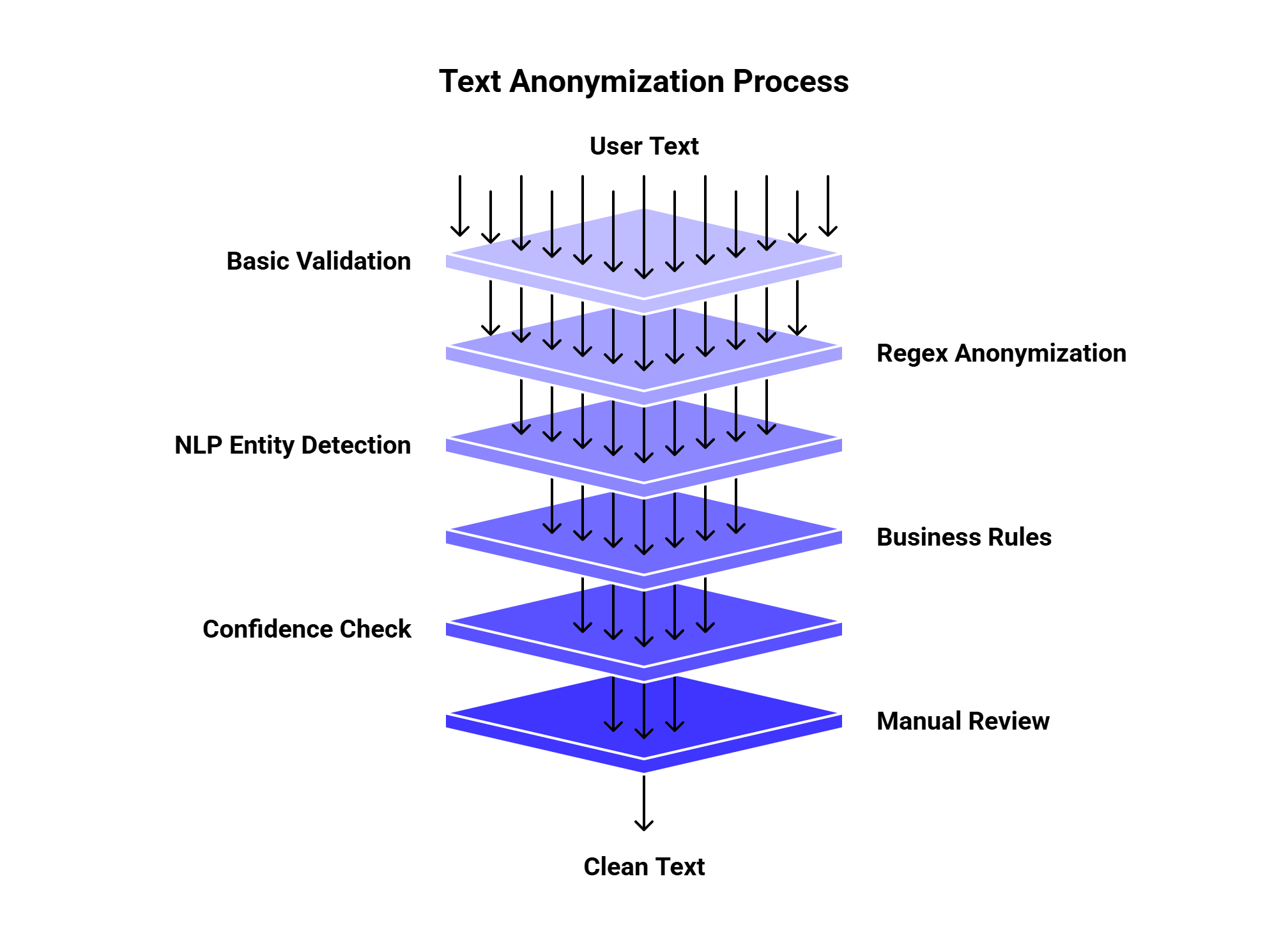
If the text goes into an LLM workflow, you can place anonymization before the model call:
User input ⟶ Anonymize with JavaScript ⟶ Send clean prompt to LLMAPI ⟶ Route to the best model ⟶ Store response without raw PII
This is useful for support apps, chatbots, analytics tools, document processing, HR tools, healthcare intake, and customer feedback systems.
Here is the full 5-minute version:
const piiPatterns = [

  {

    label: "EMAIL",

    regex: /\b[A-Z0-9._%+-]+@[A-Z0-9.-]+\.[A-Z]{2,}\b/gi

  },

  {

    label: "PHONE",

    regex: /(\+?\d{1,2}[\s.-]?)?(\(?\d{3}\)?[\s.-]?)\d{3}[\s.-]?\d{4}/g

  },

  {

    label: "CARD",

    regex: /\b(?:\d[ -]*?){13,19}\b/g

  },

  {

    label: "SSN",

    regex: /\b\d{3}-\d{2}-\d{4}\b/g

  },

  {

    label: "IP_ADDRESS",

    regex: /\b(?:\d{1,3}\.){3}\d{1,3}\b/g

  },

  {

    label: "NAME",

    regex: /\b[A-Z][a-z]+ [A-Z][a-z]+\b/g

  }

];

function anonymizeText(text) {

  return piiPatterns.reduce((result, pattern) => {

    return result.replace(pattern.regex, `[${pattern.label}]`);

  }, text);

}

const input = `

Sarah Miller emailed [email protected].

Call her at +1 (312) 555-9821.

Card: 4111 1111 1111 1111.

SSN: 123-45-6789.

IP: 192.168.0.1.

`;

console.log(anonymizeText(input));You can anonymize basic text in JavaScript with a few regex rules and replace(). That is enough for a quick prototype, simple logs, demos, and low-risk internal tools.
For production, add stronger detection, review rules, and privacy controls. Tools like Microsoft Presidio can help with more advanced PII detection and anonymization, while JavaScript can still handle fast preprocessing at the app layer.
If anonymized text moves into AI workflows, connect the clean text to LLMAPI so your app can route prompts across models, track cost, and reduce the risk of sending sensitive raw text into every provider.
OCR sounds simple until you actually need to use it in a real product.
At first, the goal seems obvious: take a scanned page, receipt, ID, invoice, or screenshot and turn it into text. Then the real questions start showing up. Does the tool understand tables? Can it handle handwriting? What about low-quality phone photos? Does it keep the reading order? Can it pull invoice totals into clean JSON? Can it process private documents without creating a compliance headache?
That is why choosing an OCR solution should start with the workflow, not the vendor list.
Some teams only need raw text extraction. Some need searchable PDFs. Some need structured fields from invoices, receipts, bank statements, IDs, and forms. Some need multilingual OCR. Some need document parsing for LLM pipelines. Some need a private, offline setup because the documents contain sensitive data.
For this guide, we looked at modern OCR options across cloud APIs, open-source engines, document AI platforms, and AI workflow tools. We also added newer research around OCR accuracy, document parsing, OCR hallucinations, and post-OCR correction so the article is not just “here are some tools, good luck.”
Here is the short version before we get into the deeper comparison.
| Need | Best first choice |
| Simple text extraction from clean scans | Tesseract, Azure OCR, Google Cloud Vision |
| Open-source OCR with modern document parsing | PaddleOCR |
| Quick Python OCR for images and multilingual text | EasyOCR |
| AWS-native document workflows | Amazon Textract |
| Google Cloud document processing | Google Document AI |
| Microsoft/Azure ecosystem | Azure AI Vision or Azure Document Intelligence |
| Enterprise document automation | ABBYY Vantage |
| Invoices, receipts, IDs, business documents | Nanonets, Mindee, Textract, Google Document AI |
| Layout-heavy PDFs and tables | PaddleOCR, Docling, Unstructured, LlamaParse |
| OCR plus AI routing, extraction, summaries, and automation | OCR provider + LLMAPI |
If your app only needs text, start with a basic OCR API or open-source OCR engine.
If your app needs structured data, use document AI.
If your app needs to process OCR output with LLMs, connect OCR to a model gateway like LLMAPI so you can route extraction, summarization, validation, and fallback steps across models.
Traditional OCR reads characters from images. Modern OCR solutions often include much more:
| Capability | What it does |
| Text recognition | Extracts printed or handwritten text |
| Layout detection | Finds paragraphs, columns, blocks, headers, and footers |
| Table extraction | Reads table rows, columns, and cells |
| Form parsing | Finds labels and values, such as “Name: Sarah Lee” |
| Checkbox detection | Reads selected and unselected boxes |
| Entity extraction | Finds dates, names, totals, invoice numbers, addresses |
| Document classification | Sorts files into types like invoice, receipt, ID, contract |
| Handwriting recognition | Reads filled-in forms or notes |
| Post-OCR correction | Fixes OCR mistakes using context or language models |
| Human review | Sends uncertain results to manual validation |
This is where tool selection gets tricky. A basic OCR engine may read text well but ignore table structure. A document AI tool may extract fields well but cost more per page. A vision-language model may understand document context but may also hallucinate text under poor image conditions.
The right choice depends on what happens after the text is extracted.
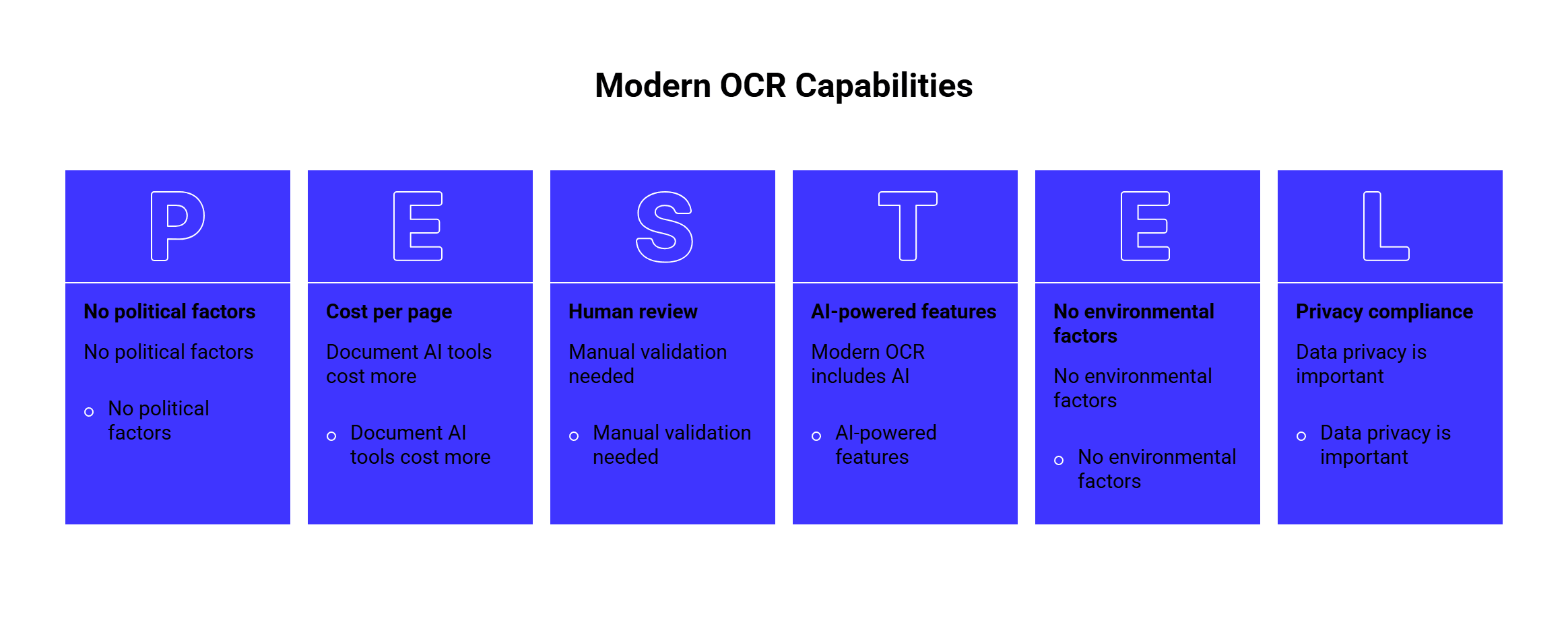
The document type should drive the shortlist.
| Document type | What matters most | Tools to test |
| Clean scanned pages | Text accuracy, speed, language support | Tesseract, Azure OCR, Google Vision |
| Invoices | Totals, vendors, dates, line items | Textract, Google Document AI, Nanonets, Mindee |
| Receipts | Small text, totals, merchant names | Nanonets, Mindee, Google Document AI |
| Bank statements | Tables, transactions, dates, amounts | Textract, ABBYY, Google Document AI |
| IDs and passports | Field extraction, MRZ, privacy | ABBYY, Mindee, Nanonets, Azure |
| Forms | Key-value pairs, checkboxes, handwriting | Textract, Azure Document Intelligence, ABBYY |
| Contracts | Long PDFs, layout, clauses, summaries | Azure, Google Document AI, OCR + LLMAPI |
| Historical documents | Damaged text, old fonts, correction | Tesseract, PaddleOCR, post-OCR LLM correction |
| Multilingual documents | Language and script support | PaddleOCR, EasyOCR, Tesseract, Google, Azure |
| Mobile photos | Blur, skew, rotation, lighting | Cloud OCR APIs, PaddleOCR, Google, Azure |
The safest approach is to test three document types:
That third group matters most. OCR tools often look amazing on polished samples and much weaker on blurry phone photos, tilted receipts, stamps, handwriting, or tables with merged cells.
Before choosing a product, pick the category.
| Category | Best for | Examples |
| Open-source OCR engine | Control, offline processing, low software cost | Tesseract, EasyOCR |
| Open-source OCR toolkit | More advanced OCR and document parsing | PaddleOCR |
| Cloud OCR API | Fast integration and scale | Google Vision, Azure OCR |
| Cloud document AI | Forms, tables, entities, business documents | Google Document AI, Amazon Textract |
| Enterprise IDP platform | Review workflows, compliance, large operations | ABBYY, Nanonets |
| OCR + LLM workflow | Classification, summarization, structured extraction | OCR API + LLMAPI |
A small internal tool can start with Tesseract or EasyOCR.
A production app that processes invoices should start with document AI.
A document-heavy AI product should think about OCR, parsing, validation, and model routing as one workflow.
Best for: low-cost, offline OCR on clean printed documents.
Tesseract is one of the most widely used open-source OCR engines. The official tessdoc notes that Tesseract 4 introduced an LSTM-based OCR engine and that official language model data is available for 100+ languages and 35+ scripts.
| Category | Details |
| Type | Open-source OCR engine |
| Best for | Clean scans, offline OCR, internal tools |
| Strength | Free, mature, local processing |
| Good use case | Convert scanned pages into searchable text |
| Watch out for | Tables, handwriting, layout parsing, messy photos |
Choose Tesseract if you need a local OCR engine, have predictable scans, and can build your own preprocessing pipeline.
Do not expect it to behave like a full document AI platform. For example, Tesseract can extract text, but you will need extra logic for table reconstruction, key-value extraction, document classification, and confidence-based review.
Tesseract is a good fit for:
| Use case | Fit |
| Searchable PDF generation | Strong |
| Offline batch OCR | Strong |
| Simple printed text | Strong |
| Handwritten forms | Weak |
| Invoices with line items | Weak without extra tooling |
| Enterprise review workflow | Weak without custom development |
Research also shows that tuning matters. A study on adapting Tesseract for Tamil and Sinhala legacy fonts reduced character-level error rates after training on specific font data. That is a useful reminder: open-source OCR can work well, but real accuracy may require domain-specific training and cleanup.
Best for: modern open-source OCR, multilingual OCR, and document parsing.
PaddleOCR has become one of the strongest open-source OCR toolkits. It supports multilingual OCR, scene text recognition, document parsing, table recognition, and deployment tooling.
The PaddleOCR 3.0 Technical Report describes three major parts: PP-OCRv5 for multilingual recognition, PP-StructureV3 for document parsing, and PP-ChatOCRv4 for key information extraction. The paper also says the toolkit is Apache-licensed and designed for OCR and document parsing workflows.
| Category | Details |
| Type | Open-source OCR and document parsing toolkit |
| Best for | Developers building custom OCR/document AI pipelines |
| Strength | Multilingual OCR, layout parsing, active research |
| Good use case | Build a private OCR pipeline for PDFs, forms, and images |
| Watch out for | Requires engineering and ML setup |
PaddleOCR is a strong choice when you want more than a basic OCR engine but still want open-source control.
It is also interesting because recent OCR research pushes back against the idea that every OCR task needs a huge vision-language model. The PP-OCRv5 paper argues that a specialized 5M-parameter OCR model can compete with many billion-parameter VLMs on OCR tasks while giving better text localization and fewer hallucinations.
In practical terms, specialized OCR still matters.
Choose PaddleOCR if:
| Need | Why PaddleOCR fits |
| Multilingual OCR | Broad language coverage |
| Document parsing | PP-Structure tools help with layout |
| Private deployment | Can run in your own environment |
| Custom workflows | More flexible than fixed cloud APIs |
| Developer control | Open-source pipeline and models |
PaddleOCR is less ideal if your team wants a no-code workflow, sales support, review queues, and managed compliance features. In that case, ABBYY, Nanonets, Google Document AI, or Textract may fit better.
Best for: quick OCR prototypes and multilingual image OCR.
EasyOCR is a Python OCR library with support for 80+ languages and major writing systems, including Latin, Chinese, Arabic, Devanagari, and Cyrillic.
| Category | Details |
| Type | Open-source OCR library |
| Best for | Fast Python OCR experiments |
| Strength | Easy setup, broad language support |
| Good use case | Extract text from images in a small app or prototype |
| Watch out for | Limited business document workflow features |
EasyOCR is helpful when you want to test OCR quickly without setting up a full document AI service.
It works well for:
| Use case | Fit |
| Image OCR prototypes | Strong |
| Multilingual text extraction | Good |
| Scene text recognition | Good |
| Invoice automation | Limited |
| Complex PDFs | Limited |
| Compliance-heavy workflows | Limited |
Choose EasyOCR when the team needs something lightweight and developer-friendly. Move to PaddleOCR, Textract, Google Document AI, Azure, or ABBYY when the workflow needs structured extraction and production controls.
Best for: AWS-native OCR, forms, tables, layout, and handwriting.
Amazon Textract is a machine learning service that extracts text, handwriting, layout elements, and data from scanned documents. AWS docs also explain that Textract can extract form data as key-value pairs.
| Category | Details |
| Type | Cloud document AI service |
| Best for | AWS teams processing forms, tables, PDFs, and scans |
| Strength | Forms, tables, handwriting, AWS integration |
| Good use case | Extract fields from applications, invoices, reports, and forms |
| Watch out for | Output may need cleanup and validation |
Textract is a good fit when your app already uses S3, Lambda, Step Functions, or other AWS services. It can sit inside a document pipeline without much infrastructure friction.
Choose Textract if:
| Need | Why Textract fits |
| AWS document workflow | Native cloud fit |
| Forms and key-value pairs | Built-in extraction |
| Tables | Table extraction support |
| Handwriting | Useful for filled forms |
| Batch processing | Works well in AWS pipelines |
Textract may be less convenient if your stack is mostly Google Cloud, Azure, or on-prem. It also still needs downstream validation. For example, extracting a total from an invoice is only useful if your app can check confidence, normalize currency, compare line items, and flag uncertain results.
Best for: Google Cloud teams and processor-based document extraction.
Google Document AI is Google’s document processing suite. Its processor list includes OCR, form parsing, entity extraction, checkboxes, tables, and specialized document processors.
| Category | Details |
| Type | Cloud document AI platform |
| Best for | Google Cloud workflows and structured document processing |
| Strength | Pretrained processors, forms, entities, tables |
| Good use case | Extract structured data from invoices, forms, IDs, and business documents |
| Watch out for | Processor selection and pricing need planning |
Google Document AI is useful when you need more than raw text. It can extract fields, document structure, and entities from documents.
Choose Google Document AI if:
| Need | Why it fits |
| Google Cloud stack | Natural integration |
| Specialized processors | Many document-specific options |
| Form parsing | Good for key-value extraction |
| Batch processing | Useful for large document jobs |
| Structured output | Better than plain OCR text |
The biggest decision is processor fit. If there is a processor close to your document type, Google Document AI can save a lot of custom work. If your documents are unusual, you may need custom extraction or an OCR + LLM workflow.
Best for: Microsoft/Azure teams, OCR with confidence scores, and document workflows.
Microsoft has OCR capabilities across Azure AI Vision and Azure AI Document Intelligence. The Azure OCR overview says the Read OCR model supports printed and handwritten text, mixed languages, location data, confidence scores, and container deployment for on-premises use cases.
| Category | Details |
| Type | Cloud OCR and document intelligence |
| Best for | Azure-based apps and enterprise workflows |
| Strength | Printed and handwritten OCR, confidence scores, Microsoft ecosystem |
| Good use case | Extract text from images, PDFs, forms, and enterprise documents |
| Watch out for | Choose the right Azure service for the job |
Azure is a strong fit when your company already uses Microsoft tools, Azure storage, Power Platform, SharePoint, or enterprise identity systems.
Choose Azure OCR if:
| Need | Better fit |
| Text extraction from images | Azure AI Vision Read |
| Forms and structured documents | Azure Document Intelligence |
| Enterprise Microsoft workflow | Azure ecosystem |
| On-prem/container option | Azure OCR container |
| Confidence and bounding boxes | Azure OCR output |
The main thing is product selection. For basic image OCR, Azure AI Vision may be enough. For business documents, forms, and structured extraction, Azure Document Intelligence is usually the better starting point.
Best for: enterprise OCR and intelligent document processing.
ABBYY has a long history in OCR and now offers document AI APIs and ABBYY Vantage for intelligent document processing. ABBYY’s API page describes converting unstructured documents into structured data using OCR and document processing APIs.
| Category | Details |
| Type | Enterprise document AI / IDP platform |
| Best for | High-volume business document automation |
| Strength | Mature OCR, enterprise workflows, structured extraction |
| Good use case | Finance, insurance, operations, compliance-heavy processes |
| Watch out for | May be heavier than needed for simple OCR |
Choose ABBYY if document processing is a serious business process, not a side feature.
ABBYY is especially useful for:
| Use case | Fit |
| Enterprise invoice automation | Strong |
| Regulated document workflows | Strong |
| Complex extraction rules | Strong |
| Human review and validation | Strong |
| Simple hobby OCR | Too heavy |
| Small prototype | Usually too much setup |
ABBYY is best when accuracy, workflow control, and enterprise support matter more than the lowest per-page cost.
Best for: business document extraction, invoices, receipts, IDs, and workflow automation.
Nanonets OCR API focuses on AI-powered document OCR and extraction. Its site lists many document extractors, including invoices, receipts, purchase orders, bills of lading, bank statements, passports, driver’s licenses, and ID cards.
| Category | Details |
| Type | AI OCR and document extraction platform |
| Best for | Business teams automating document intake |
| Strength | Prebuilt extractors and workflow focus |
| Good use case | Extract structured fields from recurring business documents |
| Watch out for | Test accuracy on your own documents before scaling |
Choose Nanonets if you want a practical document extraction workflow without building every parser yourself.
It fits:
| Need | Why it fits |
| Invoices and receipts | Prebuilt extraction paths |
| Document routing | Classification and routing features |
| Business automation | Workflow focus |
| Less custom ML work | Pretrained extractors |
| Structured output | Better fit than plain OCR |
Nanonets is less suited for teams that need full control over model internals or fully offline processing. For that, PaddleOCR or a custom open-source pipeline may be better.
These are worth adding to the research list, even if they are not the main focus.
| Tool | Best for |
| Mindee | APIs for receipts, invoices, IDs, and business documents |
| OCR.Space | Simple OCR API and quick text extraction |
| Docling | Open-source document conversion and parsing |
| Unstructured | Preparing PDFs and documents for LLM/RAG workflows |
| LlamaParse | Parsing documents for LLM pipelines |
Mindee is useful if your product needs document-specific APIs, especially for business documents like receipts and invoices.
OCR.Space can be useful for lightweight OCR needs, simple integrations, or smaller tools that do not need advanced document intelligence.
Docling, Unstructured, and LlamaParse are especially relevant when OCR is part of a retrieval, search, or LLM workflow. They focus more on turning messy documents into usable structured text, markdown, or chunks.
The 2025 OmniDocBench paper is useful here because it evaluates diverse PDF document parsing with annotations for layout, OCR, tables, and formulas. That kind of benchmark reflects a real shift: teams now care about full document parsing, not just character recognition.
Here is the practical comparison.
| Tool | Strongest area | Weakest area | Best fit |
| Tesseract | Free local OCR | Weak document intelligence | Clean scans, offline OCR |
| PaddleOCR | Open-source OCR and parsing | Needs engineering setup | Custom OCR/document AI pipelines |
| EasyOCR | Quick multilingual OCR | Limited document workflows | Python prototypes and image OCR |
| Amazon Textract | AWS forms/tables/OCR | AWS-centered setup | AWS document automation |
| Google Document AI | Pretrained processors | Processor and pricing planning | Google Cloud document extraction |
| Azure OCR/Document Intelligence | Microsoft enterprise fit | Product choice can be confusing | Azure apps and enterprise workflows |
| ABBYY | Enterprise IDP | Heavier setup | High-volume business processes |
| Nanonets | Business document extraction | Needs sample-based testing | Invoices, receipts, IDs, routing |
| Mindee | Document-specific APIs | May need multiple endpoints | Receipts, invoices, IDs |
| OCR.Space | Simple OCR API | Basic extraction | Lightweight OCR tasks |
| Docling/Unstructured/LlamaParse | LLM-ready document parsing | Less classic OCR-only focus | RAG and document AI pipelines |
| LLMAPI | AI workflow routing after OCR | Needs OCR provider underneath | Extraction, summaries, validation, fallback |
Our top open-source pick is PaddleOCR, because it covers modern OCR and document parsing better than older OCR-only engines.
Our top simple local OCR pick is Tesseract, because it is mature, free, and widely supported.
Our top AWS pick is Amazon Textract.
Our top Google Cloud pick is Google Document AI.
Our top enterprise IDP pick is ABBYY.
Our top workflow layer is LLMAPI, because OCR output often needs classification, extraction, summarization, validation, and routing after the first OCR pass.
OCR accuracy should be tested at several levels.
| Metric | What it tells you |
| Character Error Rate | How many characters are wrong |
| Word Error Rate | How many words are wrong |
| Field accuracy | Whether extracted fields are correct |
| Table accuracy | Whether rows, columns, and cells are usable |
| Reading order | Whether text follows the correct flow |
| Layout accuracy | Whether blocks, headers, footers, and columns are detected |
| Confidence quality | Whether low-confidence results are actually risky |
| Manual correction rate | How much human cleanup remains |
Character Error Rate and Word Error Rate are common text metrics. A 2024 paper on multilingual evaluation argues that CER can be more consistent than WER across writing systems, which matters for multilingual OCR and speech tasks.
For business documents, field accuracy matters more than raw character accuracy.
An OCR tool can read most characters correctly and still fail the workflow if it extracts the wrong invoice total, misses a table row, or swaps buyer and seller addresses.
Test OCR with your real documents:
| Test sample | Why it matters |
| Clean scan | Baseline performance |
| Low-resolution scan | Tests image quality tolerance |
| Phone photo | Tests blur, skew, lighting |
| Rotated page | Tests orientation handling |
| Multi-column PDF | Tests reading order |
| Table-heavy document | Tests layout structure |
| Handwritten form | Tests handwriting support |
| Mixed-language page | Tests language handling |
| Stamped or signed document | Tests visual noise |
| Long PDF | Tests speed and cost |
| Scanned contract | Tests text flow and clause extraction |
A good test set usually has 50 to 200 documents. If the workflow is high-value or regulated, use more.
LLMs can help after OCR.
They can classify documents, extract fields, normalize messy text, summarize long PDFs, create metadata, and correct obvious OCR errors.
Research supports this direction. A 2024 paper on LLMs for post-OCR correction of historical documents found that instruction-tuned Llama 2 improved OCR correction quality on historical newspaper text, with a large reduction in character error rate compared with a BART baseline.
Another paper, CLOCR-C, found that transformer-based language models can reduce OCR error rates for historical print archives, especially when context is used carefully.
There is also a warning. Vision-language models can hallucinate. A 2025 paper on OCR hallucinations in multimodal models found that degraded document images can cause models to rely on language priors and generate unsupported content.
So use LLMs thoughtfully.
Good LLM uses after OCR:
| Task | LLM fit |
| Classify document type | Strong |
| Extract fields from OCR text | Strong |
| Normalize dates and currencies | Strong |
| Summarize contracts or reports | Strong |
| Flag missing information | Strong |
| Correct obvious OCR errors | Useful |
| Read unclear text from bad scans | Risky |
| Replace OCR without validation | Risky |
For production workflows, combine OCR confidence, validation rules, and LLM reasoning.
LLMAPI is useful when OCR is part of a larger AI workflow.
The OCR provider handles the document reading step. LLMAPI can help route the next steps across models and providers.
Example workflow:
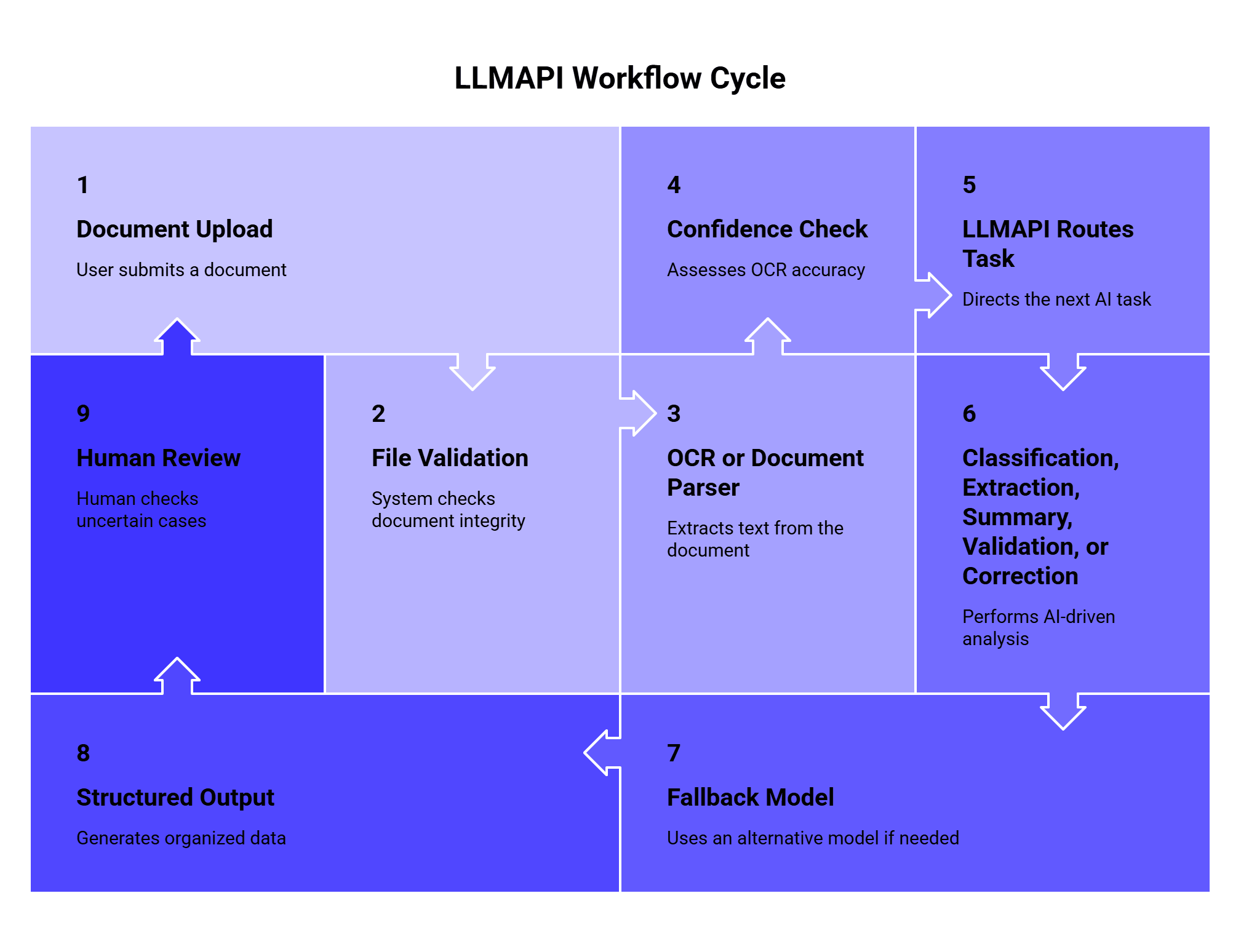
This setup is useful when different OCR tasks need different AI models.
| Task after OCR | Possible model route |
| Simple document classification | Lower-cost model |
| Invoice field extraction | Strong structured-output model |
| Contract summary | Long-context model |
| Compliance review | Higher-accuracy model |
| OCR correction | Text-focused model |
| Fallback for failures | Backup model/provider |
LLMAPI is especially helpful when your app uses more than one model, needs fallback rules, or tracks usage and cost across providers.
OCR pricing can look simple on the surface and messy in production. Check these details before choosing:
| Cost factor | Why it matters |
| Price per page | Main cost for scanned PDFs |
| Price per document | Better for multi-page document workflows |
| Image vs PDF pricing | Some tools price them differently |
| Synchronous vs batch pricing | Batch jobs may be cheaper |
| Custom model cost | Needed for unusual document types |
| Human review cost | Often required for business-critical workflows |
| Storage cost | Some platforms store files and results |
| Failed requests | Check if failed pages are billed |
| LLM post-processing | Adds cost after OCR |
| Minimum contract | Enterprise tools may require commitments |
| Rate limits | High-volume apps need predictable throughput |
The best cost metric is simple:
Cost per accurate finished document.
That includes OCR, retries, validation, LLM steps, review, storage, and engineering maintenance.
Open-source OCR can reduce API fees, but it adds infrastructure and maintenance work. Managed OCR APIs cost more per page, but they can save development time. Enterprise IDP platforms cost more, but they may reduce manual work in finance, operations, legal, or compliance teams.
OCR often touches sensitive data.
Documents may contain names, addresses, passports, driver’s licenses, bank details, tax forms, contracts, medical information, signatures, payroll data, or confidential business records.
Before choosing a tool, ask:
| Question | Why it matters |
| Are documents stored after processing? | Affects retention and privacy |
| Can data be used for training? | Important for private documents |
| Where is data processed? | Region rules may apply |
| Is encryption supported? | Needed for sensitive files |
| Are audit logs available? | Useful for compliance |
| Can files be deleted? | Important for user rights |
| Is on-prem deployment available? | Needed for strict environments |
| Can access be controlled by role? | Prevents internal leakage |
| Are confidence scores available? | Helps prevent silent errors |
| Is human review supported? | Useful for high-risk workflows |
For highly sensitive documents, test open-source OCR, on-prem deployment, private cloud options, or enterprise providers with clear security terms.
Use this if you need to choose quickly.
Need simple OCR from clean scans?
→ Start with Tesseract, Azure OCR, or Google Vision.
Need open-source OCR with stronger parsing?
→ Test PaddleOCR.
Need quick Python OCR?
→ Try EasyOCR.
Already on AWS?
→ Test Amazon Textract.
Already on Google Cloud?
→ Test Google Document AI.
Already on Azure or Microsoft stack?
→ Test Azure AI Vision and Document Intelligence.
Need enterprise document automation?
→ Test ABBYY or Nanonets.
Need invoices, receipts, IDs, or forms?
→ Test Textract, Google Document AI, Nanonets, Mindee, or ABBYY.
Need OCR output for LLM workflows?
→ Use OCR provider + LLMAPI for routing, extraction, summaries, and validation.
A simple production OCR workflow can look like this:
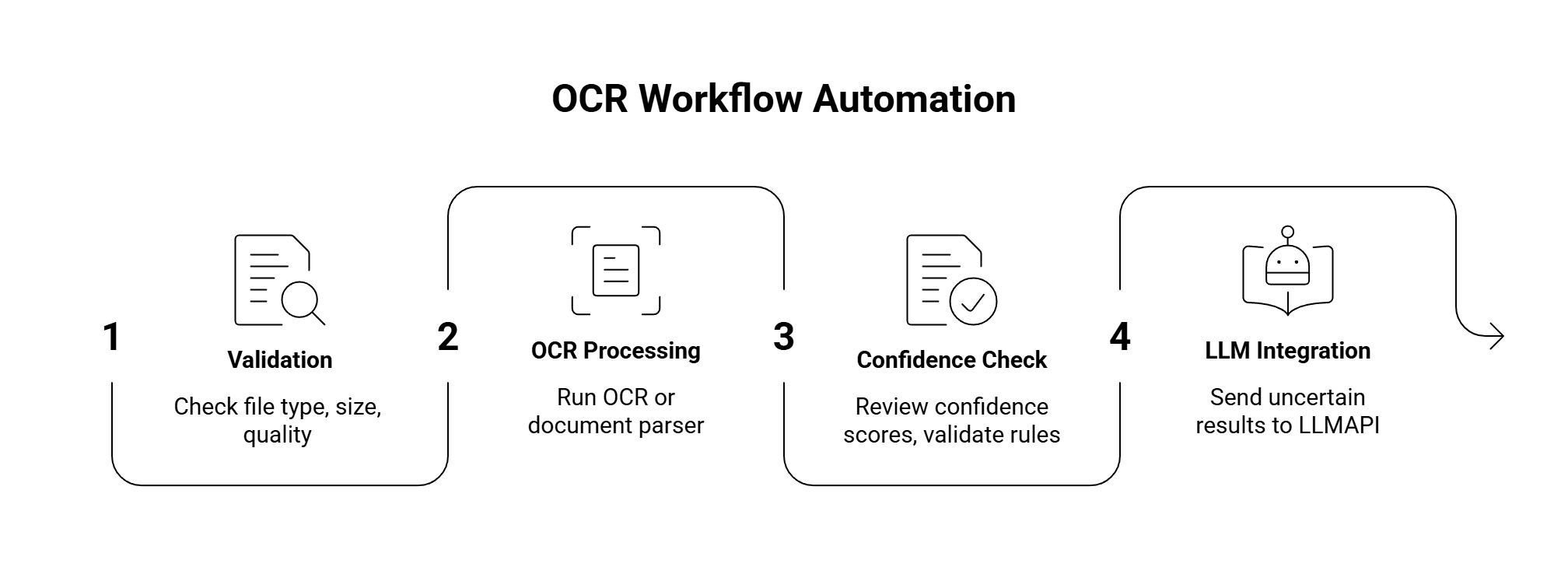
Useful quality checks:
| Check | Why it helps |
| File type allowed | Avoids broken inputs |
| Page count limit | Controls cost |
| Resolution check | Catches bad scans early |
| Orientation detection | Fixes rotated pages |
| Confidence threshold | Flags risky text |
| Required fields present | Catches incomplete extraction |
| Total math validation | Useful for invoices |
| Duplicate detection | Prevents repeated processing |
| Manual review flag | Keeps bad data out of production |
For high-volume apps, also add retry rules and a fallback provider. For example, if one OCR API fails on a document type, route it to a second OCR provider or send it to manual review.
| Mistake | Better approach |
| Testing only clean samples | Test messy real documents |
| Comparing only raw text accuracy | Test fields, tables, layout, and review effort |
| Ignoring confidence scores | Use confidence for routing and review |
| Choosing open source only for cost | Count engineering and maintenance time |
| Choosing enterprise IDP for simple OCR | Use a lighter API if text is enough |
| Sending every OCR result to an LLM | Route only tasks that need reasoning |
| Ignoring privacy terms | Review storage, training, deletion, and region rules |
| Skipping human review | Add review for high-risk fields |
| Assuming one tool handles every document | Use different tools for different document types |
The best OCR solution depends on the document type and workflow. For simple local OCR, Tesseract is a good starting point. For modern open-source OCR and parsing, PaddleOCR is stronger. For cloud document processing, test Amazon Textract, Google Document AI, or Azure Document Intelligence. For enterprise workflows, ABBYY and Nanonets are strong options.
Tesseract is the classic open-source OCR engine. PaddleOCR is the stronger modern choice for multilingual OCR, layout parsing, and document AI pipelines. EasyOCR is a good lightweight option for Python projects and image OCR.
Amazon Textract, Google Document AI, Nanonets, Mindee, and ABBYY are all worth testing for invoice OCR. The best choice depends on line-item accuracy, total extraction, pricing, review tools, and integration with your stack.
Some OCR tools can read handwriting, including Amazon Textract and Azure OCR. Handwriting quality varies a lot, so test with real samples. Cursive writing, messy forms, and mixed printed/handwritten fields are harder.
Use OCR for reading the document and LLMs for the next layer: classification, extraction, summaries, correction, and validation. Vision-language models can help with document understanding, but they need checks because they can hallucinate under poor image quality.
Measure character accuracy, word accuracy, field accuracy, table accuracy, reading order, confidence quality, latency, cost, and manual correction rate. For business workflows, field accuracy and review effort usually matter more than raw character accuracy.
LLMAPI fits after OCR. It can route extracted text to different models for classification, structured extraction, summaries, validation, correction, and fallback. This is useful when OCR is part of a larger AI workflow instead of a standalone text extraction step.
Choosing the right OCR solution starts with your documents.
Choose Tesseract if you need simple local OCR for clean scans. Choose EasyOCR for quick Python OCR and multilingual image text. Choose PaddleOCR if you want a modern open-source toolkit for OCR, layout, and document parsing.
Choose Amazon Textract if your document workflow already lives in AWS. Choose Google Document AI if you want Google Cloud processors for forms, tables, and entities. Choose Azure AI Vision or Azure Document Intelligence if your team works in the Microsoft ecosystem. Choose ABBYY for enterprise document automation. Choose Nanonets or Mindee for business documents like invoices, receipts, IDs, and forms.
When OCR is the first step in a larger AI pipeline, connect it to LLMAPI. OCR can read the document, while LLMAPI can help route the next tasks: extraction, summarization, validation, correction, metadata generation, and fallback.
The real test is your own document set. Use clean scans, messy scans, phone photos, handwriting, tables, long PDFs, and multilingual pages. The right OCR tool is the one that gives you accurate, usable output with the least cleanup, the right privacy controls, and a cost model your workflow can survive.
LLM Routing is directing a prompt to the best language model for better performance and lower cost.
In other words it is a smart way to send each prompt to the model that fits it best, instead of sending everything to the most expensive option. That matters because simple requests don’t need a premium model, and research on routing systems like FrugalGPT and RouteLLM shows that better model choice can cut costs while keeping quality high. If you use a setup like LLM routing for cost, speed, and reliability, you can match each task with the right mix of speed, price, and accuracy.
Imagine a massive e-commerce company that uses AI to handle thousands of customer inquiries a day. Instead of sending every single message to the most expensive, powerful AI model, they use an LLM router as a “traffic cop” to analyze incoming prompts and delegate them efficiently.
Here is how the router splits the workload in real-time:
By dynamically switching between models based on the difficulty of the question, the company maintains a highly capable chatbot while cutting its overall AI API costs by up to 70%.
For non-technical readers, the idea is simple: use the right brain for the job. For developers and AI teams, it means a practical control layer that can reduce spend, speed up responses, and keep complex workflows on track, especially when different prompts need different levels of reasoning.
LLM routing is the part of the system that decides which model should handle each prompt. Instead of sending every request to the same expensive model, the router checks the prompt first, then picks the model that fits the job. That keeps simple tasks cheap and fast, while harder tasks still get the extra reasoning power they need.
This matters because prompts are not all alike. A short rewrite request, a support reply, a code fix, and a math problem all need different levels of effort. A good router helps each one land in the right place, which is why routing is now a core piece of many multi-model setups.
 ### How the router chooses the right model
A router looks at the prompt and pulls out signals that help it judge what kind of work is needed. The simplest signal is prompt length. Short requests often need less horsepower than long, layered ones. But length alone is not enough, so routers also check topic and intent.
Common signals include:
Some systems use fixed rules, such as “send code to the coding model” or “send support tickets to a cheaper fast model.” Others use learned classifiers trained on historical examples. More advanced routers use preference data, which helps them predict which model is most likely to give the better answer for a given prompt. RouteLLM, for example, trains routers on human preference data so the system can learn when a stronger model is worth the cost. See RouteLLM’s preference-based routing paper for the research behind that approach.
The best router does not guess from one signal. It combines several signals, then makes a practical choice.
That blended approach is why routing works well in production. A router can send a simple “summarize this email” request to a small model, but route a tricky debugging prompt to a stronger one. In semantic routing setups, the system also compares the meaning of the prompt against known patterns, which helps it handle requests that use different words but mean the same thing.
Using one premium model for everything sounds simple, but it wastes money fast. A model built for hard reasoning does not need to spend expensive tokens on basic classification or short rewrites. Research like FrugalGPT showed that smarter model selection can cut cost while keeping performance close to a top model on many tasks.
The reverse also causes problems. If every prompt goes to a weak model, quality drops on the exact tasks that need depth. That creates bad answers, more retries, and more human cleanup. In a workflow with many steps, one weak response can break the whole chain.
Routing solves that tradeoff by balancing three things at once:
A simple way to think about it is this: a routing layer is like a traffic cop for model calls. It keeps easy traffic moving, then sends the heavy trucks to the right lane. That reduces waste without forcing every request through the same path.
For teams building agents or support systems, this matters even more. A planning step, a code review step, and a final answer step do not need the same model. Routing lets you match each step to the right backbone, which is why it fits well with LLM gateways and request control. It also helps explain why many teams now compare model pools the same way they compare cloud instances, by cost, speed, and reliability.
In practice, routing is useful for:
The main idea is simple. Routing gives each prompt a better chance of landing on the right model, which usually means lower cost, lower latency, and fewer wasted calls.
Real routing systems usually mix a few different strategies, because no single method works for every prompt. Some teams want the simplest possible setup. Others need smarter decisions based on task type, confidence, budget, or response time.
The common thread is the same: send each request to the smallest model that can still do the job well. Research from Stanford’s FrugalGPT and RouteLLM shows why that matters, since routing can preserve quality while trimming spend. In production, the best choice often depends on how predictable your workload is, how strict your budget is, and how much latency your users will tolerate.
 ### Static rules and simple fallback paths
Rule-based routing is the easiest place to start. You define fixed paths, then send known task types to known models. For example, short summaries can go to a fast, low-cost model, while code or legal drafting goes to a stronger one.
This setup is quick and easy to manage, especially when the workflow is stable. It also pairs well with smart LLM routing strategies, where teams want a simple control layer without adding much system overhead.
The downside is rigidity. A prompt that looks simple can become hard fast, like a short customer message that turns into a multi-step support issue. Static rules miss those shifts, so they can send a tough request to a weak model and produce a bad answer.
A common variation is cascade routing. The system starts with a cheap model, checks the result, then escalates only if the output fails validation. That can save a lot of money on high-volume apps, but it may add extra latency when the first pass does not work.
Cascades are efficient when the failure check is clear. They slow down when the system needs repeated retries.
In practice, teams use static paths and cascades for:
Classifier-based routing is a step up from hardcoded rules. A small learned model predicts which LLM will do best, often using training data built from human preferences or past wins and losses. RouteLLM is a good example of this approach, because it learns from preference data and routes requests based on which model is more likely to win on that prompt.
That matters when prompt difficulty varies a lot. One request may need only a short answer, while the next may need reasoning, tool use, or careful formatting. A learned classifier can catch those differences better than a fixed rule set.
Semantic routing goes a different way. It groups prompts by meaning, then matches them to patterns or embeddings that point to the best model. So if two questions use different wording but share the same intent, the router can still make the same choice.
A simple way to think about it is this:
| Routing type | What it looks at | Best fit |
|---|---|---|
| Static rules | Fixed task labels | Stable pipelines |
| Classifier-based routing | Learned difficulty signals | Mixed workloads |
| Semantic routing | Meaning and embeddings | Varied user intent |
These methods work well when the system sees a wide mix of prompts. They are especially useful for support, coding assistants, multi-agent systems, and product experiences where the right answer depends on more than a single keyword. For a more technical overview of decision layers and model selection, see LLM failover routing techniques.
Some routers are built around spending limits first. That means the system does not only ask, “Which model is best?” It also asks, “Which model fits the budget?” Teams can set a daily cap, a per-user limit, or a per-request target, then let the router choose the best option inside that boundary.
This matters a lot for SaaS products and internal tools, where volume adds up fast. A small difference in per-call cost can turn into a real bill when the app handles thousands of requests a day. Cost-aware routing keeps spend more predictable, which helps with pricing, margin, and planning.
It also works well in enterprise apps that need different service levels for different users. A free tier might get a fast, cheaper model. A paid tier or a high-stakes workflow can get a stronger model only when the prompt justifies it.
Common uses include:
The best cost-aware setups usually track output quality, latency, and spend together. That gives teams a practical way to balance performance against cost instead of guessing. In real deployments, that balance is what keeps routing useful after the first demo.
Routing studies keep pointing to the same pattern: the biggest model is not always the best first choice. When a system can tell easy prompts from hard ones, it can save money, hold quality steady, and cut wait times at the same time.
That matters for both teams and end users. Developers get lower API bills, operators get more predictable spend, and users get answers faster because simple requests stop waiting behind heavyweight models.
 ### What FrugalGPT showed about saving money without losing quality
FrugalGPT made the strongest early case for cascade routing and prompt adaptation. The core idea was simple, route each request to the cheapest model that can still do the job well, then save the premium model for the prompts that truly need it. In practice, that means a short summary or label extraction does not need to pay frontier-model prices.
The Stanford work showed that this kind of setup can cut costs sharply, and in some cases it can match GPT-4-level performance or even do a bit better at similar spend. That is the main lesson many teams still use today: quality does not come from always calling the largest model, it comes from matching the model to the task.
For product teams, that can change the unit economics of an AI feature. For example, if a support assistant sends routine classification to a cheaper model and only escalates tricky cases, the total bill drops without forcing users to accept worse output. Research summaries around FrugalGPT and related routing work point to savings in the 40% to 85% range in well-tuned systems, which is large enough to matter in real production budgets.
RouteLLM pushed the field forward by training routers on human preference data instead of only hand-built rules. That matters because people do not judge model quality by token counts or prompt length alone. They care about which answer is actually better, clearer, and more useful.
The practical win is flexibility. RouteLLM showed that learned routers can still work when model pairs change, even when the router was not trained on those exact pairings. That is a big deal for teams, since model catalogs change often and vendor mixes rarely stay fixed for long.
Benchmark results also matter here. RouteLLM reported major cost reductions on tests like MT Bench, MMLU, and GSM8K while keeping strong response quality. The research report for RouteLLM notes cost cuts of more than 2x without a quality drop, which is the kind of result that gets attention in both engineering and finance meetings. You can read the paper on RouteLLM’s preference-based routing results for the full benchmark picture.
For teams that want routing to survive model churn, the message is clear. A router trained on preference data is easier to keep useful than a brittle ruleset that only works for one provider mix.
Newer routing systems are moving beyond simple pick-one-model logic. Some use lightweight self-verification, where a small model checks its own output before the system spends more on escalation. That can reduce repeat calls and keep easy tasks from bouncing through the stack.
Others use a two-tier setup, with one model planning and another handling execution. This split works well for multi-step jobs, because the planner can stay focused on task structure while the executor handles the response. In several studies, that pattern improves task completion and lowers the number of frontier-model calls, which is a direct cost saver.
A different line of work ties routing to memory or retrieval. When the system knows a user’s earlier context, or can pull the right source material, it can send more requests to a lighter model and still hold up on quality. That helps especially in long workflows, where latency adds up with every extra call.
The practical payoff is easy to see:
For teams that care about failover too, routing and fallback control often go together. If a provider slows down or errors out, systems can shift to another model without breaking the workflow. A good starting point is managing LLM rate limits and fallbacks, since reliability and routing usually need the same control layer.
The best routing systems do more than cut cost. They keep the workflow moving when prompts change, models change, or one provider gets shaky.
Research keeps backing the same direction: route easy work to cheaper models, reserve strong models for hard cases, and use validation to avoid bad retries. That mix gives you better economics without turning every prompt into an expensive call.
LLM routing pays off when a product handles many kinds of requests at once. A support bot, coding assistant, document parser, and analytics agent all need different levels of reasoning, speed, and cost control. Routing keeps those jobs separated, so each prompt gets a model that fits the task instead of a one-size-fits-all answer.
That matters because real products rarely see neat, predictable traffic. One user wants a quick rewrite, another asks for tool use, and a third drops in a long, messy contract. Routing helps teams handle that mix without overpaying for every request.
Developers use routing to build model-agnostic apps. That means the app can switch providers without a full rewrite, which keeps the codebase cleaner and makes provider changes far less painful. If one model is better for coding help and another is better for extraction, the router picks the right one per task.
This is especially useful in apps that need different behavior across endpoints. A coding assistant may send debugging prompts to a stronger model, while document parsing, classification, and tool calling can go to faster, cheaper ones. Chat apps also benefit, because users notice latency fast. A short reply from a small model often feels better than a slow answer from a heavyweight model.
Teams that want to set this up can start with the LLM API quick start guide, then grow into more advanced routing patterns as traffic increases. The practical win is simple: one integration, many models, and better control over where each request goes.
 Enterprise teams and high-volume businesses
For enterprise teams, routing is mainly about budget control and operational reliability. When request volume climbs, even a small savings per call can protect margins. Research and production writeups on routing often point to cost reductions in the 40% to 85% range when systems send simple jobs to smaller models and reserve stronger ones for harder work. That kind of spread matters when the app handles thousands or millions of requests.
Routing also cuts vendor lock-in. A business does not want its product tied to one provider’s pricing, outages, or rate limits. With fallback support, the system can move traffic if a provider slows down or fails, so the app stays online and the user experience stays steady. Centralized billing and one control panel also make life easier for finance and ops teams, because spend, usage, and reliability live in one place.
For teams comparing router behavior with broader gateway features, TrueFoundry’s LLM router overview gives a useful market view of common enterprise use cases. The bigger point is simple, routing keeps unit economics stable while giving teams more room to scale without rewriting the whole stack.
The strongest enterprise use case is not just saving money, it is avoiding single-provider dependence.
Researchers care about fair comparisons. They need to test many prompts, compare outputs across providers, and see which model fits which dataset. Routing helps here because it makes experiments more repeatable. Instead of treating every model call the same way, the router can apply a consistent selection rule and log cost, speed, and quality for each run.
That makes it easier to study tradeoffs across models. One model may win on accuracy, another on latency, and a third on price. Routing platforms make those differences visible, which is useful when you are running benchmark suites, prompt tests, or side-by-side evaluations on the same workload.
It also helps AI power users who care about practical performance. If a workflow mixes math, writing, and tool use, routing can send each prompt to the model that handles that type of task best. In other words, the setup is useful when the question is not “Which model is best?” but “Which model is best for this job, this time?”
For a deeper look at enterprise routing methods and evaluation criteria, see A Multi-Criteria Decision Framework for Enterprise LLM Routing. That kind of research matches what many teams need in practice, a clear way to compare quality, cost, and latency without guessing.
Choosing an LLM routing platform is less about picking the most famous tool and more about matching the tool to your workload. The right platform should lower cost, keep latency under control, and give you enough visibility to trust the decisions it makes. If your traffic is mixed, routing can save a lot. If your app only does one thing, a simpler setup may be enough.
 Questions to ask before you adopt routing
Start with the workload, because that tells you whether routing will pay off. Ask what kinds of tasks will actually be routed. A support app, a coding assistant, and a document parser do not need the same model mix.
A simple checklist keeps the comparison honest:
You should also ask how the platform handles failover, cache hits, and latency spikes. Those details decide whether routing stays useful after the pilot phase.
A good router should explain its choices clearly. If you cannot inspect the decision trail, it becomes hard to trust the savings.
Research backs up that concern. Work like RouteLLM’s preference-based routing study shows that routers can generalize beyond the exact model pairs they were trained on. That helps, because most teams do not keep the same provider list forever.
Routing shines when your traffic is mixed and your volume is high. If your app handles thousands of requests a day, even small per-call savings add up fast. It also helps when model prices vary a lot, because you can reserve the expensive models for harder prompts and keep routine tasks on cheaper ones.
It is especially useful in these cases:
Routing is less useful when every prompt is basically the same. A narrow app with low traffic may not need the extra logic. In that case, a single well-chosen model can be simpler and easier to maintain.
That balance matters. A routing layer is not free, and it adds its own complexity. If the app is small, the overhead may cancel out the gains. If the app is growing fast, though, routing often pays for itself through lower spend, faster replies, and fewer wasted calls. Tools like Requesty’s LLM routing guide show why many teams now compare platforms by cost controls, fallback handling, and how much effort they need to operate day to day.
For most teams, the question is not whether routing is useful in theory. The real question is whether your workload is varied enough to justify it. If the answer is yes, choose a platform that gives you clear routing logic, solid observability, and enough flexibility to keep up when your model stack changes.
LLM routing gives each request a better chance of landing on the right model. That usually means lower cost, faster responses, and less quality loss than sending every prompt to the same expensive option.
The clearest lesson from FrugalGPT, RouteLLM, and newer routing research is simple, the best setup matches model strength to task difficulty. For teams building apps with mixed traffic, multi-step agents, or multiple providers, that makes routing a practical part of modern AI infrastructure, not an extra feature.
For developers, enterprise teams, and researchers, the real value is control. LLM routing helps keep spend in check, supports flexible provider choices, and makes AI systems easier to scale without wasting tokens on easy work.
Document processing gets painful fast. One team uploads invoices. Another sends scanned IDs. Someone adds handwritten forms, receipts with faded ink, PDFs with tables, passport photos, signatures, checkboxes, and files rotated sideways because of course they are. Traditional OCR can read text from a page, but most workflows need more than plain text. They need structured fields, document type detection, tables, signatures, barcodes, validation, and clean JSON that can move into an app without someone manually fixing every row.
That is where Base64.ai OCR becomes useful. Base64.ai is an AI-powered document intelligence platform that turns PDFs, images, DOCX files, and many other document formats into labeled JSON. According to Base64.ai’s platform page, it identifies the document type, applies the right model, extracts fields, and returns structured output. The platform also supports cloud and on-premises deployment, 2,800+ validated document models, REST API access, and enterprise security standards such as ISO 27001, SOC 2, HIPAA, and GDPR.
For developers, the main value is simple: Base64.ai helps move document workflows from “read this manually” to “send the file to an API and get structured data back.”
Base64.ai is closer to an Intelligent Document Processing platform than a basic OCR tool.
Basic OCR usually answers one question:
What text appears in this image or document?
Base64.ai tries to answer a more useful question:
What document is this, what fields matter, and what structured data should the app receive?
Base64.ai’s API documentation says the API extracts text, tables, photos, and signatures from document types and can run in the cloud or in air-gapped, on-premises, offline data centers. Its pricing page also lists OCR in 165+ languages, handwriting support, 93 file formats, multi-modal ingestion, API access, RPA and scanner integrations, and enterprise security certifications under its OCR feature set.
That makes Base64.ai useful for apps that process documents like:
| Document type | Data developers may need |
| Receipts | Merchant name, date, subtotal, tax, tip, total, payment details |
| Invoices | Vendor, invoice number, due date, line items, totals, tax, payment terms |
| IDs and driver’s licenses | Name, ID number, date of birth, expiration date, photo, signature |
| Passports and visas | Name, nationality, passport number, issue/expiry dates, MRZ fields |
| Forms | Names, addresses, checked boxes, handwritten fields, signatures |
| Checks | Payee, amount, bank details, signature, check number |
| Shipping documents | Tracking IDs, addresses, carrier details, shipment dates |
| Insurance documents | Policy numbers, claim fields, dates, coverage details |
This is the part that matters most: a developer usually does not want a wall of raw OCR text. They want fields they can store, validate, search, route, or send into the next workflow.
Traditional OCR is good at turning text inside an image into machine-readable text. That is useful, but it leaves a lot of work for the app.
Imagine an invoice. Raw OCR may return something like:
Invoice No: INV-9281
Date: 05/12/2026
Total Due: $1,248.90
Vendor: Northlake Office Supplies
That looks readable to a human. For software, the better output is structured:
{
“document_type”: “invoice”,
“invoice_number”: “INV-9281”,
“invoice_date”: “2026-05-12”,
“vendor_name”: “Northlake Office Supplies”,
“total_due”: 1248.90,
“currency”: “USD”
}
The difference is huge. Raw text still needs parsing. Structured JSON can move directly into AP automation, KYC, CRM, claims processing, internal search, analytics, or review queues.
Base64.ai explains this difference in its own article on OCR vs AI-powered document understanding. The article says traditional OCR identifies text and converts it into digital format, while AI-powered document understanding can identify document types, key-value fields, and the meaning of extracted data.
That distinction lines up with where Document AI research has been moving. The survey Document AI: Benchmarks, Models and Applications describes Document AI as a field focused on automatically reading, understanding, and analyzing business documents by combining NLP and computer vision. In other words, the goal is no longer just “read text.” The goal is to understand the document well enough to use it.
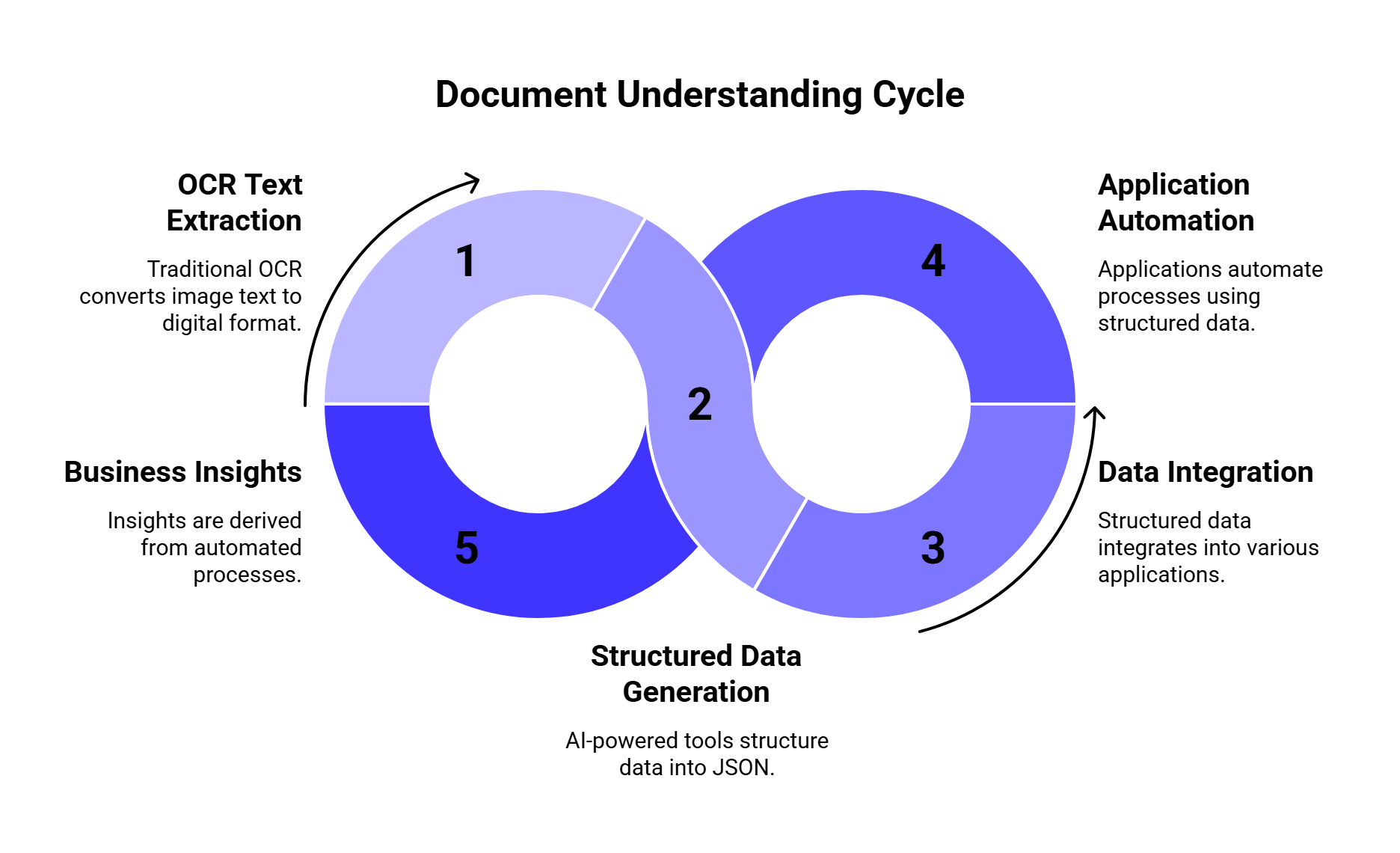
A typical Base64.ai OCR workflow looks like this:
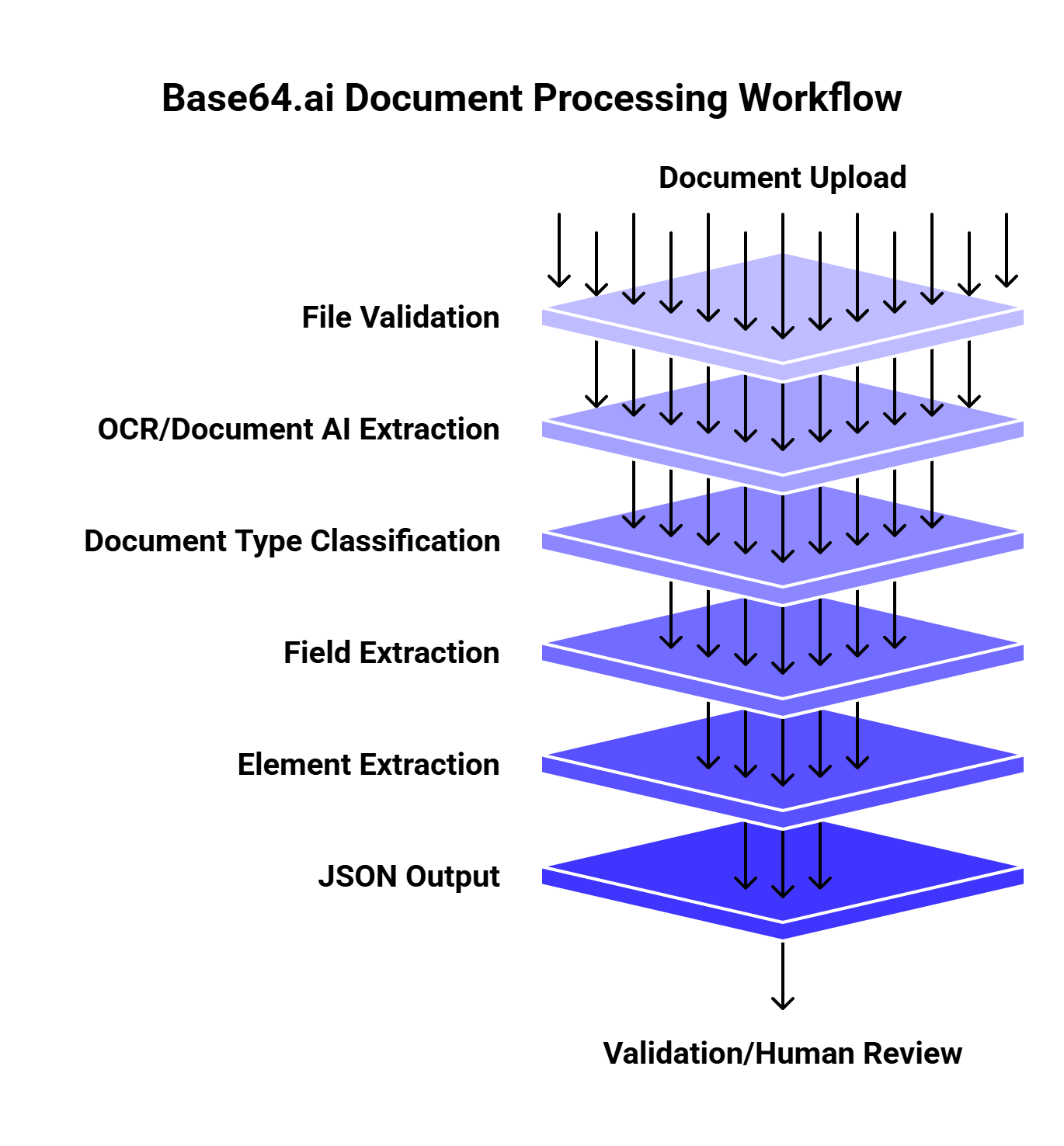
This setup works well because document processing usually has several steps. A receipt and a passport should not be handled with the same field schema. A tax form may need checkbox extraction. An invoice may need table extraction. An ID may need a face image and signature. A check may need validation fields.
Base64.ai’s platform page describes this as an “ingest, understand, act” flow. It ingests structured and unstructured documents, images, and multimedia in 50+ file formats, uses pre-trained models and AI capabilities to understand documents, and can pass data into downstream systems through integrations.
For developers, that means Base64.ai can sit between messy document uploads and clean application logic.
The biggest benefit is that Base64.ai can extract more than text.
| Feature | Why it matters |
| Text extraction | Converts printed or scanned text into machine-readable output |
| Handwriting support | Helps with forms, notes, claims, checks, and handwritten fields |
| Table extraction | Important for invoices, statements, line items, and forms |
| Photos | Useful for IDs, passports, licenses, and application packets |
| Signatures | Needed for checks, IDs, contracts, forms, and authorization workflows |
| Barcodes | Useful for IDs, shipping labels, tickets, forms, and inventory workflows |
| Checkboxes and radio buttons | Critical for structured forms and compliance packets |
| Document classification | Helps route invoices, IDs, receipts, and forms differently |
| JSON output | Makes extracted data easier to store, validate, and automate |
This is also why Base64.ai should be judged against Document AI platforms, not only traditional OCR APIs. A simple OCR API may read text accurately but still leave your team writing custom parsing logic for every document type.
Recent research supports that exact point. The 2025 paper TWIX: Automatically Reconstructing Structured Data from Templatized Documents argues that data extraction from templatized documents is difficult because tools often struggle with complex layouts, high latency, high cost, and manual effort. In its evaluations across 34 real-world datasets, TWIX achieved over 90% precision and recall on average and outperformed tools including Textract, Azure Document Intelligence, and GPT-4-Vision by more than 25% in precision and recall for its benchmark setting.
That does not mean every workflow should use TWIX. It does show something important: structure matters. If documents follow templates or semi-templates, extraction systems need to understand layout and repeated patterns, not just characters.
Base64.ai is strongest when the app needs structured document data, not just text.
Receipts look easy until you process them at scale. Store names vary. Totals may appear near taxes, tips, discounts, and card details. Photos are often blurry, angled, folded, or badly lit.
Base64.ai can help extract fields like merchant name, date, subtotal, tax, tip, total, payment method, and signature when available.
This is useful for:
Invoices are one of the clearest Base64.ai use cases because they often combine text, tables, totals, due dates, purchase order numbers, and line items.
An invoice extraction workflow may need:
| Field | Example |
| Vendor name | Northlake Office Supplies |
| Invoice number | INV-9281 |
| Invoice date | 2026-05-12 |
| Due date | 2026-06-12 |
| Line items | Product, quantity, unit price |
| Tax | $84.20 |
| Total | $1,248.90 |
| Payment terms | Net 30 |
Research on invoice extraction has shown why this is hard. The paper Abstractive Information Extraction from Scanned Invoices discusses extracting fields such as payee name, total amount, date, and address from scanned invoices and receipts. The authors frame invoice extraction as a way to reduce human effort and support search, indexing, analytics, and document streamlining.
That is exactly the business case for an OCR engine like Base64.ai: less manual keying, faster indexing, cleaner downstream workflows.
Identity documents need more than plain text extraction. A KYC or onboarding workflow may need names, document numbers, expiration dates, photos, signatures, barcodes, and validation checks.
Base64.ai’s platform page lists use cases across finance, banking, insurance, healthcare, logistics, and onboarding/KYC. Its feature set also includes face detection and verification, signature detection and verification, barcode detection, blur and glare detection, fraud detection, and PII redaction as advanced add-ons.
For developers, this matters because ID processing often needs a pipeline:
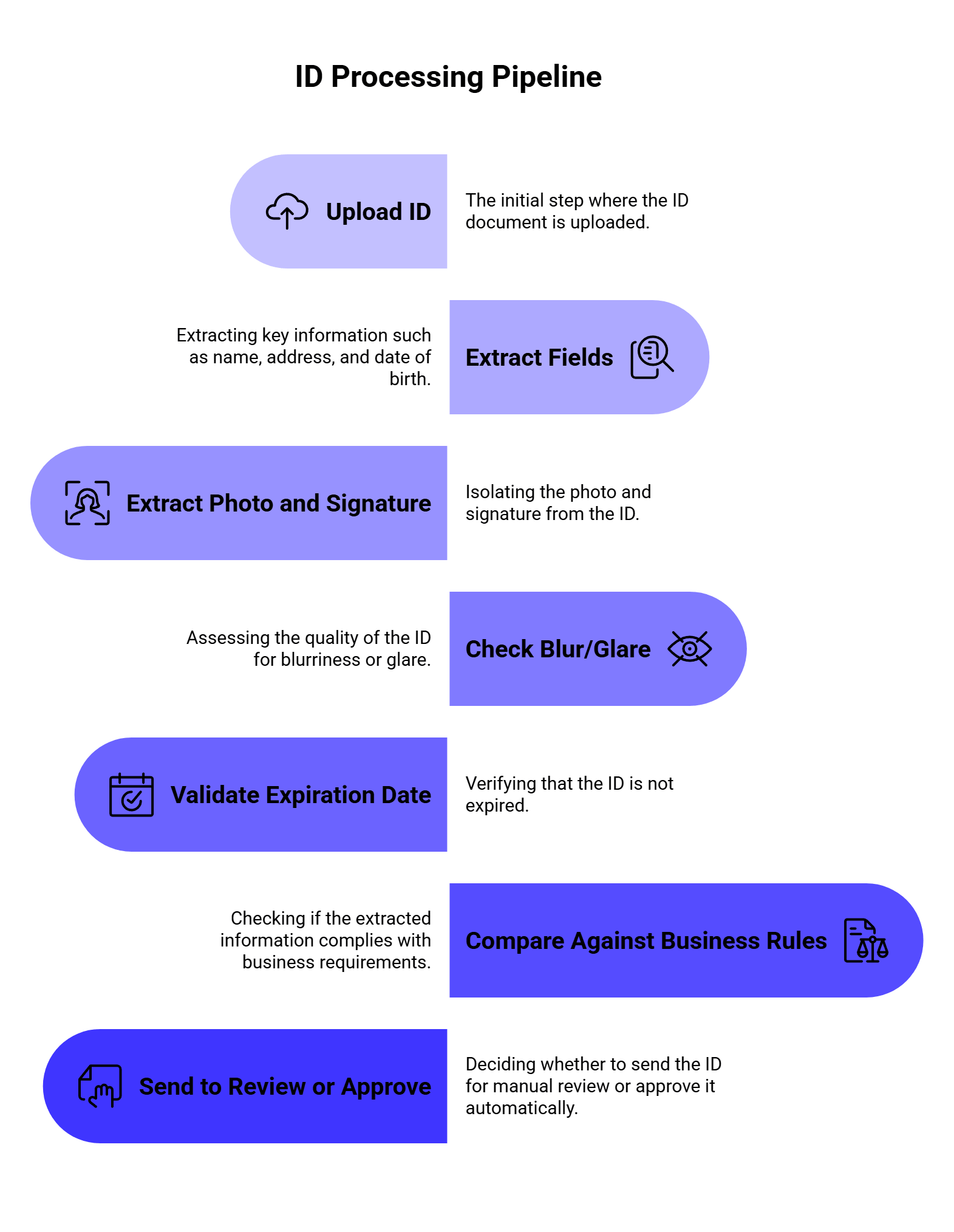
A basic OCR API can help with step two. A document intelligence platform can support more of the full workflow.
Forms create a different problem. The text may be readable, but the meaning depends on the layout.
For example:
[ ] Individual
[X] Business
The app needs to know the selected option, not just the visible text. That is why checkbox and radio button extraction matters.
Base64.ai’s Intelligent Document Processing page lists checkboxes and radio buttons as supported AI data extraction elements, along with barcodes, shape verification, and pre-processing features. This can help with insurance forms, HR paperwork, onboarding packets, medical forms, compliance checklists, and government forms.
Many real workflows do not process one clean document at a time. A single upload may include an ID, a bank statement, a utility bill, a signed form, and a receipt in one PDF.
That is where document splitting and classification matter. Base64.ai lists document splitter capabilities as an advanced add-on, and recent research points in the same direction. The 2026 paper IDP Accelerator: Agentic Document Intelligence from Extraction to Compliance Validation presents a framework for end-to-end document intelligence, including DocSplit for segmenting complex document packets, extraction modules, agentic analytics, and validation. The authors report a production deployment at a healthcare provider with 98% classification accuracy, 80% reduced processing latency, and 77% lower operational costs over legacy baselines.
That is a strong signal for developers: document extraction is moving toward full packet handling, not one-file-one-field OCR.
Base64.ai competes less with “free OCR text readers” and more with document intelligence systems like Amazon Textract, Google Document AI, Azure Document Intelligence, ABBYY, Docsumo, Nanonets, and newer VLM-first document parsers.
Here is the practical comparison:
| Tool type | Strongest fit | Tradeoff |
| Base64.ai | Broad document extraction, IDs, invoices, forms, receipts, cloud/on-prem workflows | Needs endpoint and plan review for your exact document types |
| Amazon Textract | AWS-native forms, tables, expense analysis, serverless workflows | Best if you already live in AWS |
| Google Document AI | GCP-native processors, document parsing, Gemini-based document workflows | Processor setup and GCP architecture matter |
| Azure Document Intelligence | Microsoft ecosystem, forms, invoices, Azure workflows | Best for Azure-first teams |
| ABBYY | Enterprise OCR and document capture | Often heavier enterprise setup |
| Nanonets / Docsumo | Business document automation and invoice workflows | May be more use-case/platform specific |
| Generic OCR APIs | Simple text extraction | Usually weak for structured fields and business logic |
| Vision LLMs | Flexible document reasoning | Cost, latency, consistency, and validation can be harder |
A 2026 LlamaIndex guide on top document parsing APIs explains that modern document parsing goes beyond traditional OCR because it needs to interpret layout, tables, sections, and structure. Another LlamaIndex guide on best OCR APIs compares options like LlamaParse, Google Cloud OCR, Amazon Textract, ABBYY, and DeepSeek-OCR by layout fidelity, structured outputs, workflow fit, and deployment tradeoffs.
That is the right lens for Base64.ai too. The question is not “Can it read text?” The stronger question is “Can it return the specific data your workflow needs with less custom code?”
We would put Base64.ai in the strongest category for teams that need broad document automation through one platform.
| Workflow need | Base64.ai fit |
| Receipts and invoices | Strong |
| IDs, licenses, passports | Strong |
| Signatures, photos, barcodes | Strong |
| Multi-format ingestion | Strong |
| Simple OCR-only extraction | Good, though may be more platform than needed |
| Large enterprise workflows | Strong |
| On-prem or air-gapped deployment | Strong fit based on API docs |
| One-off hobby OCR | Probably too much platform |
Base64.ai is strongest when the workflow has multiple document types, field extraction needs, and automation steps. If all you need is to read text from a few images, a basic OCR API may be enough. If you need structured extraction across receipts, invoices, IDs, checks, forms, tables, signatures, and barcodes, Base64.ai becomes much more relevant.
Structured JSON is one of the biggest reasons developers use OCR APIs in the first place.
A clean JSON response makes it easier to:
| Action | Why it helps |
| Store fields in a database | No manual parsing needed |
| Validate extracted data | Check dates, totals, IDs, and required fields |
| Route documents | Send invoices to AP, IDs to KYC, receipts to expenses |
| Trigger workflows | Approve, reject, flag, or queue documents |
| Search documents | Index by extracted fields |
| Use LLMs downstream | Send clean fields into summarization or reasoning tasks |
The 2025 paper Hybrid OCR-LLM Framework for Enterprise-Scale Document Information Extraction shows why structure-aware extraction matters in enterprise settings. The authors evaluated 25 configurations across direct, replacement, and table-based extraction approaches. Their table-based methods reached F1=1.0 with 0.97s latency for structured documents and F1=0.997 with 0.6s latency for challenging image inputs when integrated with PaddleOCR. They also reported a 54x performance improvement over naive multimodal approaches.
The practical takeaway is simple: for high-volume document tasks, pure “send the whole image to a model and hope” workflows can be wasteful. A better system uses OCR, layout structure, tables, schemas, and validation together.
That is the kind of workflow where Base64.ai’s labeled JSON approach makes sense.
Manual document processing usually has four painful steps:
Base64.ai can reduce that work by turning documents into structured outputs that software can process automatically.
| Manual step | Automated version with Base64.ai |
| Identify document type | Classify document automatically |
| Read text and fields | Extract OCR text, fields, tables, photos, signatures |
| Type data into systems | Return JSON to app, database, RPA, or workflow |
| Check key values | Add validation, review queues, or human-in-the-loop checks |
| Route documents manually | Route by document type, extracted field, or confidence |
The strongest workflows still include review logic. For example, if confidence is low, the total does not match line items, or a required field is missing, the document can go to a human queue. The goal is not to remove humans from every edge case. The goal is to stop humans from typing the same predictable fields all day.
A simplified API workflow may look like this:
1. User uploads a PDF, receipt photo, ID scan, or form.
2. Your app validates file type, size, and basic quality.
3. The app sends the file to Base64.ai through the API.
4. Base64.ai classifies the document and extracts fields.
5. Your app receives labeled JSON.
6. You validate required fields and confidence.
7. Clean records go into your database or workflow.
8. Unclear records go to manual review.
A simple pseudo-response might look like:
{
“document_type”: “receipt”,
“merchant_name”: “Green Market”,
“transaction_date”: “2026-06-12”,
“subtotal”: 42.15,
“tax”: 3.48,
“tip”: 5.00,
“total”: 50.63,
“currency”: “USD”,
“signature_detected”: true
}
For invoices, the structure might include line items:
{
“document_type”: “invoice”,
“vendor_name”: “Northlake Office Supplies”,
“invoice_number”: “INV-9281”,
“invoice_date”: “2026-05-12”,
“due_date”: “2026-06-12”,
“line_items”: [
{
“description”: “Printer paper”,
“quantity”: 10,
“unit_price”: 8.99,
“amount”: 89.90
}
],
“total_due”: 1248.90
}
The exact response depends on the document type, endpoint, plan, and configuration. Before production, developers should test with their own document samples and map the response schema into the app’s database model.
Do not test OCR with five perfect PDFs. That will give you a cute demo and very little truth.
Use documents that look like your actual workflow:
| Test document | Why it matters |
| Clean PDF invoice | Shows best-case extraction |
| Scanned invoice | Tests OCR quality |
| Phone photo receipt | Tests blur, glare, shadows, and angles |
| Handwritten form | Tests handwriting support |
| Multi-page PDF packet | Tests classification and splitting needs |
| ID photo with glare | Tests image quality handling |
| Passport scan | Tests MRZ and identity fields |
| Form with checkboxes | Tests layout and selected options |
| Table-heavy invoice | Tests line-item extraction |
| Rotated or skewed document | Tests pre-processing |
| Low-resolution file | Tests failure behavior |
| Non-English document | Tests language support |
Base64.ai lists OCR in 165+ languages and handwriting support on its pricing page, so multilingual and handwritten samples should be part of the test set if they appear in your product.
Also test the boring things. File size limits, response time, failed uploads, retries, duplicate documents, unreadable images, and partially missing fields matter just as much as extraction accuracy.
OCR extraction should not automatically mean “approved.”
Even a strong document AI system needs guardrails. Add validation rules before extracted data enters your core systems.
| Validation rule | Example |
| Required fields | Invoice must include vendor, date, total |
| Date format | Expiration date must be valid and future-facing |
| Amount checks | Invoice total should match subtotal + tax |
| ID checks | ID number format should match expected country/state |
| Duplicate detection | Same invoice number and vendor should not be processed twice |
| Confidence threshold | Low-confidence fields go to review |
| File quality checks | Blurry, cropped, or glare-heavy files get flagged |
| Human review trigger | Missing total, bad signature, or unreadable table goes to queue |
Validation is especially important when extracted data triggers payments, approvals, KYC decisions, claims processing, or compliance reporting.
Base64.ai can extract the document data. LLMs can help interpret, summarize, classify, and route that data.
For example:
| OCR output | LLM workflow |
| Invoice fields | Summarize vendor risk or flag unusual terms |
| Receipt data | Categorize expense type |
| ID fields | Generate review notes for support agents |
| Form fields | Explain missing information |
| Contract text | Summarize obligations or renewal dates |
| Claim packet | Extract timeline and next steps |
This is where many teams combine OCR, Document AI, and LLM routing. Base64.ai handles extraction. A downstream LLM can explain, summarize, classify, or generate a response based on the extracted fields.
The 2026 IDP Accelerator paper shows the same industry direction: document intelligence is moving from extraction alone toward classification, extraction, analytics, and rule validation in one workflow. For developers, that means the OCR step should produce clean enough data for downstream reasoning and automation.
Some teams now ask: why use OCR at all if a vision model can read documents?
Vision LLMs can be useful, especially for flexible reasoning over messy files. But they also bring tradeoffs: cost, latency, reproducibility, schema consistency, and validation.
| Approach | Best for | Watch out for |
| Base64.ai OCR / Document AI | Structured extraction across known business documents | Test exact document types and output fields |
| Vision LLMs | Flexible questions about document content | Cost, latency, hallucination, inconsistent JSON |
| OCR + LLM hybrid | Extraction plus reasoning or summarization | Needs validation and routing |
| Template-based extraction | High-volume repeated document layouts | Less flexible for unknown formats |
The Hybrid OCR-LLM Framework paper is useful here because it shows that OCR+structure-aware methods can outperform naive multimodal approaches in copy-heavy enterprise document extraction. The TWIX paper also shows that template structure can make extraction faster and cheaper at scale.
So the better question is usually not “OCR or LLM?” It is “Which parts of the workflow need extraction, and which parts need reasoning?”
Documents can contain sensitive data: names, addresses, tax IDs, signatures, faces, bank details, medical records, invoices, passports, and financial information.
Before sending documents to any OCR API, developers should ask:
| Question | Why it matters |
| Where is data processed? | Region and deployment affect compliance |
| Can the platform run on-premises? | Important for regulated environments |
| Are files stored? | Retention rules affect privacy |
| Is data used for training? | Sensitive documents may require strict controls |
| Are audit logs available? | Needed for compliance and debugging |
| Are access controls supported? | Prevents unauthorized document access |
| Can PII be redacted? | Helps with privacy workflows |
| Are certifications available? | Needed for enterprise procurement |
Base64.ai’s platform page lists cloud or on-premises deployment, ISO 27001, SOC 2, HIPAA, and GDPR certifications, and says its enterprise-grade security approach is built with privacy in mind. Its pricing page also lists PII redaction, fraud detection, and other advanced add-ons.
For regulated workflows, these details should be reviewed with legal, security, and compliance teams before production use.
Base64.ai’s pricing page currently highlights “1 cent OCR” for base document processing features and annual plans starting at 1,000 pages/month. It also separates OCR, Document AI, advanced add-ons, and enterprise capabilities.
That matters because the real cost depends on what you use.
| Cost factor | Why it matters |
| Pages per month | Base volume driver |
| OCR vs Document AI | Advanced extraction may cost differently |
| Add-ons | PII redaction, fraud detection, barcode detection, and verification can change cost |
| File type mix | PDFs, images, and multi-page packets may behave differently |
| Manual review | Human-in-the-loop verification still has operational cost |
| Failed or low-quality files | Bad input may create reprocessing work |
| Integration time | API setup, mapping, validation, and review UI take engineering effort |
| Deployment model | Cloud and on-premises costs differ |
The most useful cost metric is not “price per page” alone. It is:
cost per successfully processed document
That includes API cost, review cost, error handling, integration time, and the value of labor saved.
Before going live, use this checklist:
| Area | What to confirm |
| Document types | Receipts, invoices, IDs, forms, checks, passports, etc. |
| File formats | PDF, JPG, PNG, DOCX, and other required formats |
| Fields | Required output fields for each document type |
| Confidence handling | Thresholds for auto-approve vs manual review |
| Validation | Date, total, ID number, duplicate, and required-field checks |
| Error handling | Failed uploads, unreadable pages, timeouts, retries |
| Security | Data retention, access control, region, certifications |
| Integration | API response mapping into your app/database |
| Review flow | Human-in-the-loop queue for uncertain documents |
| Monitoring | Accuracy, latency, cost, review rate, failure rate |
The best Base64.ai integration is not just “call the API and save the result.” It is a full pipeline with validation, fallback rules, and review logic.
Real documents are blurry, cropped, folded, rotated, and full of weird layouts. Your test set should include bad files.
Always validate totals, dates, IDs, required fields, and confidence levels.
Invoice totals are useful, but line items often matter for AP, analytics, and audit workflows.
A packet with three document types needs routing before extraction rules can work well.
A cheaper API can become expensive if it creates more manual review work.
Documents often contain PII, signatures, faces, and financial data. Security review should happen before production, not after launch.
Base64.ai OCR is part of the Base64.ai Document Intelligence Platform. It extracts text and structured data from documents such as receipts, IDs, invoices, checks, forms, passports, and many other file types.
Base64.ai says it can process PDFs, images, DOCX files, and many other formats. Its pricing page lists 93 file formats, OCR in 165+ languages, handwriting support, multi-modal ingestion, and API access.
Basic OCR reads text. Base64.ai focuses on document understanding: classifying document types, extracting labeled fields, reading tables, photos, signatures, barcodes, checkboxes, and returning structured JSON.
Yes, invoices are one of the clearest use cases. Developers can use Base64.ai to extract vendor names, invoice numbers, dates, totals, tax, and line items, then send that data into AP, ERP, accounting, or review workflows.
Yes. Base64.ai supports identity document workflows, including IDs, driver’s licenses, passports, visas, and related document types. Its platform also lists face detection, signature verification, barcode detection, blur/glare detection, and fraud detection as advanced capabilities.
Yes. Base64.ai’s platform messaging focuses on converting documents into labeled JSON, which helps developers store, validate, route, and automate extracted data.
Base64.ai’s API documentation says its AI technology can run in the cloud and in air-gapped, on-premises, offline data centers, with the same API across deployments, though some functions may vary by environment.
Use Base64.ai when you need structured extraction from business documents. Use vision LLMs when you need flexible reasoning or open-ended questions about document content. Many production workflows can use both: Base64.ai for extraction, then an LLM for summarization, classification, or decision support.
Base64.ai OCR helps developers turn messy documents into structured data that software can actually use. That is the real value.
Receipts, IDs, invoices, forms, checks, and passports are full of fields that people usually type by hand. Base64.ai can extract text, tables, photos, signatures, barcodes, and labeled fields, then return the result as JSON for apps, databases, automation tools, and review workflows.
The strongest use cases are document-heavy processes: AP automation, KYC, expense management, insurance claims, logistics, onboarding, compliance, and internal operations.
The best way to evaluate Base64.ai is to test it with your actual documents. Use clean files, bad scans, photos, handwriting, long PDFs, multi-document packets, non-English samples, and table-heavy invoices. Then measure extraction quality, review rate, latency, cost, and how much manual work disappears.
Good OCR reads the page. Good document intelligence helps your system understand what to do with it.
Rate limits are one of those problems that look small during testing and suddenly become very real in production. Your demo works fine with five requests. Then users arrive, traffic spikes, one provider starts returning 429 errors, another model slows down, and your app has to decide what to do next.
For LLM apps, this gets even messier because every request has two moving parts: the number of calls and the number of tokens. A short classification prompt and a long document-analysis prompt may both count as one request, but they use very different amounts of capacity and money.
That is why rate limits and fallbacks should be part of the architecture from the beginning. With LLMAPI, teams can route requests across 200+ models, manage provider keys in one place, monitor usage and reliability, compare model costs, and use built-in fallback handling through a unified gateway. This gives developers a cleaner way to build around provider limits instead of hardcoding one model into the app and hoping it always works.
In this guide, we’ll walk through how rate limits work, when to retry, when to fallback, how to design a fallback chain, and how to use LLMAPI as the control layer for more reliable multi-provider AI workflows.
This guide was prepared by a technical content team with 6 years of experience researching APIs, AI infrastructure, SaaS tools, and developer platforms. Our work focuses on turning technical documentation, pricing details, provider behavior, and engineering patterns into practical guides for developers and product teams.
For this article, we reviewed official rate-limit documentation from OpenAI, Anthropic, and Google Gemini, along with Google Cloud’s guidance on reducing 429 errors on Vertex AI. We also looked at recent research on LLM routing, multi-provider workflows, tool-output handling, and multi-tenant SaaS security.
Our goal is practical: explain how teams can keep LLM apps stable when provider limits, traffic spikes, outages, and model differences start affecting real users.
The best setup is usually a layered one:
| Layer | What it does | Why it matters |
| Request pacing | Slows down traffic before limits are hit | Prevents avoidable 429 errors |
| Token budgeting | Tracks input/output token usage per model | Protects TPM limits and cost |
| Retry with backoff | Retries temporary failures after a delay | Recovers without hammering the provider |
| Fallback routing | Sends failed requests to another model/provider | Keeps the app working during limits or outages |
| Circuit breaker | Stops sending traffic to unhealthy models | Prevents repeated failures |
| Queueing | Buffers non-urgent tasks | Keeps batch jobs from hurting live traffic |
| Monitoring | Tracks error rate, latency, spend, and fallback usage | Helps teams fix root causes instead of guessing |
In LLMAPI, the practical pattern looks like this:
That last part matters a lot. Fallbacks save availability, but they can also change cost, response quality, latency, and output style.
Rate limits control how much traffic your app can send to an API within a specific time window. Traditional APIs often limit simple request volume, such as “100 requests per minute.” LLM APIs usually add token-based limits because model usage depends heavily on prompt size and response length.
For example, Gemini API documentation explains that rate limits are commonly measured across requests per minute (RPM), input tokens per minute (TPM), and requests per day (RPD). Anthropic’s Claude API docs describe rate limits across requests per minute, input tokens per minute, and output tokens per minute for each model class.
That means your app can hit a limit in several ways:
| Limit type | What it means | Example problem |
| RPM | Requests per minute | Too many users send prompts at once |
| TPM | Tokens per minute | A few long prompts consume the whole token budget |
| RPD | Requests per day | A free or lower-tier project hits daily quota |
| Concurrency | Requests running at the same time | Too many long generations run in parallel |
| Output token limit | Response length exceeds allowed output | The model stops early or fails |
| Provider capacity | Shared capacity is temporarily constrained | Valid requests receive 429/503 responses |
The hard part is that users usually do not care which limit was hit. They only see that the app slowed down or failed. So your architecture needs to decide what to do before the error becomes a bad user experience.
LLM rate limits are harder to manage than many normal API limits because usage is less predictable.
A search request or payment API call usually has a fairly stable shape. A model request can vary wildly. One user asks for a one-sentence answer. Another pastes a 30-page contract. A third user starts an agent workflow that calls the model 15 times in a row.
That creates three practical problems:
| Problem | What happens |
| Token spikes | A small number of long prompts can burn through TPM quickly |
| Burst traffic | A sudden traffic spike can trigger 429 errors even if average usage looks fine |
| Agent loops | Multi-step agents can multiply calls without users noticing |
Google’s guide to reducing 429 errors on Vertex AI recommends smart retries, global routing, context caching, prompt optimization, and traffic shaping. Those ideas apply beyond Vertex AI because the underlying problem is the same: LLM workloads need pacing, routing, and token control.
LLMAPI works as a unified gateway between your application and multiple LLM providers. According to the LLMAPI website, the platform supports an OpenAI-compatible API format, multi-provider access, performance monitoring, secure key management, cost-aware analytics, per-model/provider breakdowns, error and reliability monitoring, smart routing, and built-in fallback handling.
That matters because direct model integrations get messy fast.
If your app calls only one provider directly, rate-limit handling is simple at first. You check for a 429 error, wait, and retry. Then your product grows. You add another model for cheaper classification, another provider for long-context tasks, another backup for outages, and another model for premium users. Suddenly, rate limits live in five dashboards and every provider reports errors differently.
LLMAPI gives teams one place to manage that routing layer. The app can keep one integration while LLMAPI handles provider choice, model routing, usage tracking, and fallback behavior behind the scenes.
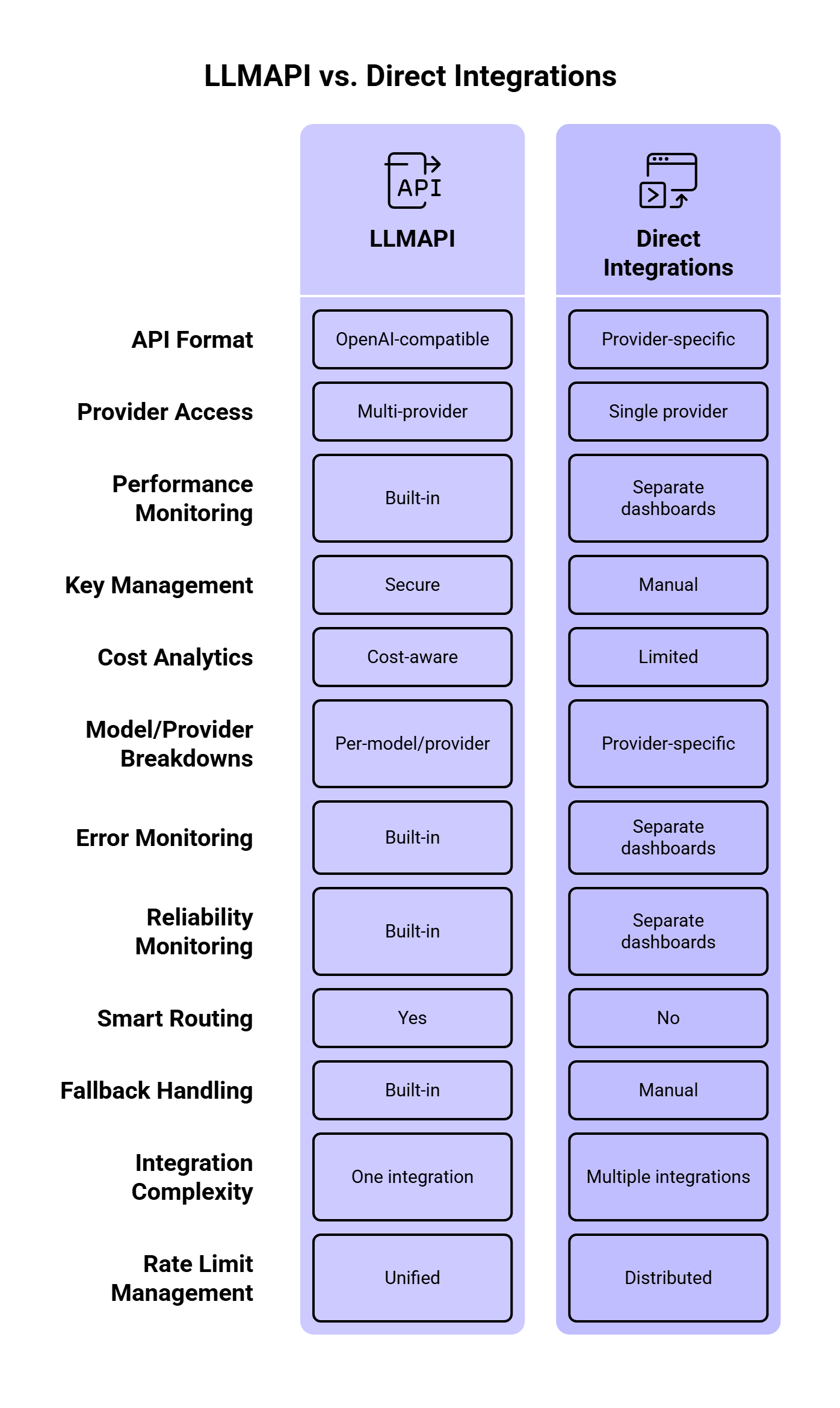
Most LLM teams eventually run into these errors:
| Error / signal | What it usually means | Best response |
| 429 Too Many Requests | Rate limit or quota exceeded | Wait, retry with backoff, or fallback |
| 503 Service Unavailable | Provider overload or temporary outage | Retry, then fallback |
| Timeout | Model took too long or connection failed | Retry once, then fallback or queue |
| Context length error | Prompt is too large | Reduce prompt, summarize context, or use a larger-context model |
| Quota/billing error | Account quota, tier, or billing issue | Stop retries and alert the team |
| Safety/policy error | Provider rejected the request | Avoid fallback unless policy behavior is understood |
A key detail: failed retries can still consume capacity. OpenAI’s rate-limit guide recommends exponential backoff with jitter and also notes that unsuccessful requests contribute to per-minute limits. So if your app retries too aggressively, it can make the problem worse.
Retries and fallbacks solve different problems.
A retry is useful when the same provider may recover quickly. A fallback is useful when waiting is likely to hurt the user experience or when a provider/model is temporarily unavailable.
| Situation | Retry first? | Fallback? | Why |
| Temporary 429 with Retry-After header | Yes | Maybe | The provider tells you when to retry |
| Short timeout | Yes | Yes after 1–2 retries | Could be a network blip |
| Provider outage | No or minimal | Yes | Waiting may waste time |
| Model-specific capacity issue | Maybe | Yes | Another model may have capacity |
| Context length error | No | Use larger-context model or shorten prompt | Same request will keep failing |
| Billing/quota exhaustion | No | Yes, if another provider is configured | Retrying the same route will fail |
| Safety/policy rejection | Usually no | Carefully | Providers may behave differently |
A good LLMAPI setup should treat 429 errors, timeouts, provider overload, and quota issues differently. One generic “retry everything three times” rule is easy to build, but it creates messy production behavior.
Before adding fallback logic, define what each user, team, environment, and workload is allowed to consume.
A good policy usually includes:
| Policy | Example |
| Per-user RPM | 20 chat requests per minute |
| Per-team TPM | 500K tokens per hour |
| Per-environment limits | Lower limits for staging and dev |
| Per-model access | Premium models only for paid users |
| Daily spend cap | Stop or downgrade after budget threshold |
| Priority levels | Production traffic gets priority over batch jobs |
This matters because rate limits should protect both reliability and cost. A runaway script in staging should never consume the same provider quota as a live customer workflow.
LLMAPI’s cost-aware analytics and per-model/provider breakdowns are useful here because teams can see requests, tokens, spend, and provider-level usage from one dashboard.
When a provider returns a temporary rate-limit error, immediate retries are usually a bad idea. If 1,000 requests fail and all 1,000 retry instantly, you get a second traffic spike right after the first one.
OpenAI recommends random exponential backoff for rate-limit errors. Google’s Vertex AI guidance also recommends exponential backoff with jitter for temporary overload errors like 429 and 503.
A simple pattern:
async function retryWithBackoff<T>(
  fn: () => Promise<T>,
  maxRetries = 3,
  baseDelayMs = 500
): Promise<T> {
  let lastError: unknown;

  for (let attempt = 0; attempt <= maxRetries; attempt++) {
    try {
      return await fn();
    } catch (error: any) {
      lastError = error;

      const retryable =
        error.status === 429 ||
        error.status === 503 ||
        error.code === "ETIMEDOUT";

      if (!retryable || attempt === maxRetries) {
        throw error;
      }

      const jitter = Math.random() * 250;
      const delay = baseDelayMs * Math.pow(2, attempt) + jitter;

      await new Promise((resolve) => setTimeout(resolve, delay));
    }
  }

  throw lastError;
}
This gives the provider time to recover and spreads retry traffic across slightly different moments.
When a provider gives you a retry window, use it.
Anthropic’s rate-limit documentation says that when a limit is exceeded, the API returns a 429 error with a retry-after header indicating how long to wait. This is better than guessing.
A practical rule:
function getRetryDelayMs(error: any, fallbackDelayMs = 1000): number {
  const retryAfter = error.headers?.["retry-after"];

  if (retryAfter) {
    const seconds = Number(retryAfter);
    if (!Number.isNaN(seconds)) {
      return seconds * 1000;
    }
  }

  return fallbackDelayMs;
}
Use provider headers first, then your own exponential backoff rule when no header is available.
Fallbacks keep the app running when the primary model cannot serve a request. In LLMAPI, this is where multi-provider routing becomes valuable.
A fallback chain should be intentional. A cheap model may work as a fallback for classification, but a legal review assistant may need a model with similar reasoning quality. A fast model may be fine for internal summaries, while customer-facing responses may need stronger guardrails and better instruction-following.
A useful fallback chain can look like this:
| Task type | Primary model | Fallback 1 | Fallback 2 | Notes |
| Simple classification | Low-cost fast model | Similar cheap model | Stronger model | Optimize for cost |
| Customer support reply | Balanced model | Similar quality model | Premium model | Keep tone and quality stable |
| Long document summary | Long-context model | Another long-context model | Queue for later | Avoid context errors |
| Internal data extraction | Cost-efficient model | Deterministic parser + LLM | Queue | Accuracy matters more than speed |
| Real-time chat | Fast model | Another fast model | Short apology + retry option | Latency matters most |
Orq’s AI Router retry/fallback docs recommend keeping fallback chains short, using a maximum of three fallback models, and choosing models with similar capabilities. That is a good production rule. Long fallback chains can hide problems, increase latency, and create output inconsistency.
A circuit breaker temporarily stops traffic from going to a provider or model after repeated failures.
Without a circuit breaker, your app may keep sending requests to a route that is already failing. That wastes time, increases user-facing latency, and can burn more rate-limit capacity.
A simple circuit breaker rule:
| Signal | Action |
| Error rate above 20% for 2 minutes | Stop routing new traffic to that model |
| p95 latency above threshold | Reduce traffic share |
| Repeated 429s | Pause route until reset window |
| Provider outage | Switch to fallback provider |
| Recovery checks pass | Gradually restore traffic |
Kong’s AI Gateway docs list retry and fallback, rate limiting, semantic routing, load balancing, metrics, audit logs, and cost control as gateway capabilities. These features work best together. Rate limits tell you when traffic is too high, fallbacks provide another path, and circuit breakers keep unhealthy paths from dragging down the whole system.
Live user requests and background jobs should have different limits. A chatbot response needs to come back quickly. A nightly data-enrichment job can wait. If both share the same provider quota, a batch job can accidentally break the live app.
A better setup:
| Traffic type | Priority | Recommended handling |
| Live chat | High | Fast model, short retries, quick fallback |
| Support automation | High | Reliable model, quality-matched fallback |
| Bulk summarization | Medium | Queue, batch, lower-cost model |
| Offline tagging | Low | Delay-friendly queue |
| Experiments | Low | Strict budget and token caps |
Google’s Vertex AI guidance suggests using different consumption patterns for different workloads, including provisioned throughput for essential real-time traffic and batch or flexible options for latency-tolerant jobs. The same idea applies when you design LLMAPI routing policies.
A lot of rate-limit problems are token problems in disguise.
If your prompt sends the same long system instructions, full conversation history, oversized JSON schemas, and unused context on every request, you burn through TPM faster than needed.
Ways to reduce token pressure:
| Technique | How it helps |
| Summarize long chat history | Reduces repeated context |
| Cache repeated prompts | Avoids paying for similar work again |
| Trim unused documents | Reduces input tokens |
| Use smaller models for simple tasks | Saves premium quota |
| Set response length caps | Controls output token usage |
| Compress structured context | Keeps prompts smaller |
| Split long workflows | Sends each model only what it needs |
Google recommends context caching, prompt optimization, and traffic shaping as ways to reduce 429 errors on Vertex AI. LLMAPI also highlights semantic caching and cost-aware routing, which can help teams avoid paying for identical or similar requests repeatedly.
Fallbacks can keep the app available, but they can also change the response.
Different models may vary in tone, formatting, refusal behavior, JSON reliability, tool-calling behavior, and latency. So every fallback should have quality checks.
Track these fields:
| Metric | Why it matters |
| Fallback rate | Shows how often primary routes fail |
| Retry rate | Reveals provider pressure or bad pacing |
| Fallback model output quality | Confirms backup models can do the task |
| JSON/schema failure rate | Shows whether fallback models break structured output |
| p95 latency | Measures user impact |
| Cost per successful request | Shows fallback cost impact |
| User correction rate | Helps detect worse fallback answers |
Recent research makes this point stronger. The paper How Good Are LLMs at Processing Tool Outputs? found that LLMs can struggle with structured tool outputs, and different processing strategies caused performance differences from 3% to 50%. If your primary model reliably returns clean JSON and your fallback model does not, the fallback can keep the request alive while still breaking the workflow.
So for structured outputs, validate the response before returning it or sending it to the next step.
Rate limits and fallbacks are hard to debug without logs.
At minimum, log:
{
  "request_id": "req_123",
  "user_id": "user_456",
  "route": "support_reply",
  "primary_model": "model_a",
  "final_model": "model_b",
  "fallback_used": true,
  "retry_count": 2,
  "error_code": 429,
  "latency_ms": 4200,
  "input_tokens": 1800,
  "output_tokens": 420,
  "estimated_cost": 0.014
}
You want to answer questions like:
LLMAPI’s dashboard features, including cost-aware analytics, per-model/provider breakdowns, and reliability monitoring, are useful because rate-limit debugging needs visibility across models and providers.
A raw 429 error is awful UX.
For internal tools, you can be direct:
We hit the current model’s rate limit. Retrying in a few seconds.
For customer-facing apps, keep it calmer:
This request is taking longer than usual. We’re trying another model now.
For queued tasks:
Your request is queued and will run when capacity is available.
Avoid showing provider names, quota numbers, or internal fallback chains to end users unless the product is built for developers. Most users only need to know whether they should wait, retry, or expect a delayed result.
Here is a simple production-ready flow:
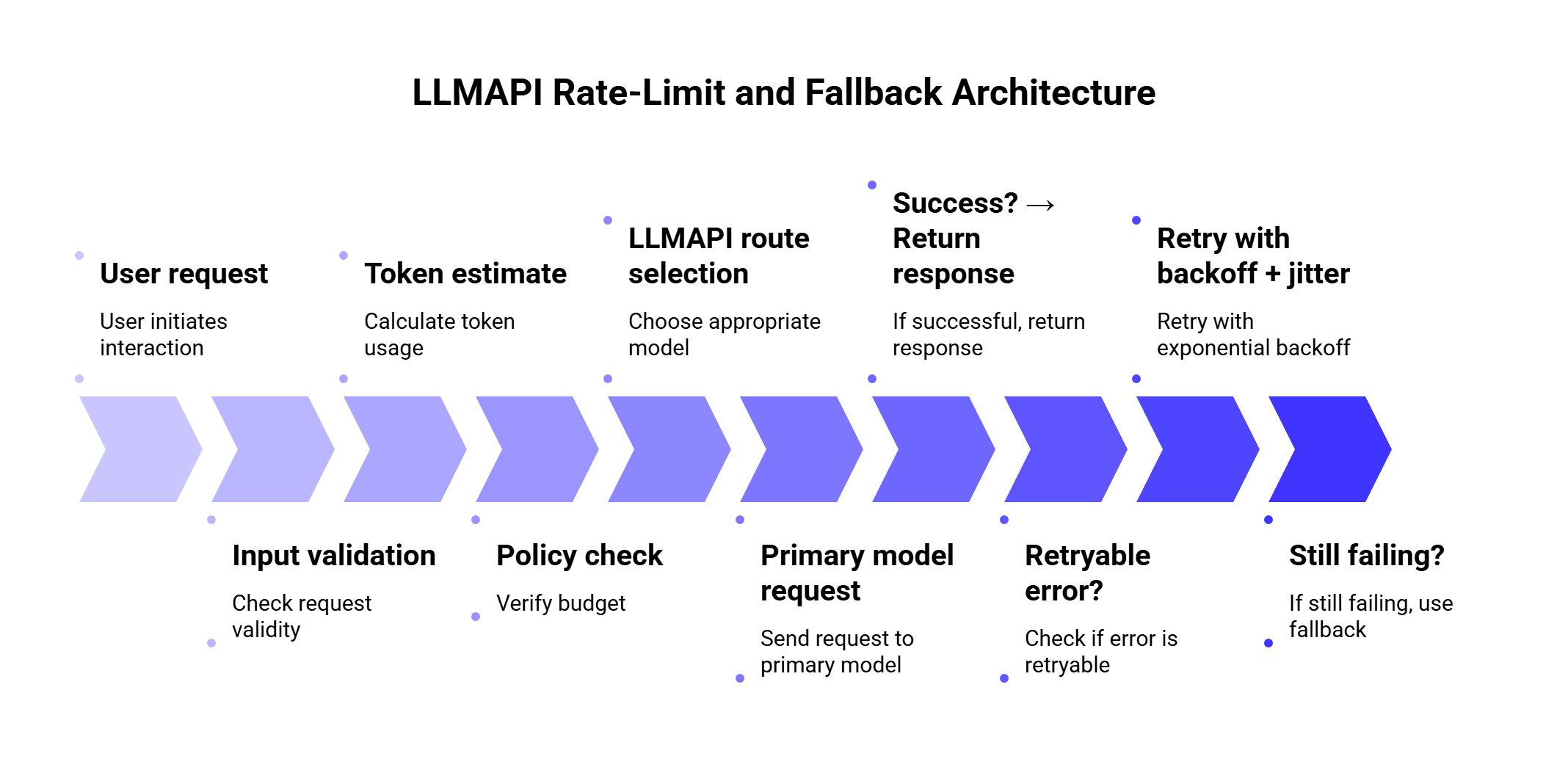
This gives you a safer default because every request goes through budget checks, routing, retries, fallback, validation, and monitoring.
Here is a simplified TypeScript-style example. The exact fields depend on your app and LLMAPI setup, but the logic is the important part.
type LLMRequest = {
  route: "support_reply" | "classification" | "summary";
  prompt: string;
  userId: string;
};

const fallbackChains = {
  support_reply: ["primary-balanced", "backup-balanced", "premium-safe"],
  classification: ["cheap-fast", "backup-cheap", "balanced"],
  summary: ["long-context-primary", "long-context-backup"]
};

async function callWithFallback(request: LLMRequest) {
  const models = fallbackChains[request.route];

  let lastError: any;

  for (const model of models) {
    try {
      const response = await retryWithBackoff(() =>
        callLLMAPI({
          model,
          prompt: request.prompt,
          metadata: {
            user_id: request.userId,
            route: request.route
          }
        })
      );

      await validateResponse(response, request.route);

      return {
        response,
        final_model: model,
        fallback_used: model !== models[0]
      };
    } catch (error: any) {
      lastError = error;

      if (!isFallbackSafe(error)) {
        throw error;
      }

      await markRouteHealth(model, error);
    }
  }

  throw lastError;
}

function isFallbackSafe(error: any) {
  return (
    error.status === 429 ||
    error.status === 503 ||
    error.code === "ETIMEDOUT" ||
    error.code === "PROVIDER_UNAVAILABLE"
  );
}
The key idea: fallback on capacity and reliability problems. Be more careful with safety errors, validation errors, and context-length problems because switching models may create inconsistent behavior.
Usually two or three is enough.
One primary model and two fallbacks gives you a good balance between availability and control. Longer chains can create long waits, unexpected cost jumps, and inconsistent answers.
| Fallback setup | Best for |
| 1 primary + 1 fallback | Simple apps |
| 1 primary + 2 fallbacks | Most production apps |
| Cost-based routing + quality fallback | High-volume SaaS |
| Provider-diverse fallback | Apps that need higher availability |
| Queue after fallback failure | Batch or non-urgent work |
A practical chain should answer four questions:
If the answer to question four is unclear, add validation before shipping the output.
Fallbacks can quietly increase spend.
For example, imagine your default classification route uses a low-cost model. During traffic spikes, the system falls back to a premium model. The app stays available, which is good. Your bill also jumps, which may be very bad.
Use different fallback rules by task:
| Task | Cost strategy |
| Classification | Fallback to similar low-cost model first |
| Internal summaries | Queue before using premium model |
| Customer support | Use stronger fallback if user impact is high |
| Legal/finance content | Prefer quality over cost |
| Batch enrichment | Delay instead of escalating cost |
Recent routing research supports this kind of thinking. The 2026 paper Robust Batch-Level Query Routing for Large Language Models under Cost and Capacity Constraints studies routing under cost, GPU resource, and concurrency limits. The authors report that robust routing improved accuracy by 1–14% over non-robust counterparts, while batch-level routing outperformed per-query methods by up to 24% under adversarial batching.
That research is a useful reminder: routing decisions should consider cost and capacity together. A fallback that keeps quality high while destroying budget creates another production problem.
Fallbacks can also affect security and compliance.
If the primary route uses a provider approved for sensitive data, the fallback provider should meet the same requirements. Otherwise, a rate-limit event could accidentally send sensitive user content to a provider that was never approved for that data type.
Before enabling fallbacks, check:
| Security question | Why it matters |
| Can this provider process the same data category? | Prevents policy violations |
| Are logs stored safely? | Protects user prompts and outputs |
| Are API keys managed centrally? | Reduces leakage risk |
| Can teams audit fallback usage? | Helps compliance and debugging |
| Are tenant boundaries preserved? | Protects multi-tenant SaaS apps |
The 2026 paper Security Challenges of LLM Integration in Multi-Tenant SaaS identified 18 vulnerability classes and found that 12 had stronger impact in multi-tenant deployments than in single-tenant systems. That matters for LLM gateways because fallback routing, shared tools, and centralized provider access all need careful controls.
LLMAPI’s secure key management and centralized team access can help reduce key sprawl, but teams still need clear rules for which providers can handle which workloads.
Structured output deserves special care.
If your app expects JSON, the fallback model must follow the same schema. Otherwise, a successful fallback can still break the product.
Example:
{
  "intent": "refund_request",
  "urgency": "high",
  "language": "es",
  "summary": "Customer received a damaged order and needs help."
}
Validation checklist:
| Check | Example |
| Valid JSON | Can the response be parsed? |
| Required fields | Are intent, urgency, and summary present? |
| Allowed values | Is urgency one of low, medium, high? |
| Language consistency | Does response language match the request? |
| Safety constraints | Did the model include disallowed content? |
If validation fails, you can retry once with a stricter prompt, fallback to another model, or route to a queue/manual review.
Fast retries can make rate-limit issues worse. Use provider headers, exponential backoff, and jitter.
This keeps requests alive, but it can wreck cost control. Match fallback quality and cost to the task.
A fallback model should be able to produce the same format, tone, and task quality. If the response changes too much, users will notice.
Some teams track requests and forget tokens. With LLMs, token usage often matters more than request count.
A background job should never consume the same critical capacity as a live user flow without limits.
If a fallback happens and nobody can see it, debugging becomes guesswork.
Different providers can handle safety and compliance differently. Treat policy failures carefully.
Use this checklist before going live:
| Area | What to configure |
| Routing | Primary model per task type |
| Fallbacks | 1–2 backup models with similar capability |
| Retry policy | Exponential backoff, jitter, retry cap |
| Error handling | Different rules for 429, 503, timeout, quota, context errors |
| Token budgeting | Per-user/team/model token limits |
| Cost controls | Daily/monthly spend caps and model downgrade rules |
| Monitoring | Error rate, latency, retries, fallback rate, cost |
| Validation | JSON/schema checks for structured outputs |
| Security | Provider approvals by data type |
| User messaging | Clear messages for delay, queue, or temporary failure |
| Use case | Primary route | Fallback behavior |
| Chatbot | Fast balanced model | Retry once, then use similar model |
| Support assistant | Reliable model | Fallback to quality-matched provider |
| Bulk summarization | Cheap model | Queue before premium fallback |
| Intent classification | Low-cost model | Fallback to another low-cost model |
| Document extraction | Structured-output model | Validate JSON, retry with stricter prompt |
| Internal analytics | Batch model | Delay during limits |
| Customer-facing legal content | Premium model | Fallback only to approved premium model |
A rate limit controls how many requests or tokens can move through your LLM workflow within a specific time window. In an LLM gateway setup, limits can apply by user, team, provider, model, route, or environment.
A 429 error usually means the request exceeded a rate limit or quota. The best response depends on the provider and error details. In many cases, you should wait, retry with exponential backoff, or route to a fallback model.
Many 429 errors should retry first, especially when the provider sends a Retry-After header. Fallback makes sense when waiting would hurt the user experience, the primary route is repeatedly failing, or another provider/model has available capacity.
Two or three models in a chain is usually enough. Use one primary route and one or two fallbacks with similar capability. Long chains add latency and make quality harder to control.
It depends on the task. For classification and internal workflows, cheaper fallbacks often make sense. For customer-facing, legal, finance, or high-stakes outputs, use quality-matched fallbacks.
LLMAPI helps by giving teams a unified gateway for provider access, routing, usage tracking, cost analytics, secure key management, and fallback handling. This makes it easier to manage rate limits across multiple models and providers from one layer.
Track 429 errors, retry count, fallback rate, p95 latency, token usage, model/provider spend, validation failures, and user-facing errors. These metrics show whether the system is healthy or quietly leaning too much on fallbacks.
Rate limits are normal in LLM apps. Provider capacity changes, traffic spikes, users send long prompts, and agents can create more calls than expected. The goal is to design for that reality before users feel it.
A strong LLMAPI setup should combine token-aware limits, smart retries, short fallback chains, circuit breakers, cost controls, and clear monitoring. Retry temporary failures. Fallback when the primary route is unavailable or over capacity. Queue work that can wait. Validate structured outputs before they move deeper into the system.
LLMAPI gives teams a cleaner way to manage this across providers. Instead of scattering rate-limit logic, API keys, model choices, and fallback rules across the application, teams can centralize more of that behavior in one gateway.
The best fallback strategy is the one users barely notice. The request may retry, reroute, or wait behind the scenes, but the product still feels stable.
