
User-generated images help platforms grow, but they also create real risk. Social apps, marketplaces, forums, and dating products all need a way to catch explicit sexual content, graphic violence, hate symbols, and other unsafe uploads before they spread. Major platforms now treat image moderation as a standard safety layer, not an extra.
That is why AI moderation matters. User reports are too slow on their own. Modern moderation tools can scan images automatically and flag unsafe content before or after upload. Below, we look at why companies use these systems, how they work, which tools stand out, and what problems teams run into most often.
Why use AI for explicit content detection?
Human review still matters, but it cannot carry the whole job anymore. At scale, image moderation needs to happen before harmful content spreads, not after someone reports it.
Here is why AI has become a core part of that stack:
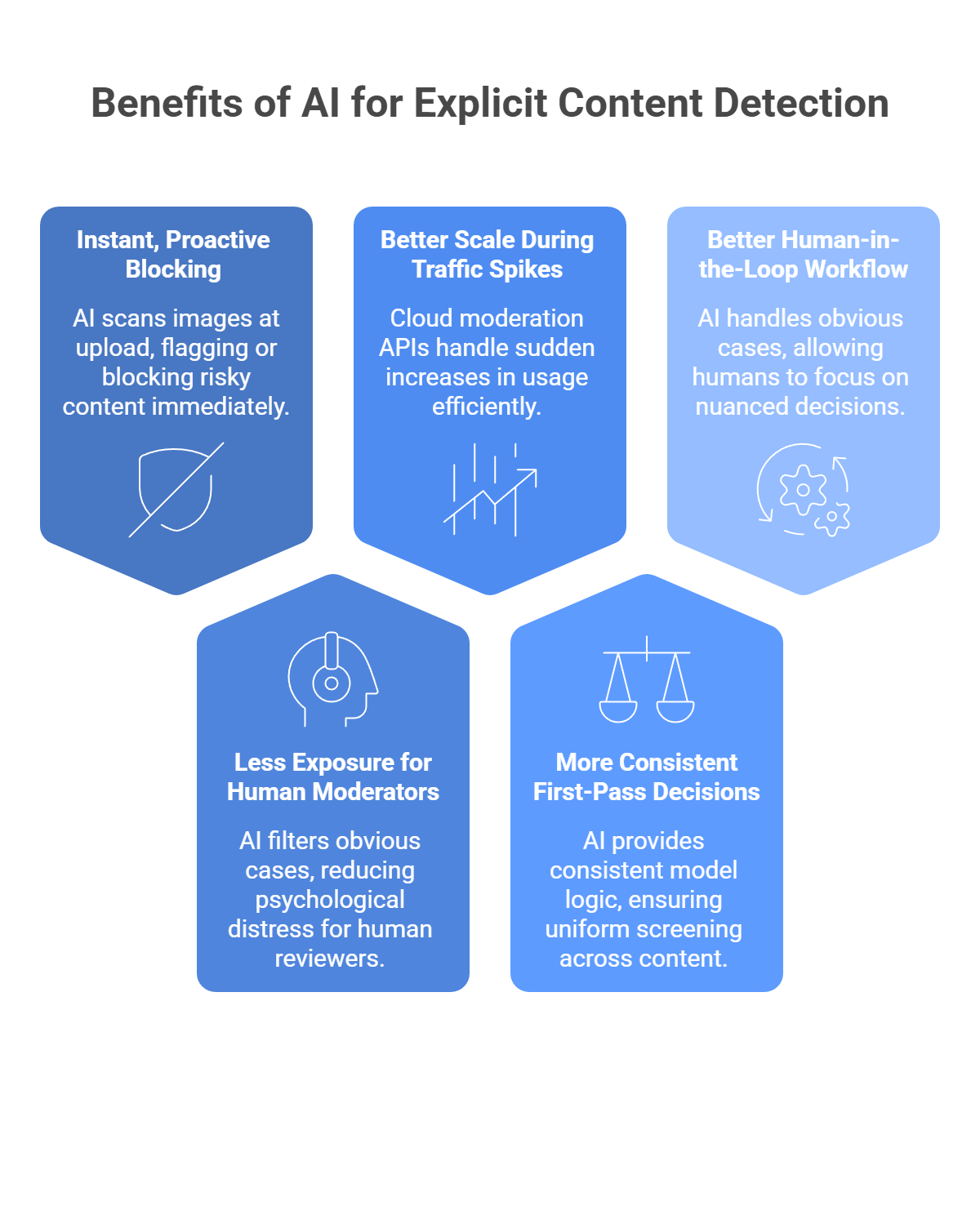
Instant, proactive blocking
Human moderation is reactive. By the time a person reviews a report, the image may already be live, shared, screenshotted, or amplified. AI moderation tools can scan images at upload time and flag or block risky content right away. Google Cloud Vision’s SafeSearch, for example, returns likelihood scores for categories such as adult, violence, and racy content, which makes pre-publish filtering possible.
Less exposure for human moderators
This part matters a lot. Research and reporting continue to show that repeated exposure to disturbing content can lead to psychological distress, secondary trauma, and PTSD-like symptoms in human moderators. AI helps by filtering obvious cases first, so people can spend more time on edge cases and policy judgment instead of raw volume.
Better scale during traffic spikes
Human teams do not scale overnight when a platform suddenly jumps in usage. Cloud moderation APIs are built for that kind of load. AWS positions Rekognition as a highly scalable image and video analysis service for content moderation, and major cloud vendors treat moderation as production infrastructure rather than a manual workflow add-on.
More consistent first-pass decisions
People get tired, drift in judgment, and interpret borderline content differently across shifts. AI gives you the same model logic on the first upload and the millionth. That does not mean perfect fairness or zero mistakes, but it does mean more consistent first-pass screening across large volumes of content. Google’s SafeSearch and AWS moderation labels both expose structured category outputs that make policy-based automation easier to apply consistently.
A better human-in-the-loop workflow
The real win is not “AI replaces moderators.” The better model is: AI handles the obvious stuff fast, and humans focus on nuanced, borderline, or escalated cases. That is also how modern moderation APIs are generally used in practice across images and other media.
How AI image moderation works
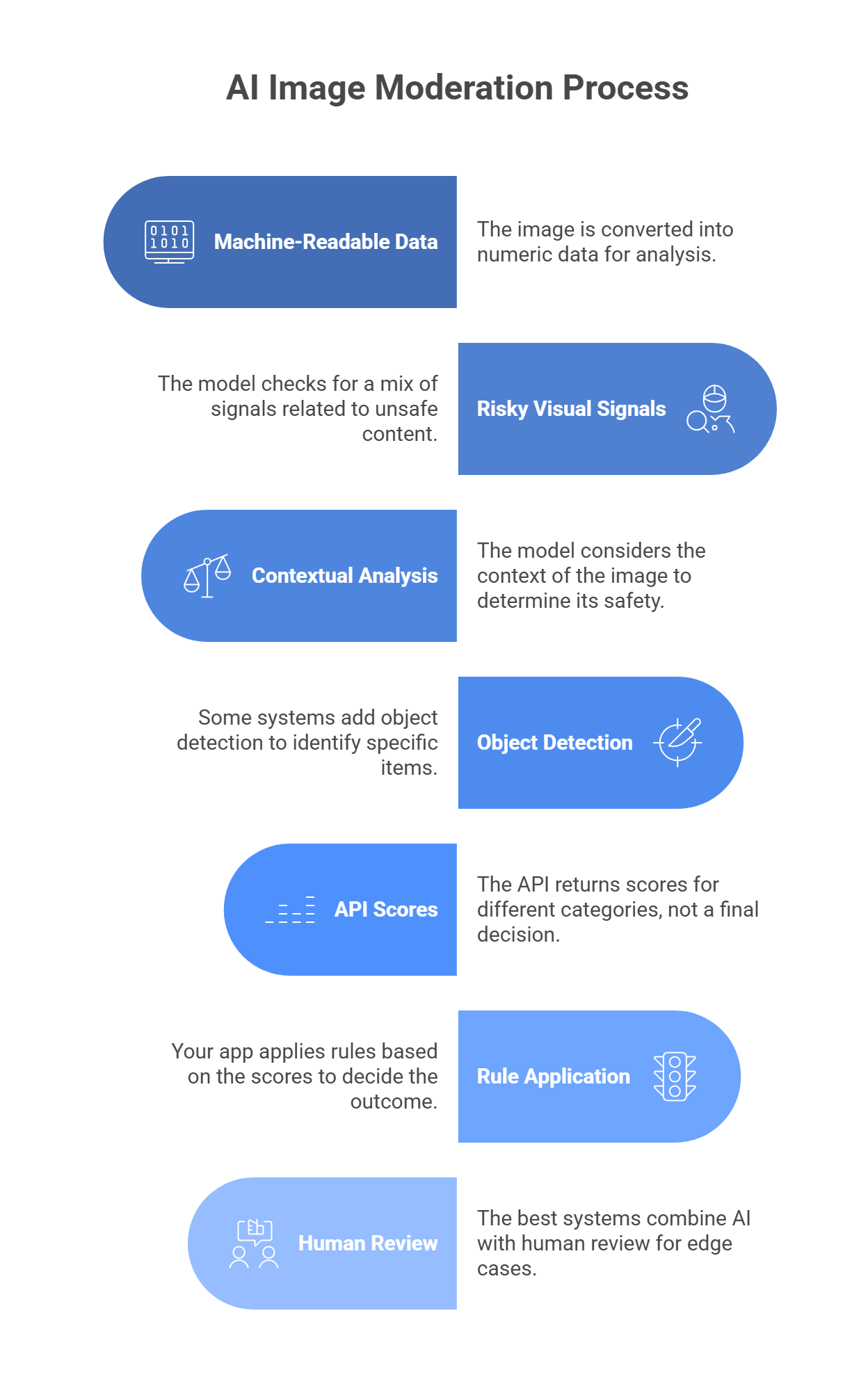
AI image moderation does not “look” at a photo like a person does. It turns the image into numeric data, then checks that data for patterns linked to unsafe content.
The image becomes machine-readable data
When a user uploads an image, the system converts it into arrays of pixel values. The model reads those values and looks for patterns in color, texture, edges, shapes, and layout.
The model checks for risky visual signals
It does not just look for one thing like exposed skin. It checks for a mix of signals, such as:
- visible body parts
- pose and interaction
- blood or injury
- weapons
- drugs or related objects
- symbols tied to hate content
That matters because one image may be unsafe due to nudity, another due to violence, and another due to hateful imagery.
Context changes the result
Context is a big part of moderation. For example:
- a person in swimwear at a beach may be fine
- a medical image may contain nudity or blood but still be allowed
- a knife in a kitchen photo is different from a knife in a violent scene
So the model tries to score categories, not just label an image as “good” or “bad.”
Some systems also detect objects
Many moderation stacks add object detection on top of category scoring. That helps the system spot specific items in the image, such as:
- knives
- guns
- drug items
- hate symbols
In some cases, the model can also mark where those objects appear in the frame.
The API returns scores
Most moderation APIs do not make the final decision for you. They return scores or likelihood levels for categories such as:
- adult content
- violence
- medical content
- racy content
- spoofed or manipulated imagery
Your backend then uses those scores to decide what happens next.
Your app applies the rule
A common setup looks like this:
- low-risk score = approve
- high-risk score = block
- unclear score = send to review
That middle step matters because some images are too borderline for a model to judge well on its own.
Human review still matters
The best moderation systems do not rely on AI alone. They use AI for speed, then send edge cases to people.
That works better because:
- AI is fast and consistent
- humans are better at nuance and policy judgment
How to choose the best tool for your needs
The right moderation tool depends on three things: speed, category depth, and context handling. If your app needs to scan uploads before they go live, latency matters a lot. If your policy has separate rules for nudity, violence, drugs, hate symbols, or scams, you need more than a basic NSFW score. And if text, captions, or post intent matter, you may need a multimodal setup instead of a plain image classifier. Google SafeSearch, for example, gives fast category-level likelihoods for adult, spoof, medical, violence, and racy, while Amazon Rekognition returns a much deeper moderation taxonomy with confidence scores.
A simple way to choose:
- Need broad, simple moderation for standard web apps? Pick a tool with easy integration and clear category scores.
- Need deeper policy control? Pick a tool with granular labels, not a single unsafe/safe output.
- Need high-volume moderation at scale? Pick a service built for production traffic and automation workflows.
- Need to judge image + caption together? Use a multimodal layer, not image-only moderation.
- Need startup speed? Choose an API with fast setup and specialized moderation endpoints.
Top tools for different purposes
Not every moderation tool solves the same problem. Some are better for huge social apps. Some fit companies already deep in one cloud. Some are strongest when context matters as much as the image itself.
Hive Moderation
Best for: Social media and gaming platforms
Why choose it: Hive is a strong pick when basic NSFW checks are not enough. It is built for platforms that need deeper classification across harmful visual content, manipulated media, and policy-heavy moderation at scale. That makes it a better fit for large UGC products than a simple adult-content filter.
Amazon Rekognition
Best for: AWS-heavy enterprise stacks
Why choose it: Rekognition makes the most sense when your product already lives on AWS. It gives you image and video moderation, deep label categories, and easy ties into the rest of your AWS workflow. It is practical, scalable, and easier to justify when S3 and other AWS services are already part of your stack.
Google Cloud Vision API (SafeSearch)
Best for: Broad, general-purpose apps
Why choose it: SafeSearch is the clean, simple option. It returns clear likelihood scores for a handful of moderation categories, which makes it easy to plug into web apps, marketplaces, and standard upload flows without much complexity.
Sightengine
Best for: Startups that want speed and focused moderation APIs
Why choose it: Sightengine is useful when moderation is a core product need and you want a tool built around that job. It goes beyond explicit imagery and also covers things like spam, scams, and fraud signals, which is helpful for fast-moving UGC products.
Multimodal LLMs through LLMAPI
Best for: Context-aware moderation
Why choose it: Sometimes the image looks harmless, but the post is still dangerous once you add the caption or surrounding text. That is where multimodal moderation stands out. A setup through LLMAPI can evaluate the image and text together, which helps with threats, harassment, impersonation, and other cases where raw visual scoring misses the real problem.
Common issues and how to fix them
Automated moderation works well, but it is never perfect. Most teams run into the same problems: false positives, hidden harmful files, encryption conflicts, and content that is technically sensitive but still allowed.
The issue: False positives on harmless images, like elbows, knees, swimwear, or beach photos.
The fix: Do not rely on a hard safe/unsafe output. Use tools that return category scores or likelihood levels, then build thresholds around them. Google SafeSearch, for example, returns graded likelihoods for adult, racy, violence, medical, and spoof, not one flat answer. That lets you set rules like:
- very high score = auto-block
- mid-level score = send to review
- low score = auto-approve
That is much safer than banning every image that triggers a moderate signal.
The issue: Hidden harmful content that does not show up visually, such as known illegal material matched at the file level.
The fix: Visual AI is not enough on its own. Pair image moderation with hash matching and file-level checks. Microsoft says it uses PhotoDNA and MD5 hash-matching technologies to detect known illegal and harmful image content, including previously identified child sexual exploitation material. That matters because a file can look normal on the surface while still matching known illegal content at the hash level.
The issue: End-to-end encryption makes server-side moderation much harder.
The fix: If your app uses E2EE, server-side scanning may conflict with your privacy model. In those cases, one option is on-device moderation before encryption, using lightweight vision models that run locally on the user’s device. I did not find a strong official source in this search that specifically confirms YOLOv8 as a standard moderation choice for this use case, so I would frame that as an implementation option rather than a settled best practice. The main point is that moderation may need to happen on-device if the server is not supposed to see the image contents at all.
The issue: Art, medical content, and educational images get over-moderated.
The fix: Choose a tool with category depth. Google SafeSearch is useful here because it separates medical from adult and racy, and it also includes a spoof category. That gives you more room to write smarter policy rules instead of treating all nudity or all graphic imagery the same way. For harder edge cases, multimodal review helps because the caption, product category, or page context can explain why the image is allowed.
Want a safer moderation stack that can understand more than just the image?
AI moderation works best when it looks at the full context, not just one file in isolation. An image can be paired with captions, comments, or surrounding text that completely changes how risky the content really is. That is why more teams are moving beyond simple binary image checks and toward moderation flows that can reason across multiple inputs.
If you are building that kind of system, managing separate providers for every text and multimodal task can get messy fast. A unified layer like LLM API gives you one OpenAI-compatible API with access to many models, so you can handle the generative and multimodal side of your safety stack in one place. It also adds routing, cost controls, team keys, and visibility into model performance and errors, which helps when moderation volume starts to grow.
Why use LLM API for moderation workflows?
- One API for multi-model AI infrastructure
- OpenAI-compatible setup for easier integration
- Routing and fallback options for steadier performance during spikes
- Cost controls and usage visibility as moderation volume grows
- Team key management for cleaner internal access control
If you want your moderation pipeline to stay more flexible, scalable, and easier to manage, LLM API is a strong layer to add. It helps you keep the AI side of trust and safety more unified without boxing your platform into one provider.
FAQs
What does an explicit content detection API look for?
It scans images for patterns tied to categories like nudity/sexual content, graphic violence, hate symbols, drugs, and self-harm. The output is usually confidence scores per category, not just a simple yes/no.
Can AI moderation fully replace human moderators?
No. AI is great for catching obvious stuff at upload, but humans are still needed for grey-area posts, appeals, and policy edge cases (context matters a lot).
How can LLM API improve image moderation?
Basic vision tools mostly judge pixels. With LLM API, you can route images to multimodal models and ask more specific, policy-style questions (for example: “Does this violate our bullying rules?”). That can reduce false positives when context is important.
What happens if my moderation model goes down?
If you rely on one provider, you either block everything or let risky uploads through. Routing through LLM API lets you set up fallbacks, so moderation can switch to another model when the primary one fails.
How do I avoid flagging innocent swimsuit photos?
Use category-based scoring (for example, “racy” vs “explicit”) instead of a single “unsafe” label. Then your app can allow borderline content in appropriate contexts while still blocking truly explicit images.
