
You open a pull request, scan a messy ticket, skim a log file, then flip to a chat window that already “knows” your codebase. That’s a normal dev day in March 2026. Large language models (LLMs) sit beside your IDE, inside your product, and behind your internal bots.
What changed since the early ChatGPT wave is scale and memory. Long-context models now take inputs in the 400k to 1M token range, and some go far beyond that, which means you can hand over whole specs, long incident threads, or large chunks of a repo without chopping everything into tiny pieces.
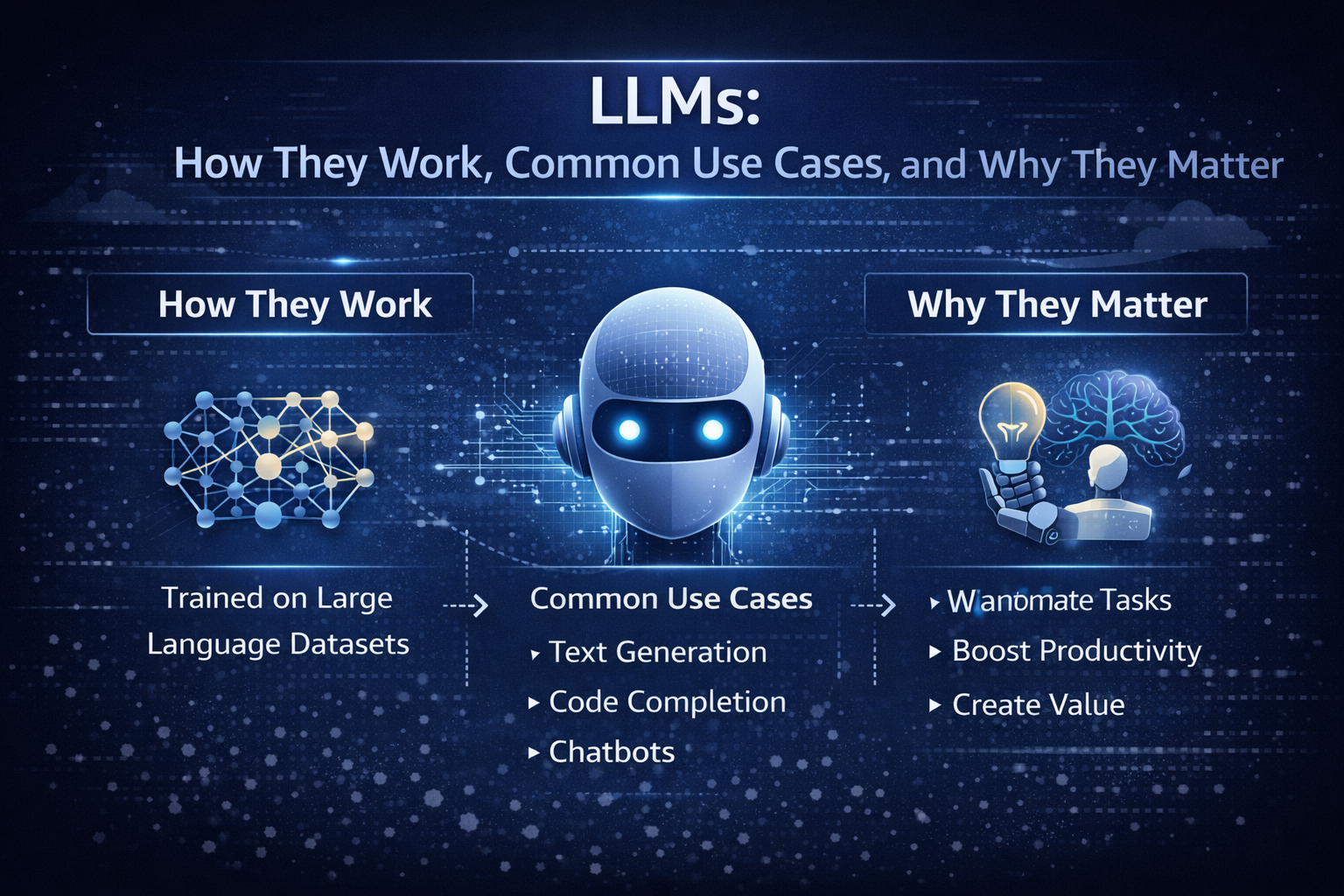
By the end of this guide, you’ll be able to say what an LLM is, explain how LLMs work at a high level, and spot where they matter in real products this year.
Who this guide is for, and what you will be able to do after you read it
If you’re in a dev department, you’re probably tired of vague takes. If you’re a vibe coder, you want a clean mental model you can use while you build. If you’re a CTO, you need a cost-aware, safety-aware rollout plan that won’t turn into an incident.
The real problem is simple: there’s too much hype, and not enough shared language. So you end up with “AI did it” stories, but no one can explain why it failed or how to choose the right model.
After you read this, you’ll be able to:
- Explain LLMs to a teammate without hand-waving.
- Pick a model type that matches your task and risk level.
- Recognize common failure modes (hallucinations, prompt injection, drift).
- Plan safe, measurable rollouts with basic evals and guardrails.
Here’s the fastest way to map the stakeholders around you:
| Role | What you care about |
|---|---|
| Developer | Faster coding, fewer interrupts, good tool use, predictable latency |
| Engineering manager | Quality, reviews, delivery speed, fewer regressions |
| CTO | Reliability, cost control, vendor risk, governance |
| Security | Data handling, audit logs, least privilege, injection resistance |
The simplest mental model, a super-smart autocomplete with a memory window
At the core, a language model is trained to predict the next word (more precisely, the next token). Think of tokens as word pieces. “Unbelievable” might split into a few tokens. A programming language keyword might be one token, while a long identifier becomes several.
A tiny example: if you prompt, “Git is a distributed version control”, the model tends to continue with “system”. It’s not looking up a definition. It’s predicting the next likely token based on patterns learned from a massive dataset.
That’s the limit you can’t forget: it generates likely text, not guaranteed truth. When an LLM sounds confident, that confidence is style, not proof.
The other key concept is the context window, which you can treat like a working memory. In 2026, bigger windows change workflows. You can paste a full architecture decision record, the last 200 chat messages, and a stack trace, then ask for a focused plan. That makes LLMs feel less like a trick, and more like a teammate with a very large whiteboard.
Where LLMs fit in your stack in 2026, chat, copilots, agents, and tool use
In production, you usually see LLMs in four places:
- Inside the IDE as a copilot for code, tests, and refactors.
- Inside the product UI for support, search, writing help, and guided setup.
- Behind internal bots for triage, onboarding, and knowledge lookup.
- Inside agent workflows that call tools (APIs – Like, databases, web search, ticketing).
Agents matter because they turn language generation into actions. A tool-using LLM can draft a query, call your API, read results, then write a user-facing answer.
If you’re shipping this for real users, your baseline production checklist is short but non-negotiable: logging, evals, rate limits, a fallback model, and human review for high-risk outputs. If you want a concrete way to compare model capabilities, context windows, and example token pricing in one place, use a reference like model capabilities comparison.
What large language models are, with examples you will actually run into
A large language model is a neural network trained on large datasets so it can generate and understand natural language. Under the hood, it is a transformer-based machine learning model that learns patterns in human language and code from training data. Later, at inference time, it generates natural language outputs from your prompt.
In other words, LLMs are not databases. They’re sequence models that compress an enormous amount of data into parameters, then produce plausible continuations.
You’ll run into these model families constantly in 2026:
| Model family | What it’s good at | Best fit |
|---|---|---|
| GPT-5.2 | Strong reasoning, strong code, long-context work | Complex coding tasks, spec to implementation, tool-using agents |
| Claude Opus 4.6 | Reliable general writing and analysis | Support drafting, policy text, careful summaries |
| Gemini 3.x | Multimodal models with very large context options | Doc-heavy workflows, image plus text tasks, research assistance |
| DeepSeek R1 | Reasoning models and math-heavy tasks | Structured reasoning, test generation, analysis pipelines |
| Llama (open weights) | Flexibility and private hosting | Regulated apps, custom fine-tuning, on-prem needs |
| Mistral | Range of sizes, good coding strengths | Fast helpers, cost-sensitive apps, EU-focused deployments |
This is where “LLMs Explained” becomes practical: you stop asking which model is “best” and start asking which model is best for this task, this risk, and this budget. Costs vary a lot, so measure with your own prompts and your own latency targets. For a grounded, plain-English perspective on what models do and don’t do, read what large language models actually do.
A quick roster of popular LLMs in March 2026, and why teams pick each one
You’ll see a few patterns in real teams:
- GPT-5.2: Chosen when you need strong reasoning and clean code. Many teams like the long context, which is commonly listed around ~400k tokens in gateways.
- Claude Opus 4.6: Picked when you want steady, readable outputs and fewer “weird” replies in customer-facing text.
- Gemini 3.x: Used when you need multimodal input and huge context windows. Many Gemini routes list up to ~1M tokens.
- DeepSeek R1: Used for reasoning-heavy pipelines and math-like tasks where structure matters.
- Llama (Llama 4 era): Picked for open-source flexibility. Realtime reports often cite extremely long contexts for certain variants, including a reported 10M token window for Llama 4 Scout in some ecosystems.
- Mistral: Chosen when you want a range of smaller to larger models, often with strong coding and good speed.
A real-world insight: you rarely use one model. You route. A powerful model handles the hard calls, while a smaller ai model handles cheap tasks like tagging, rewriting, or first-pass drafts. For another 2026-oriented overview of model families and buying considerations, see Large Language Models: What You Need to Know in 2026.
Types of LLMs you will hear about, and what those labels really mean
Labels get messy fast, so keep the categories simple:
| Label | What it means | Why you care |
|---|---|---|
| Decoder-only | Predicts the next token, great at generation | Most chat and code LLMs live here |
| Encoder-decoder | Reads input then transforms it to output | Useful for translation and structured rewriting |
| Multimodal | Takes text plus images or audio | Needed for screenshots, diagrams, voice workflows |
| Open-source vs closed-source | Weights available or not | Impacts hosting, privacy, fine-tuning, audits |
| Foundation models | Pretrained models you adapt | Most modern systems start here |
You’ll also hear about mixture-of-experts. It’s an efficiency trick: only part of the network “fires” per token. That can reduce cost and latency, but it adds routing and reliability quirks you should test.
How LLMs work under the hood, without the math headache
You can understand the inner workings of LLMs without drowning in equations. Picture an assembly line that turns your words into tokens, runs attention across them, then produces the next token, over and over.
Here’s the basic loop:
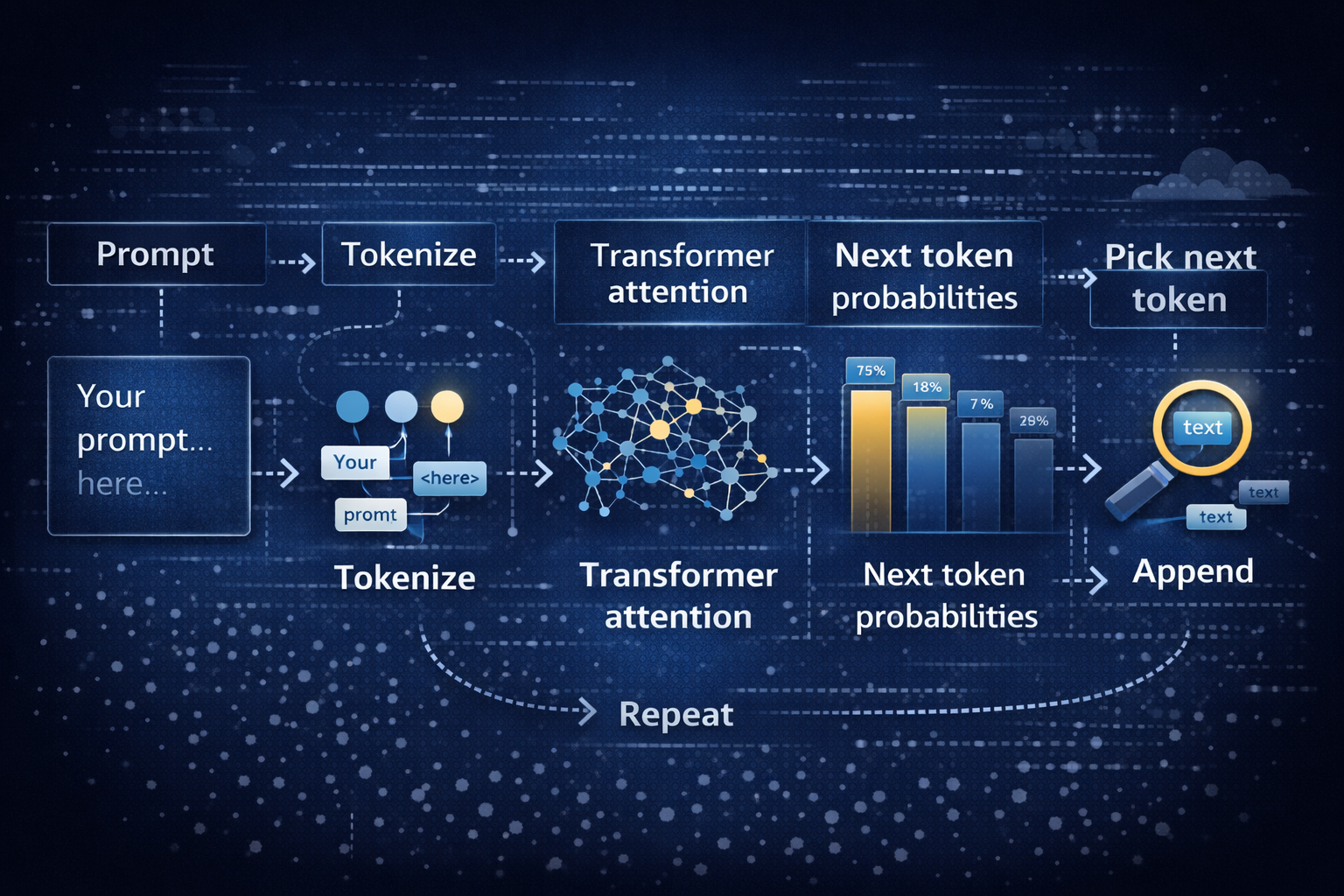
That loop is inference. Training is different. During training, the model sees enormous training data and learns by predicting missing pieces and correcting errors. That’s the “learning models” part. Inference is the “use it” part, where your prompt steers the already-trained network.
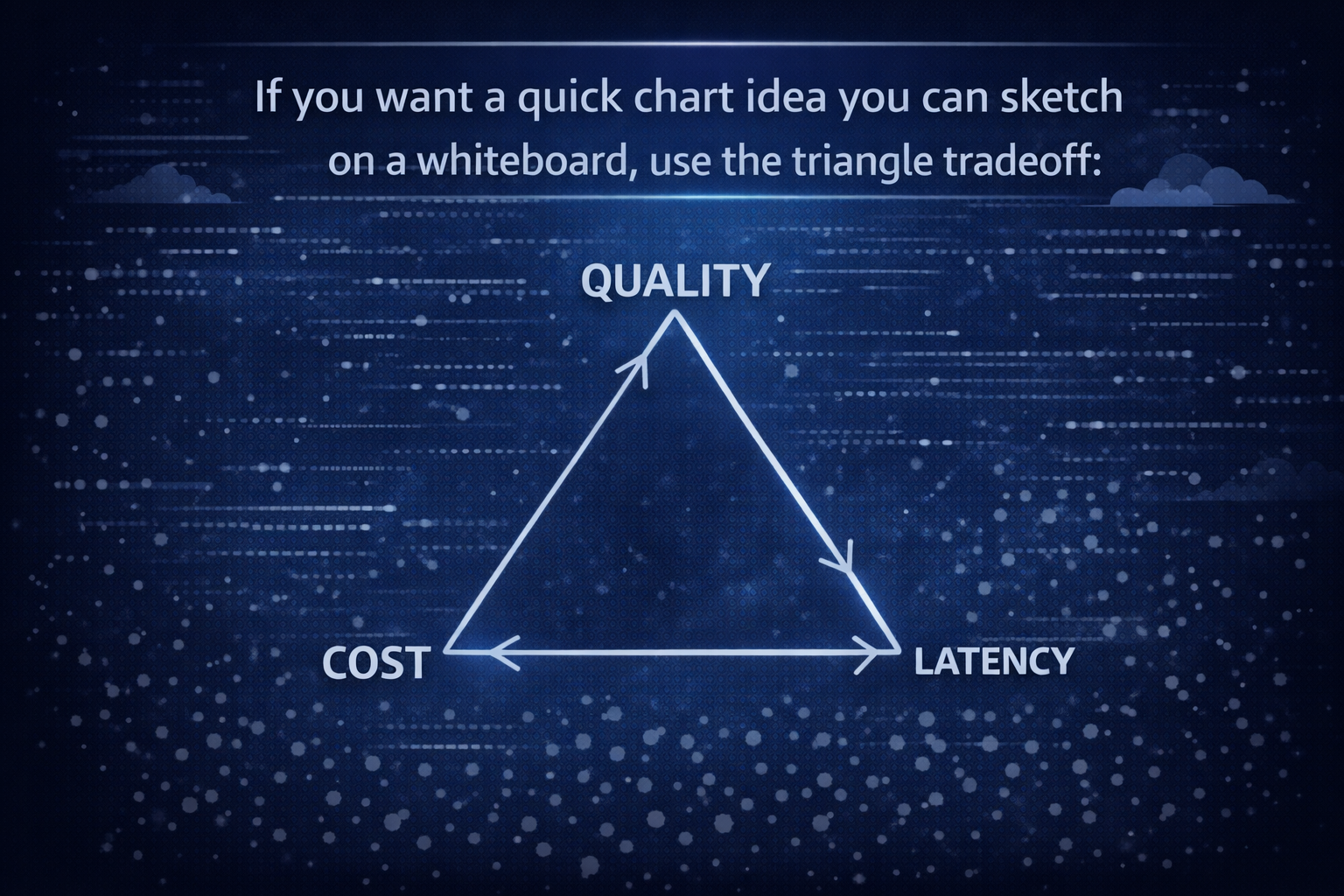
As you move toward quality, you usually pay more and wait longer. As you move toward lower cost, quality can dip. Low latency often means smaller models or faster infrastructure. That triangle is why deploying LLMs is part engineering and part product management.
Transformers and attention, how the model connects words across a sentence
A transformer is a neural network architecture built for sequences. The transformer architecture uses attention to decide what parts of your input matter most for the next token.
A simple example: “Put the glass on the table because it was wobbly.” What does “it” refer to? The glass or the table? Attention tries to resolve that by weighing nearby words and long-range hints.
In practice, attention acts like highlighting. It doesn’t guarantee correctness, but it reduces confusion. Still, long inputs can overwhelm even powerful models. You’ll see misses when the key detail is buried in page 47 of a long doc, or hidden in a noisy log.
Training, fine-tuning, and why instruction-following feels like magic
Most LLM training today follows a familiar path:
- Pre-training: The model learns general patterns from a massive dataset, often measured in trillions of tokens. Realtime reports cite examples like GLM-5 trained on about 28.5T tokens and Ling-1T trained on 20T+ tokens.
- Instruction tuning: The model learns to follow directions, answer questions, and format outputs.
- RLHF-style alignment: Humans and automated systems steer responses toward safer, more helpful behavior.
Fine-tuning is where you teach a foundation model a job. You can train it on your support tone, your code style, or your internal taxonomy. However, fine-tuning is not a free win. If your dataset is messy, you bake mess into the model. If your evals are weak, you ship regressions faster.
You’ll get better results by pairing fine-tuning with simple evaluation sets and clear acceptance checks.
Why LLMs matter in 2026, the real use cases, the real limits, and how to ship safely
In 2026, using LLMs is less about novelty and more about removing friction. You’re trading copy-paste work for natural language prompts, and trading long searches for targeted summaries.
Common use cases you can ship this year:
Customer support drafts answers, then you review before sending. Sales teams generate outreach variations and account notes. Developers get help with triage, tests, and refactors. Meeting notes turn into exec summaries. Translation gets faster for global teams. Research becomes a loop of summarize, cite, and compare. Internal knowledge search improves when you combine retrieval with generation.
Results vary by team and data quality, so treat outcome numbers as KPIs you measure, not promises. What you can measure reliably is time saved, resolution time, conversion rate changes, defect rates, and user satisfaction.
A quick “when not to use an LLM” list helps you avoid pain:
- You need a single correct answer with no tolerance for error (medical dosage, legal advice).
- You cannot log or control sensitive data flows.
- You don’t have a way to evaluate outputs before users rely on them.
If you’re choosing how to route models, handle fallbacks, and manage providers without building everything from scratch, start with a production-oriented guide like best LLM routing gateways.
What LLMs do well in real products, and the results teams report
Use this table as a planning tool. It keeps you honest about what you automate versus what you still review.
| Use case | What you automate | What you still review | Outcome you can measure |
|---|---|---|---|
| Customer support | Draft replies, classify tickets, summarize threads | Final send, refunds, policy-sensitive language | Time to first reply, resolution time |
| Sales | First-pass emails, call recap, CRM updates | Claims, compliance language, personalization | Reply rate, conversion lift |
| Coding | Unit tests, refactor suggestions, log explanations | Merges, security, edge cases | Fix time, review cycles |
| Meeting notes | Summaries, action items, decision logs | Sensitive details, ownership | Hours saved per week |
| Translation | Draft translation, tone variants | Brand voice, legal terms | Doc turnaround time |
| Research | Summaries, comparison tables | Source checking, citations | Time saved per report |
| Knowledge search | Answer drafts from internal docs (RAG) | Final facts, permissions | Ticket deflection, cost per answer |
Two concrete examples help you picture this in a stack:
- Dev team scenario: You wire an LLM into triage. It reads the ticket, pulls logs, suggests a likely cause, and proposes a patch. You still require human review before merge.
- Support team scenario: The model drafts a reply and includes citations from your knowledge base. You review tone and policy, then send.
If you want an additional enterprise-oriented overview of benefits, limits, and applications, skim Large Language Models Explained: Capabilities, Benefits, Challenges.
The risks you can’t ignore, hallucinations, privacy, prompt injection, and drift
Hallucinations happen when the model fills gaps with plausible text. For example, it may invent a library function that sounds real. You reduce this by grounding answers in retrieved documents (RAG) and by forcing citations.
Privacy risk shows up when prompts contain secrets. Don’t paste production tokens into a chat. Instead, redact, tokenize, or keep sensitive flows inside approved environments.
Prompt injection is the “ignore previous instructions” trick, but in a real disguise. A user might paste a malicious snippet into a support chat that tries to make your agent reveal internal notes. Tool use makes this worse if you give broad permissions.
Drift is slow failure. Your prompt changes. Your dataset changes. Your product changes. Suddenly, the same prompt produces a different answer, and no one notices until users complain.
Mitigations that work in practice:
- Ground outputs with retrieval and cite sources.
- Validate tool outputs, especially database writes and refunds.
- Use least-privilege tool access, per action and per user.
- Red-team prompts and run evals on every release.
- Add fallbacks and safe refusal behavior for risky tasks.
Log enough to debug, but protect user data. A minimal, useful log set includes: prompt template version, model name, temperature, retrieved docs IDs, tool calls, response, latency, and user feedback. For a broader 2026 refresher on LLM basics, use What is a Large Language Model? Complete Guide 2026.
Conclusion
You now have a working mental model: LLMs are transformer-based deep learning models trained on huge training data to predict the next token, guided by your prompt and bounded by a context window. In 2026, they matter because they reduce waiting, searching, and repetitive writing across engineering and product work.
Your next three steps are simple: pick 1 or 2 use cases, build a small eval set from real work, then ship behind feature flags with monitoring and a fallback plan. Look at your week and ask: which workflow has the most copy-paste and waiting? That’s usually your best first target.